Hi @filzer, when creating new topics, please do not forget to answer the questions in our template with specific details about your setup not just “iPad” or “Latest Version”. This helps all of our community moderators to provide the most effective support to users with the utmost efficiency. Thanks!
Device Model (ex. 2020 iPad Air 4th Gen): Version of operating system (ex. iOS 17.3.1): Version of djay (ex. 5.1.3): Hardware/controllers used (ex. Reloop Ready): Hardware Firmware Version (ex. 2.7):
Since this sounds repeatable, can you please capture and share a short screen recording of the issue to help clarify what’s happening? Thanks!
Hey @Slak_Jaw thanks for answering and sorry, yes i was lazy because i think the problem is not really device dependent. But anyways:
Device Model : Mac Mini M4, iPad Pro 12,9” 4th Gen Version of operating system: Mac OS 26.5, iPad OS 26.5 Version of djay: 5.6.5 Hardware/controllers used: intech grid module Hardware Firmware Version: 1.5.1 (latest)
I am creating a DJAY mapping for my 4 intech grid modules. I did the mapping on my mac and transfered the mapping to the iPad afterwards, the iPad is the device i use for DJing.
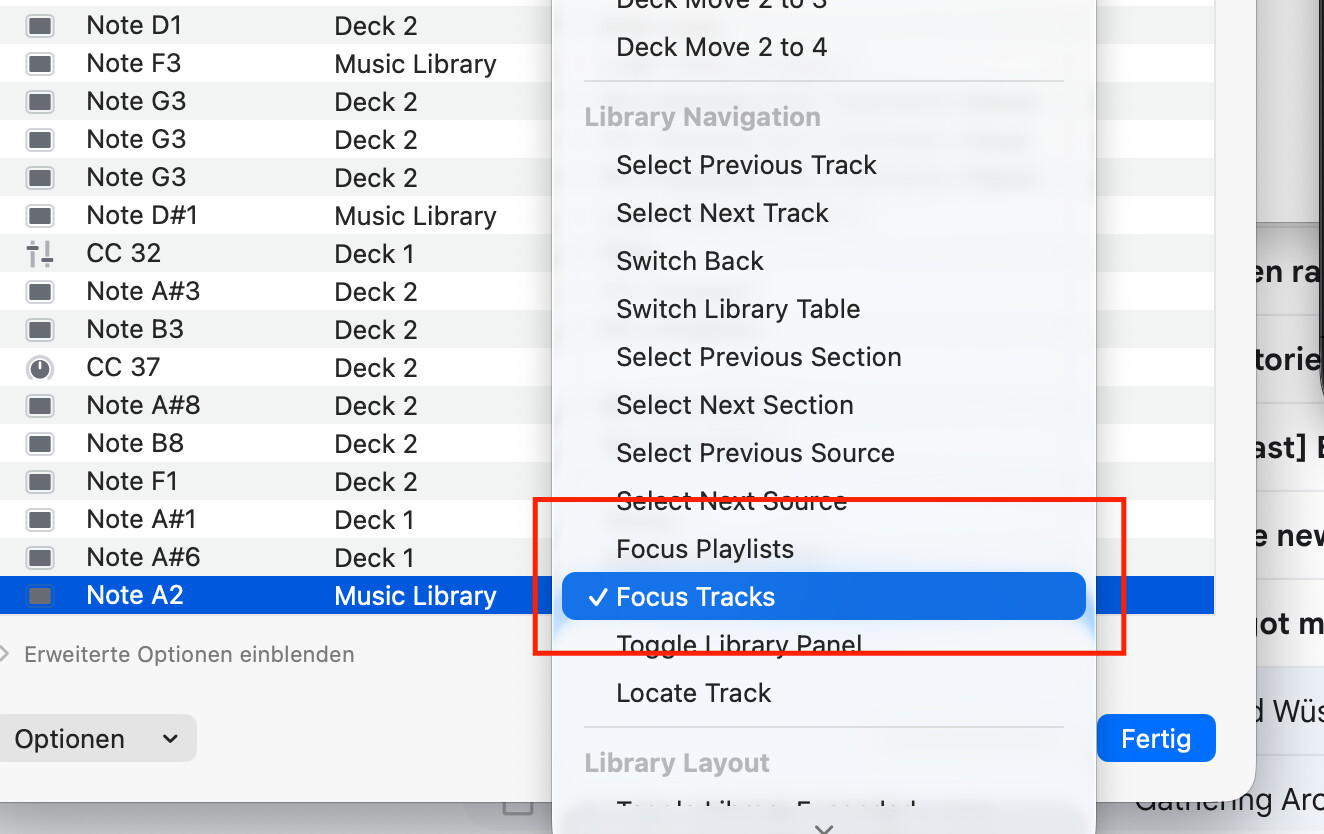
On the mac, i used the two midi actions “Focus Playlists” and “Focus Tracks” to swap between tracklist and the playlist list. This is important for me, i use several Playlists for DJing and want to be able to search in each of them without the need to tap on the screen.
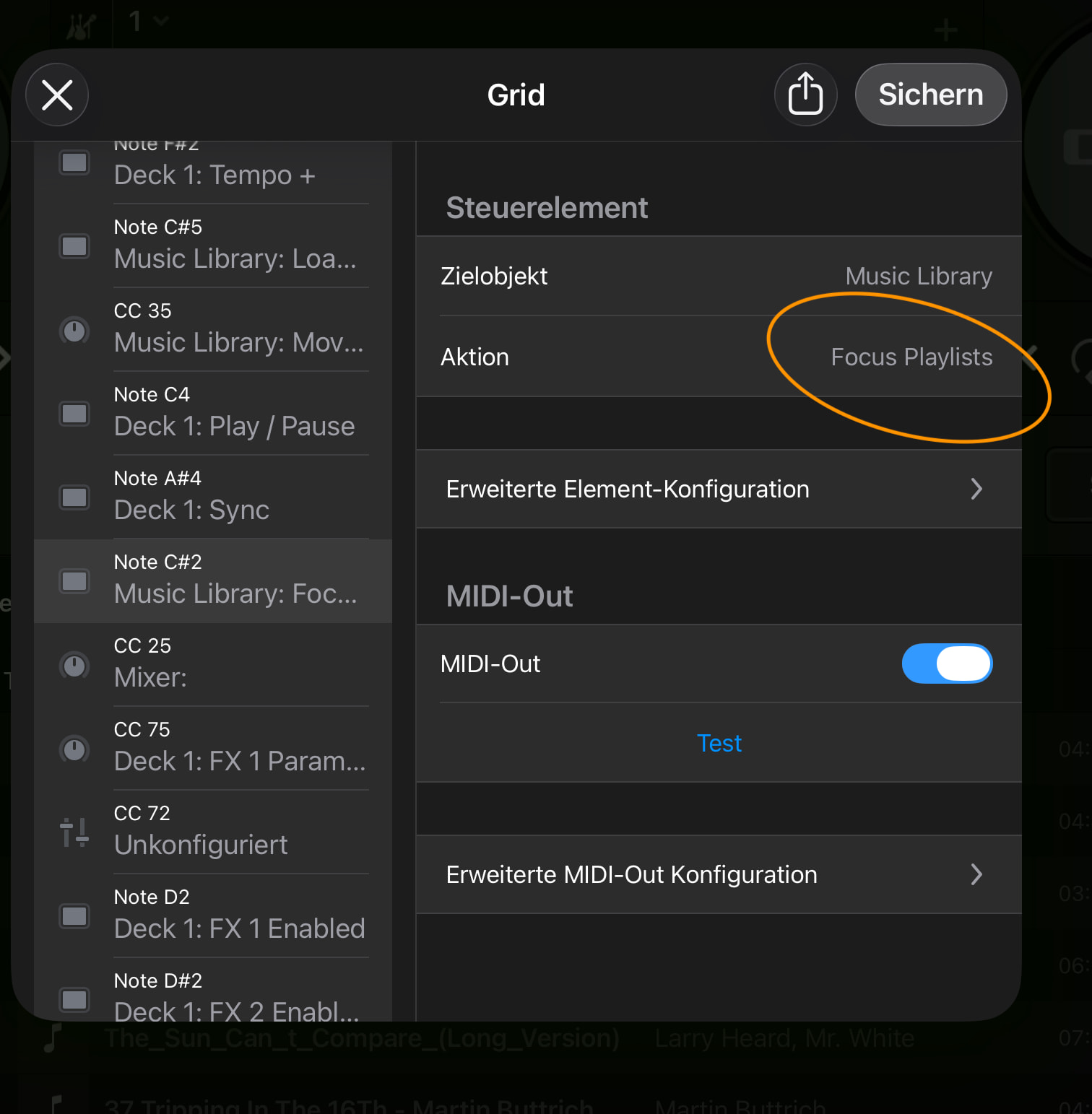
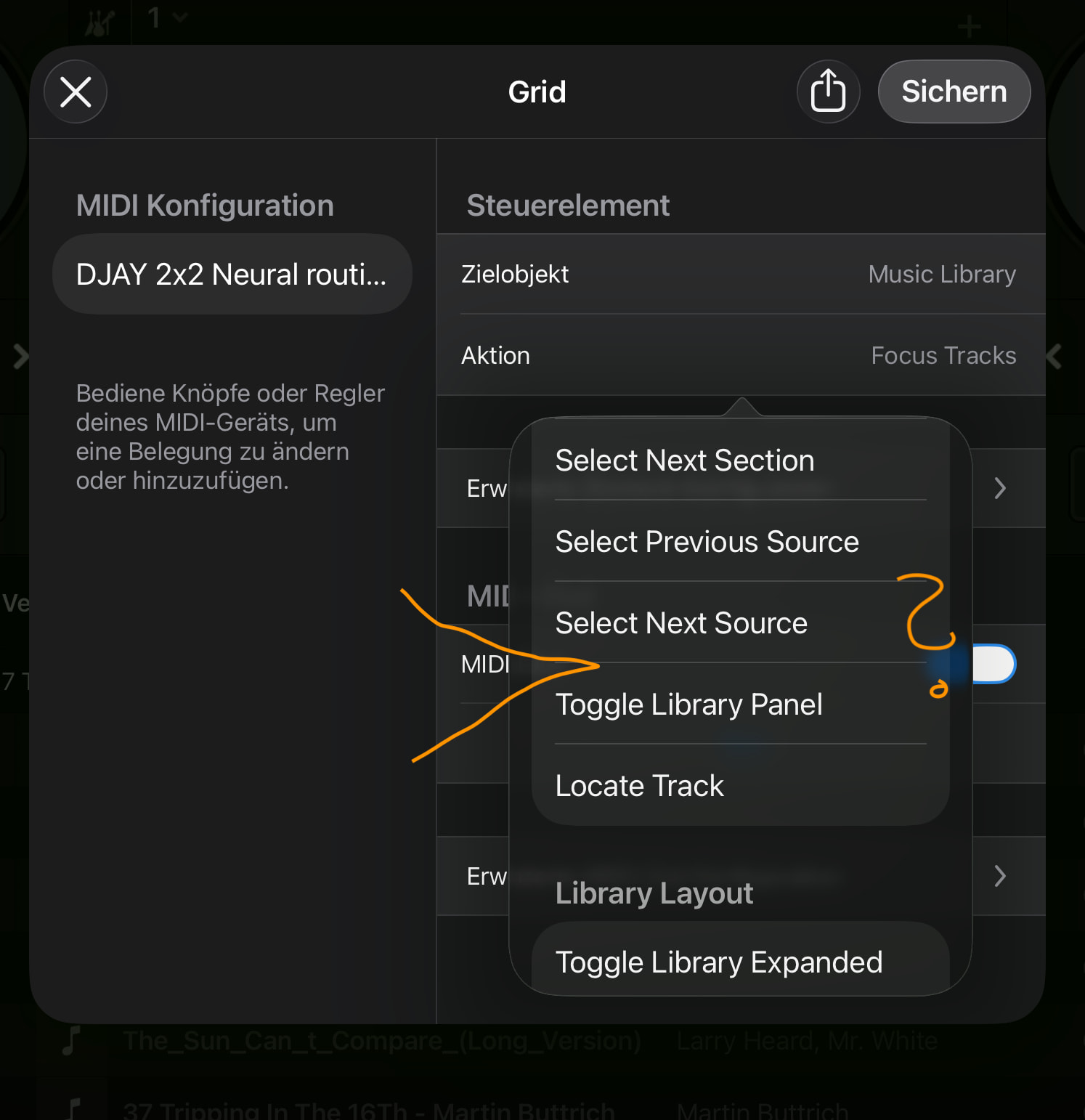
After transfering the mapping file (no problems here) i tried everything and found out that this action is missing on the iPad. It still has the wording (i guess because the mapping file comes from the mac) to see in the iPad app but the action itself is missing in the dropdown.
I really hope this is just a small thing to repair (and not intentional) as i am near finishing my dream controller setup and this is a small but important puzzle piece
i made screenshots that i hope show sufficiently what i mean.
Hi @filzer, thanks for the detailed info. This definitely clarifies things. On iOS, please try using the Switch Library Table MIDI command and let me know if that works for you or not. This toggles between Playlists and Songs.