Hoping to make a strong and detailed argument for changing this:
I understand that the new behavior was meant to address an issue users have run into when using auto-gain.
However, the way it was implemented didn’t only solve that issue, it now introduced a new problem for the other group of users who do not use auto-gain.
In the past 2+ years that I’ve been a paid user, I have not used auto-gain at all, I prefer to control the gain on my own.
I do rely on looking at my iPad to see where all the levels are at and a confirmation of the changes I make while mixing.
In my case, my hands are covering the knobs on my controller (Reloop Mixon 8 pro) so the idea that I would have to move my hands away from the controller, look at the small white mark on the knob to see where the gain is at, and then adjust it would totally get me out of flow and mess with me.
I already rely on all the other knobs and sliders that are in sync between my controller and the app in the iPad and I would prefer to continue to use the iPad for the visual feedback.
That being said, I don’t think we need to fully revert the recent changes. I believe that the same way that @Slak_Jaw first replied to this thread saying that disabling auto-gain would revert us back to keeping the hardware knob and the software in sync, is how this feature should evolve.
Then both groups of users will get what they need, us who do not rely on auto-gain can continue to see our gain levels on the app, and those using auto-gain will not have the sudden jump in volume that messes with their performance.
This also means that the engineers do not have to bring in yet another setting toggle to have the old vs new behavior, we can simply use the current toggle to do more than what it does today.
Thank you!
Recent bug, not anymore to map the respective Deck GAIN, worked for years before, the problem is software, I already try with different MIDI controller, that is the lonely fonction not anymore mappable. The bug is from the update 5.2.9 to 5.3 (still not working on 5.3.1)
on my MACBOOK Pro M1-MAX with Sequoia 15.3.2
NOTE: Please use the search function above before posting to avoid creating duplicate topics.
Device model (e.g. 2020 iPad Air 4th Gen):
Version of operating system (e.g. macOS 14.4.1):
Version of djay (e.g. 5.1.2):
Hardware/controllers used (e.g. Reloop Mixon 8 Pro):
Hi @VenetianDJ, please use search before creating new topics. I have merged your new topic with this existing one. This is expected behavior when using Auto-gain. We have decoupled the hardware gains from the onscreen gains when using Auto-gain to prevent sudden jumps in gain value when you want to make a minor adjustment via hardware. The MIDI function still works via hardware, but the onscreen gain controls only show Auto-gain levels. The idea is that you will use the dial on your hardware to monitor the manual gain levels. I hope that helps!
Auto gain: decoupled manual gain on hardware controllers from auto gain in software to allow for independent adjustments
Auto gain reset: double taping the gain knob first resets to auto gain level when auto gain is active, double tapping again resets to zero
By all means I’m laying no blame towards you with this but some users experienced issues with Auto gain whilst others, like myself for instance didn’t have an issue with it,
Now some users including myself would have preferred for it to be like it was or at a bare minimum to have the ability to disable/enable the Gain movement via the controller and now we can’t,
See where I’m going with this,
And this is directed at the Dev team,
Again this is not a make or break issue but in the latest update, there were a bunch of features introduced, and being a very active member on this forum, have never heard of people ask of yet various other implementations that have been asked for over years appear to fall on deaf ears,but yes I digress
Hi @fmpwizard, our dev team would like to have a better understand of your requirements. Can you please confirm if you’d want you hardware gain adjustments (with auto gain turned off) to be persisted or if you simply re-adjust for every song? We understand you want the software to reflect whatever value is set on the hardware, but we’re also curious if you’d also want that value persisted.
Only decouple the hardware gain controls from the onscreen gain indicator when using Autogain.
In other words, with Autogain OFF, the hardware gain position will be reflected in the onscreen gain position.
With Autogain ON, you can still make adjustments to the actual gain level and output via the hardware, but the onscreen gain position will not move when moving the hardware controls. It will continue to show the Autogain set level.
Yes Option 1 where if you decide to switch Auto Gain on in the settings, it decouples the on screen to hardware indication,
Switching Auto Gain off allows you to see the Gain icon move on screen,
My reason for this is that I come from a rotary mixer set up when I spun vinyl so I always preferred the use of a rotary dial/knob when mixing,My controllers aren’t rotary so now I tend to have my Upfaders all the way up and blend using the Gain and occasionally the Crossfader,
To make things easier for me, I also swapped midi commands for the LF/HF Filter with the Gain, as they are closer to the Upfader, I personally don’t use the filter on Djay pro all that much because to be honest the sound is a bit harsh compared to actual hardware filter.
Now given that I mainly play older disco and Funk, the quality of some of the mastering wasn’t the best so I like to see on screen exactly where the Gain level is between each track, probably wouldn’t be as much of an issue if I played EDM I guess.
Being that my eyes are watching every other icon on my screen being adjusted and the feedback on screen relates to the hardware, The Gain icon was a pretty important thing for me but now I have to look at the controller, which sometimes in dim light is a bit harder to see.the dial/knob
Coming from Serrato I really like the fact that the gain in the app doesn’t move when I use the gain on my controller. In my understanding again in the app should just make all of the tracks a similar level and then if needed, I fine-tune them with the gain on my controller.
i like option 2. it would show what gain level your mixer/controller are at.. i personally dont care about if i see it move on the screen because i look at my controler (Hercules T7) and use my ears… but option 2 i would pick
To clarify, all 3 points above are the same single solution. Just worded differently and explained with different details.
Onscreen gain does not move when adjusting hardware when Autogain is enabled. To have the onscreen gain match the hardware you would turn Autogain off. Regardless of the Autogain On/Off, you can still tweak the real gain output via the hardware.
So, basically with Autogain On it would act exactly how it does now in 5.3.1. However, with Autogain Off, the onscreen gain would then move with the hardware gain knob.
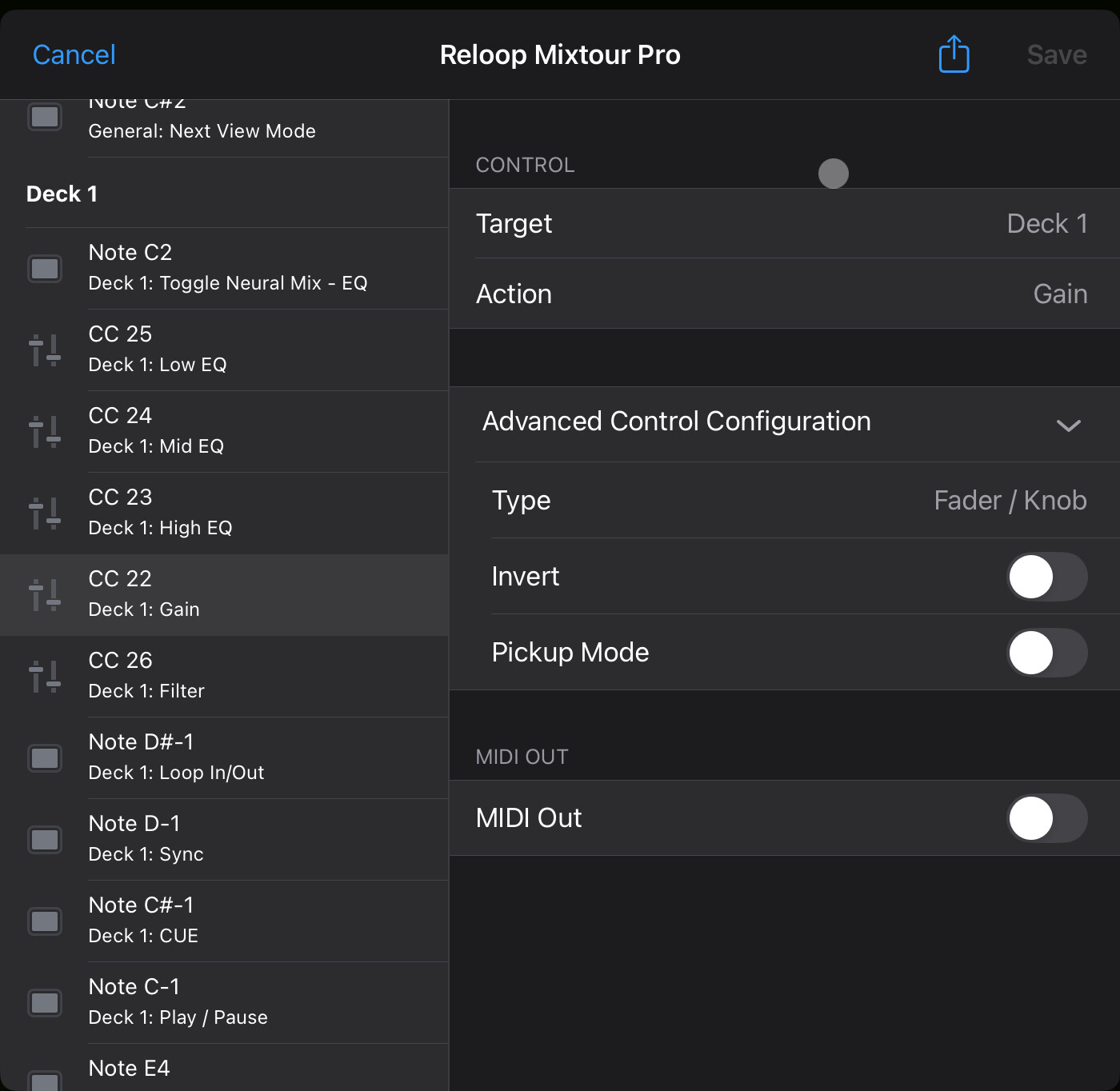
The Deck Gain control stopped working after the app automatically installed a new MIDI control set for the Reloop Mixtour Pro. I tried everything even loaded the original midi settings it still wont work.
Turning the deck gains do not change the deck gain on the app.
Hi @RakanIam, this is expected new behaviour in 5.3. Please read above for more details. Note that the hardware gain still works, but the onscreen gain indicator now only shows the Autogain value. These have been intentionally decoupled per the 5.3 release note. I hope that helps!
I actually support how it works as of the v5.3 update - software should display autogain level only at all times - just like serato.
The option to make hardware trim adjustments show on the software gain indicator when autogain if ON will mess some people up (if they have “Save and restore manually set gain values” checked).
For me and my post-serato workflow, I love it as it is now. I really don’t see alot of adjustments in workflow some people have to make to get used to this because in the end the output (sound) is still smoothly adjustable via hardware.
To be frank, that gain display is a lot tinier than the VU meters on our hardwares and doesn’t really contribute much in a live situation
This solution you listed would make the most sense and it was actually what I was thinking. If using “Autogain,” whatever the software automatically selects for the gain level is what should be reflected onscreen regardless of manual adjustments; hence, decouple the hardware gain controls from the onscreen gain indicator when using Autogain. But if I’m a user that doesn’t use Autogain and I manually adjust my gain setting on the hardware I’m sure I’d probably like to see that manual adjustment reflected onscreen just as when any other manual adjustment is made that’s reflected onscreen; hence coupling the hardware gain controls with the onscreen gain indicator when Autogain is disabled.
No, it does not work for me. Since I don’t understand any of the arguments from the other side, my vote is to add an option that allows switching between the old behavior and the new behavior. Mainly because I want to continue using auto-gain while still being able to see the current gain value in the UI.
The only positive aspect I see in the new behavior is the ability to reset the gain to the value set by auto-gain. Maybe what the double-tap does could also be made into an option with two possible settings: “Reset to zero” and “Reset to auto-gain value.”
I’ve been using auto-gain without any issues for the past couple of years, but after the 5.3 update, now I’m the one who is afraid to touch the gain knob because I have no idea what will happen to the volume when I load a new track.