


Trying to get Now Playing app to work on Djay pro on my Windows Laptop.
The difference seems to be that the MAC version creates a nowplaying textfile. Can’t find it in Windows. Does it exist or is it embedded in another file?
1 Like
Yeah, you are right.
I work with SQL in my daily life so I opened up the SQL file and took a look. But nothing really that is an easy fix.
Thanks!
I’ve looked at the WAL file a bit more, and I was able to reliably get the artist and title as part of what seems to be a write to the history session despite the write to the db not using the artist / title pair. Working now to get this integrated into the windows version of unbox.
1 Like
What program did you use to get inside the WAL file?
Was able to parse the WAL file to get the artist / title / isrc in node, should be able to add it to unbox this week.
Just pushed an unbox release that uses the WAL file and db to get the latest track written to history, you can download it on the unbox GitHub page, sorry won’t let me link it here.
This topic was automatically closed 30 days after the last reply. New replies are no longer allowed.
For people that stream there is no way to get the now playing artist - song in a text file format to use as an overlay in OBS.
Unbox doesn’t work and now playing 2 does not work.
If the windows version would create a text file like the mac version does the problem would be solved.
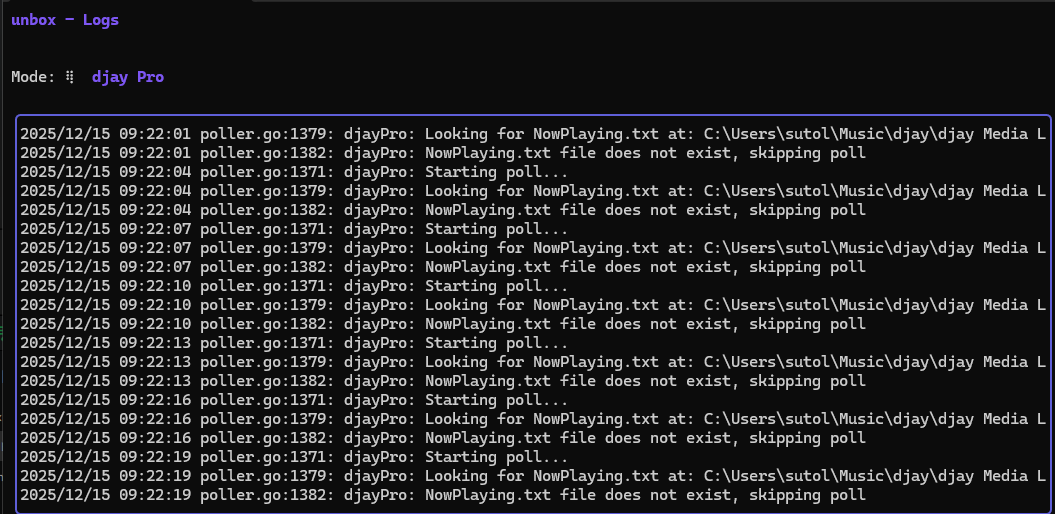
The newest version of Unbox for DJAY Pro for Windows is looking for a txt file that DJAY Pro doesn’t create. It should be using the WAL file and db to get the latest track.
1 Like
As a Twitch user, I want every DJ who is willing to do it to be able to display the currently playing track.
Could somebody please change the category of this thread to “Suggestion” or “Bug Report”? That way, others can vote on it, and it won’t get closed due to inactivity for the second time.
Also, I bet I’m not the only one who didn’t even know the macOS version of Djay has this feature. That’s why I still think having a platform feature comparison table is a good idea.
Hi @t3ks1st0, I’ve changed the topic from a Question to a Suggestion.
1 Like
Thank you for your suggestions. I’ve made a new Now Playing display program specifically for djay on Windows. It can show information for both streaming and local files. For local files, it can also display cover art. I’ll upload it when I have time over the next few days.
Nice! Sounds interesting. Thanks for sharing @yoo_stan
This project is available for download and is fully open-source on GitHub.
If any part of this project is considered inappropriate, please contact me and I will remove it promptly.
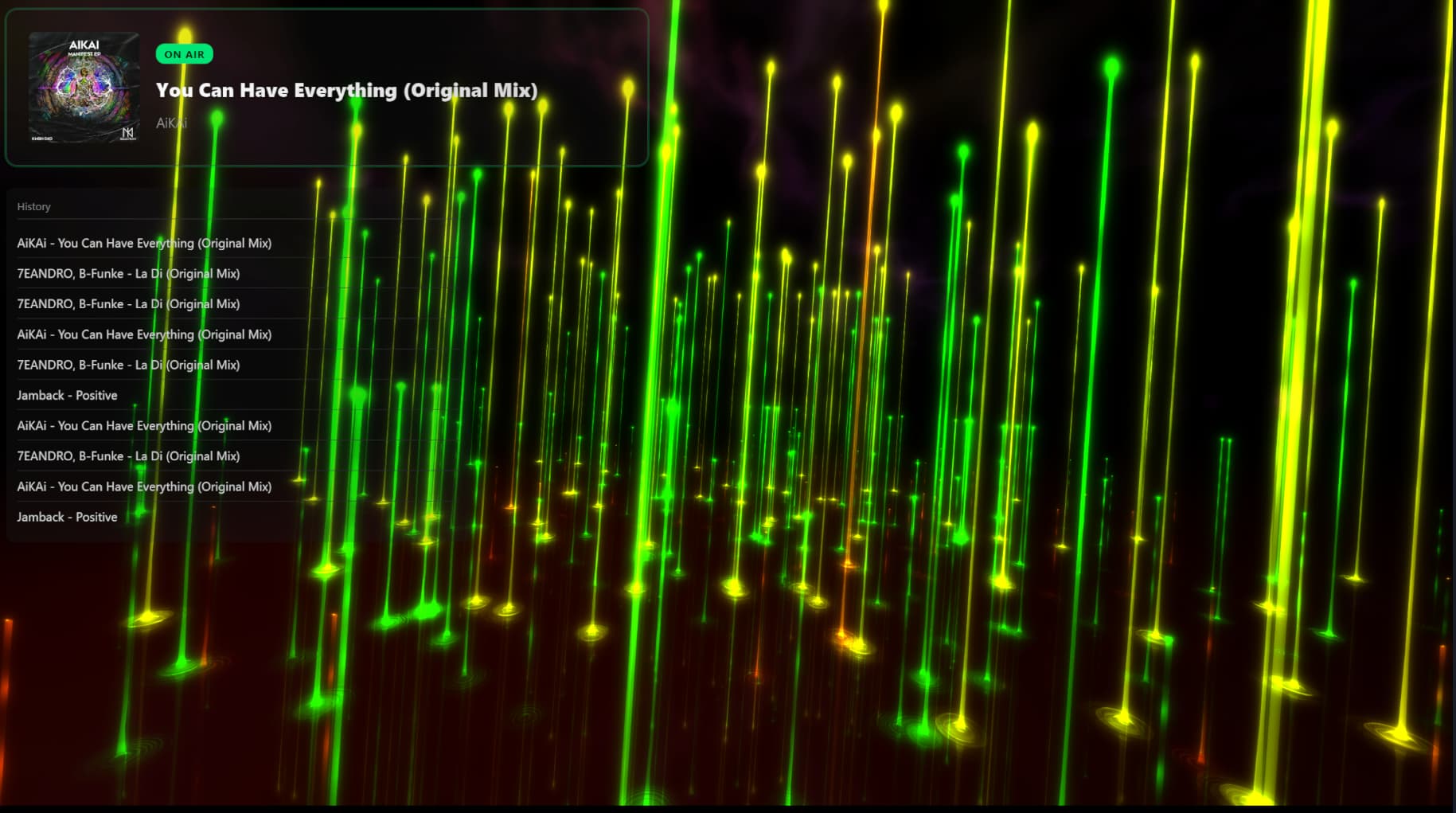
DjayNowplaying is a lightweight “Now Playing” display tool for djay Pro. It monitors djay Pro’s local database to extract current track information and playback history, displaying them via a local web server. It is perfect for OBS streaming or personal use.
The following result is shown with a customized style and does not reflect the default appearance.The background effect is from another software.
2 Likes
I do not have a macOS environment available for testing.
If needed, may compile the source code yourself or ask someone else for assistance.
If the macOS version of djay uses the same internal logic, this project should theoretically work as well, but you will need to locate the database path manually.
Thanks for sharing @yoo_stan
Ive a Mac environment. I’ll test it.
I’ve tested it and it couldn’t find the db location. I’ve changed that in your code and create a PR on GitHub.
1 Like
Hi, so does this mean the code now supports macOS?
is it work fine on mac?
That’s great news.
I have sent you a collaboration invitation. Thank you very much for your contribution.
1 Like


