NOTE: Please use the search function above before posting to avoid creating duplicate topics.
- Device model *(2023 MacBook Pro m2max :
- Version of operating system (e.g. macOS 15.1.1):
- Version of djay *(e.g. 5.2.6
- Hardware/controllers used *(e.g. ddj sr 2, ddj1000srt
Your question:
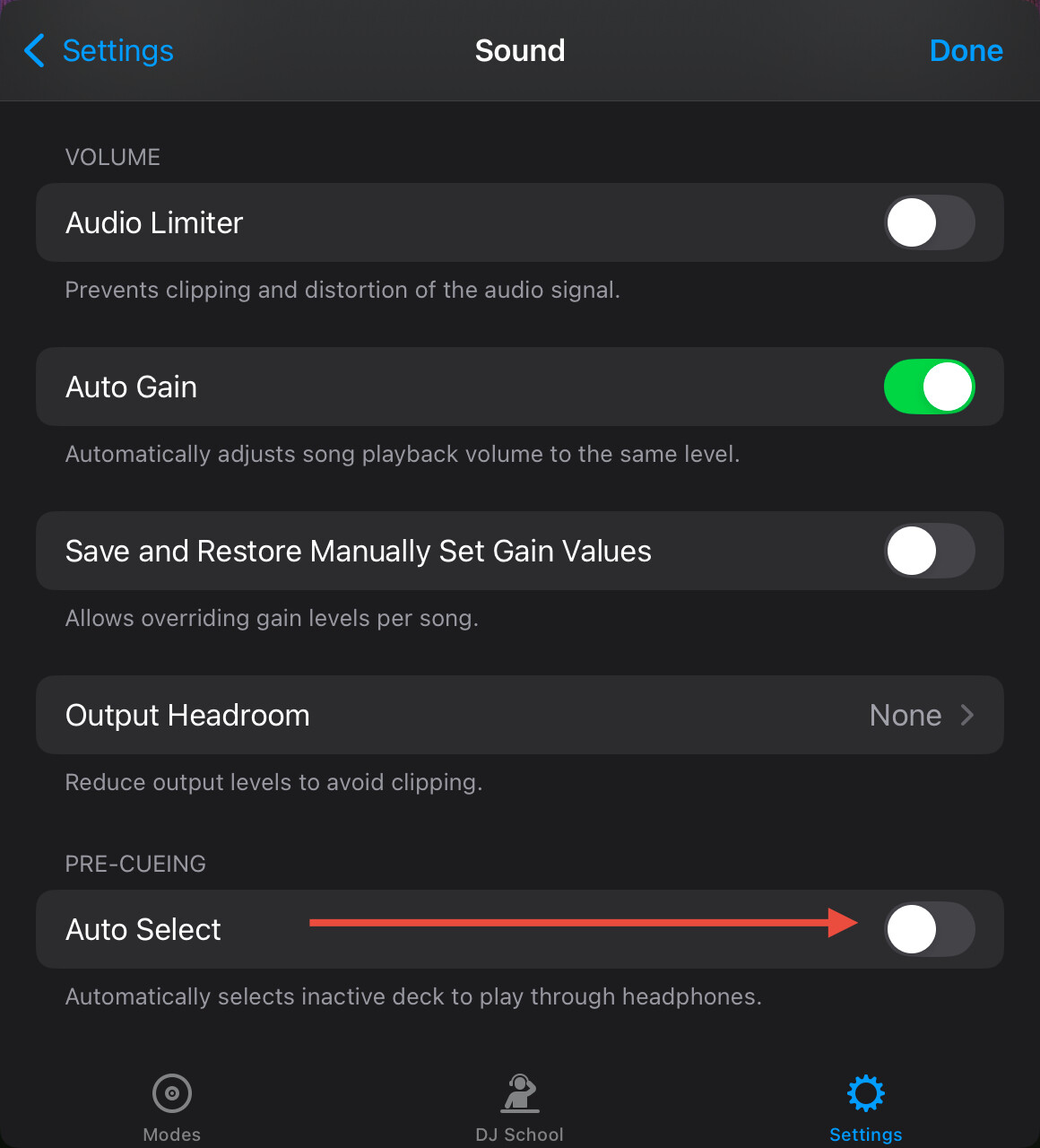
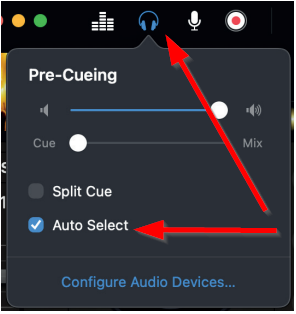
I used djay pro for my first live gig last night. Really good software, and I have been really proud to tell my colleagues that I’m leaving Serato. Buuut, there are a few deal breakers, i.e. auto gain, not respecting the current decks state of play back and an interesting headphone feature I discovered last night, that I’m hoping can be changed.
I never take my headphone off my right ear. When I mix in or scratch, I simply shut the cue button off. On djay pro I noticed when I put the up faders down, it turns that channels headphone cue back on, as if prepping for my next mix. I almost started to enjoy the built in safety feature, but the quick burst or volume at first confused me, but then made it hard to hear what was coming out of the speakers.
When scratching and doing cross fader tricks, any time you open the cross fader, it turns the deck you just shut off back on. You then get a panning effect in your headphone and it’s both startling and makes scratching impossible. I know the simple answer is to take off your headphones, but taking them off and on 5 times/song is exhausting. Can this be shut off?