


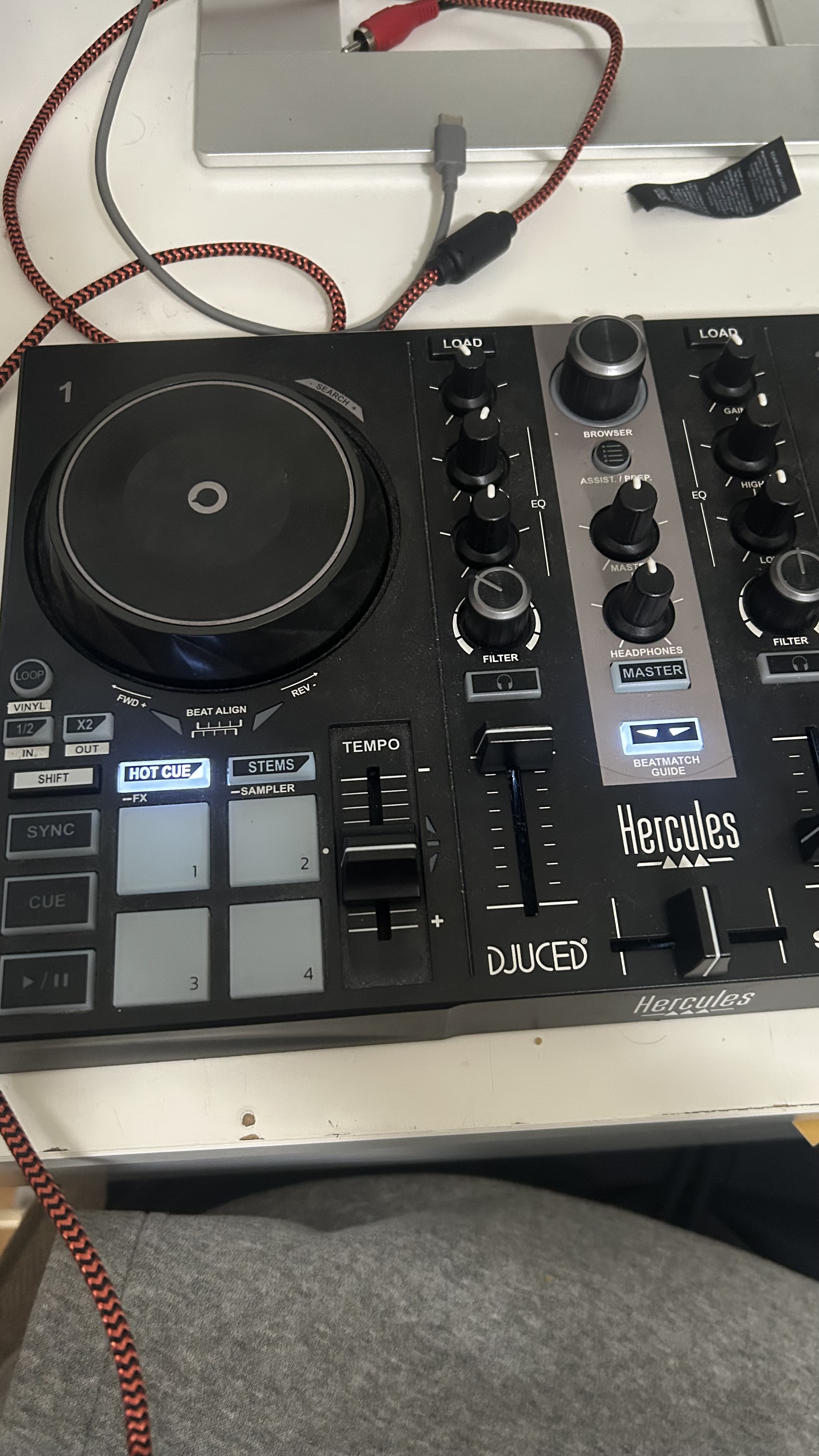
I have been using my mk200 with djay pro for roughly a year now and it’s been working perfectly fine, all of the sudden when i plug my controller into my phone and open djay pro it just shows these buttons lighting up and the controller isn’t working with the software, i’ve gotten it to work a little bit but it works for a couple seconds then stops. i’m not sure if this is something with my controller because it works on my computer just fine. Please let me know if anyone else is having this issue. i attached pictures of what my controller looks like when i plug it in. Thank you
Hi @Kyle_C, welcome to the Community! When creating new topics, please do not forget to answer the questions in our template with specific details about your setup not just “iPad” or “Latest Version”. This helps all of our community moderators to provide the most effective support to users with the utmost efficiency. Thanks!
Device Model (ex. 2020 iPad Air 4th Gen):
Version of operating system (ex. iOS 17.3.1):
Version of djay (ex. 5.1.3):
Hardware/controllers used (ex. Reloop Ready):
Hardware Firmware Version (ex. 2.7):
- Your topic title is a bit unclear. Are you using the Inpulse 200 MK2 or MK1?
- How exactly are you connecting the controller to your phone? Please include detailed information regarding any adapters or USB Hubs (photos would be great).
- With your DJ controller connected to your phone, please navigate to the djay Settings>Audio Devices and share a screenshot of this window.
- With your DJ controller connected to your phone, please navigate to the djay Settings>MIDI Devices and share a screenshot of this window.
- Are you using the (built-in) MIDI mapping or a custom edit?
- Can you think of anything that has changed between when it was working and stopped working? New OS, new djay version, new controller firmware, etc.
- How does the attached cable and connector of the Inpulse 200 look? Are there any obvious signs of wear or damage?
Hello! It’s been a week since my last reply. I’m going to consider this topic completed for now so I can focus on others. However, please feel free to respond and we can definitely revisit this. Thanks!
Hello, sorry for the confusion and delayed response
Device Model (Iphone 14):
Version of operating system (IOS 26.1):
Version of djay (5.5.1):
Hardware/controllers used : Hercules Impulse mk200
To connect the controller, I am using a USB A to lighting converter: attached is a picture of how i connect it to my phone
I believe that it started around about the time i downloaded IOS 26
The only midi mapping I have changed is that I subbed out the Gain dial for highs and the high dial for mids. i also changed some of the effects within the app for the FX buttons
I don’t see any signs of damage on my controller or on the connection.
There have been times where i try unplugging and plugging back in multiple times and restarting. And it works with the app for a few minutes then stops working.
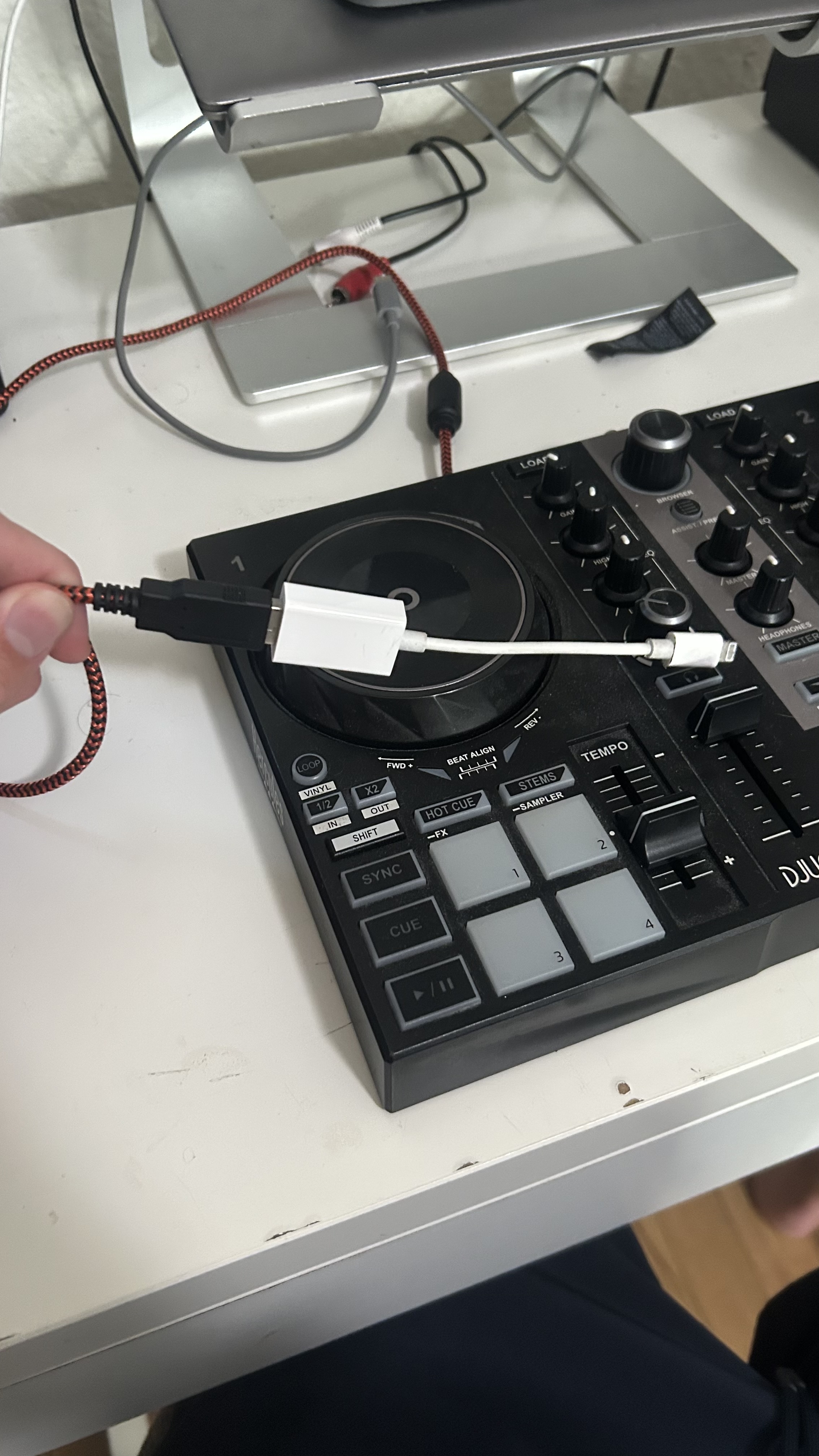
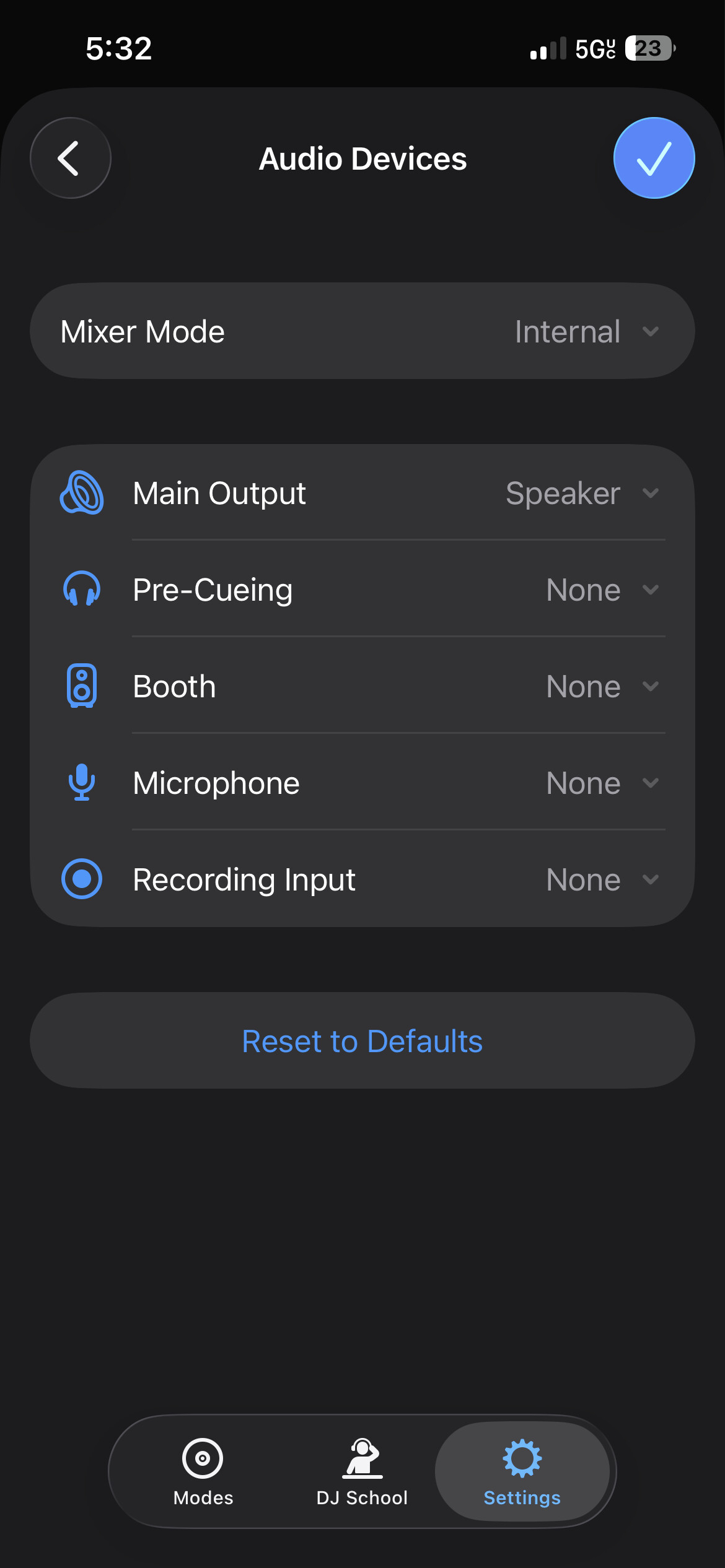
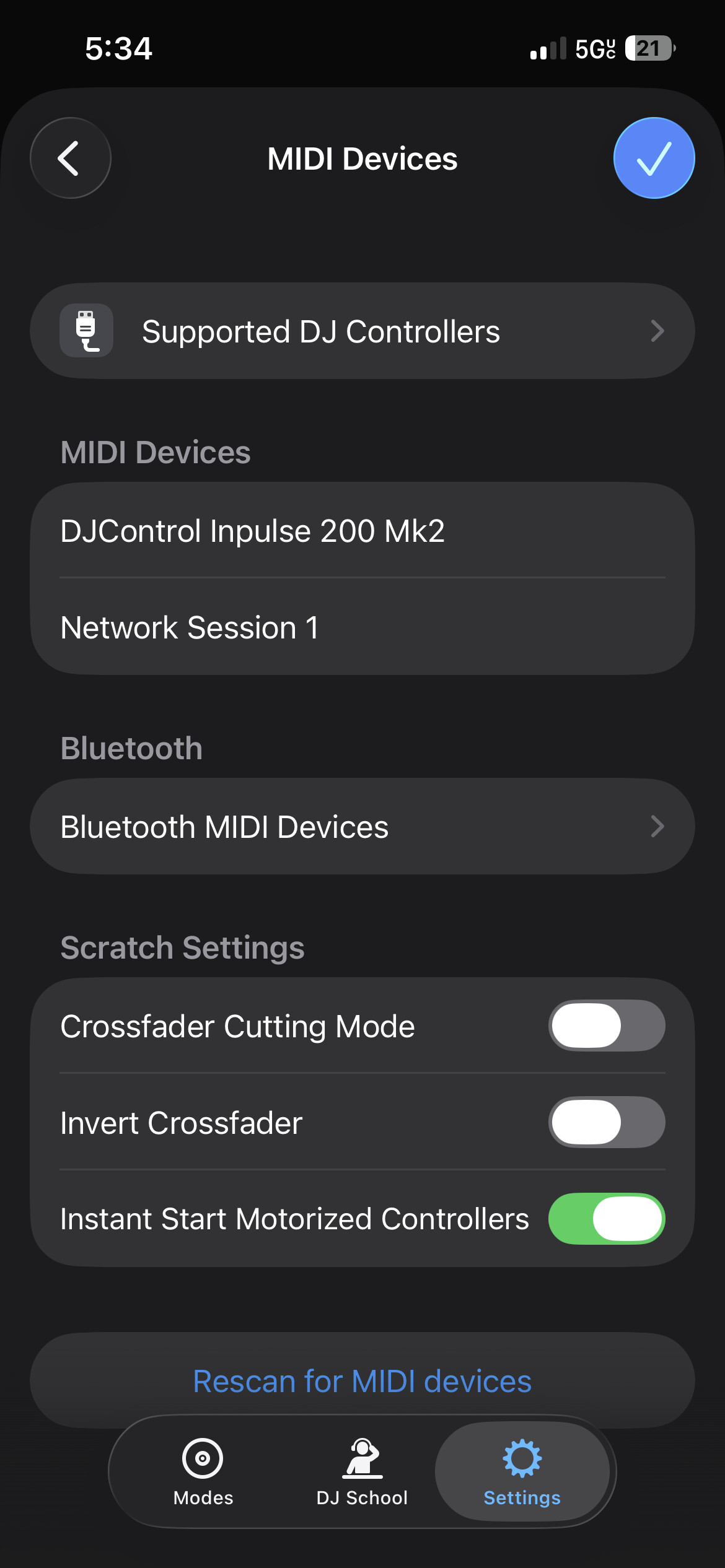
Hi @Kyle_C, thanks for the additional information - this is very helpful. I suspect the main issue is that you are trying to power the Inpulse 200 entirely off your iPhone via bus power. The adapter you are using does not have a pass through charging port so you are relying solely on your iPhone to power the hardware. I recommend that you purchase a Genuine Apple Lightning to USB 3 Camera Adapter as this one has a charging port.
Once you have the new adapter, please follow the steps below.
- Disconnect all cables and adapters from your iPhone and DJ controller.
- Close djay.
- Perform a Forced Restart of your iPhone.
- After restarting, connect your powered Genuine Apple Lightning to USB 3 Camera Adapter to your iPhone.
- Connect your original Apple iPhone charger and cable to the Adapter and confirm that your iPhone is charging.
- Connect your DJ controller to the Adapter using the built in Inpulse 200 USB cable.
- Confirm that your DJ controller powers up.
- Launch djay.
- Open the djay Settings>MIDI Devices and confirm that your controller is shown under MIDI DEVICES.
- If not, scroll down to the bottom and press Rescan for MIDI Devices.
- If this doesn’t work, unplug the USB cable from your DJ controller for a second then plug it back in.
Hello Slak_Jaw,
Indeed adding the smartphone power supply connected to Apple Lightning to USB 3 Camera adapter helps to keep on powering the USB device.
iPhone 14 comes with no power supply, and iPhone 14 needs at least 25W for fast charging, so the iPhone charger must deliver at least 25W, so the iPhone charger may be, for example:
- Belkin BoostCharge Dual Wall Chargerin using its USB-C power output,
- Apple 40W Dynamic Power Adapter with 60W Max,
- Anker Charger 50W 2-ports.
Thanks for sharing @Max_Jack


