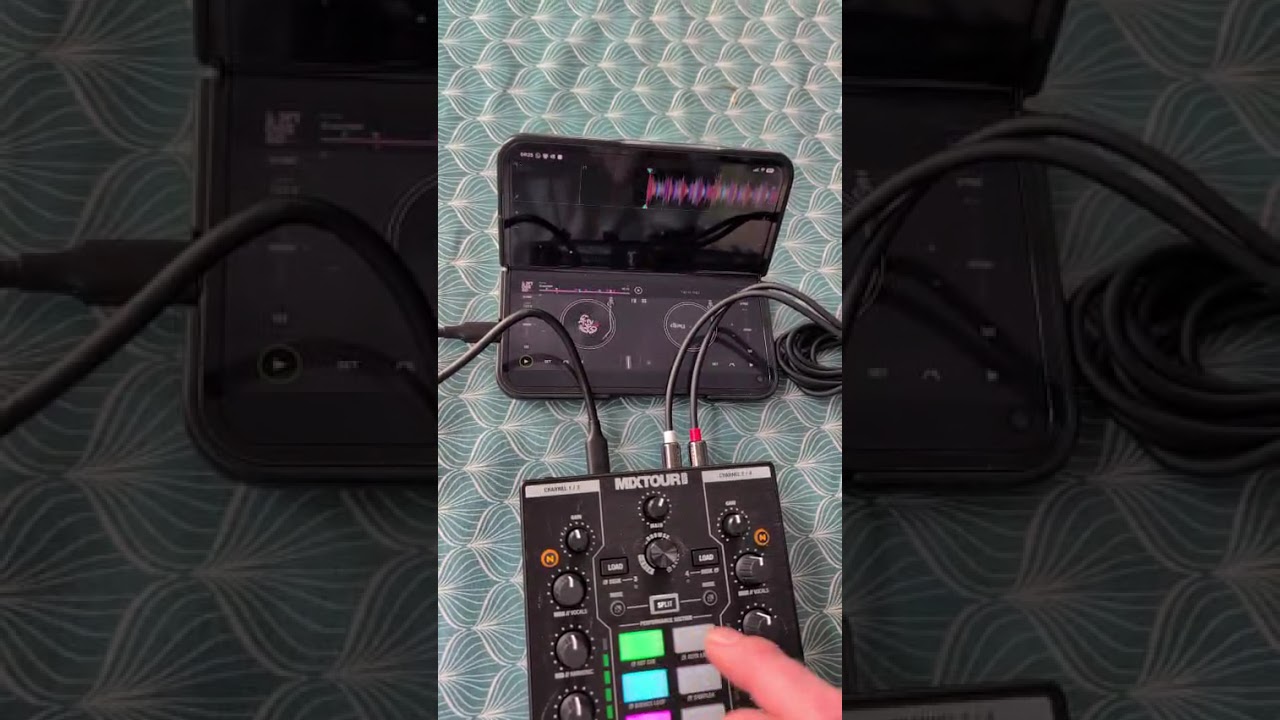
Summary of the issue:
I’ve noticed a lag on pressing the performance pads on the mixtour pro with android. It’s almost as if the instant effect or cue or other function is triggered on lifting the finger OFF the pad rather than instantly on pressing the pad. This makes on-beat cue play almost impossible especially with rapid button press sequences because the cue or effect is always delayed until the finger lifts. If I hold the pad down the effect or cue still triggers but with a tiny lag.
**How to reproduce the issue:
Happens with every track on hot cues, instant effects and all performance pad modes. Happens when the mixtour is bus powered by the phone so plugged directly into the phone by USBC. Also happens when device is powered from a power bank.
I had a lag issue when switching pad modes on my DDJ FLX10 e.g. when I pressed the hardware button for PADFX coming from HOT CUE.
It was occasionally, not with any track but happened multiple times during the gig. The lag was significantly, 1-2 sec before new pad was activated on the hardware.
I used the latest iPad Air with sufficient capacity and no apps open in parallel…
Thanks for confirming @Douglas_Paterson. Can you please capture and share a short video of this? I’d like to pass this onto our hardware team to see if they can replicate it. Thanks!
Righto @Slak_Jaw here is the lag and also the timing to press the key to keep the beat correct. Quantise is off in this video. I was wondering to myself could it be something to do with the velocity sensitive pads? The play cue buttons are bang on so it’s not software wide lag. If so could the velocity sensing function be disabled for timing critical functions like sampler and hotcue?
Thanks for the video and additional info @Douglas_Paterson. I’m pretty sure velocity sensitive pads are not supported on this hardware. Can you please navigate to the djay Settings>Sound>Audio Output and enable Mono Output? Please also make sure the switch on the front of the Mixtour Pro is set to Stereo not Mono. Retest with these settings and let me know if that improves things. Thanks!
Hi @Slak_Jaw changing to mono sound in settings doesn’t affect the behaviour at all, still present as per video. Also can confirm they are not velocity sensitive pads (tested in sampler)
Okay, thanks for checking and confirming @Douglas_Paterson. If you use the Pixel 9 Pro Fold touchscreen controls for triggering the hot cues, do you experience the same lag? Would be good to know if this is directly related to the Mixtour Pro hardware or not. Thanks!
That was an interesting exercise, the lag is actually exactly the same on the phone screen as it is in the hardware, and it is the same with the cue button as the hotcues/performance pads