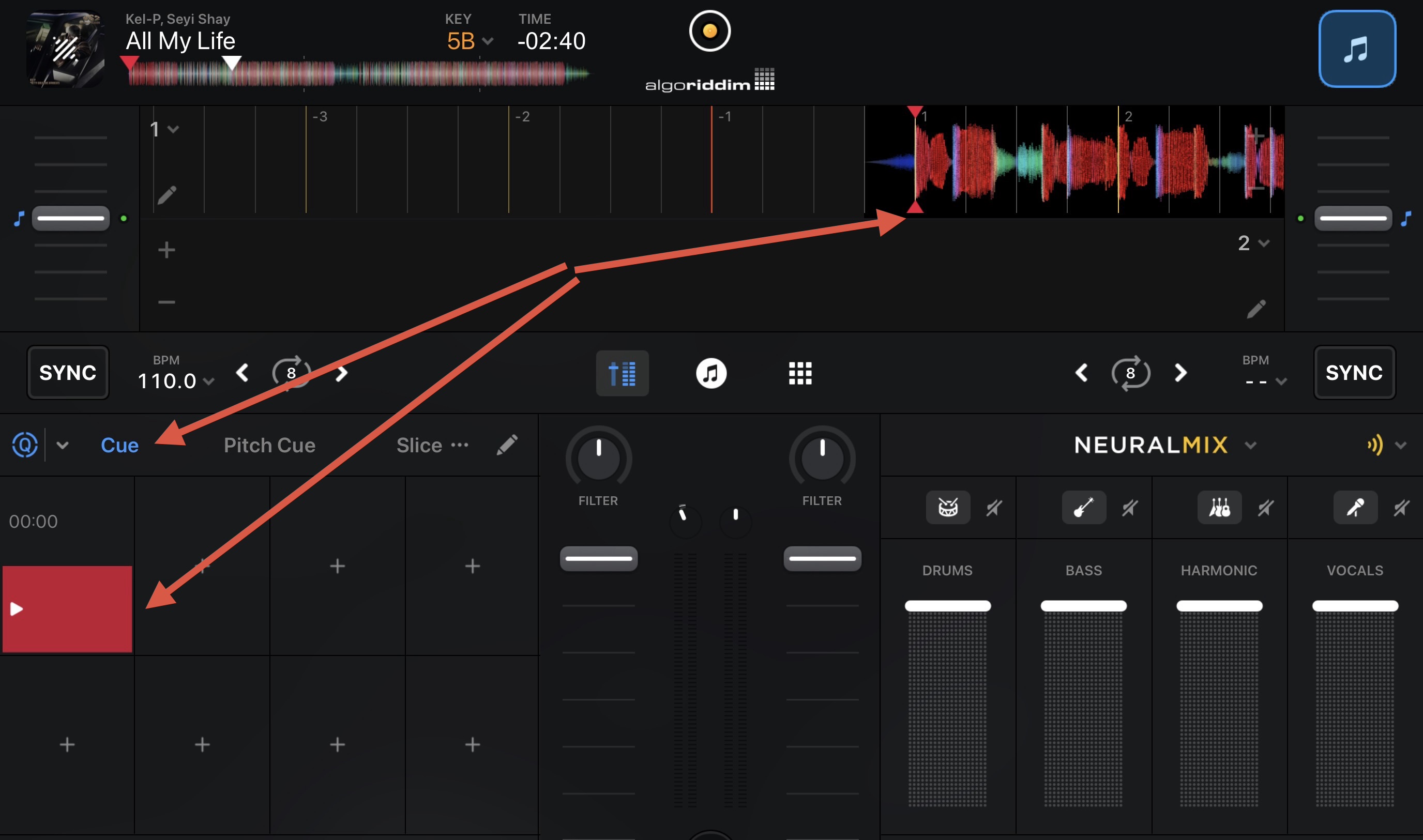
Hi guys, I can’t find the function to start the track at the first kick. If a track has 4 bars of absolute blankness before the first kick, it loads on the blank. Is there a function in Traktor to set a load point, a sort of cue point that starts the track exactly at that point? Is there also a function in DJ Pro? Is there a way to ask DJ Pro to position the cursor exactly on the first kick, even if no cue point is selected?

Nice one @Michael_Wisniewski!
yes I have that setting there, but it doesn’t work
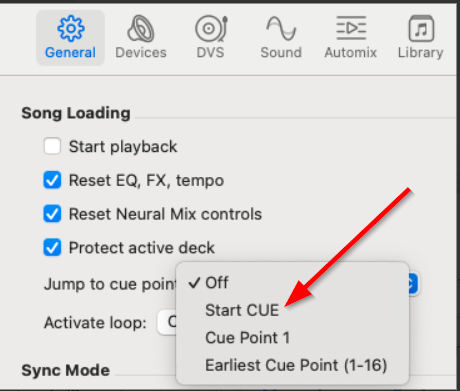
But I don’t want to make an automix, I’d just like the track to be positioned on the grid, with the first kick at the beginning. Or alternatively, I’d like to be able to set a load point, like in Traktor. In Rekordobox, you can also set this parameter.
You don’t need to Automix. Just set the Automix start point and change the setting. This is similar to the load point in Traktor
I tried but it doesn’t work… if you would be so kind as to ask the development guys if it’s possible to add an option to always load the track at the first kick or alternatively, manually set a load point, so maybe in the next update they’ll give us a gift
2 Likes
This is working as expected on my Mac.
- Please share a screenshot of your djay Settings>General page.
- What version of djay are you using?
- What version of macOS are you using?
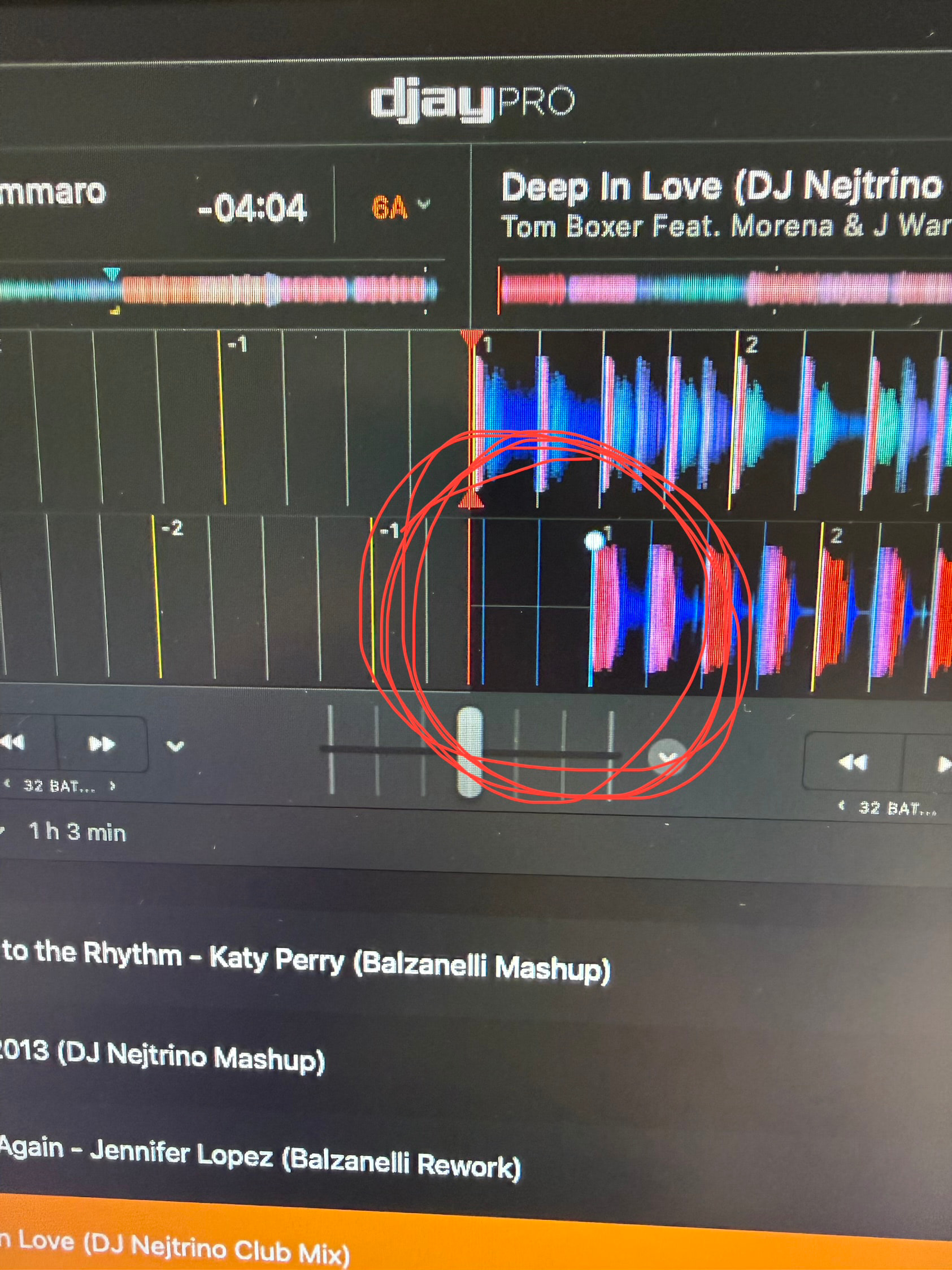
Please note that this is an Anchor Point, not a Start Cue or Cue Point. Anchor Points for beat grids did not work with the Jump to cue point setting.
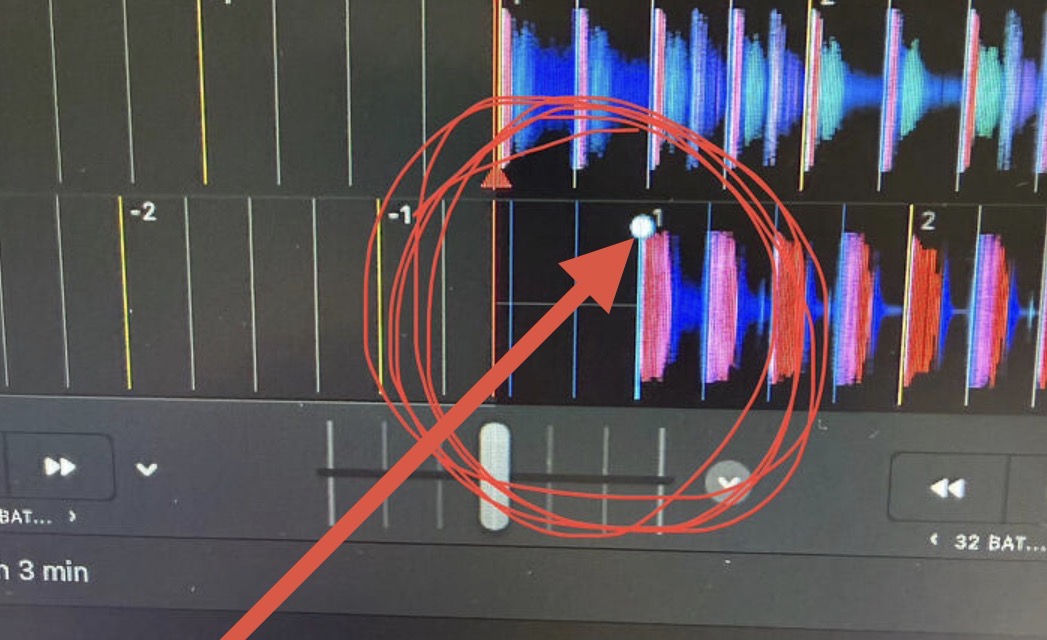
Sorry - I misled you above with the Automix Start Points. Please try the following instead:
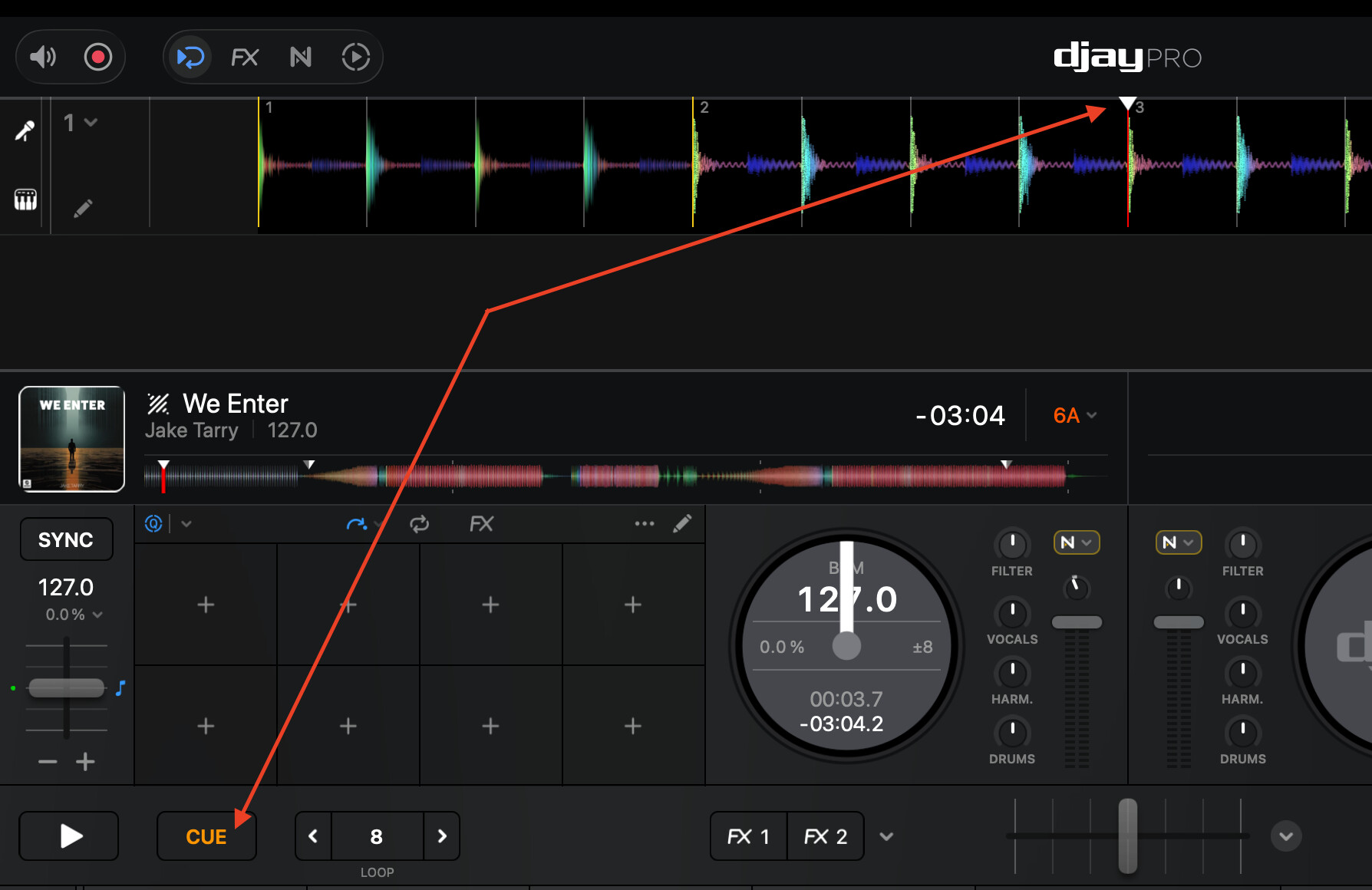
- Set a temporary cue/Start CUE, by pressing the main CUE button while the song is paused.
- This is identified with an upside down white triangle (see below).
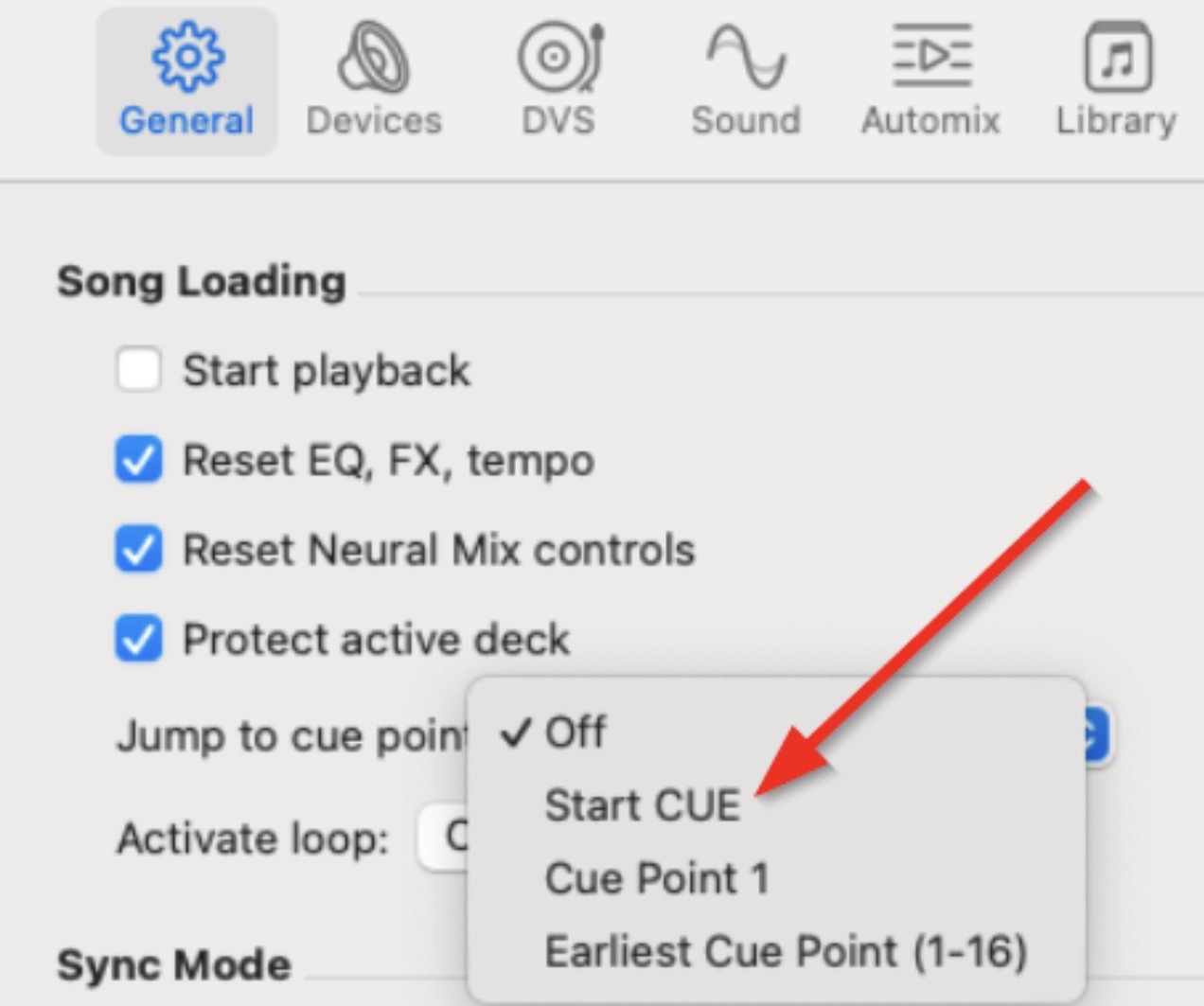
- In the djay Settings>General>Song Loading>Jump to cue point set this to Start CUE
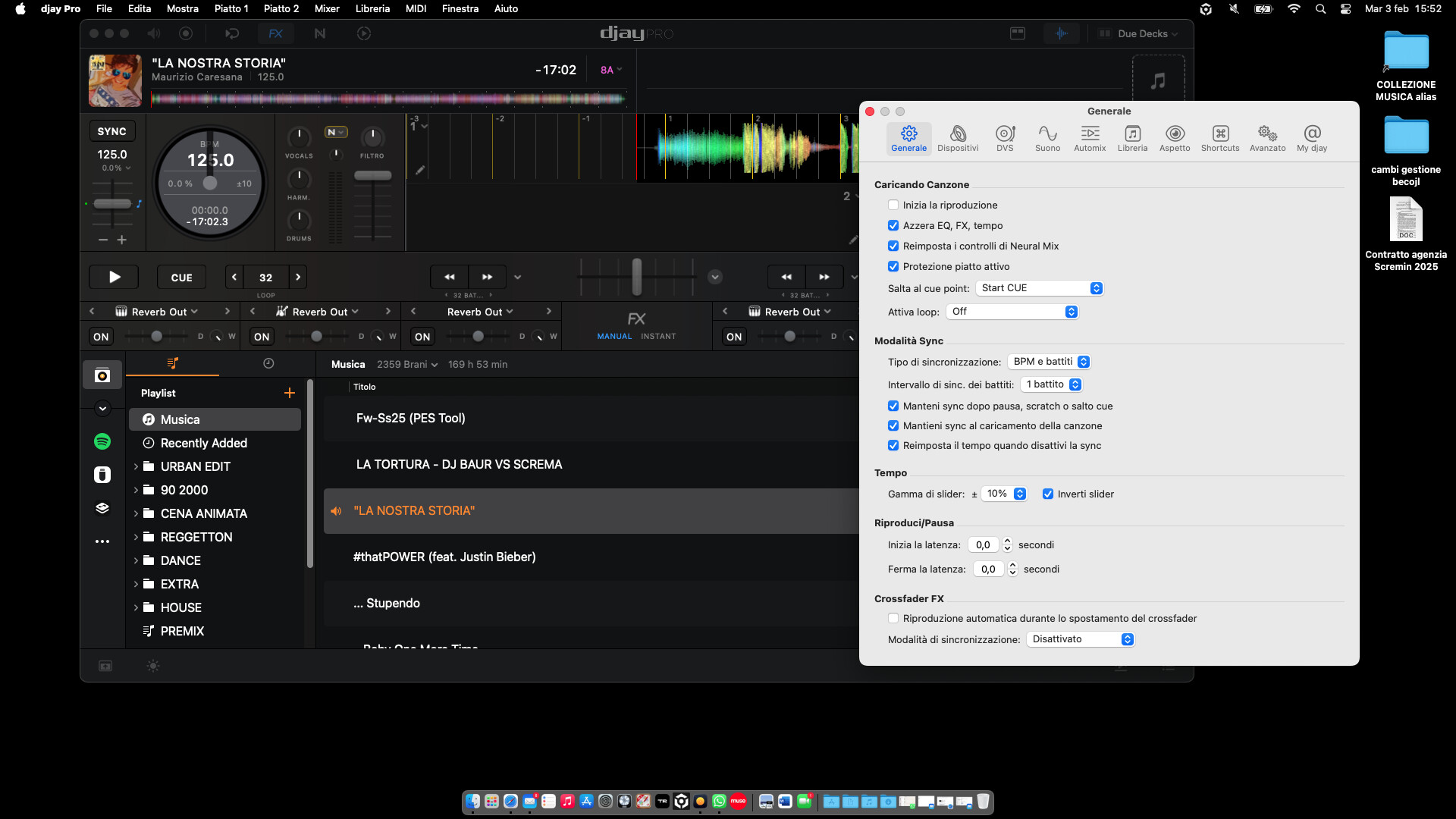
Perfect. Your settings are correct.
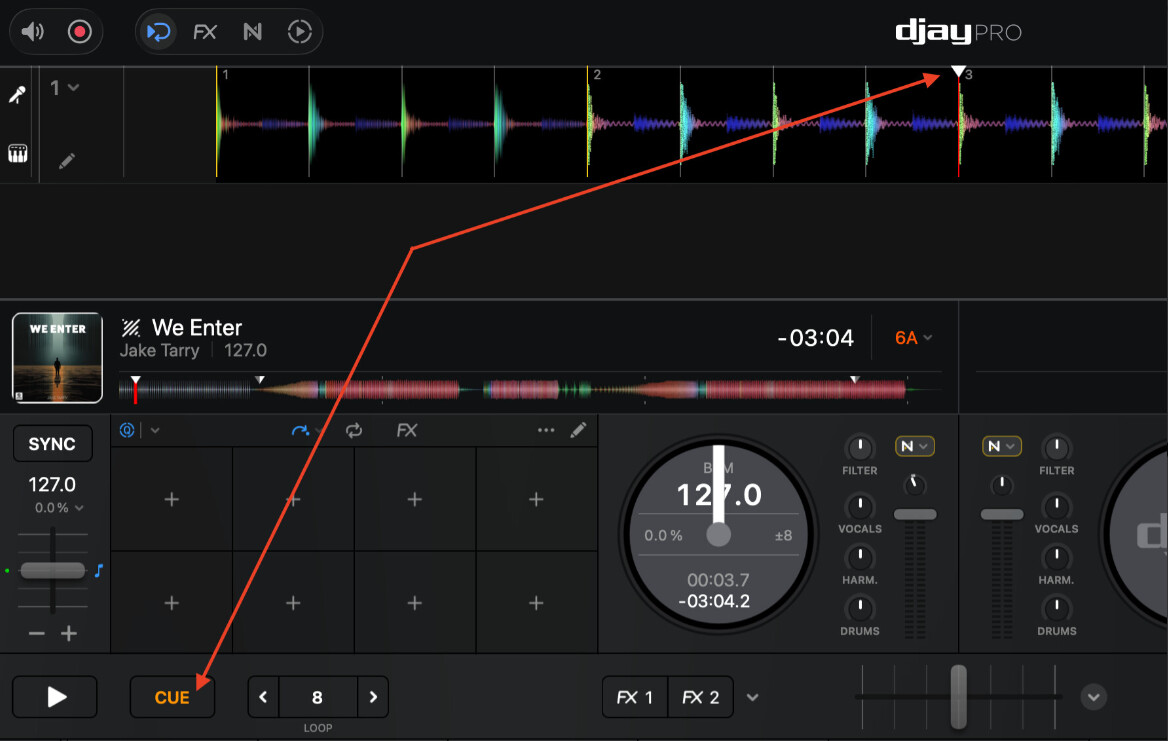
- Now just use the main CUE button to set a Temporary Cue/Start CUE on the first beat of your song.
- To set this Start CUE, move the playhead to the desired first kick drum, make sure the song is paused, then press the main CUE button to set it.
- When set, you will see an inverted White Triangle which represents the Start CUE point.
- Next time you load this song it should jump to this white Start CUE point.
Small update, I noticed that when I load a track and position the cue on the first beat, it is then saved there, and even if I close the application and reopen it, reloading the song, it positions it on the first beat, removing the previous gap.
Exactly. That is how it is supposed to work. Just note that if you move the white cue point to somewhere else in your song during cueing, the song will load to that new location next time you load it.
So, if you are the type of DJ that tends to CUE the song at different points in the track, you would probably be better off using the Hot Cues / Cue Points instead and changing the Jump to Cue Point Setting to Cue Point 1 or Earliest Cue Point (1-16).