Thanks for your quick answer!
So it’s actually $79 for saving metadata?
Hmm. Hmmm…..
Thanks for your quick answer!
So it’s actually $79 for saving metadata?
Hmm. Hmmm…..
$59 less 25% – A few months Lexicon subscription.
If cost is the biggest factor, I would go for free version of Rekordbox over OneTagger. That’s what I used to use until I built Tagami.
Try them all for free. Go with whatever suits.
Ahhh, would be so cool to have it available on Linux since it’s my daily driver.
You also announced a Linux version back in the days:
AFAIR, Mixxx is available on Linux natively.
If you are concerned regarding support, I could at least support you testing beta versions. 
Hey @AzureArcher - that was very early on! You must have dug around the interweb vaults to find that little nugget of history!!! Are you a Loopy Pro Forum regular?
In the beginning I did generate a Linux version, but it became clear that it was going to involve a lot of special case handling. It simply was not something that I could commit to maintaining. Especially, given that very DJ applications are supported by Linux.
So, as much as I would like to help you out, unfortunately, I have to say there will not be a Linux version. I appreciate the offer to test though.
It’s come a long way since those days… so it would be a massive job to support Linux.
Sorry…
Hey, thanks for your quick answer.
I was just googling around and found your old post in the Loopy Pro Forum.
That’s OK, it’s your choice. I’ll try it with Bottles (Wine) or stick with an older Mac.
Could you please at least add it to the Homebrew Casks for Mac, so I can handle the updates quickly with WailBrew.
Hi @AzureArcher I’m looking into adding in-app updating so every user can get one-click updates. This will make updating easier for you and everyone else who is not so familiar with Homebrew.
I just downloaded this and it looks pretty interesting so far. I’m going to need to take the time to really explore this, but I do have one feature request. The ability to have more than one playlist window on-screen at the same time. This is useful for set prep because you often will source tracks for a set playlist from another, and being able to see both side-by-side is pretty helpful. This is one thing that Rekordbox does well.
Hey @yyz_dj - Thanks for checking out Tagami. I am open to adding new features.
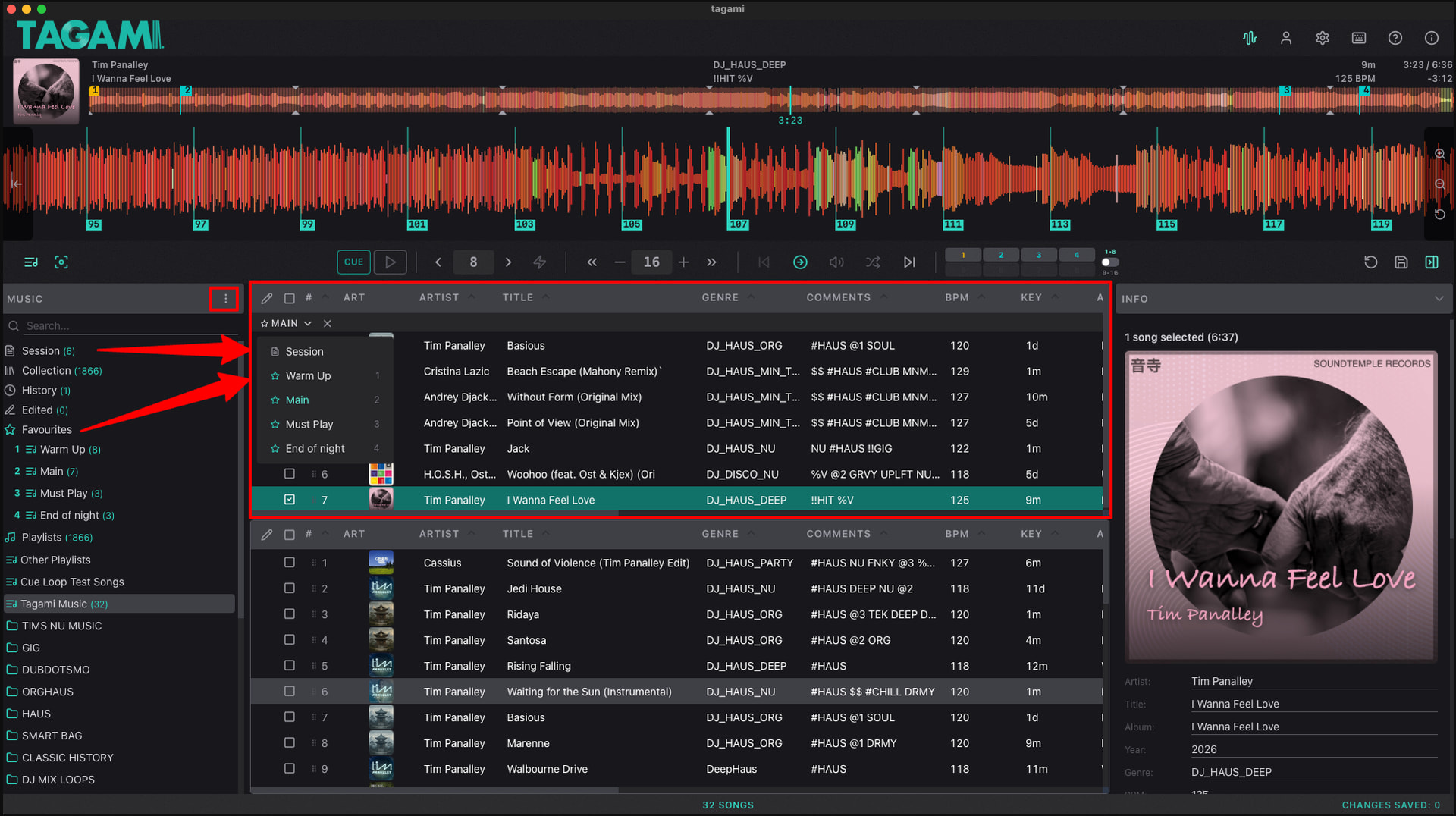
By multiple playlist windows open at same time, do you mean the horizontal sub-browser window (as Rekordbox calls it). I can look into it. I always found those multi-window views in Rekordbox messy and confusing. If you paste a screenshot here and let me know how you use it I can look into adding something, if not already covered elsewhere.
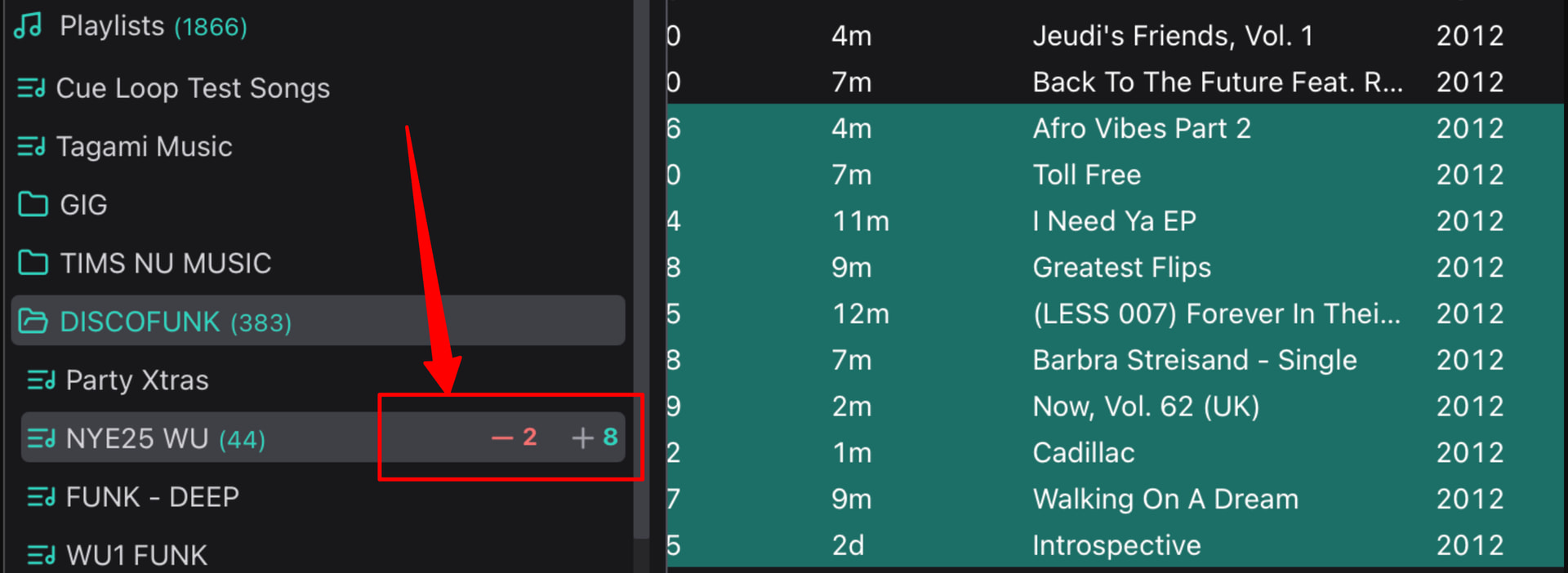
Something worth mentioning might be that one unique feature Tagami has is a mouseover view. Select tracks from any playlist, then mouse-over the name of any playlist and you will see a +green number which shows the number of selected songs that are not in the playlist. A -red number shows the selected songs that are in the playlist. Clickin on the green number adds the songs. Clicking on the red number removes those songs from the playlist you are mousing over.
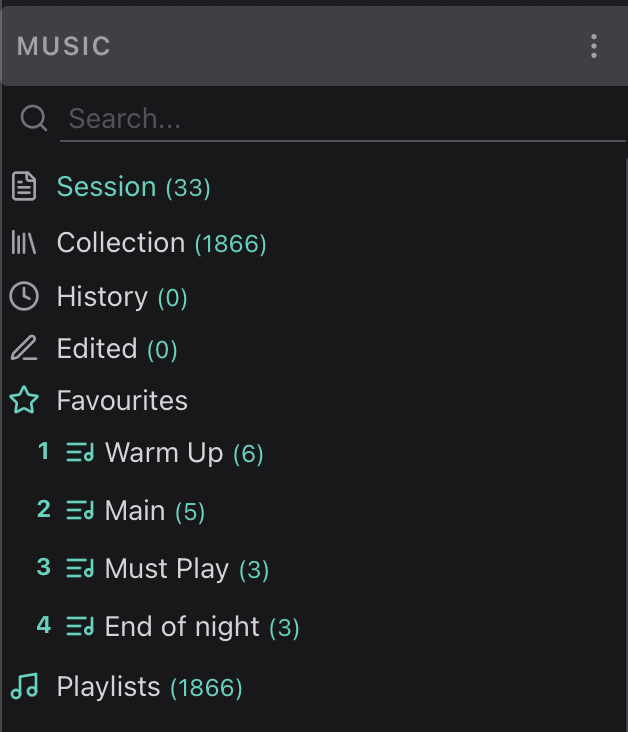
I typically add songs I like to the Session playlist using the ` key or to the playlists which have been set as favourites using cmd1-9. This is a quick an easy way for me to add songs to my working playlists. My favourites are typically my upcoming gig playlists. Using cmd1-9 won’t allow you to add a duplicate. You’ll get a warning in the status bar.
Version 1.42 is out.
@yyz_dj This version includes a new second window.
Other changes include:
NB: If you are on v1.41 you can now use this in-app updater to update to the latest version. Just open Tagami and click to update.
Awesome! Sorry for the late reply. I’ll definitely give this a try.