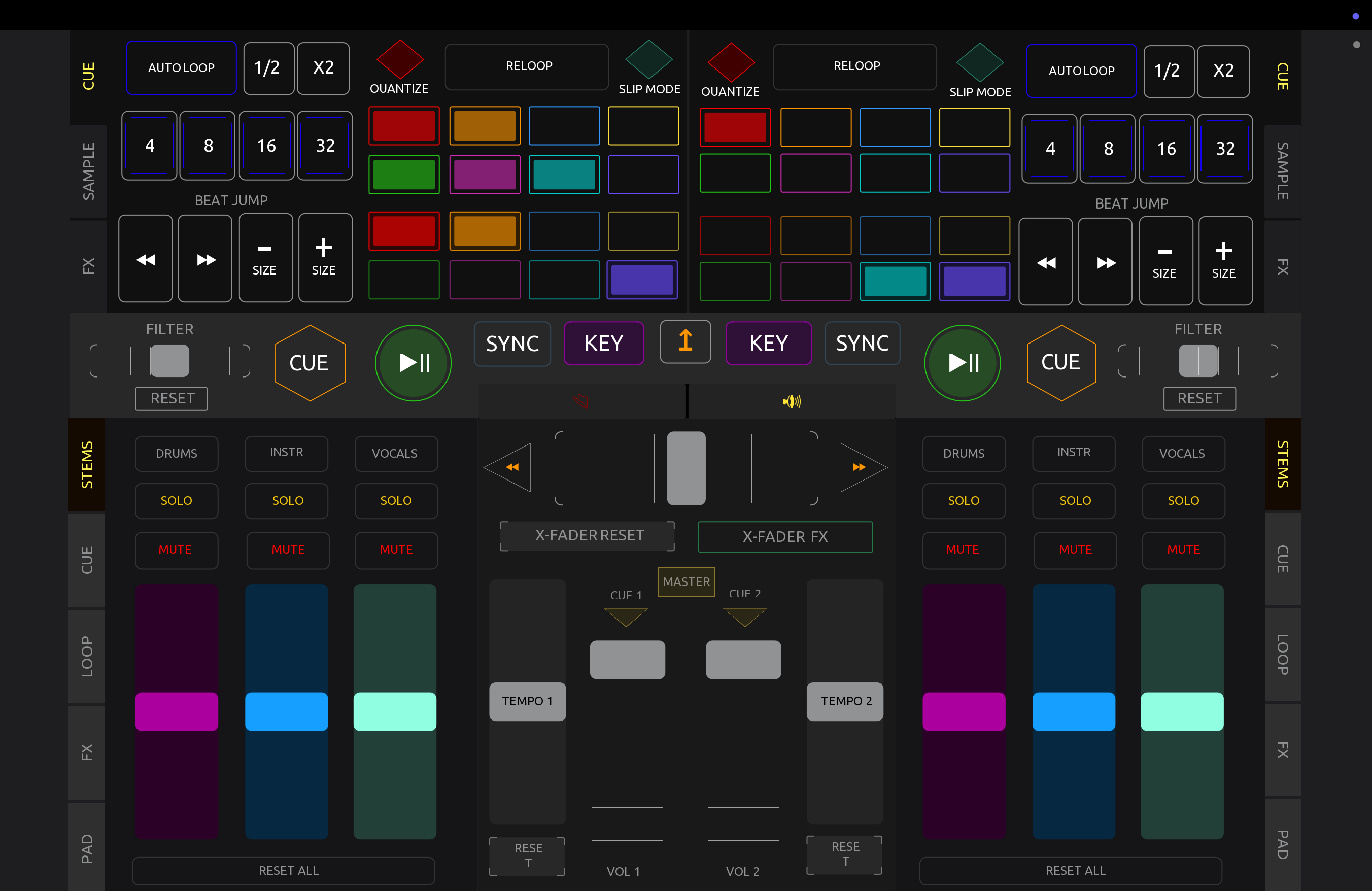
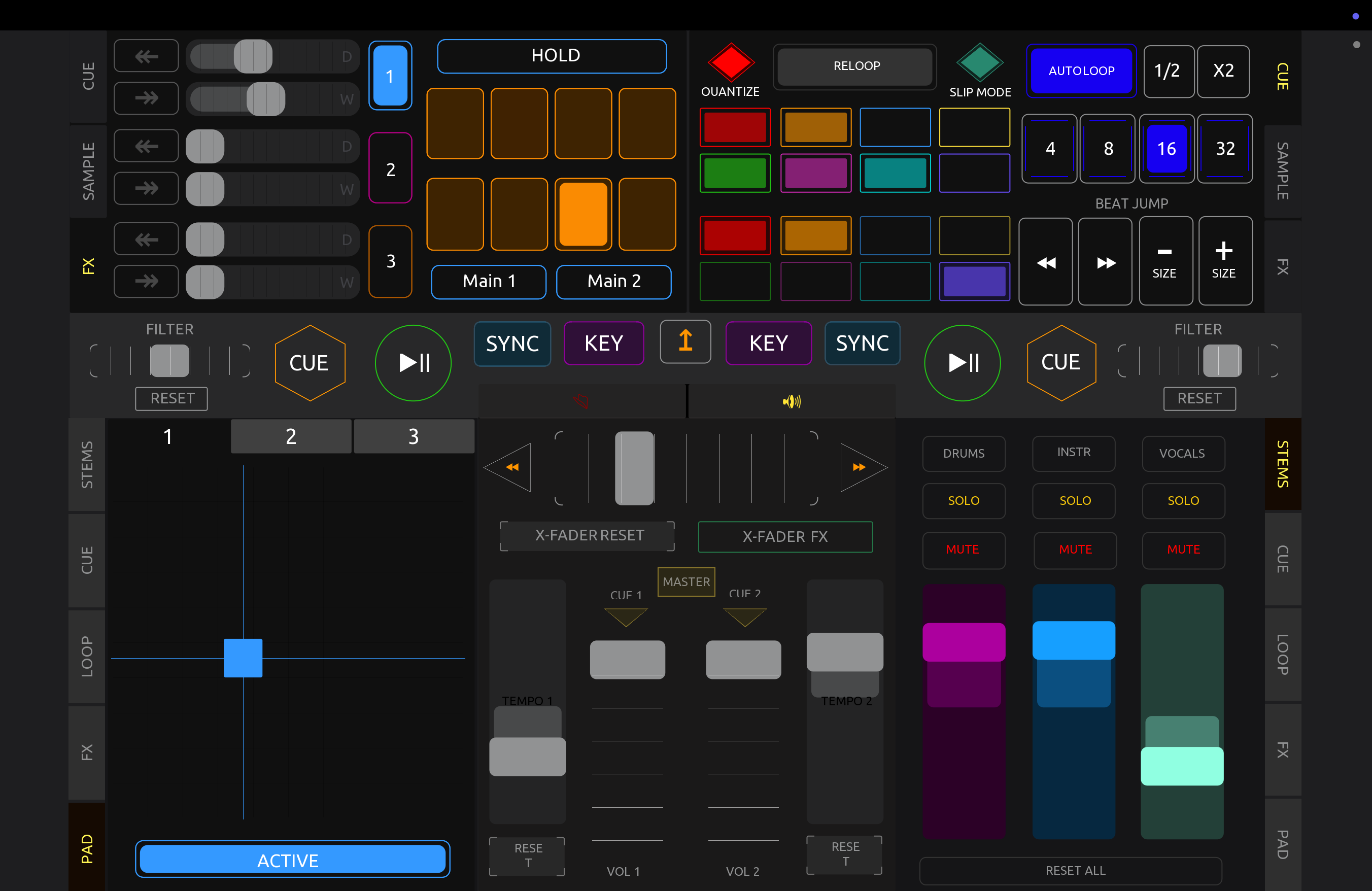
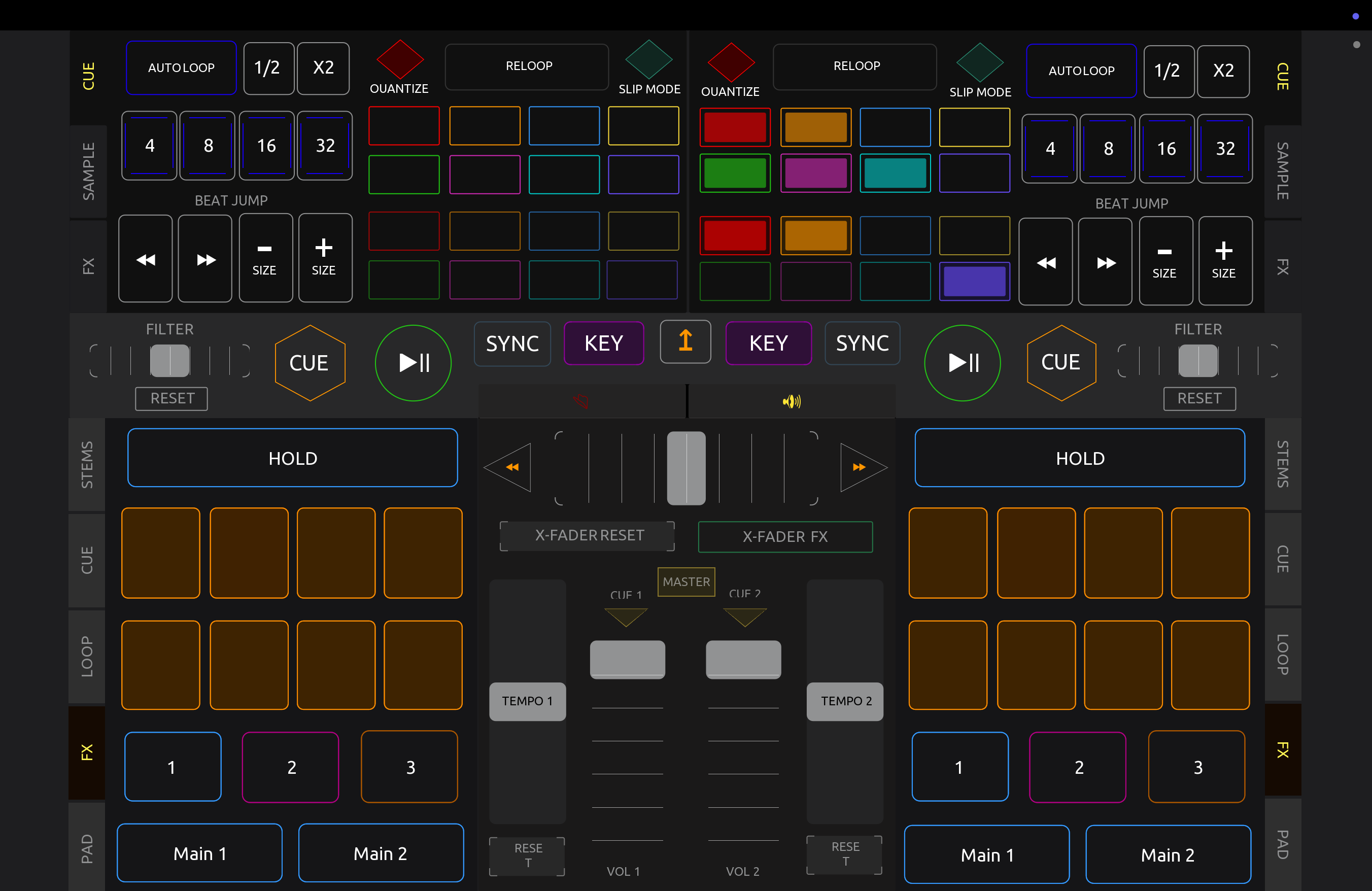
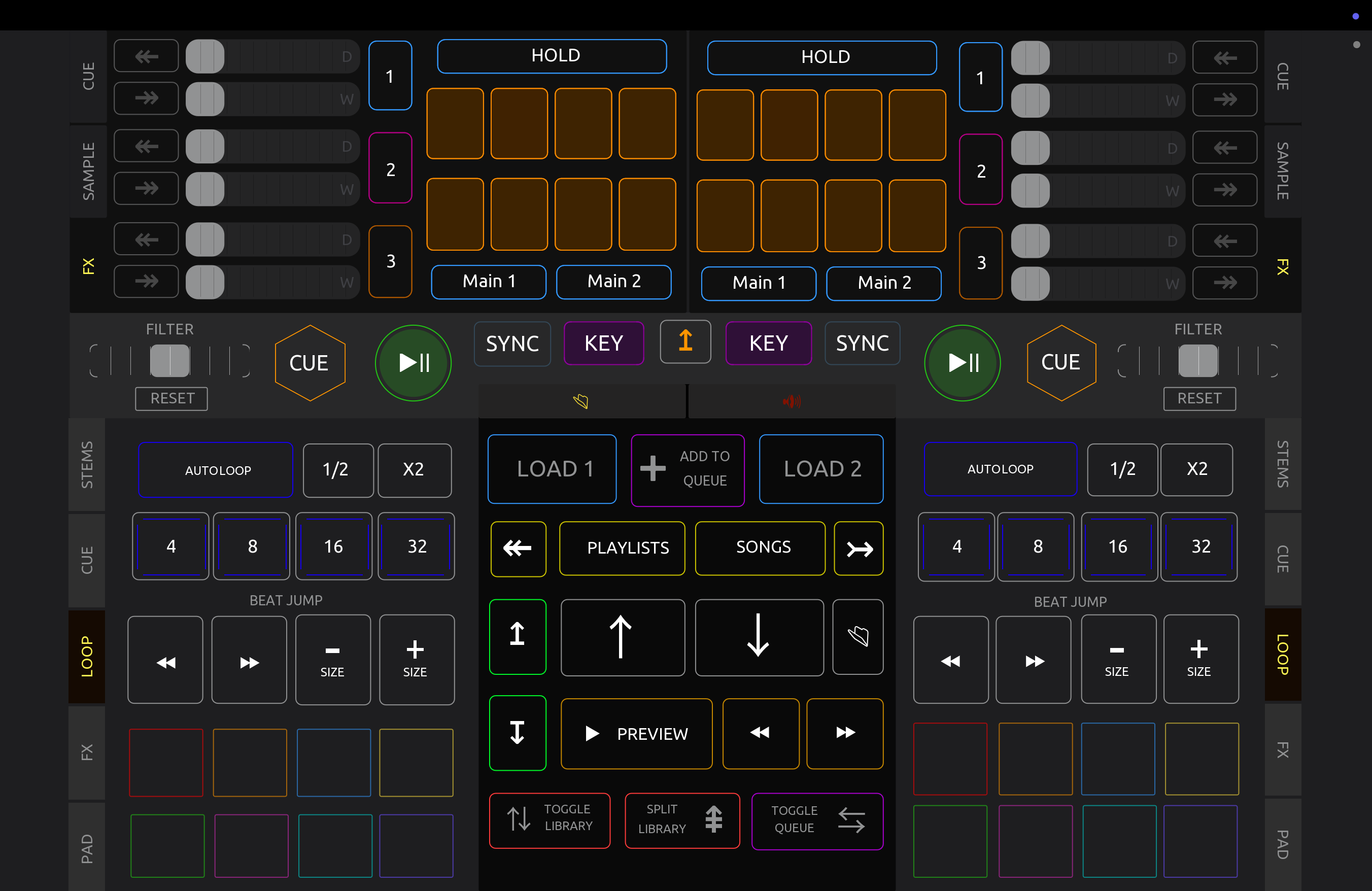
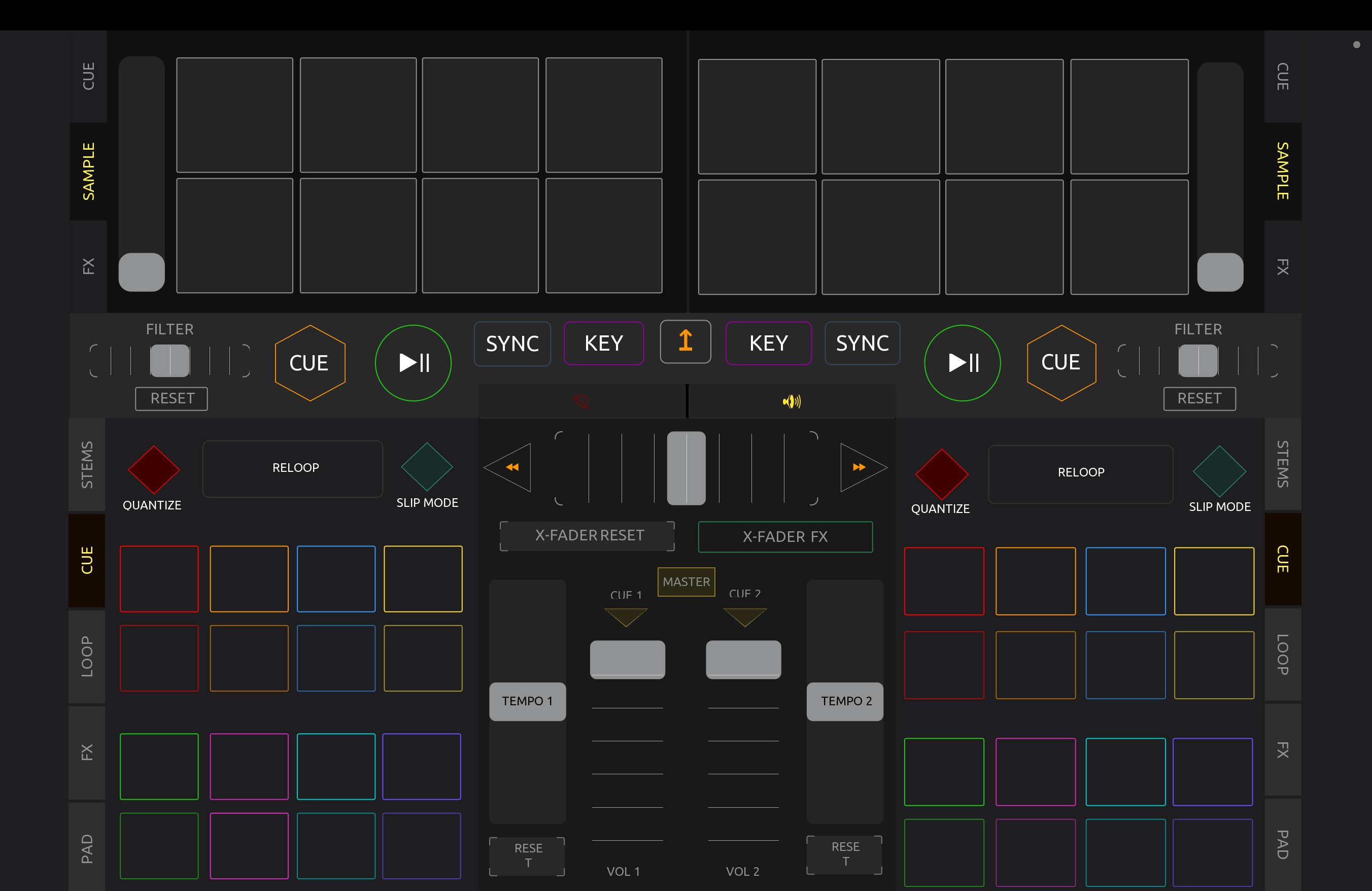
Short answer: programming and some clever use of layered elements and naming conventions in the button controls.
Script link is here:
Long answer: I got claude.ai to help me with this description, just like it helped me with the programming:
…
Here’s how the color feedback works, explained without assuming programming knowledge.
The big picture
You have a touchscreen layout (made in an app called TouchOSC) that controls DJ software called djay Pro. The buttons on screen — cue buttons, loop buttons, and toggle buttons — need to “light up” or change color when something actually happens in djay Pro. For example, when a loop becomes active in the DJ software, the matching loop button on your screen should glow.
The script is the middleman. It listens to messages coming from djay Pro and changes the color of the right button in response. The colors aren’t decided by the messages arriving from the software, they are coded into the interface using naming conventions, but then the transparency of the background for the colored areas is is set to 0.
How a button is built
Each button is actually two layered pieces. There’s the visible button, and behind it sits a separate shape whose name ends in _bg (short for “background”). The script almost never recolors the button itself — instead it changes the background shape sitting behind it. That background is what creates the “glow.” Think of it like a colored highlighter pad behind a glass button: the button stays put, and the script slides the colored pad’s brightness up or down.
The key trick: transparency, not color-swapping
This is the heart of the whole thing. The background shapes keep their color permanently. What the script changes is the transparency (called “alpha”). Two settings are defined at the top:
-
alphaOff = 0.0 means fully transparent — invisible, so the button looks “off.”
-
alphaSet = 0.6 means partly opaque — the color shows through, so the button looks “lit.”
So lighting a button up isn’t “make it red.” It’s “take the red that’s already there and make it visible.” Turning it off is “make that same color invisible again.” Nothing about the actual color changes; only whether you can see it.
How a message becomes a glowing button
When djay Pro sends a message (a MIDI message — basically a little note saying “this thing just turned on/off”), the script reads three pieces of information from it: which deck (left turntable or right turntable), which specific control it refers to (a number), and a value that’s either 127 (meaning “on”) or 0 (meaning “off”).
The script uses the deck and number to build the name of the button it needs to find — for instance, a cue on deck 1 becomes cue_1_3, and the background it actually recolors is cue_1_3_bg. It then searches the whole layout for a shape with that exact name. This name-matching is the entire mapping system: the message’s numbers get assembled into a name, and that name points at one specific shape on screen.
Once it finds the shape, it checks the value. If the value is 127 it sets transparency to 0.6 (glows on); if it’s anything else it sets transparency to 0.0 (goes dark). That single line is where “djay says this is active” turns into “this button lights up.”
The two flavors of buttons
Regular cue and loop buttons each have one background, so they just light up in their own existing color. That’s handled by the part called handleFeedback.
The toggle buttons are fancier — each one has several differently-colored backgrounds stacked up (yellow, red, green, violet, blue, defined in the preset colors list at the top). For a toggle, the script walks through each color layer and decides which to make visible, so the same physical button can glow different colors depending on the color naming it’s assigned to. That’s the handleToggleFeedback part.
One more useful detail: remembering the original color
For the cue and loop buttons, the script doesn’t assume what color they should be. The first time it touches a given button, it peeks at that button’s current color and writes it down in a little notebook (called baseColors). After that, whenever it needs to light the button, it reuses the remembered color and only adjusts the visibility. This is why you can recolor a button in the layout and the glow automatically matches — the script learns the color from the button rather than having it hard-coded.
And at startup, a routine runs once that sets every cue and loop background to fully transparent, so the board starts clean with nothing falsely lit.
So the full chain is: djay Pro sends a note → the script reads deck + number + on/off → it builds the matching shape’s name → it finds that shape → it dials that shape’s existing color between invisible and visible. That’s the whole color-feedback loop.