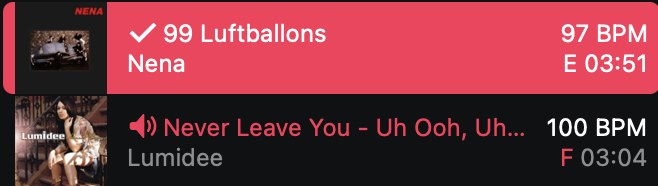
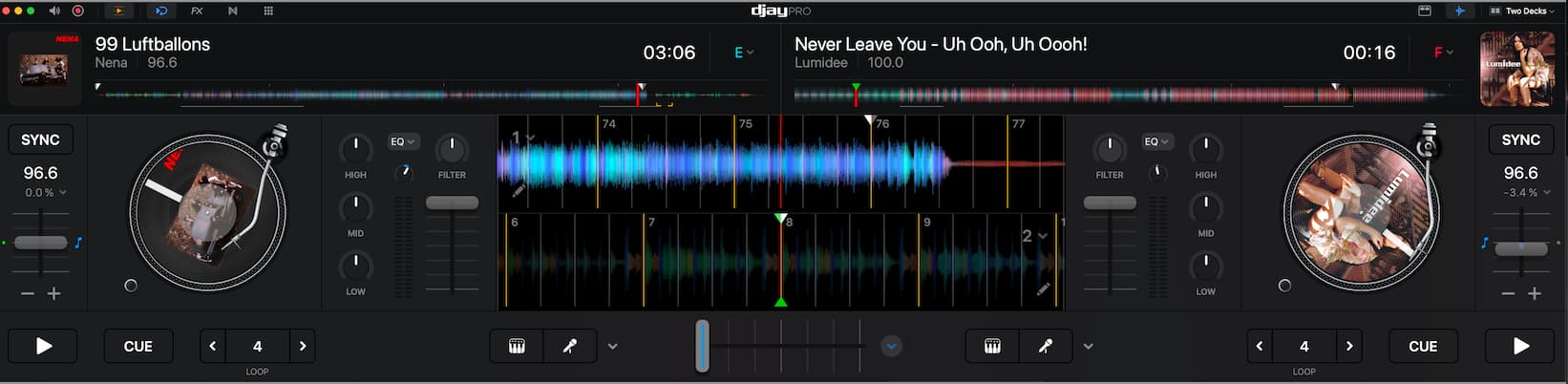
This is Deck 2 one or two seconds AFTER the transition :
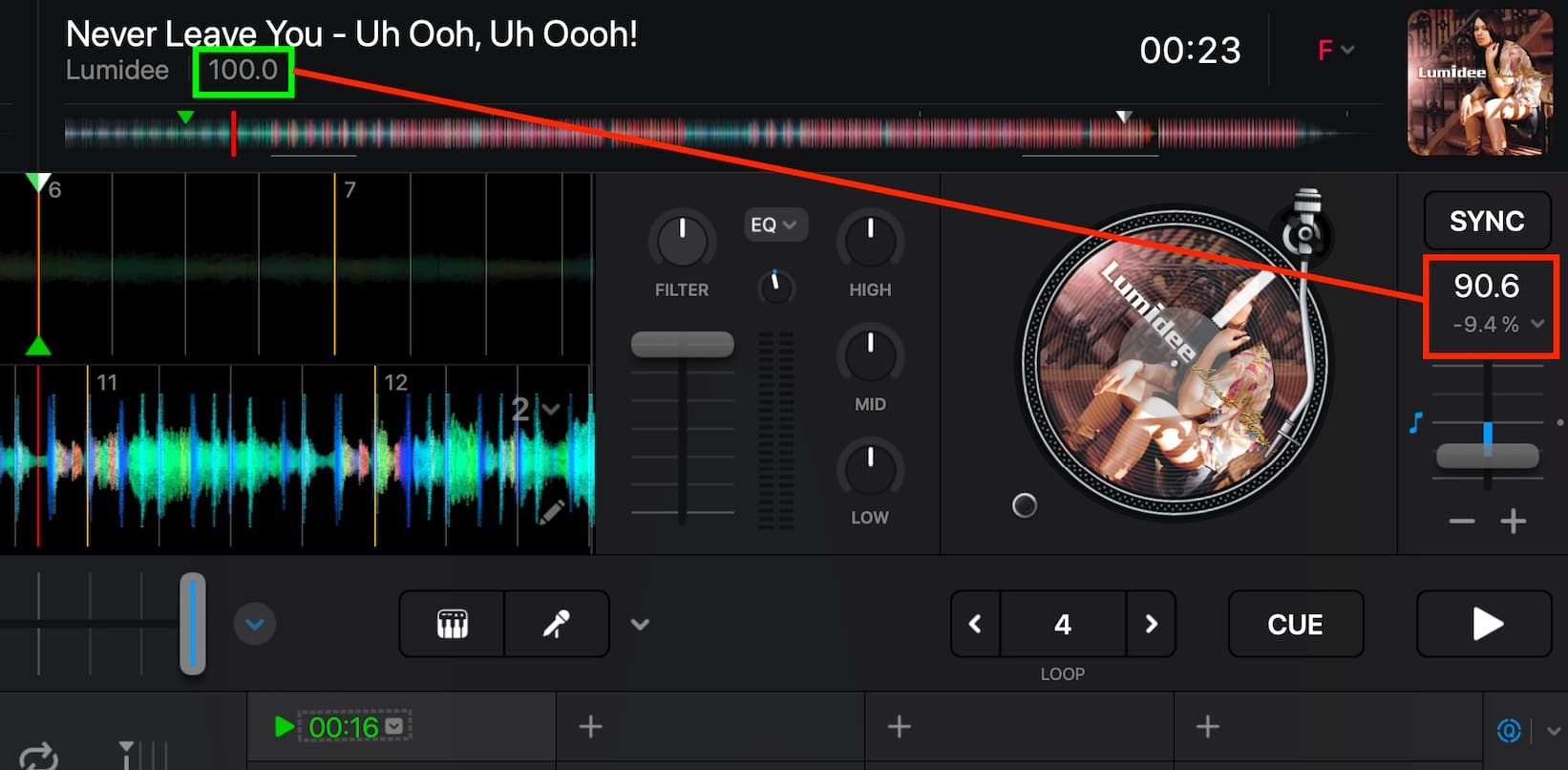
BPM for Lumidee has dropped to 90.6 BPM (out of nowhere), instead of rising to 100 BPM.
And it will stay at 90.6 BPM for the remaining of Lumidee !
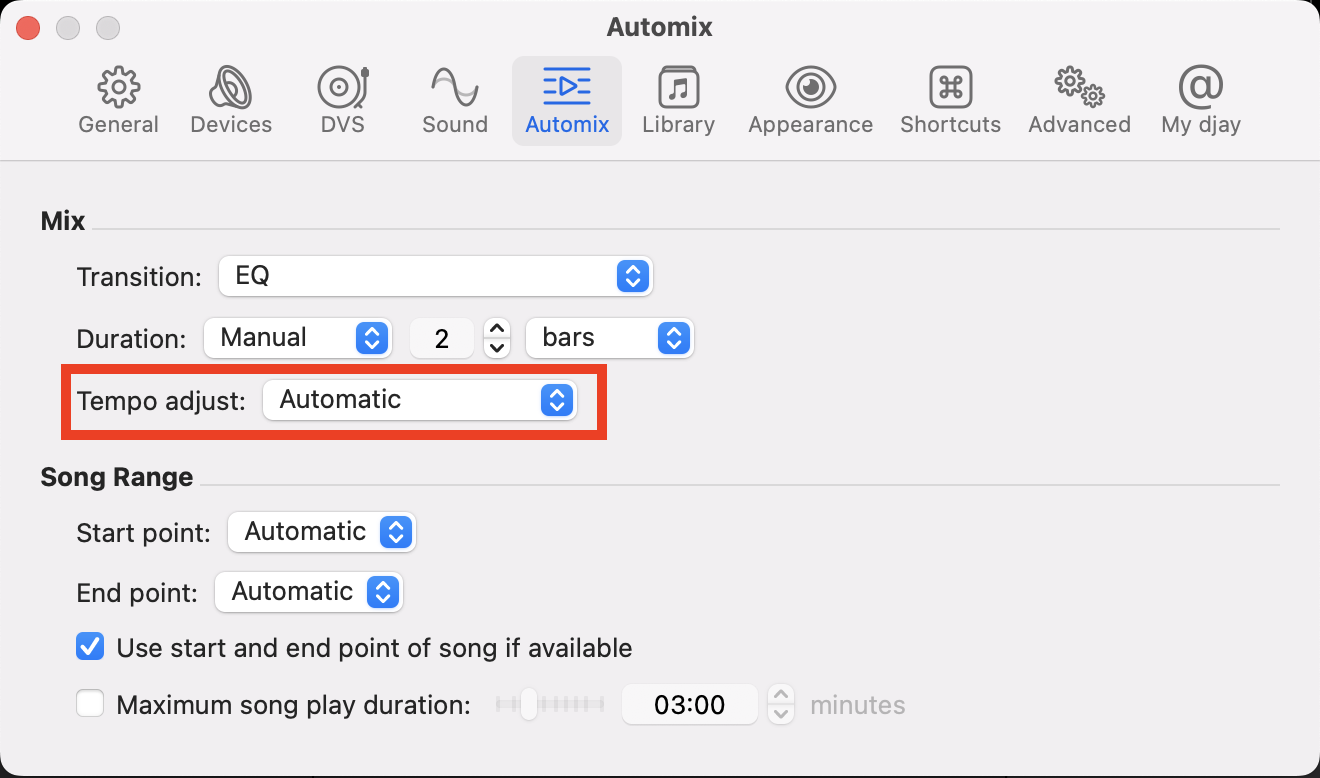
This does NOT happen when the the setting is “Tempo Adjust” is set to “Sync + Tempo”.
This does NOT happen when playing Nena Lumidee on Djay alone.
This problem only occurs with Automix and “Tempo Adjust”.
Is also happens with some other tracks.
It happens with both my iMac and iPad Pro M4
I purposely included the transition points in the screenshot to make it easy to reproduce.
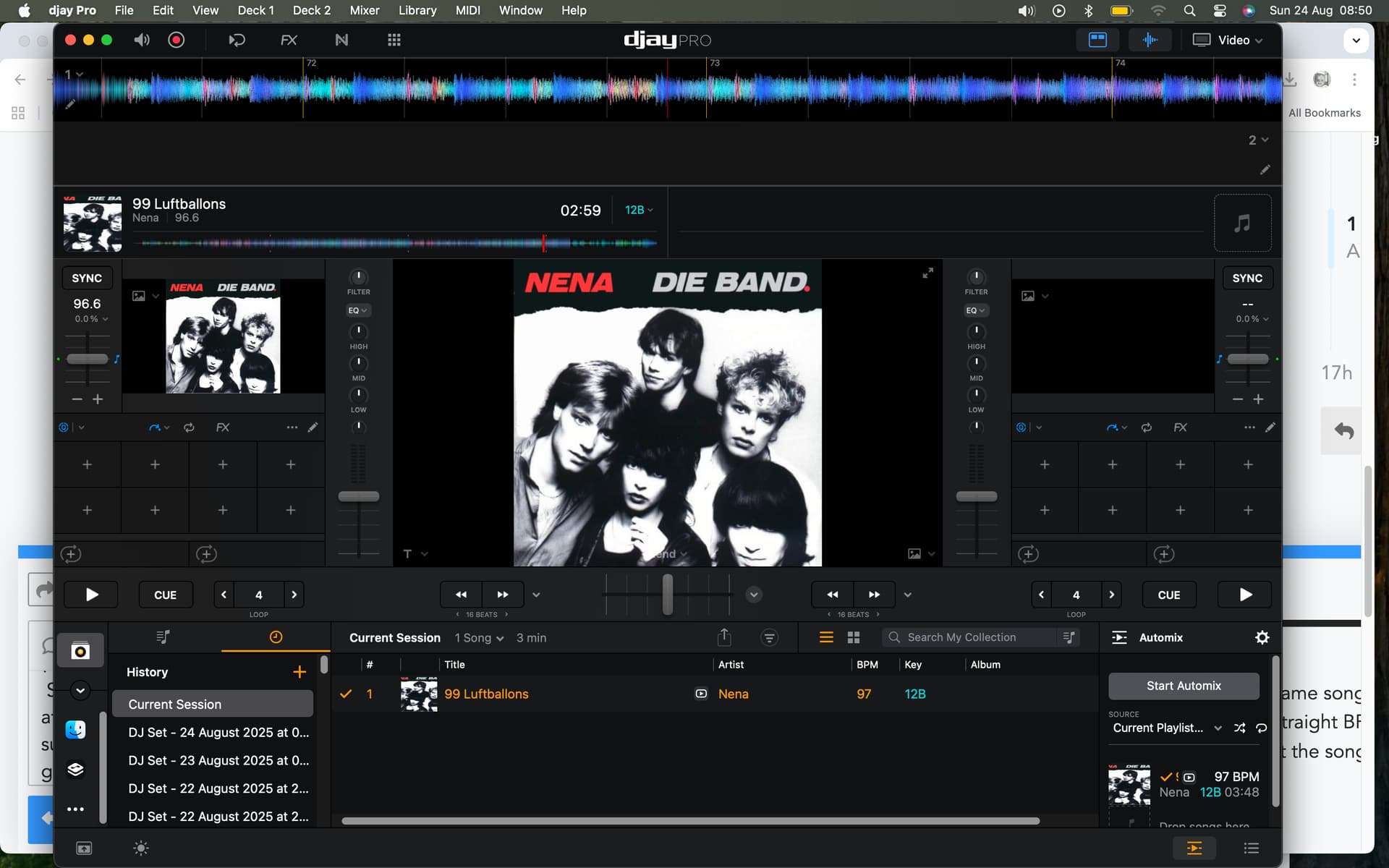
There are other similar cases where the BPM would not change at all (and, in this example, stay at 96.6 BPM : The tempo of the first track), so the whole second track would play with speed of first track.
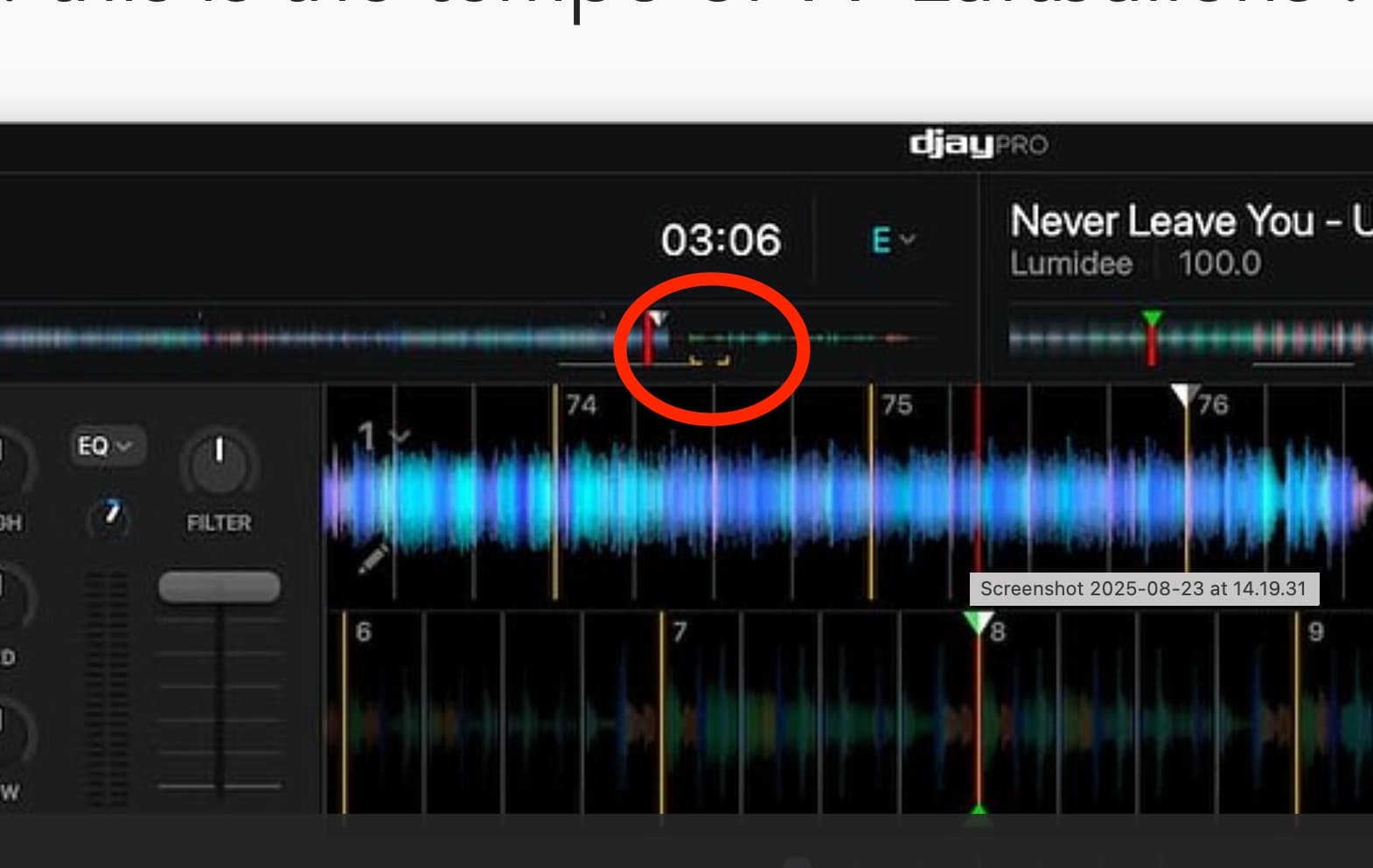
The tempo of this copy of the track is the problem. It is not “clean 96.6” as you said. There’s a tempo change at the red circle where you see the 2 yellow marks below waveform - i am guessing it is the 90.6 you’re experiencing as it falls right in the mix-out portion - so it is forcing the automix to move with it. If the mix out portion were to be right before it, the mix would be clean (and that’s when in the past few cases it mixed well)
Solution: Re-analyze the song in Straight BPM mode as opposed to “Dynamic” - in which case the tiny yellow 90.6 portion will be ignored altogether. Or better yet, re-download a “cleaner” version of the song. My version is a clean 96.6 all thru (the official audio version in youtube
Thank you very much @Armigo .
However, I don’t think this is the explanation, unfortunately.
Indeed :
The problem only occurs with the “tempo adjust” setting set to automatic.
DJay is doing the transition correctly when “tempo adjust” is forced to “sync and tempo”.
Therefore, Djay does see the whole thing correctly. And the issue is only related to the “automatic” setting.
Furthermore, as explained, I am mixing from 99 Luftballons to Lumidee. And it is Lumidee staying at 90.6 for the rest of the track, instead of 100.
I did do some testing with changing both transition points, but then another strange thing happens : Lumidee stays at 96.6 (the Tempo of Nena) for the whole track instead of 100 (it is choosing not the sync tempo, although it does know the tempo. Because when I click on BPM, I see it knows it should be 100 (and Djay is offering to reset to 100).
So, there is definitely something going wrong.
Remember :
The problem is not Lumidee starting at 90.6 BPM. It actually starts at 96.6 BPM but then it drops to 90.6 BPM (first problem).
And then Lumidee stays at 90.6 BPM for the whole song (instead of 100 BPM). Or remains at 96.6 BPM (instead of 100 BPM), if I move transitions points a bit. But it is still wrong. Lumidee should move to 100 BPM (not staying at 90.6 BPM or 96.6 BPM for the whole song).
With the tempo adjust parameter set to “sync and tempo” instead of “automatic”, it works.
When I play Nena or Lumidee alone, it works.
I am thinking, this may (or not) be related to other BPM issues noticed in 5.4.
PS : I am now re-listening to my whole automix playlist with “tempo adjust” set to “sync + tempo” instead of “Automatic”. If anything, the whole playlist is now transitioning smoother.
So, there is definitely to check with the "Automatic"processing.
I have a question for you tho, @Armigo , if I may.
How do you extract YouTube songs to use with Djay Pro ?
I could look it up, but if you have a good solution, it would be very helpful.
This way I could use stems for my sets.
Hahaha! That’s how mine is set too, I have never used the “Automatic” option ever.
But, I still fear any such songs that are with suddenly variable BPM as they throw the automix off unexpectedly.
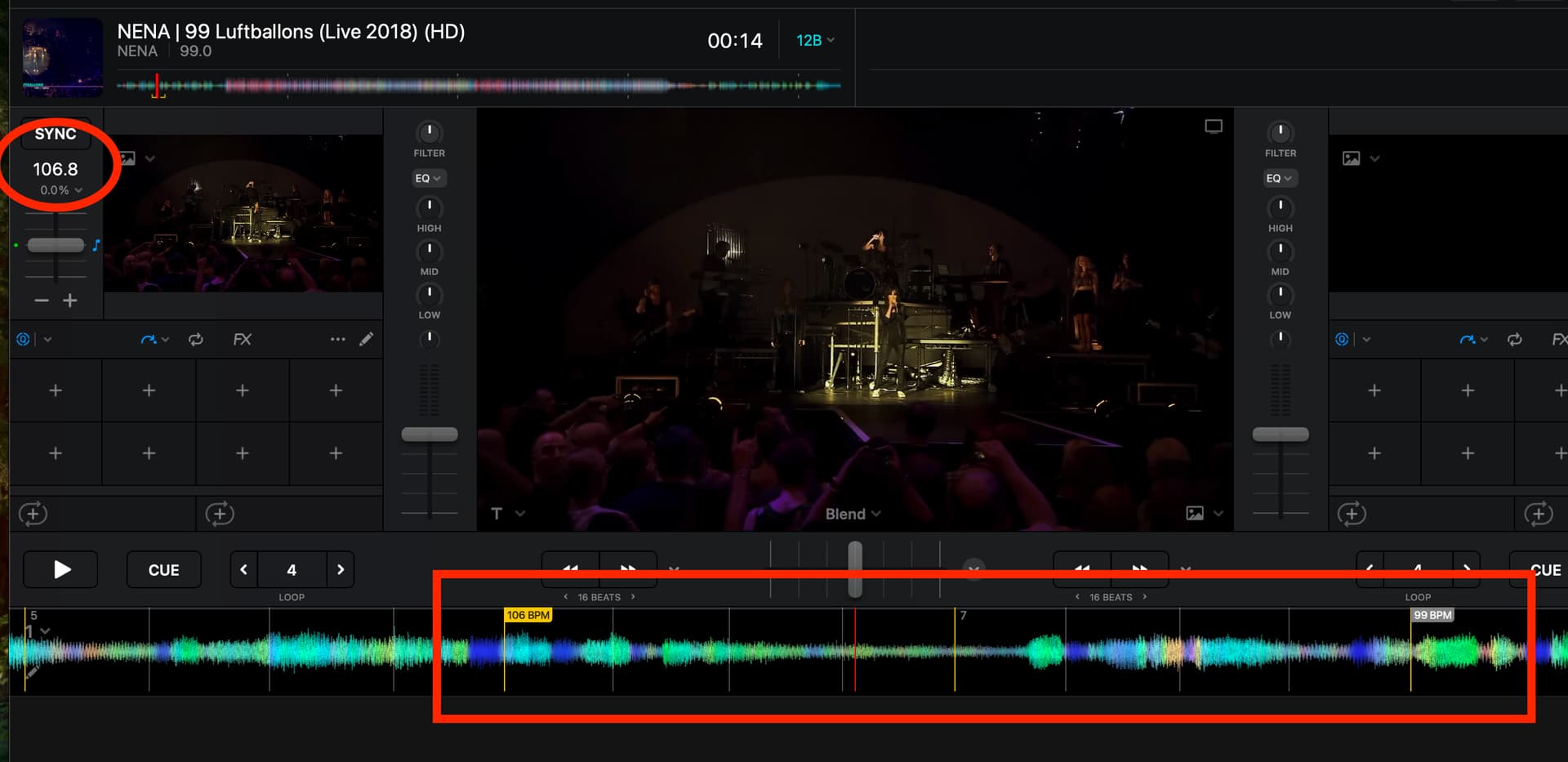
I still insist the issue is as i said earlier - change that track copy. It’s still that yellow portion throwing off the algorithm in djay 5.4x. While it’s playing, click the playhead to that yellow-marked portion of the waveform and you will see the bpm change to 90.6 at the side! Check the live version of that song which has a sudden BPM variance at the intro instead:
Hi @Davidv100, thanks for the detailed information. Perhaps an explanation of what the Tempo Adjust → Automatic setting means will help here. With this setting, songs that are within a 5% BPM difference of each other will Sync and match their BPMs and NOT Tempo Blend. If the BPM difference between the two songs is greater that 5% then the Tempo will be blended from the first BPM to the second BPM.
Since your first song is 96.6 BPM and the second is 100 BPM, these are within the 5% BPM difference and the tracks are synced and BPM matched as expected with this setting. Not Tempo Blending from 96.6 to 100 is expected.
So, if you always want the songs to Tempo Blend from the first song BPM to the second song BPM during the transition not matter what the BPM difference is, you want to set the Tempo Adjust → Sync + Tempo Blend. I hope that helps!
Thanks, this explains everything indeed.
Not only my issue above, but also other cases where the next track didn’t totally reach expected speed and remained a bit off.
In the case above, I now understand the “automatic setting” led Djay to decide it would not tempo blend on the transition point (96.6 BPM being within the 5% of BPM of next song (Lumidee 100 BPM), but then the first song (Nena) falls into a BPM hole during the 2 bar transition to 90.6 BPM. Therefore Djay assigns 90.6 to Lumidee (although it should be 100 BPM), and this is because both BPM were within range on the transition points, when Djay decided to not tempo blend).
I understand the right setting for me is “Sync + Tempo Blend”.
And this solves my whole set (not only this specific case).
Very clear, @Slak_Jaw .
Thank you. I consider this SOLVED for me.
If anything, it might be good to add a comment next to the automatic option in Automix to be more self explanatory (just explain the 5% rule as you did here).
Perfect.
Case closed (I edited the title to add “solved”).
Have a nice day !