Device model (e.g. 2020 iPad Air 4th Gen): Surface Pro 11
Version of operating system (e.g. macOS 14.4.1): Windows 11 25H2 (OS Build 26200.8039)
Version of djay (e.g. 5.1.2): 5.6.3
Hardware/controllers used (e.g. Reloop Mixon 8 Pro): Pioneer DDJ-REV1
Hardware firmware version (e.g. 1.0.1): Unsure. Stock.
A) SUMMARY OF ISSUE:
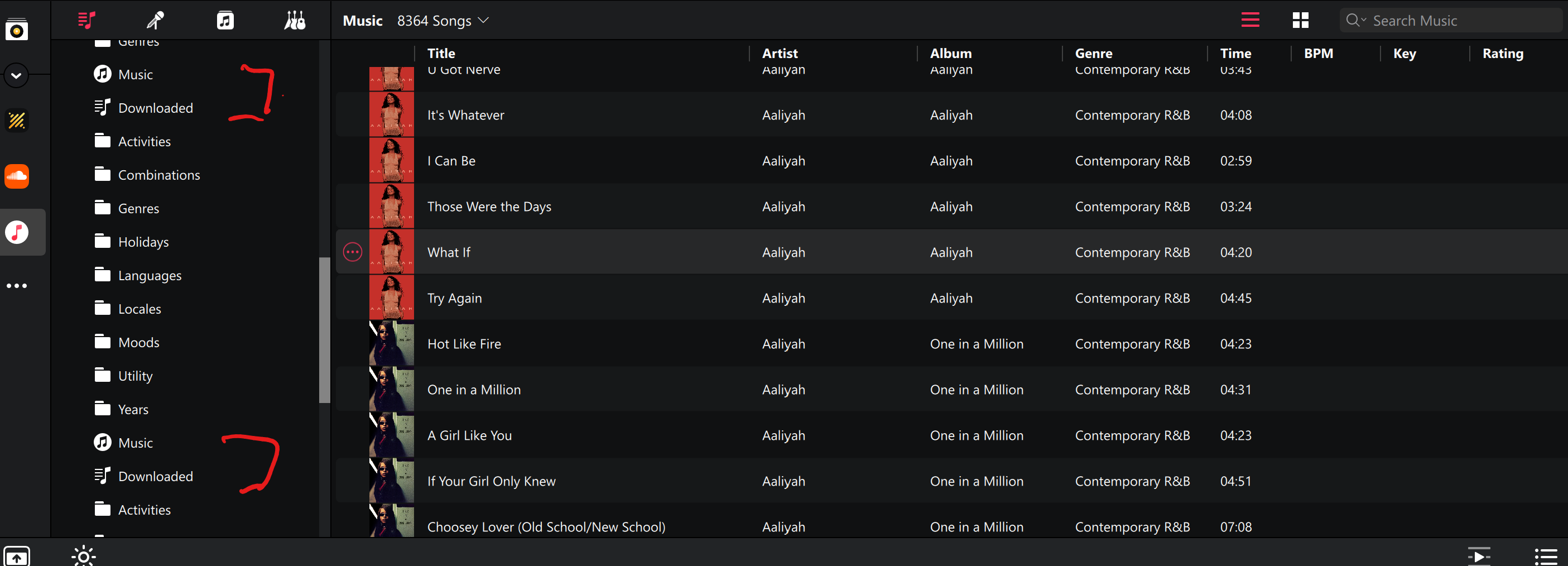
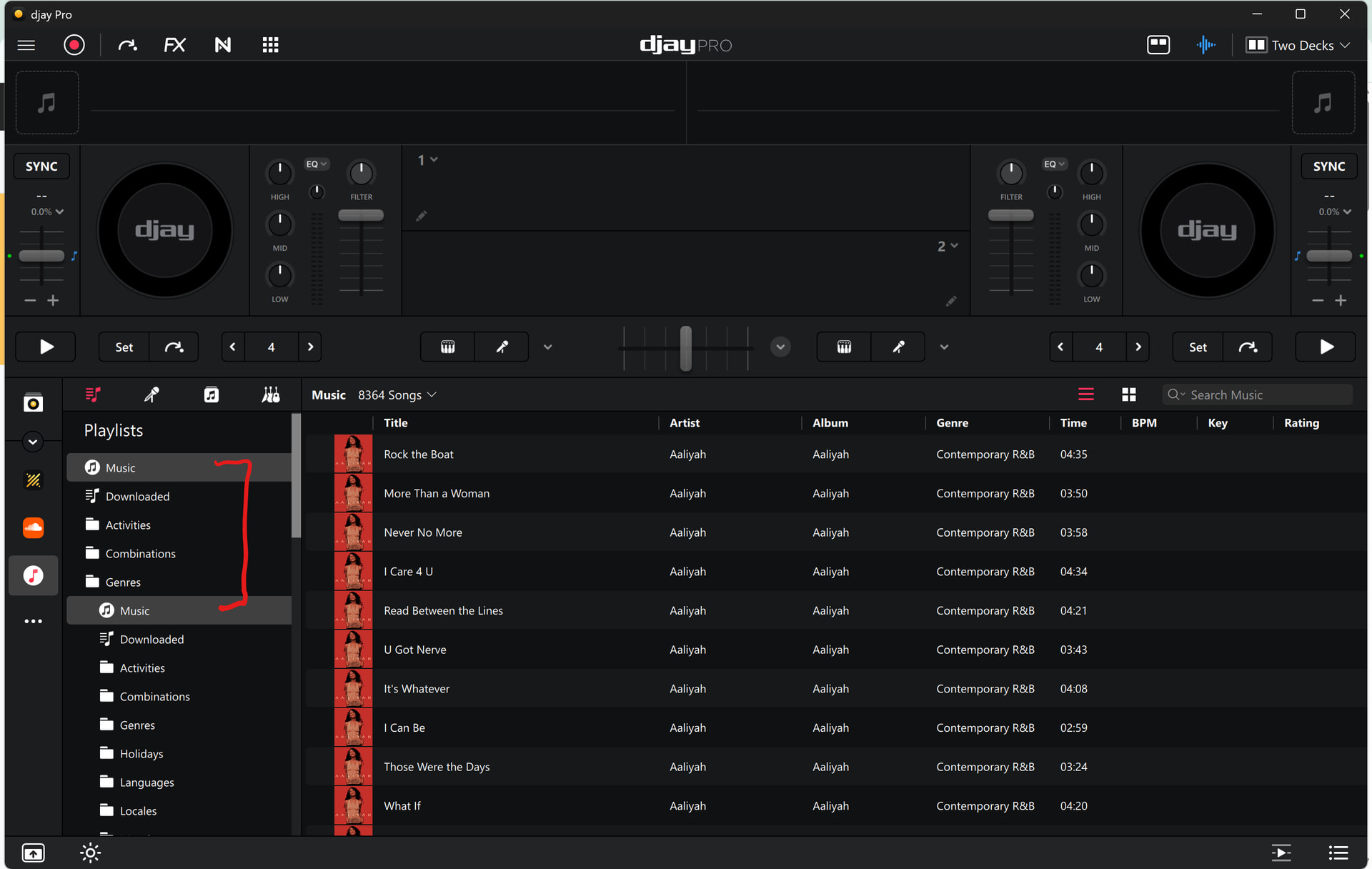
iTunes playlists folders do not allow expanding. The list simply duplicates itself endlessly. When a folder is available to open half of the playlist are gone and showing a blank void in between.
B) DETAILED STEPS TO REPRODUCE:
Load a fresh copy of DJAY Pro on Windows 11. Add your iTunes Library xml and wait for it to be recognized. Attempt to click on a folder and the following ensues.
C) EXPECTED RESULTS:
iTunes playlist folders expand and show the playlists inside. Normal operation.
Thanks for checking @DJERO. I’m using Windows 10 and could not reproduce this on my setup. I’ve passed this onto our engineering team to see if they can repro and offer any suggestions.
Hi @DJERO, our engineering team was not able to reproduce your issues. They tested on Windows 11 with Djay 5.6.3 and iTunes version 12.13.10.3. Could you please confirm what iTunes version you are using? If it’s not the newest version 12.13.10.3, could you please update your iTunes and try again? Thanks!
Hello! It’s been a week since my last reply. I’m going to consider this topic completed for now so I can focus on others. However, please feel free to respond and we can definitely revisit this. Thanks!
I just discovered that I also have issues with the iTunes integration. It’s not exactly the same as DJERO’s but it’s also related to playlist folders, so I opted not to create a new topic.
Windows 11 25H2
djay Pro 5.6.4
iTunes 12.13.10.3
No controller connected
In iTunes, I have a playlist folder which contains 7 playlists. After I expand the folder in djay, I cannot select any of the playlists inside. When I click on any of them, it shows instead contents from playlists above or below the folder.
Thanks for the video @Apos. Our engineering team has identified the issue and is working on a fix which should be included in an upcoming update (likely 5.6.5). Thanks!
Hello everyone! 5.6.5 was just released today and should be rolling out the various app stores over the next 24-48 hours. This issue should be addressed in this release. Thanks!