I have a question regarding the start cue. Just to clarify, I am not talking of hot cues and not of the start of the file.
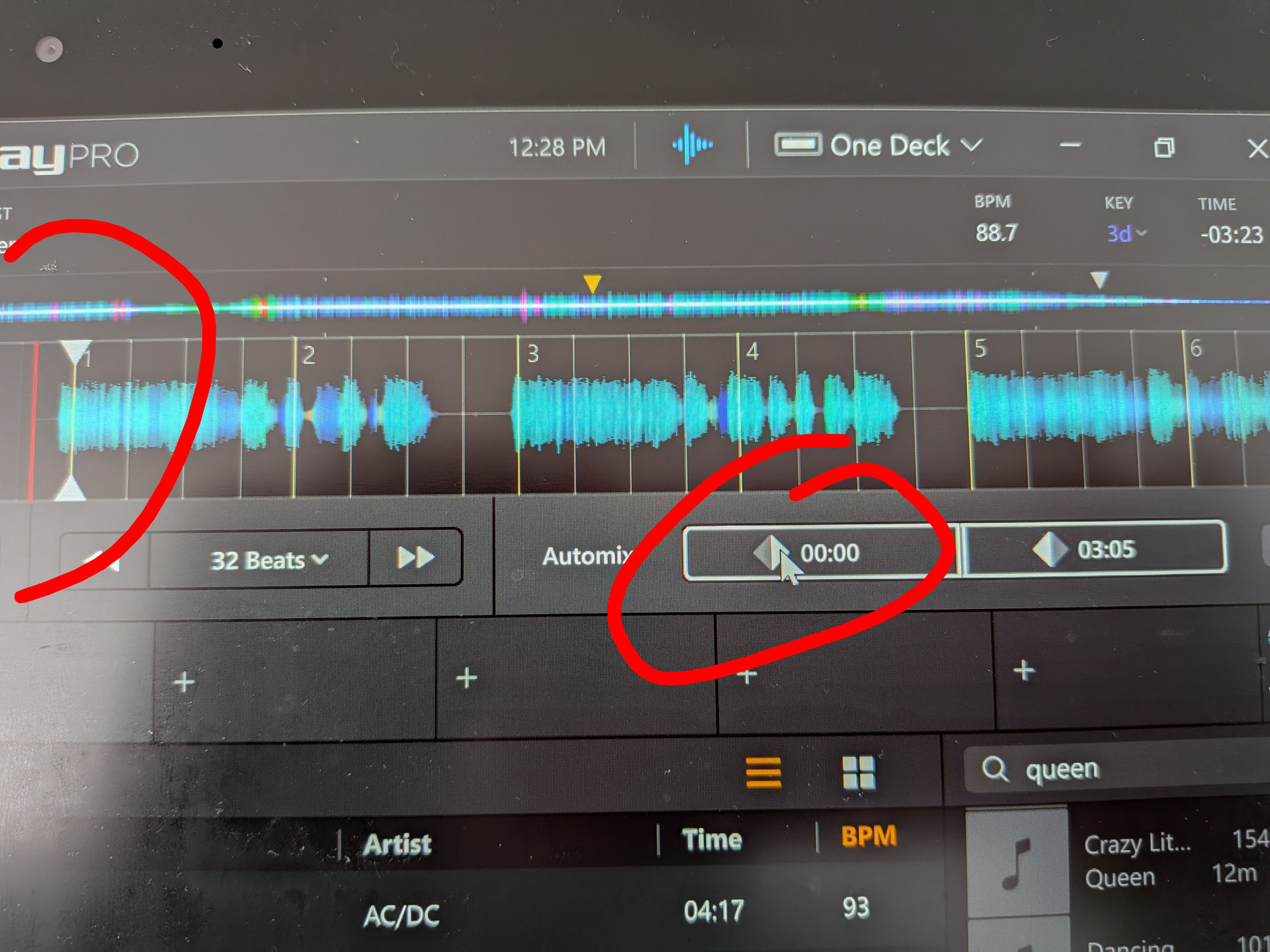
The screen shot above shows an older recording. Top left you can see that the start of the file is about 1 beat before there’s any sound. So I set the start cue on beat one of the grid, using the automix / one deck view (red circle on the right in the screen shot).
In the one deck view, one can set the start cue and end cue and jump to these points. You can set that start cue set on beat 1 above.
My question is this: Is there any way to jump to that start cue point in the two deck view, by screen button or keyboard shortcut or … ?
I could not find a keyboard shortcut either. There’s a keyboard shortcut for start of file (Q, P) and for hot cues, but I could not find any means of jumping to the start cue, other than the button in the one deck view.
Is there any way to access a button or use a keyboard shortcut to jump to the start cue?
This is on windows.
Thanks, Chris
Edit: Also, In the settings, on loading the song jump to start cue actually jumps to the start of the file.
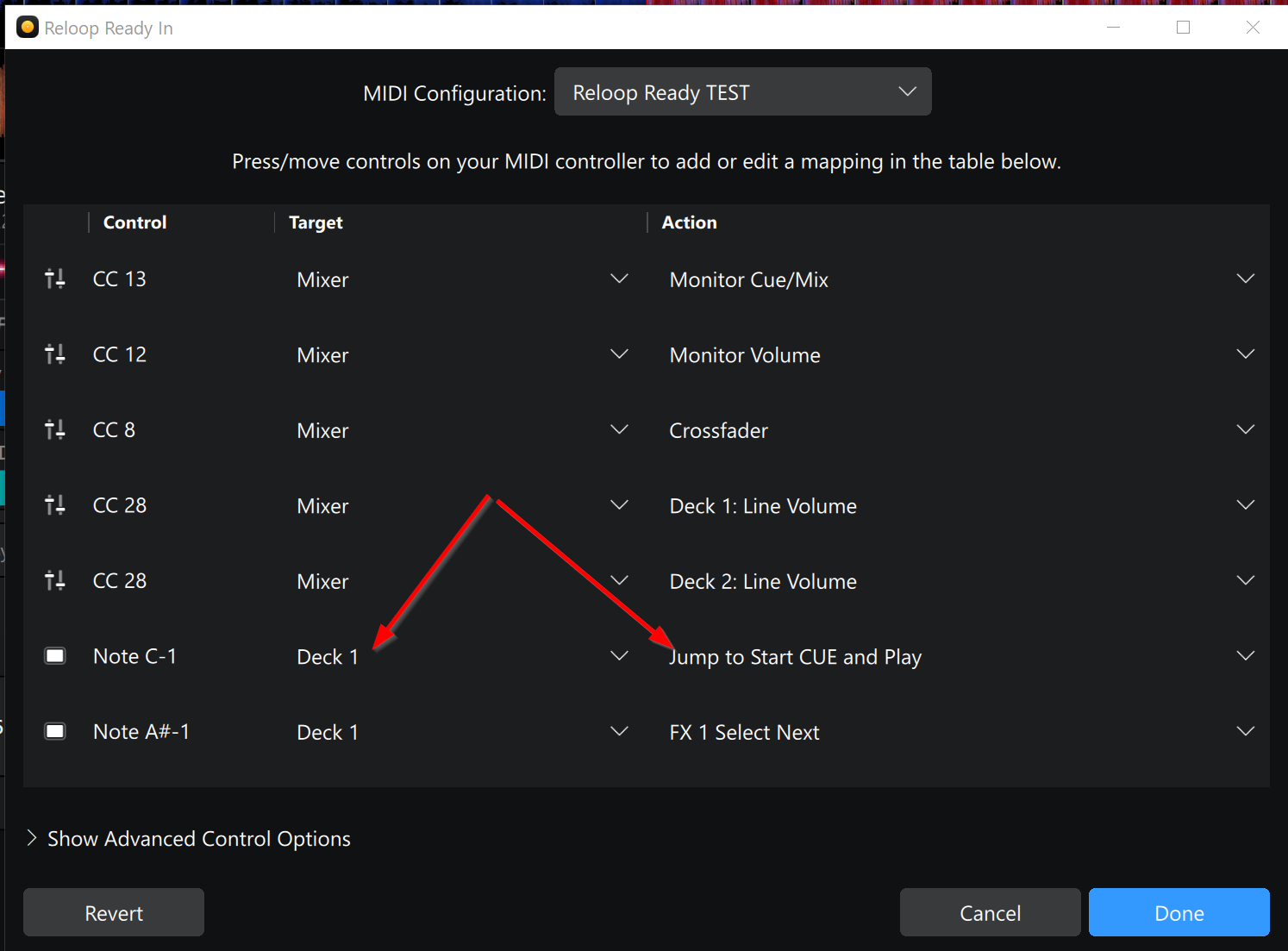
Hi @Chris13, there is no keyboard shortcut on onscreen button in 2 Deck Mode for "Jump to Start CUE. However, if you are using a MIDI controller, there is a mappable MIDI command for this:
Thanks. I’ll see whether I can sacrifice a button, although I would need Jump to Start Cue and DON’T Play. But thanks!
You’re welcome @Chris13. There is also a MIDI command to “Jump to Start Cue and Pause”.
Shift plus Play maybe as a button combo?
Hi Slak_Jaw
Your suggested solution of using “Jump to Start Cue and Play“ is not actually what I need. This is again the beginning of the track, not the Start Cue of the Automix. I guess the whole terminology is unfortunate because the cues set in automix/one track view referred to above is not what the start cue is that your solution refers to.
Your solution is not necessary because there’s a short cut for that already, which is (on Windows) to press Q (or P on Deck 2).
I guess I’ll just forget about these automix/one track cues then since they are effectively not useable anywhere else and just use a hotcue, going forward.
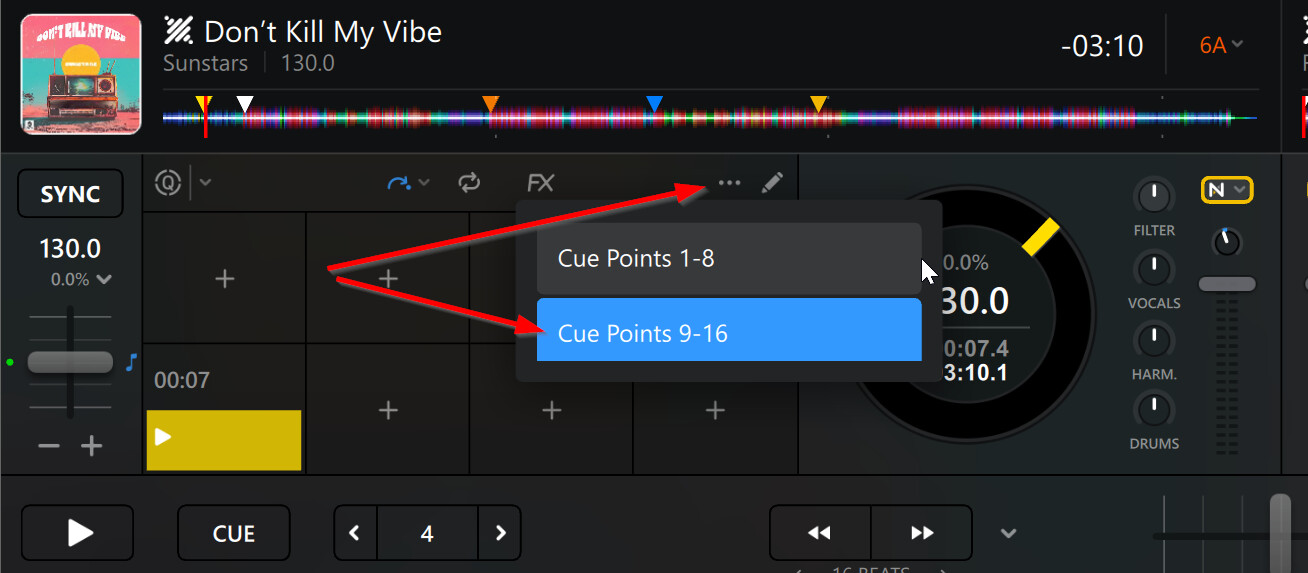
Okay, sounds good @Chris13. Sounds like using a Hot Cue is the quick fix here. In case you are concerned that you will not have enough Hot Cues, there is a second bank of 8 available.