Device model (e.g. 2020 iPad Air 4th Gen): MBP M1 Max 14” 2021
Version of operating system (e.g. macOS 14.4.1): Tahoe 26.2 (25C56)
Version of djay (e.g. 5.1.2): 5.6.1
Hardware/controllers used (e.g. Reloop Mixon 8 Pro): N/A
Hardware firmware version (e.g. 1.0.1): N/A
Please consider sharing a short video or screenshots to help clarify your issue I tried to attach a video but I get an error about being a new user.
A) SUMMARY OF ISSUE:
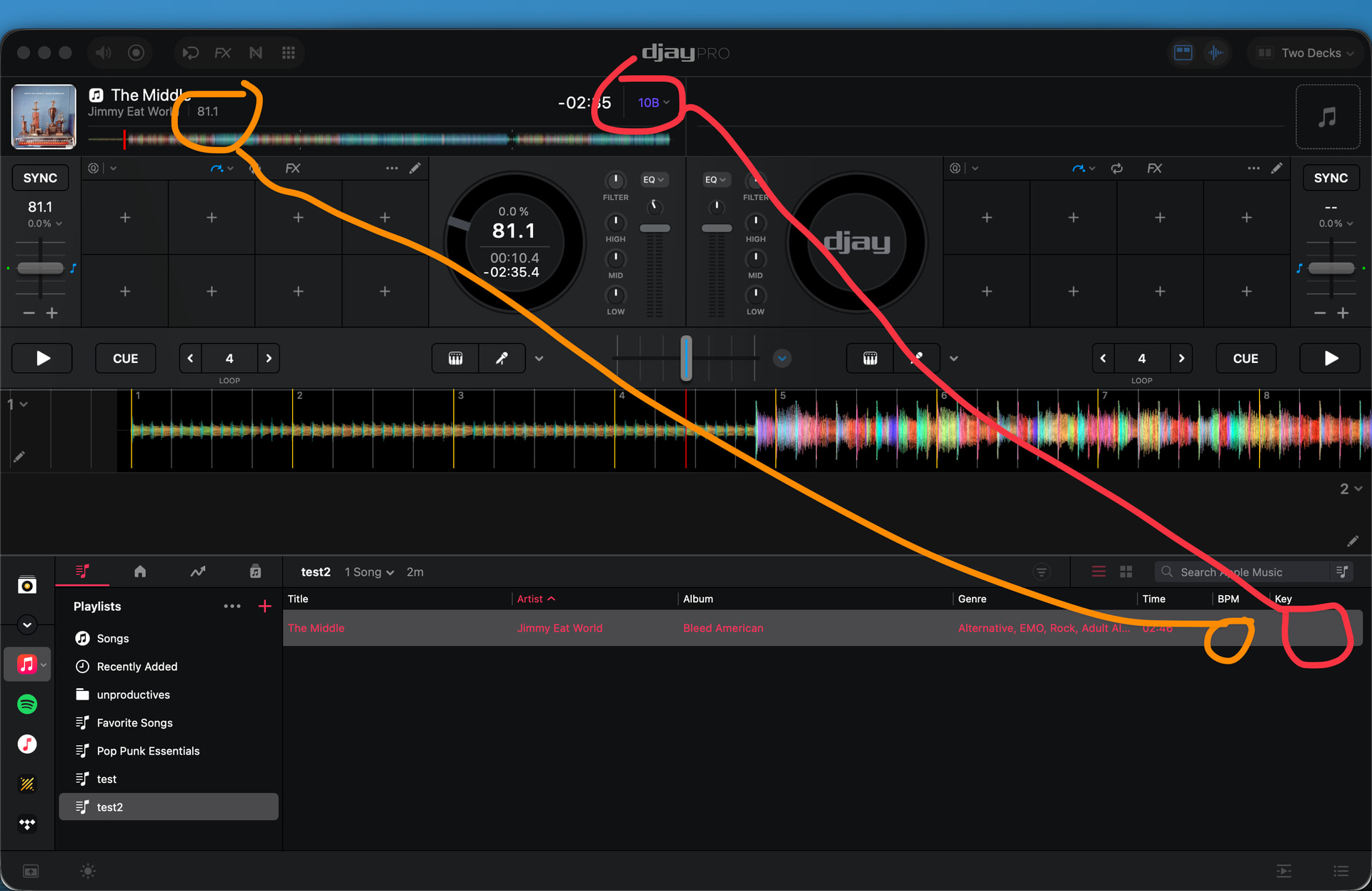
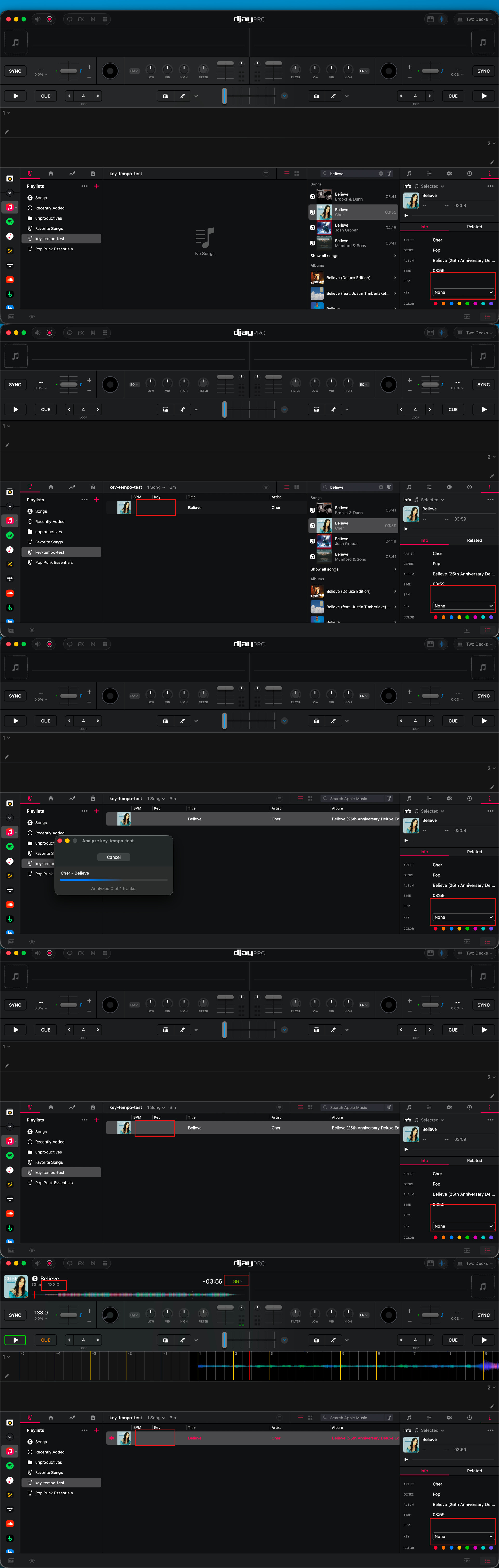
When I analyze a song, the key and tempo don’t get written to their respective columns. However, when I load the track, the values are present on the song. This seems consistent across both streaming (Apple Music) and local files.
B) DETAILED STEPS TO REPRODUCE:
Open djay
Select a song with no key/temp > right click > analyze
No value displayed in column (dropdown for key still shows None)
C) EXPECTED RESULTS:
Value written to respective columns
D) ACTUAL RESULTS:
Nuffin
Of note here—I think I may have borked something downstream with some Apple account shenanigans. I have a dedicated profile on my mbp for djay stuff, but some of my subscriptions got scrambled, so I think I may have been signed into Apple Music and djay with different accounts at some point.
I mention this, because when I tried this on my main profile, where the Apple account has never changed across all entry points, I didn’t see the issue. E.g. analysis correctly writes the values to the columns.
Hi @djunproductives, welcome to the Community! Sorry to hear you’re experiencing this issue. There are three ways to analyze tracks:
Loading them on a deck.
Selecting “Analyze” on a playlist.
Selecting one or multiple tracks and then “Analyze” (using Right/Control-Click on macOS, or track selection mode on iOS)
For options 1 and 2 the track is not analyzed again if it has been previously analyzed.
Option 3 will re-analyze the track and overwrite existing information like Key and BPM. Please try Option 3 and let me know if that clears up the issue for you or not. Thanks!
Thanks for confirming your “Analyze” method @djunproductives. I have changed your community access so you should now be able to upload your video directly. The link you shared requires an account for me to download it. Please upload the video directly here instead.
Also, I have not been able to reproduce this on my setup so I suspect it is related to this:
Either way, I have shared this with our engineering team to see if they can reproduce it based on the info you’ve shared so far. Thanks!
Hi @djunproductives, sorry for the delayed reply. Our engineering team has still not been able to reproduce this. They have a couple of follow up questions:
You mentioned it also does not work for Local Files, but the examples are all shown using Apple Music. Could you please confirm if you have the same issue when using the My Files source? If so, please share a screen recording of this.
Could you try renaming/moving your current “djay Media Library” database file in ~/Music/djay/ and launch the app with a fresh db to see if the issue still happens? Thanks!
It was borked across the board—streaming and local.
I ended just biting the bullet and switching to a new profile on my Mac, and that seems to have resolved the issue. I already rebuilt everything on the new profile, so you can close / cancel this request for now (if that’s a thing).