Lagging & unresponsive Serato (SR) Library (macOS 15.7.7)

Hi @Slak_Jaw! Adding my setup, though my symptoms seem related but possibly distinct from the original sort-by-Source crash:

Device Model: MacBook Pro, Apple M4 Max, 36GB RAM
OS version: macOS 15.7.7
djay version: Latest
Hardware/controllers used: RANE ONE, latest firmware/driver
Streaming services: Tidal, Apple Music, Beatport/Beatsource
Approx. songs in My Collection: 14,000+

What I’m seeing specifically: the crash happens when I’m using my Serato (SR) or Rekordbox (RB) libraries within djay. After roughly 30–60 minutes of use, the app starts lagging and then becomes fully unresponsive, at the same time my RANE ONE stops responding too. Force-quitting and relaunching works, but the app takes noticeably longer to start back up than a normal cold launch. Separately, certain individual tracks will crash/freeze playback immediately when selected.

Given it’s specifically tied to the Serato/Rekordbox library integration rather than djay’s native collection, wondering if this is a separate issue from the Source-sort crash, possibly related to how external library metadata gets parsed/cached over a session. With a 14k+ track library, this might also be a scaling issue that’s harder to reproduce with smaller collections.
1 Like

Hi @Katazui, welcome to the Community! Your issue as described sounds like something different so I’ve moved it to its own topic. Thanks for the setup details and detailed issue description. I have several follow up questions to help me troubleshoot this issue further:

  1. Please confirm your actual djay version number from the djay settings.
  2. Does the session degradation happen with both Serato and Rekordbox libraries, or have you confirmed it with only one of them? If both, does one trigger it faster than the other?
  3. Have you tested a full 30–60 minute session using only djay’s native My Collection (no SR/RB source active in the sidebar)? Does the lag/freeze still occur?
  4. Are your Serato/Rekordbox tracks stored on the internal SSD, an external drive, or a mix of both? If external, what is the connection type (USB-C, Thunderbolt, etc.)?
  5. For the tracks that crash/freeze immediately on selection:
  • Do they come exclusively from the SR/RB library, or also from My Collection or streaming?
  • Is this behavior consistent for the same tracks across sessions (i.e., always those specific tracks), or does it happen randomly to different tracks each time?
  • Do those tracks have anything in common — file format (MP3, FLAC, WAV, AIFF), unusual tag data, very long/short duration, missing waveform analysis?
  • Does the freeze happen on track load or on playback start?
  1. Is the RANE ONE connected directly to the MacBook Pro, or through a USB hub? Does its loss of response happen simultaneously with the djay lag, or does one precede the other?
  2. Have you made any changes to djay’s default Audio Device Settings (Preferences → Audio)?
  3. Are you using a custom MIDI mapping for the RANE ONE, or the (built-in) djay mapping?
  4. When the session degradation occurs, are you actively loading or browsing streaming tracks (Tidal, Apple Music, Beatport/Beatsource), or working exclusively with local files at that point?
  5. When the freeze occurs, are any other applications running in the background (e.g., Serato DJ Pro, Rekordbox, browsers, cloud sync services like Dropbox or iCloud Drive)?
  6. Do you know approximately which djay version this started with, or has it been present as long as you’ve used the SR/RB integration?
  7. Are you using OneLibrary with a USB drive connected during your sessions?

Thanks!

1 Like

Thanks for the follow-up @Slak_Jaw! Answers below:

1. djay version: 5.6.5

2. SR vs RB: Confirmed with Serato. I assume Rekordbox behaves the same since both point to the same audio files on disk, but I haven’t isolated RB independently.

3. Native collection test: When using djay’s native My Collection exclusively, the issue still occurs, but specifically on tracks that were originally imported from Serato/Rekordbox. Even browsing from the djay Collection tab, if the track originated from SR/RB, it tends to be the problem track (long load times leading to freeze/crash). Tracks that were never part of an SR/RB library seem unaffected.

4. Storage: All files are on the internal SSD.

5. Tracks that crash on selection:

  • Exclusively tracks originating from SR/RB libraries, whether accessed via the SR/RB tab or djay’s own Collection. Occasionally djay will report the track as “missing,” and relaunching the app resolves it temporarily.

  • Happens consistently to the same SR/RB-origin tracks, roughly 40% of the time, the other 60% they load fine.

  • All files are MP3, WAV, or FLAC with proper metadata tagged for both Serato and Rekordbox.

  • The freeze happens on track load, not playback start. Once it freezes, both the RANE ONE and the Mac UI become fully unresponsive, the current deck keeps playing but nothing can be interacted with. Force quit is the only option, resulting in dead air.

6. RANE ONE connection: Connected directly to the MacBook Pro via DJ Tech Tools Chroma Cables, no hub. Never had connection issues prior to this.

7. Audio settings: No changes from default.

8. MIDI mapping: Custom mapping: replaced pitch bend with beat jumps on both decks, and replaced cue, slip, and cursor buttons with stems controls.

9. Streaming vs local during degradation: This only occurs with local files originating from SR/RB libraries. Streaming sources are not involved when the freeze happens.

10. Background apps: Safari (running PlayThis.Live, my DJ request app), SoundSwitch, and QuickTime Player (recording the set).

11. Version history: This issue only started with 5.6.5, did not experience it on prior versions.

12. OneLibrary: Not in use.

Hope this helps narrow it down, happy to provide crash logs or a screen recording if useful.

You’re welcome @Katazui. Thanks for answering my questions. This is very helpful information.

  1. Yes, please capture and share a screen recording of both issues
  2. Does the issue occur with SoundSwitch and QuickTime Player not running?

Finally, please collect a log output from Console.app on macOS while replicating the issue in djay.
NOTE: Make sure your user profile has Administrator Privileges.

  1. Open Console.app: It’s located in Applications>Utilities or simply type Console in the Spotlight search.
  2. Set Up Console: In the sidebar, select your Mac under “Devices.” Click “Start” in the toolbar to stream logs in real-time.
  3. Replicate the Issue: Open djay and perform the actions that trigger the issue. Note the exact time of the issue. Once the issue is reproduced, click “Pause” in the toolbar to pause logging.
  4. Filter djay Logs: In the Console search bar, type “djay” to filter logs related to the djay software.
  5. Copy the Logs: Shift select the relevant log entries, the press Command (⌘) + C to copy the log text to the clipboard.
  6. Save the Logs to a Text File: Open the TextEdit App, create a new document, then press Command (⌘) + V to paste the Logs. Now go to File>Save and name it something like “djay_console_log.txt”.
  7. Share with Support: Upload the .txt file to your Google Drive/Dropbox, enable sharing permissions, then share a link to the file here.

Hello! It’s been a week since my last reply. I’m going to consider this topic completed for now so I can focus on others. However, please feel free to respond and we can definitely revisit this. Thanks!

Hi @Slak_Jaw! Apologies for the delay, but I wanted to make sure I had proper footage before responding. I’ve also since updated to 5.6.6 and can confirm the issue is not resolved.

A few updates:

Original bug — still present in 5.6.6:
The lag and unresponsive behavior when loading SR/RB-origin tracks persists on the latest version.

New related bug discovered:
While browsing my play history, I noticed some tracks appear as blank entries. When I click “Show Info” on a blank track, it takes a while to load, but it does eventually load, the file is intact and not corrupted on disk. However, loading that track onto a deck (or in some cases, any subsequent track load after triggering this blank-history issue) causes djay Pro to become fully unresponsive in the same way as the original bug.

To summarize the two freeze triggers I can now reproduce:

  1. Loading an SR/RB-origin track from my library or collection

  2. Interacting with blank/missing history entries and then attempting to load any track

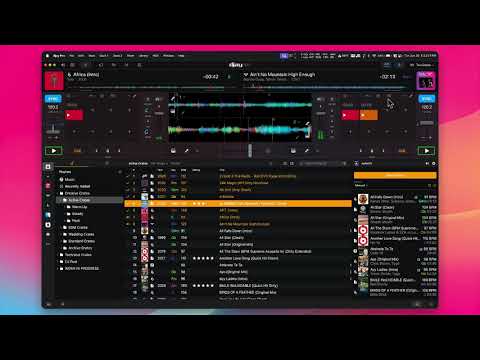
Attaching the screen recording below, I replicated both scenarios as clearly as I could. Also happy to share the Console logs from that session if that helps. Let me know!

One more detail worth flagging: I believe the timing of this bug coinciding with the Beatsource to Beatport migration may be relevant. Prior to the migration, everything worked flawlessly on Beatsource. After switching to Beatport, I started noticing tracks that are greyed out or appear blank, likely due to licensing differences between the two platforms.

My suspicion is that many of these problematic blank/greyed-out tracks are migration-broken entries, tracks that existed in Beatsource but don’t have a valid Beatport equivalent, leaving orphaned or malformed metadata in djay’s database. When djay tries to resolve those tracks (either on load or when they appear in history), it may be triggering the freeze.

Worth noting: djay Pro 5.6.5 worked fine before the migration. So the regression appears tied to both the 5.6.5 update AND the Beatsource to Beatport transition happening around the same time. Hard to say which is the root cause without more digging on your end, but hopefully this helps narrow it down.

Hi @Slak_Jaw, hehehe, I might have another theory that might help!

I just captured a macOS hang report (stackshot) from a freeze on 5.6.6 today. Unlike the visual recordings, this shows exactly where djay’s threads are stuck at the system level:

The main thread and two other threads (ALCUserAutoImporter / ALCMediaObjectResolver, plus a Finder source loader) are all blocked resolving a security-scoped bookmark, the macOS mechanism djay uses to remember folder/file access permissions. That resolution call goes out via XPC to a system service called scopedbookmarksagent.xpc, and the report shows that service had crashed (SIGTRAP) and was being throttled by launchd at the time, meaning djay’s synchronous call to it just hangs indefinitely with no timeout or fallback. The hang lasted 236 seconds before being sampled.

This might tie into my Beatsource to Beatport theory from my last post: if migration-orphaned tracks left djay with stale or malformed bookmark data, that could be what’s tripping up the resolution call (or the system agent itself) when djay tries to resolve them on load or in history.

Happy to attach the full stackshot (.txt) if that’s useful, it’s pretty long but has the complete thread dump and binary image list. Let me know the best way to get it to you.

Hi @Slak_Jaw, sorry for the flurry of posts, I know that’s a lot to sift through. Wanted to consolidate since I think I’ve actually pinpointed the exact trigger now.

The reproducible trigger:

It comes down to the missing-file relink flow never starting. Here’s the exact sequence:

  1. djay flags a track as “missing file” (these are almost always SR/RB-origin or Beatport-migration tracks, per my earlier posts)

  2. The relink process that’s supposed to kick in (prompting me to locate the file, or auto-matching it) never actually starts, it just silently fails to launch

  3. Immediately after, djay reports my entire library as missing, not just that one track, and the app freezes completely

This lines up exactly with the stackshot I posted earlier: djay’s bookmark resolver is trying to resolve a file reference that has no valid security-scoped bookmark (because the relink that would’ve created one never ran), and that resolution call hangs forever waiting on the system’s scopedbookmarksagent.xpc service with no timeout. My guess is that once this one resolution call hangs, it blocks the resolver from processing anything else behind it in the queue, which would explain why the whole library appears missing rather than just the one track.

One more relevant detail: force-quitting djay doesn’t fix it, the exact same freeze happens again on relaunch, and my library still shows as fully missing. Only a full reboot resolves it and my library comes back normal, which makes sense since the stuck system service is outside djay’s own process and doesn’t get reset by killing the app.

So my working theory end to end: Beatsource→Beatport migration left some tracks with broken/orphaned metadata → those show up as missing/blank → djay’s relink flow fails to start for them → the failed relink attempt hangs the shared bookmark resolver → every other track’s resolution gets stuck behind it, making the whole library appear missing → only a reboot clears the wedged system service and restores everything.

You’re a little too much of a techie, you know that? :slight_smile:

Anyway, solution is:, install macOS 15.7.1 (without formatting your main disk)
Sequoia 15.7.5, 15.7.6 and 15.7.7 I can authoritatively confirm has some issues with file caching system compatibility with djay…
Thank me later.

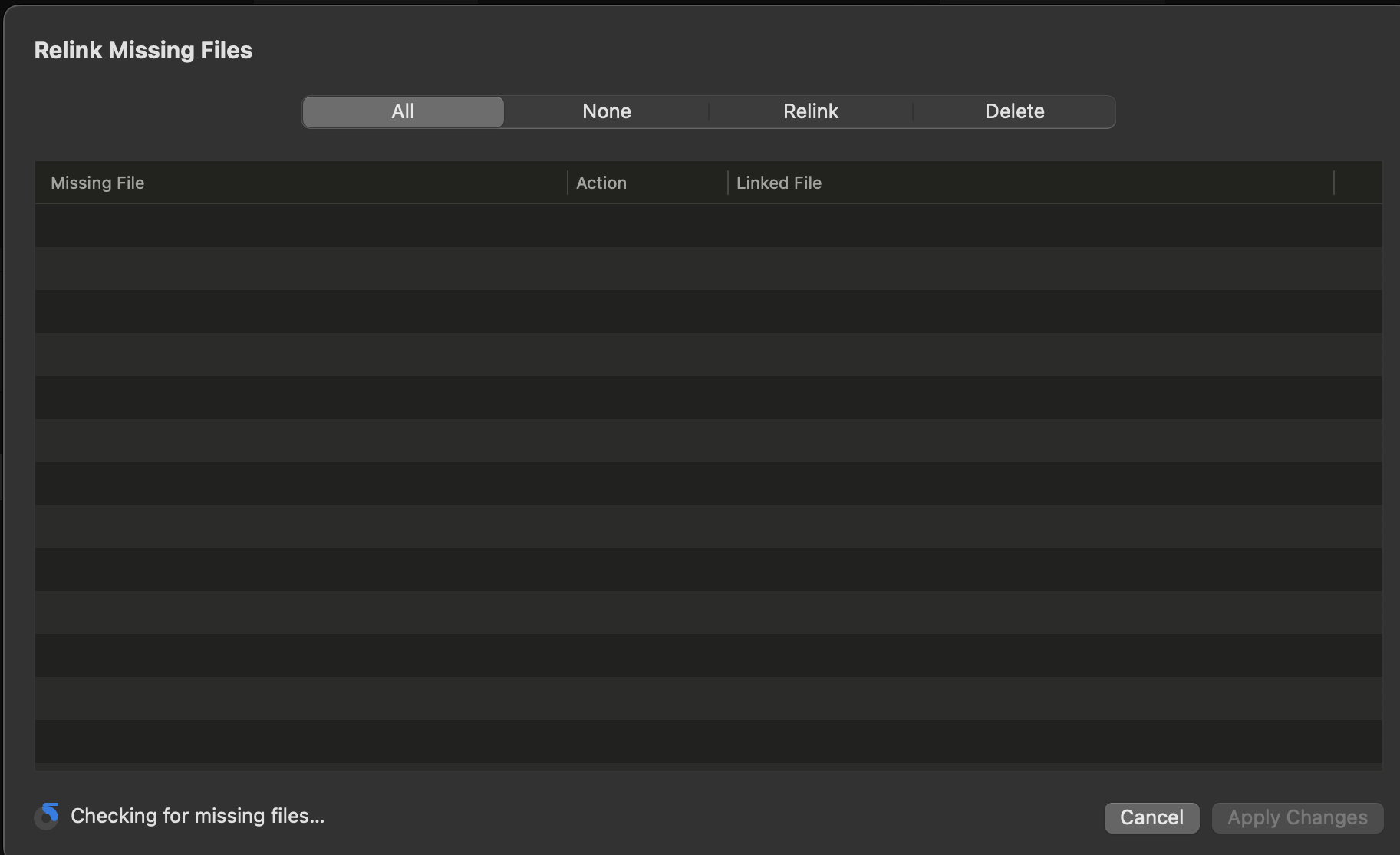
It’s related to this: read from comment 35 - 39 here Relink missing files is stuck - #44 by Armigo

To test my theory:
Launch djay, go Library >Relink Missing Files and see if it doesn’t get stuck on this screen forever

If it actually relinks, forget my advice …
BUT since you’re on a newer mac (M4?), why not go all out and upgrade to Tahoe/Gate + djay 5.6.6???.

2 Likes

Another point (from experience),
it’s not advisable to use both External Apps and My Collections at the same time active, for the same files sitting on both ends

Thanks for the additional details, video and troubleshooting @Katazui. Also, thank you @Armigo for the suggestions. Katazui, can you please let me know if Armigo’s suggestions work for you or not? Thanks!

@Slak_Jaw

From my notes, I can confirm that this is the case. @Armigo’s mention of the update makes total sense. During the migration switch, it was during the time I did upgrade my macOS to 15.7.7, no issues prior to the update. Worth noting, that I didn’t physically test it out yet, but @Armigo’s problem does line up with mine.

1 Like

Thanks for confirming @Katazui.

Hi again @Katazui and @Armigo, I spoke with our engineers about this. If you use My Collection can you please try reimporting all your music again via dragging the folder/files from Finder and dropping them into the My Collection Music playlist? This might help as it will recreate the bookmarks, which might work around the problem.