I’m using 2 x Denon LC6000 controllers and noticed that when I load a new track the pitch fader has to moved past centre zero point for any pitch change to take affect or change. Is there a way of changing this so the incoming track automatically jumps to pitch the fader is set to?
I’m not sure which combination of the following settings will work best for you, but all of them affect this behavior.
Main menu => Settings => General => Song loading => Reset EQ, FX, Tempo
This option resets the tempo to zero when a song is loaded. It only changes the software state, so if it is turned on, hardware pitch fader will be out of sync with the software every time you load a track.
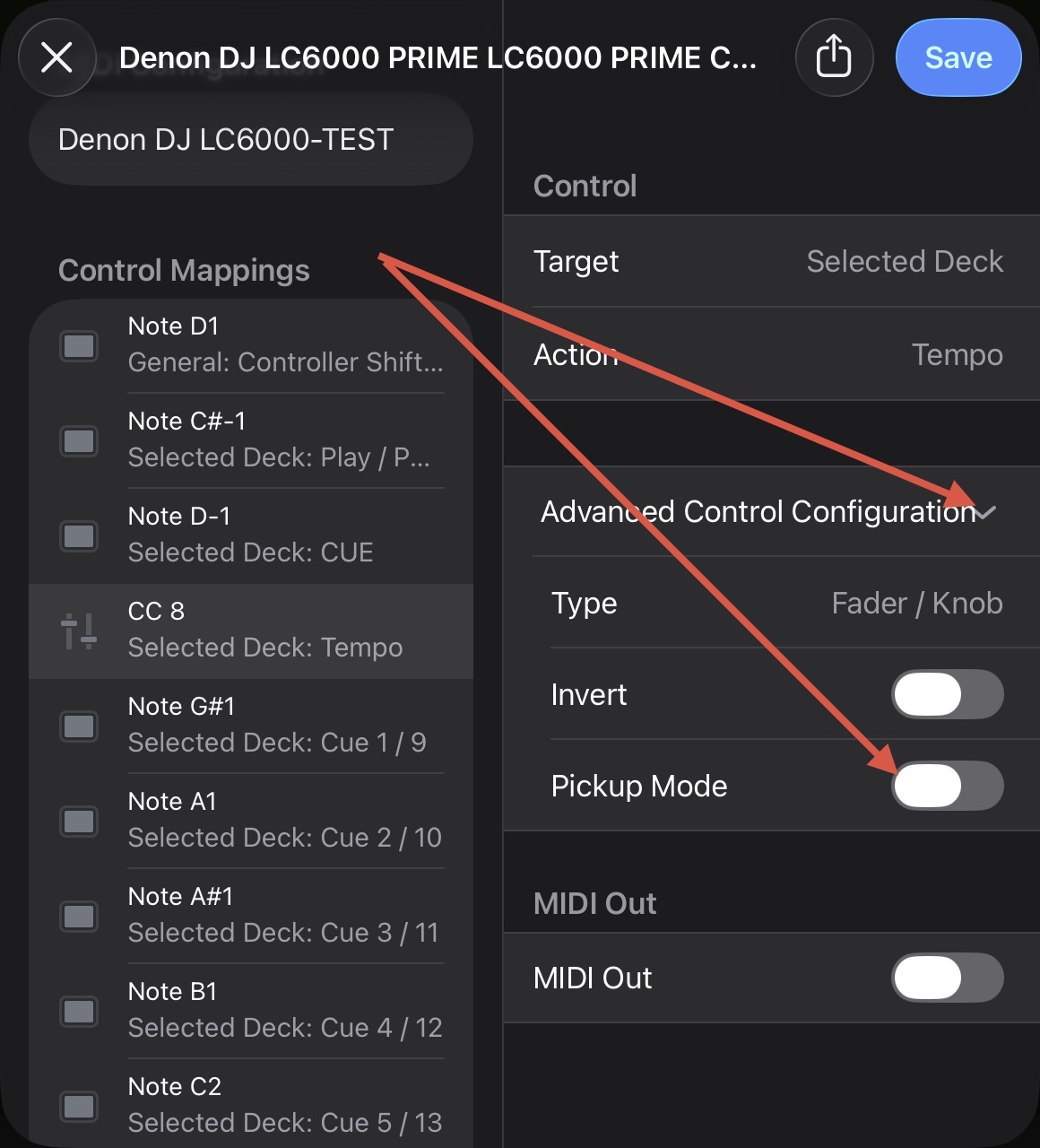
Main menu => Settings => MIDI Devices => LC6000 => (move pitch fader on controller) => Advanced Control Configuration => Pickup Mode
This option controls whether you need to move the hardware fader to match the current software value before you can change the software state by moving the pitch fader. If it’s on, and previous setting is on, you have to do this “move past centre” thing.
Also, check the dropdown menu to the right of the crossfader. Crossfader FX should be disabled, or at least—if it is enabled—the option called Tempo Blend should be disabled (scroll to the bottom).
Hi @Edg1983, there is no setting in djay to prevent “soft take-over”. However, you can edit the (built-in) MIDI mapping for your LC6000 and toggle off Pickup Mode in the Advance Control Configuration section.