Hello, I’m using a Mixtrack Pro with Djay for iPad and have two questions I’m struggling to find the answer for.
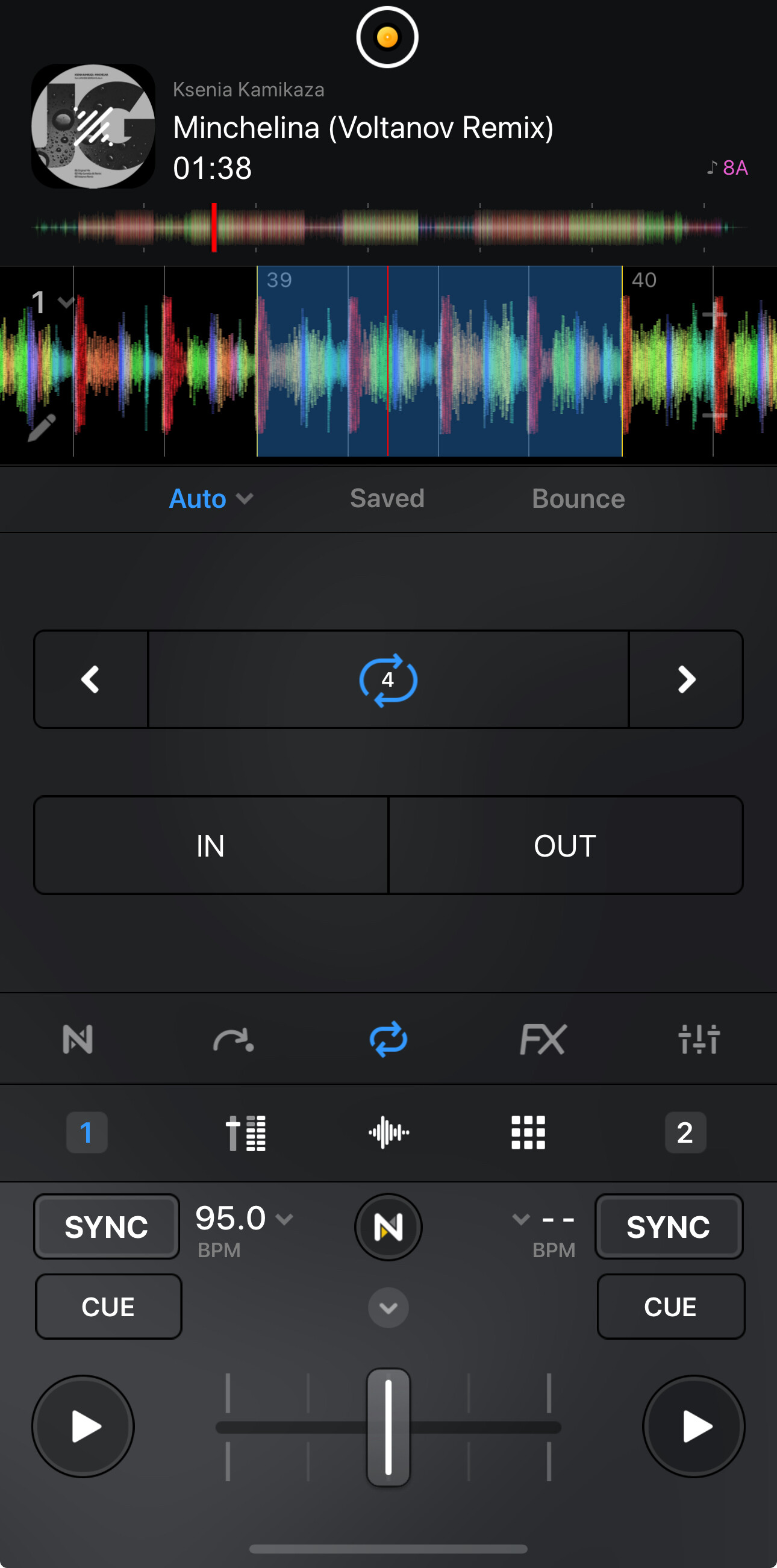
If I’m a bit trigger happy on the Mixtrack Pro, I can end up with a 3-beat loop. Or, if I’m delayed, a 5-beat loop. Is there any way of preserving 4/4 timing?
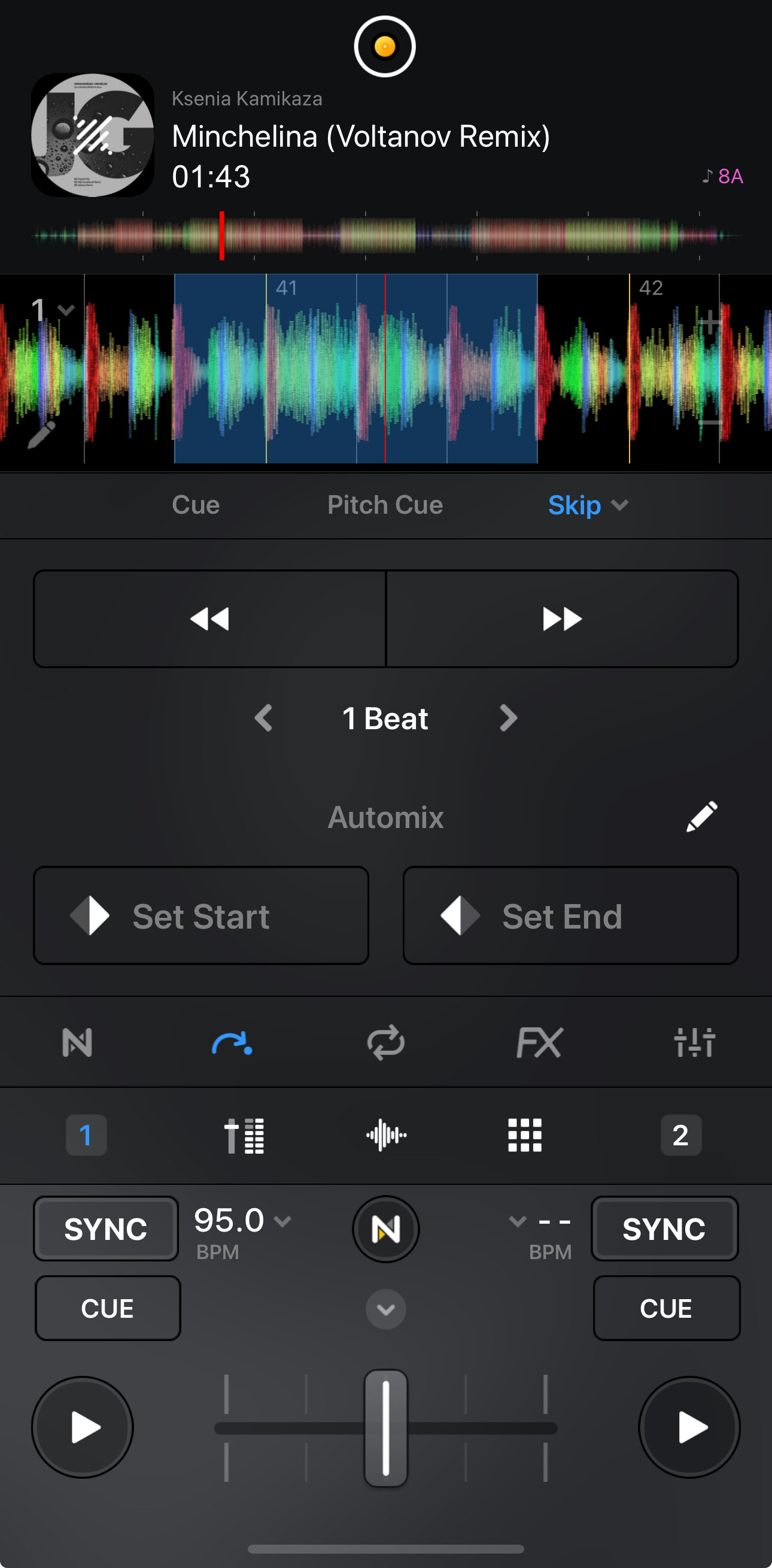
Often on songs, the vocalist will come in on the last beat of a phrase. If I have a straight loop over a section, is there a way of moving that loop back by a few frames while preserving its point in the song? I’ve found an option to rewind the loop by a beat - but it also moves that deck one beat out of sync.
You’re welcome @djandrewmarston. Can you please make a short screen recording and share it here? It seems to be working as expected for me so perhaps I’m missing something. Thanks!
Hi @djandrewmarston, it looks like everything is functioning as expected to me. Maybe I’m missing something here. Maybe try it again with Sync turned OFF or by turning Sync OFF before you exit the loop.
Sadly, that doesn’t do anything. Maybe a design request there - keep the track playing but a mappable knob which pulls both the start and end of the loop back for fine tuning.
Honestly @djandrewmarston, I’m still not 100% sure what you are trying to achieve here. Do you want to move the entire 4 beat loop or do you want to move the end of the loop? So for example, do you want to move the end of the 4 beat loop so it becomes a 3 beat loop?
Trying to finesse the loop so that instances, like in the video, where you want a clean loop and there may be a vocal/instrument/distinctive drop before the end of a phrase - just to get a rewind so 4 beats/8 beats/etc start and end points are moved.
At the moment, the shift back by a beat is pulling the entire track back by a beat. So your beatmixes instead of going kick - snare - kick - snare - end up being snare - snare - snare - snare.
In VirtualDJ, this was a rotary button called “Loop Shift”.
Perhaps you can record an example of how VDJ handles this with the same songs and compare it with how djay does it. Please use Pro Mode instead of Video Mode so I can see the full waveforms. Thanks.
Thanks for the additional video @djandrewmarston - this is very helpful. I will share this with our engineering team to see what they think. I’ll report back when I have news.
Hi @djandrewmarston, thanks again for the last video. Now I understand what you’re talking about. You want the loop to shift without the song also beat jumping at the same time. I can definitely see how this makes sense. I also checked Traktor and it offers a similar function called Loop Move.
I’m curious if this is the behavior you would always want when using the skip/beat jump function while in a loop?
Or are there situations where you might want to skip/beat jump within a loop?
Perhaps a toggle option to switch between beat jump and loop move?
Our dev team would like to better understand how they could potentially implement this functionality without over complicating things, adding additional UI elements or breaking existing functionality for users. Looking forward to your input and any input from other users in the community. Thanks!
As I’d always start a song on time, and never a beat off (or more/less) - it’s kind of a pointless feature (dare I say). In fact, if you need to move a song back or forward by a beat - you’d do it outside of a loop.
None that I can think of. Some people may want to be clever though and jump it back by 4 beats or 2 - I can’t think of an instance where you’d scrub forward though (you’d just take the loop off and make another?). The only time I think people really need to rewind a loop (loop move) is when you’ve slightly nipped too far into a track and now need to bring it back without rewinding the whole song and having to do the loop again, and hoping for second…or third…or forth time lucky (oh wait, the song before has run out!).
Just a subtle rotary pot would suffice. Same as the gains. Especially one that’s midi mappable.
@Slak_Jaw
I’m exploring Djay pro as someone who uses Traktor for decades :-), and from the very beginning I’ve read this post from @djandrewmarston I understood perfectly what he meant about moving the loop one beat (or x beats) forward or backward without the track itself jumping forward or backward by that beat. Thanks @djandrewmarston for your great effort trying to get it clear and making the videos. That is a functionality that Traktor has, and one I use quite a lot when mixing.
I’ve experimented with all kinds of settings in Djay but couldn’t achieve the result I wanted, and I thought I was the only one missing this possibility in djay Pro until I found this post.
It’s a feature I’m really waiting/looking for and it would seriously make me consider Djay as solid alternative to Traktor.