NOTE: Please use the search function above before posting to avoid creating duplicate topics.
Device model iPad Air 11th Gen and MacBook Air M4
Version of operating system IOS 26.1 and Sequoia 15.6
Version of djay latest
YOUR QUESTION:
When transferring the Djay pro library copy/paste via iCloud from my IOS device to my Mac I am losing approximately the Hot Cues of 10% of the tracks (Tracks with proper Hot Cues on the iPad have no Hot Cues when opening them in DjayPro on the Mac). All files are downlaoded tracks. I use Apple Music.
I do not understand why some tracks lose their hot cues when being tranferred while the majority is correctly displayed.
Anyone with the same issue or idea what the problem could be?
Hi @turbopussy, thanks for the detailed info. I’m currently on vacation so I’ve submitted an official support request on your behalf. Someone from our team will contact you shortly via email. Thanks!
I noticed a similar issue when transfering Djay Pro lib from macOS to iOS. On the problematic tracks, did you happen to notice a difference between the track length displayed on iOS versus the one on macOS?
Djay Pro identifies tracks based on the Title, Artist, and Track Length tags.
In my case on macOS, certain tracks get detected as 2–3 seconds shorter during import compared to the exact same track (file) imported from Apple Music on iOS.
Naturally, for those tracks, any track metadata created on iOS won’t be recognized on macOS, and vice versa.
Yes, some of the tracks are slightly different in length which could be the reason djay cannot find them and attach the hot cues. Any idea how that can be avoided ?
You’re bound to have this issue if you use both Apple Music (Local Music) as well as My Collection (for the same tracks). Actually your lost cues may have even pre-existed in the iOS!
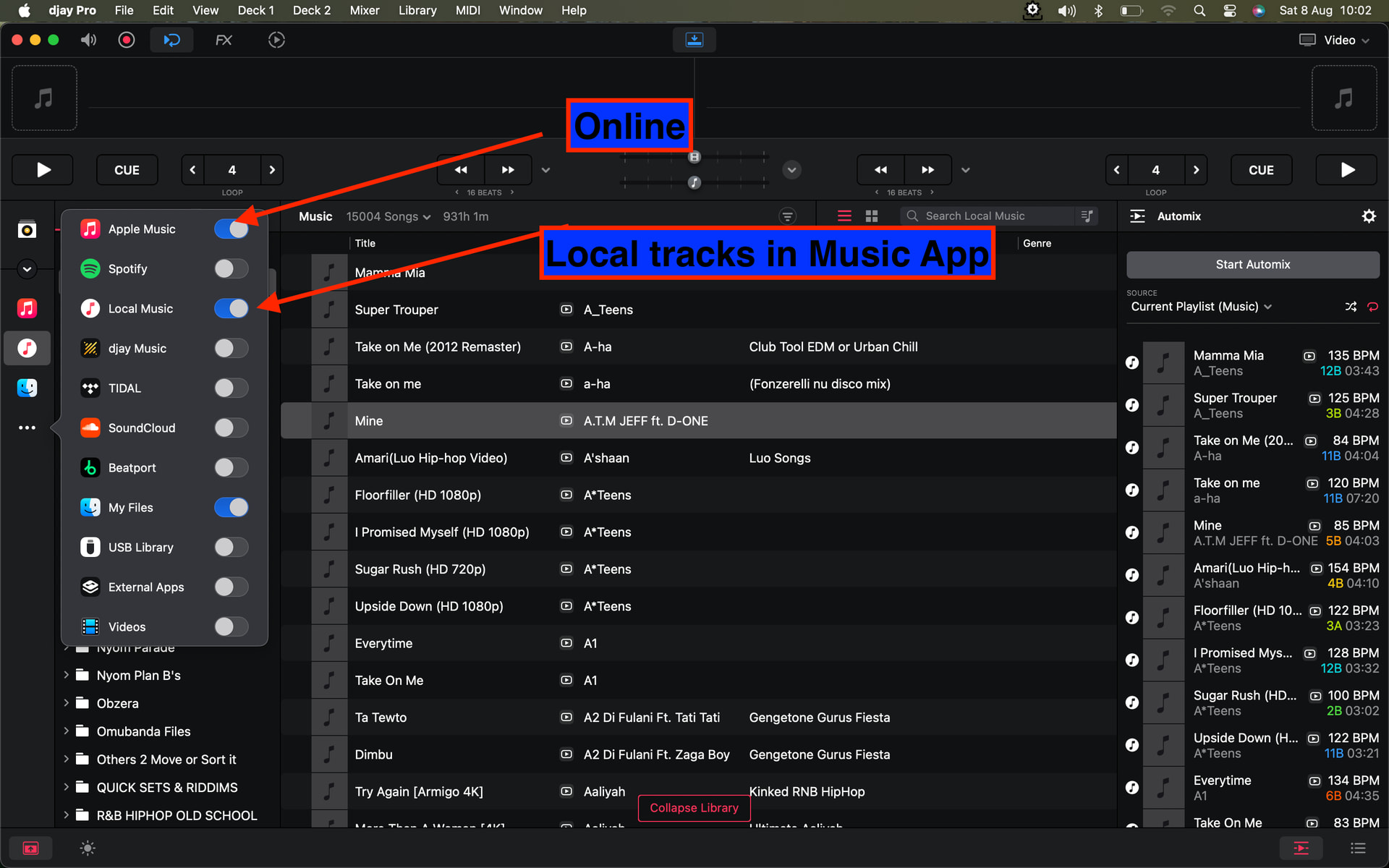
If truely you use apple music app (down to playlist management), then you do no need to copy n paste anything, because your library already sits with Music app, which djay already reads by default under “Local Music” library, or “Apple Music”
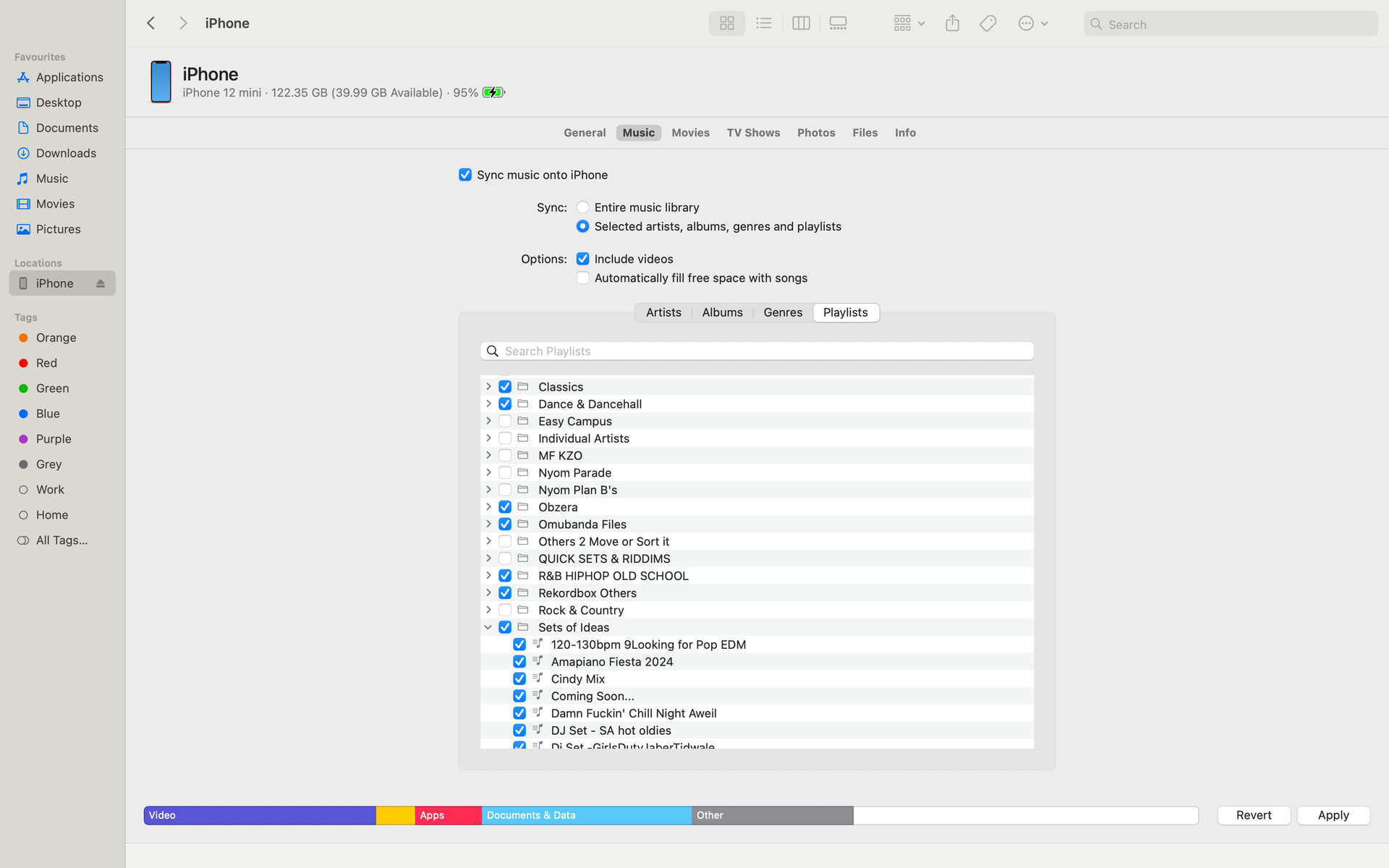
All you ought to have done was SYNC your iPhone.iPad onto the mac via cable or wifi and enabled these settings and checked the playlists you needed synced
You wouldn’t loose any cues or loops - infact, you’d end up with exact mirror copy of everything down to playlists without any copy-n-paste procedure
For now,
for as long as on your iOS, you trust how the library looks (and no part of that library is in My Collections section on iOS), I would wipe out the library folder in my mac and delete all locally stored versions of tracks and perform the procedure above.
Basically you’d start afresh on mac using the iOS source
BUT, if on iOS your library is spread both in apple music, Music app and My Collection, that’s a nightmare; though the same process as above would still ensure you don’t lose cues/loops. Except, after finishing, here you will need to copy iOS djayMediaLibrary file onto mac (replace), and pray the missing cues didn’t pre-exist. After copying that file, you may again need to perform a relink missing tracks process
Thank you @Armigo When I try to do so after connecting Mac and iPad, the Mac says “iPad is usind Cloud Library … de-activate Cloud Music Libray in order to synchronize music with this Mac”
I want to have the same apple Music library on all my devices (Primarily iPad and iPhone). Do I really have to turn that off for Djay or did I get you wrong?
I realized my workflow is in reverse direction as yours (mac >iphone).
Mac naturally syncs everything onto phone and i keep iCloud file sync disabled. I lose nothing.
Now have never synced iphone onto mac because my primary device is mac.
Looking at the process once more, it’s likely you will end up with what’s on your mac music app mirrored onto iphone (and whatever is on iphone music app wiped out (not the other way out)
Yes, that is how I do it. I also could change my workflow for new tracks from Mac to iPad/iPhone. However, my main problem is that curretly on the Mac approximately 15% of tracks have lost their Hot Cues and with a catalogue of 3,000 tracks I would like to avoid to re-do that work.