Devices: iPhone X, latest version of Djay Pro Ai, 3x Reloop RP-7000s, 1 Numark mixer,
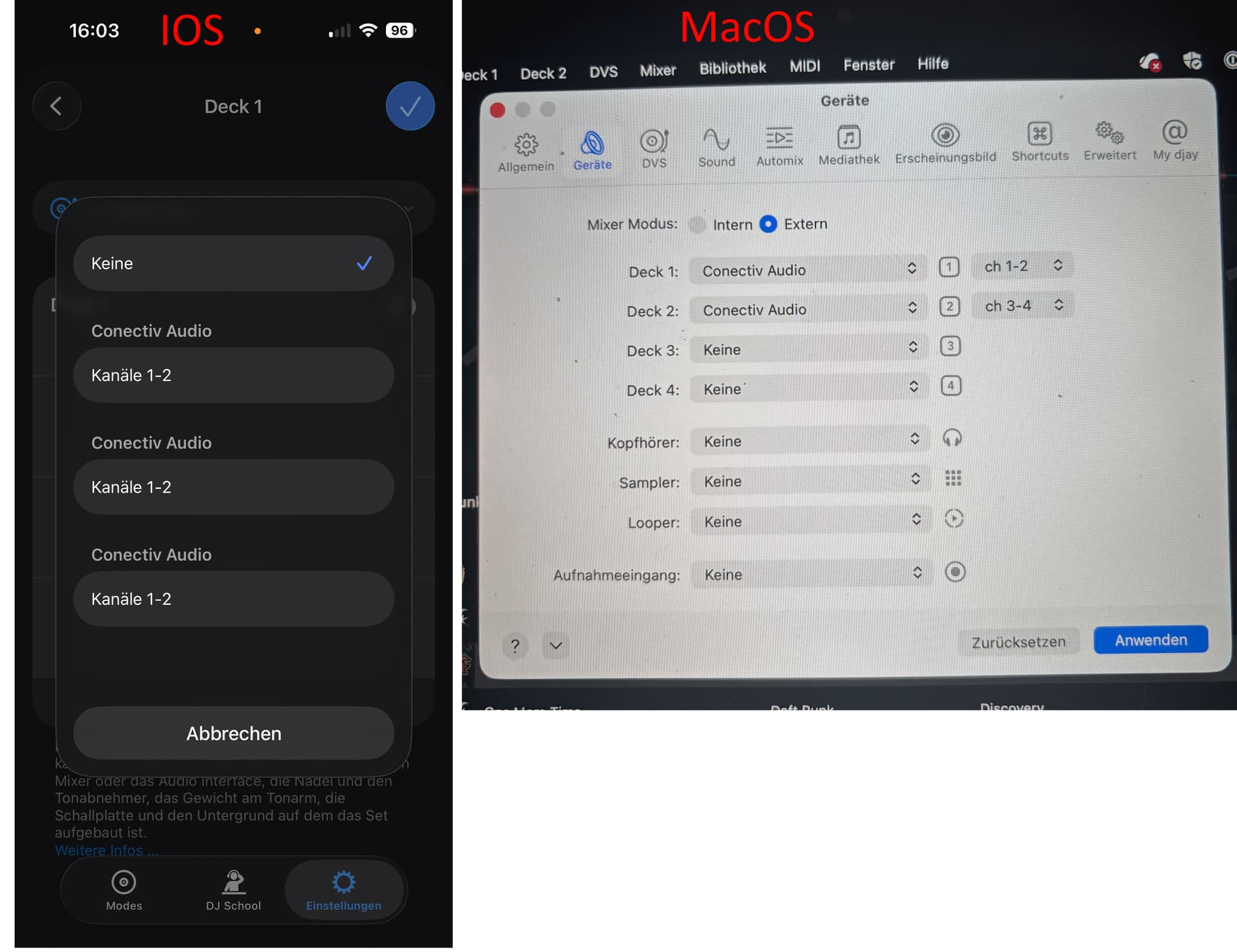
Issue: In Audio Devices, the only available output is “M-Audio Conectiv”–no mention of channels is made. Therefore all audio routes through just one of the Conectiv’s two stereo outs. Similarly, in DVS, the input list includes THREE copies of “M-Audio Conectiv 1/2” whereas it should have 1/2 and 3/4. It is SOMETIMES possible to select different entries in this list such that the turntables can control two decks separately, but the output problem seems insurmountable; all audio ends up routed through just one channel to the Numark mixer, and I have the app set in external mixer mode and am not willing to do internal mixing. (I got this app to have an absolutely minimalist DVS setup for nights when I don’t think I have enough vinyl.)
My turntables are hooked up properly to the Conectiv, which is hooked up properly to the mixer. I’ve been DJing for 25 years. However, I’m new to this Djay Pro AI app, so perhaps there’s some idiosyncrasy I can work around. Anyone else seen this issue?
I have a problem with my M-Audio Conectiv USB sound card: it is recognized in DJay for iOS, but only channels 1/2 are displayed. Unfortunately, channels 3/4 are not displayed. There was already a closed post about the same problem here in the forum. This post has already been closed without a solution.
The device works fine with the same cables on my Apple MacBook Mac Air with DJay Pro for macOS. All channels are selectable.
In iOS, I can see sound card channel pairs. However, all 3 pairs are channel 1/2 - In macOS, only 2 channel pairs are displayed. Correctly with 1/2 and 3/4
Hi @DGMA, welcome to the Community! I’ve reopened the existing closed topic and have merged yours with it. I suspect this audio interface is simply not compatible with iOS. I will pass this onto our hardware team for further review, however, given that this device is not officially supported by djay, I’m pretty sure they will not have access to this hardware to check. I’ll report back when I have more news though. Thanks!
In the meantime, hopefully someone in the community with this hardware can share their experience.
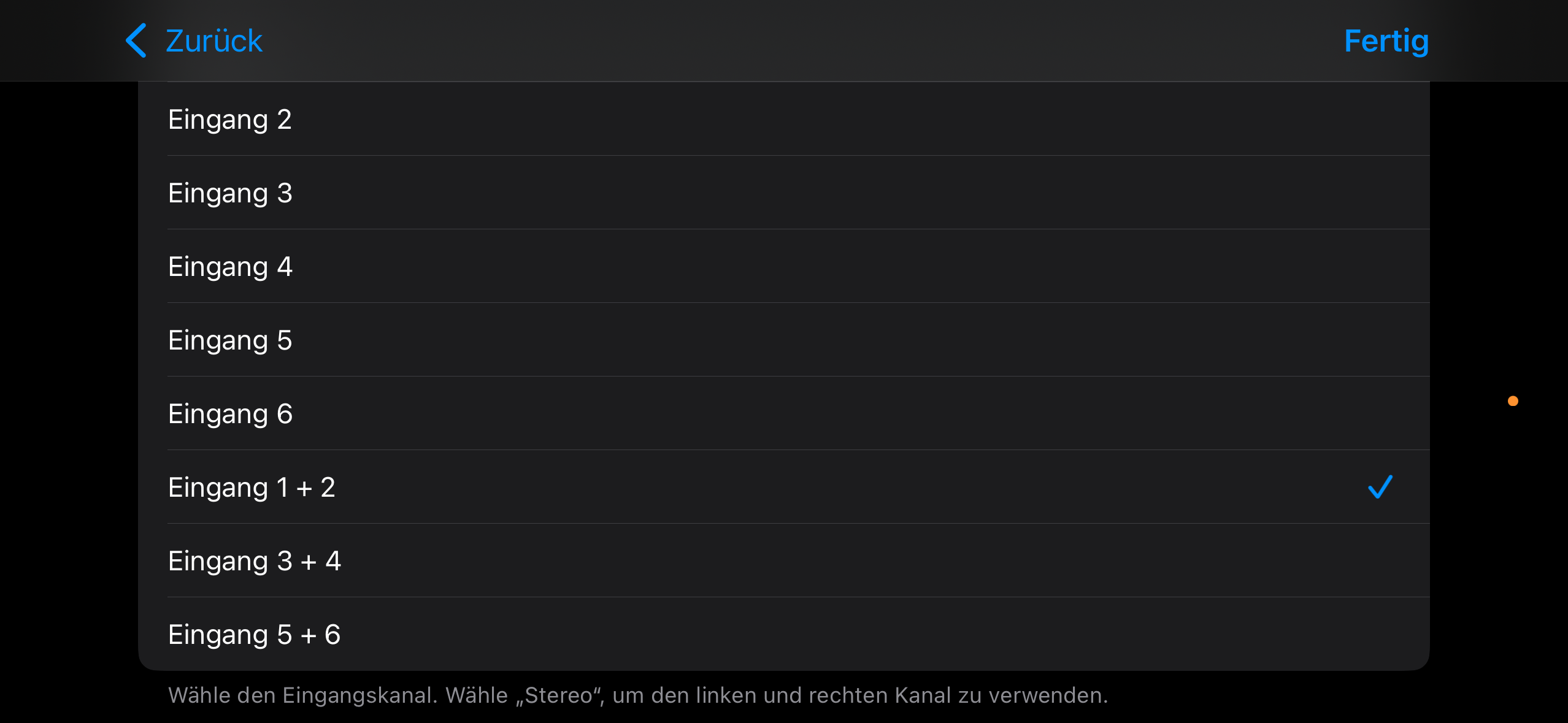
I have one more comment. To check whether iOS is generally capable of controlling all inputs and outputs, I tested the whole thing with GarageBand, and the channels are found and work without any problems on the same iPhone. GarageBand displays 3 input pairs like DJay, but in GarageBand they are called 1/2, 3/4, 5/6. (In DJay, all 3 pairs are called 1/2.) I have no idea why 5/6 is displayed in GarageBand, but inputs and outputs 1/2 and 3/4 work.
Yes, I was already aware that it is not supported at this time. It’s a pity that it doesn’t work just because of a software problem. Thank you very much anyway.
If I can send your technicians any debug information to help solve the problem, please let me know.
I was about to post the same issue, than discovered this post, I’m also repurposing old hardware so it doesn’t end up in landfill and would be great to use this interface with ios dvs, as per @DGMA said works fine on macbook and works fine in Logic Pro iOS identifying all inputs and outputs. This would lead to believe this is not an iOS issue but something in the Djay Pro software.
Also happy to provide info to solve it, would be awesome to use this unit with iPad for DVS at venues!