


+1
The program has color grading, which is great, but it would be even better if tracks that are perfect for harmonic mixing were highlighted. Recordbox does this, and it would be awesome if we could do the same!
Key Matching Feature in Djay Pro and VDJ
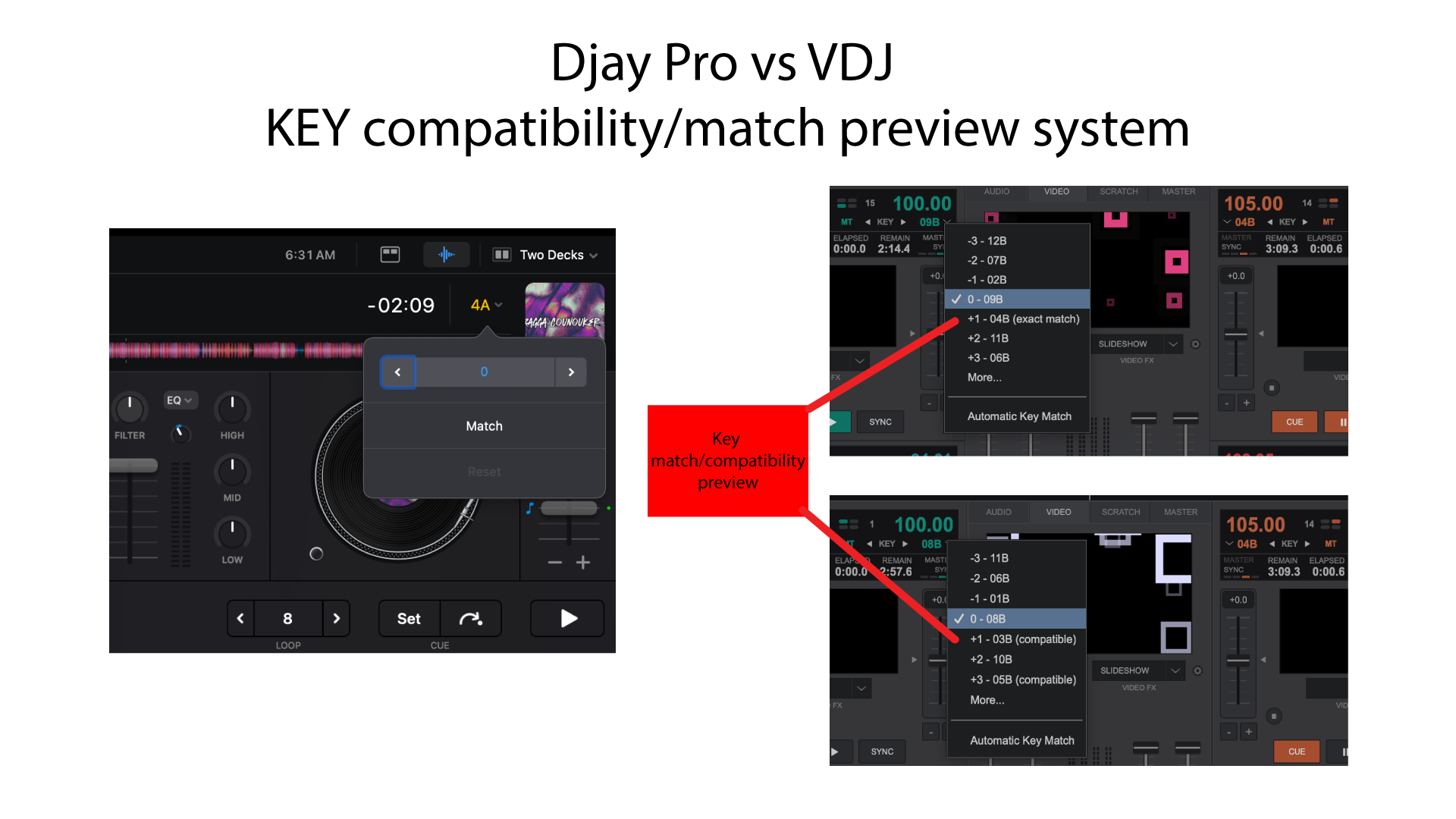
I wanted to highlight a particularly useful feature in Djay Pro and Virtual DJ (VDJ) related to key matching and compatibility, which enhances playlist creation and track transitions. This feature is accessible directly above the track’s key matching box in both applications.
Key Matching Display
In Djay Pro, the key matching interface provides a visual cue for harmonic mixing. However, one limitation is that it does not display the number of semitones required to achieve a key match or whether the match will be “exact” or just “compatible” before applying the adjustment. This can make it challenging to anticipate the precise pitch shift needed for seamless transitions.
In contrast, VDJ offers a similar key matching feature, but the preview and feedback mechanism provides slightly more clarity on semitone adjustments.
Visual Reference
Below is a screenshot comparing the key preview interfaces of Djay Pro and VDJ:
Thanks for sharing @Pato_Selekta
Yes this would be good. Rekordbox and Serato also can highlight compatible keys when inside a playlist.
Better yet, add matching tracks to support compatible key +/- 10% bpm AND inside this playlist. (see other thread)
Thanks for the feedback @djchase
A year after this topic was opened, there’s still no news on this topic. Why? I mix a lot, using harmony keys, but the current solution is too cumbersome. I need a solution like rekordbox (the best) or traktor, which allows you to find the track in the key highlighted in some way when scrolling through playlists. Right now, I’d switch to this software right away, but this bug hasn’t stopped me from renewing my subscription, and I’ll go back to traktor, hoping djpro will implement this feature. Then I’ll only use djpro.
Please do it!!!
Hi @Screma, thanks for checking in. The team is working on this, but I don’t have any specific news or details to share at this time. When that changes, I will share it here in the community. Thanks!
Good to know they are at least working on it. What about the other request which would be a great help like analyzing phrases and showing them, as in Rekordbox?
Hi @Andreas_Haase, I believe there is an existing topic for this if you use Search.
I know there is, but my question was, are they working on this as well. To get these two features in one update would be awesome
I have no news to share regarding that suggestion
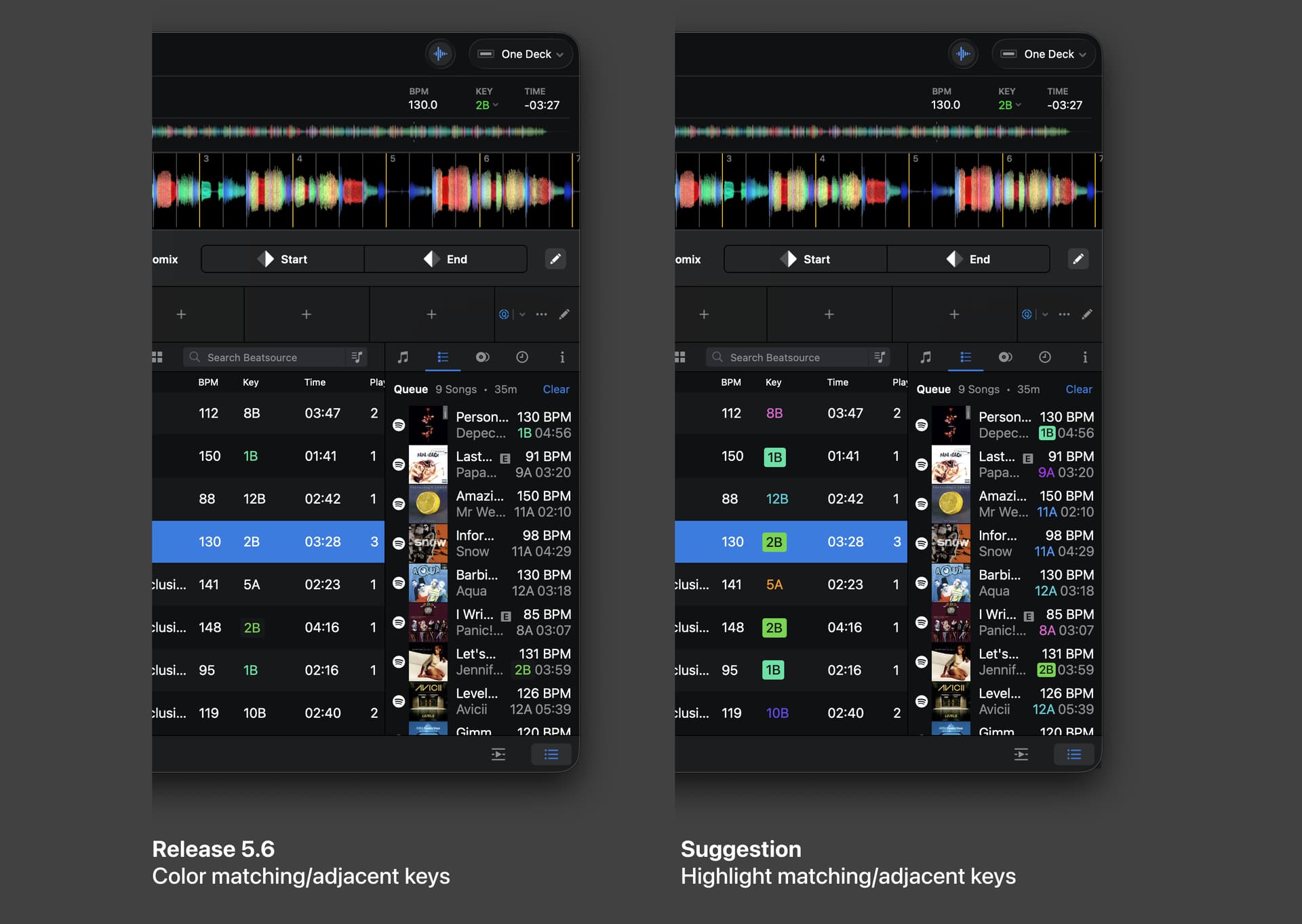
Congratulations on the 5.6 release! I was excited to see the key highlighting option. I’d like to make a suggestion:
Problem statement
- The current implementation removes all colors and keeps the colors of the matching/adjacent keys
- This is not easily readable, I’d argue it makes the whole track list less scannable because the colored column always was a visual anchor in a see of text and numbers
- Soley relying on color for differentiation doesn’t meet accessibility standards like WCAG 1.4.1: Use of Color
Suggestion
- Use a background shape/color to highlight the matching keys.
- This also works well in brightly lit environments or when quickly glancing the list
See attached visualization:
Let me know what you think
Thanks for the additional feedback @Johannes_Eckert. I’ve passed this onto the devs for consideration.
Hi again @Johannes_Eckert,
- Use a background shape/color to highlight the matching keys.
- This also works well in brightly lit environments or when quickly glancing the list
We currently do this but only when the library is ordered by key:
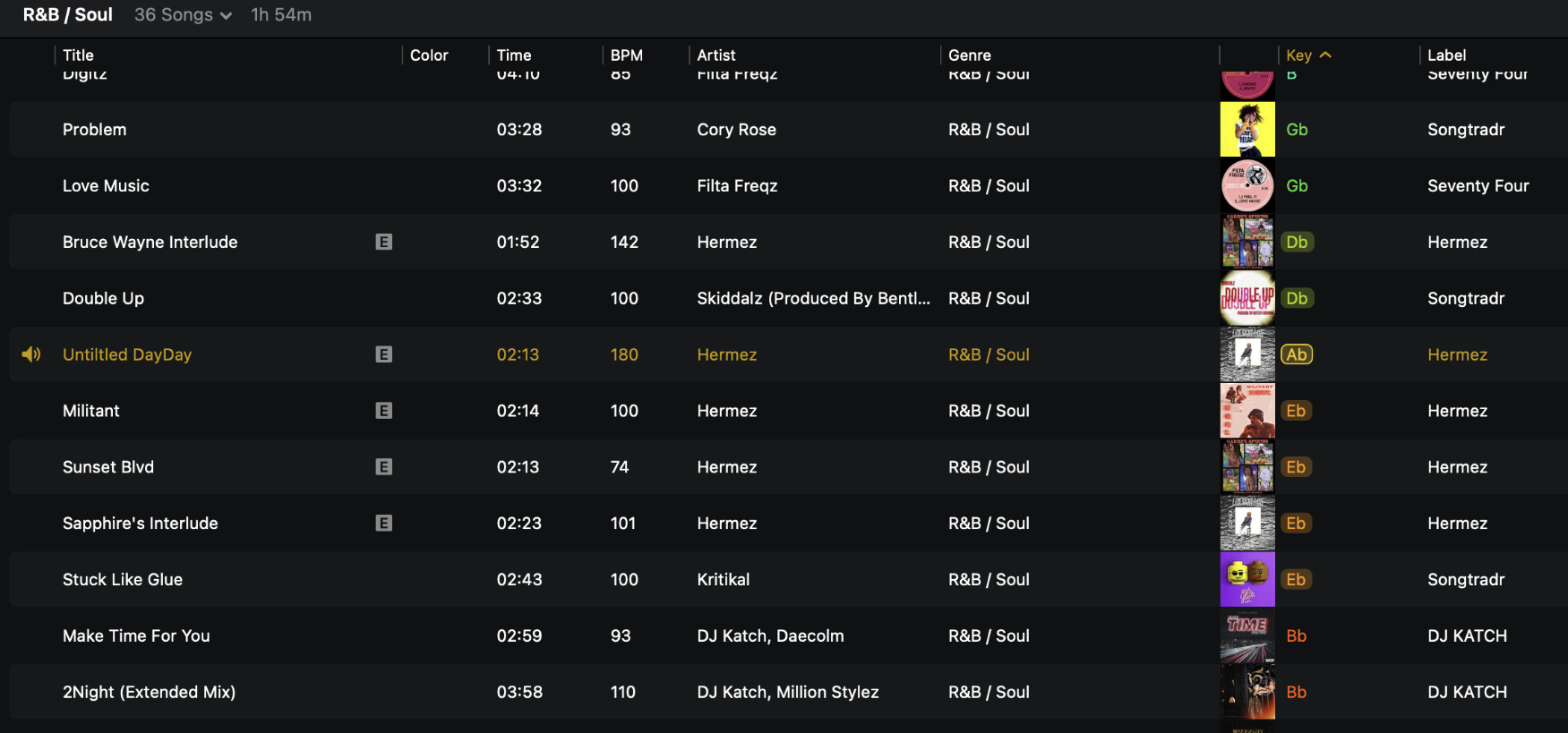
In this case we highlight the matching keys (or adjacent ones as well, depending on the Library > Key > Match setting).
Thank you @Slak_Jaw! Great that the team already considered this visualization. I’m sure the team has their reasons why it only works when sorted by key… but I’d like to argue that this is the least useful moment to highlight the matching keys.
The list is already sorted by key — so adjacent keys to my current song are already adjacent to my current song (or if i’m looking at a different playlist, once I scroll to the matching keys, they are all adjacent in the list already, too).
Where I’d find this strong visualization most useful is if I have a playlist sorted by BPM or Genre (or any other sorting really)… When I try to find a song with a similar BPM, it would be cool to quickly see the one 120bpm song that’s also in matching key, hence the strong highlight.
I understand that is what DJay is doing with the coloring the text, but it still doesn’t work if you can’t easily tell that the color is different than the uncolored songs (white and bright green are very similar).
Thank you for considering our input, as always, @Slak_Jaw
I like this suggestion. When DJing, especially as an open format DJ, there’s already a lot to manage. So the software needs to stay simple and intuitive (KISS: Keep It Simple and Stupid).
That’s why I really like the idea of inverted colours for easier reading and faster scanning. On top of that, I’d love to see colours get an extra layer of meaning. For example: green for a normal match, orange for extra-energy matches and blue for special matches. Just as an example, but you get the idea.
That way the colour coding gives much more useful info.
I’ve added this as an improvement request. If you like it, please vote for it in the Vote box the top left corne:
(by the way: did you note that not all possible harmonic transitions are being displayed right now?)
Thanks for the additional info @Johannes_Eckert. I’ll pass this onto the devs for consideration.


