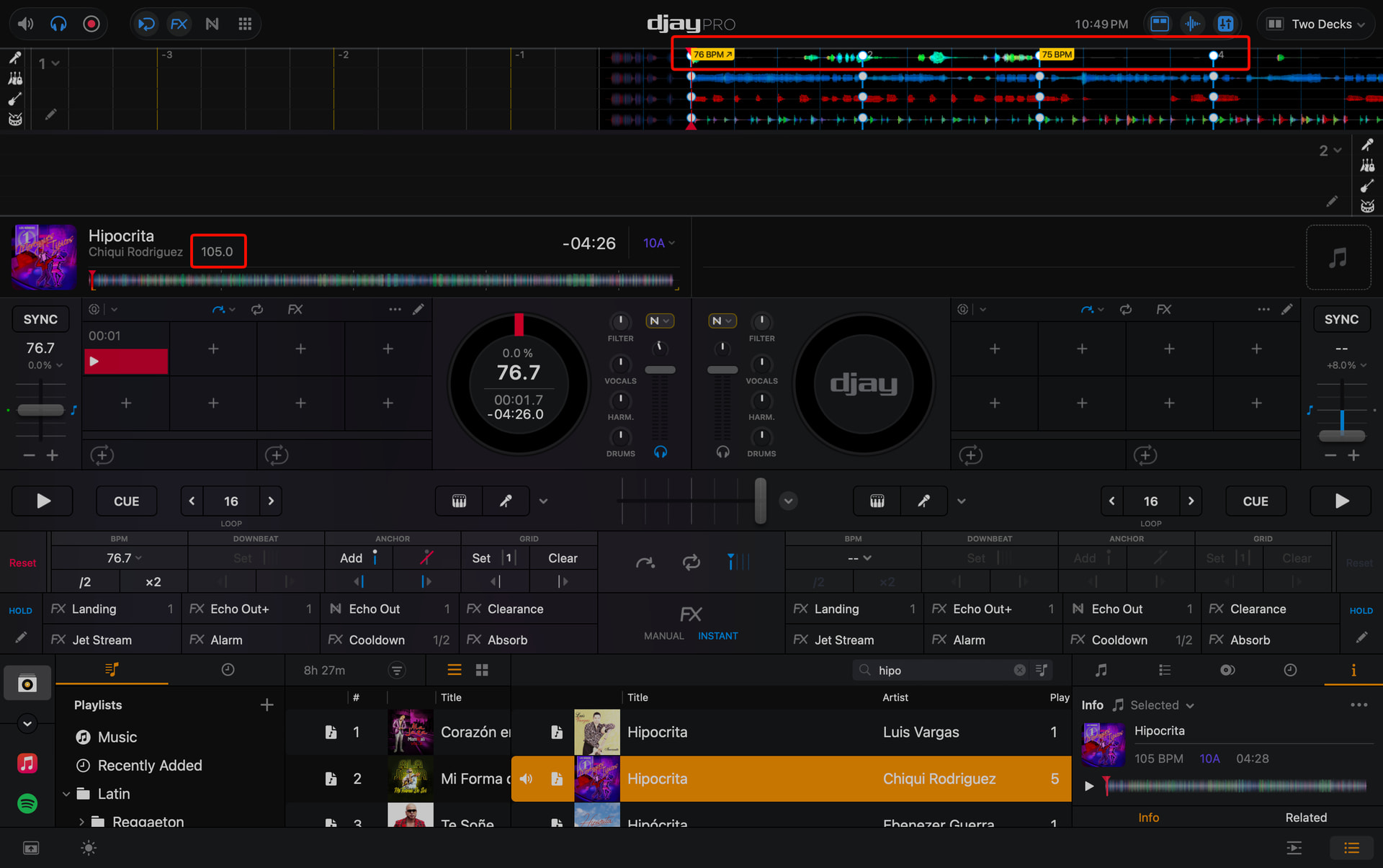
When a manual beatgrid has been configured, the analyzed grid continues to reflect on the track’s BPM.
In this example, the manually gridded song is ~77 BPM but continues to reflect the wrong, 105 BPM, in the library.
Song attached.
Hi @gizmo, thanks for the song file and screenshot. When creating new topics, please do not forget to answer the questions in our template with specific details about your setup not just “iPad” or “Latest Version”. This helps all of our community moderators to provide the most effective support to users with the utmost efficiency.
Device Model (ex. 2020 iPad Air 4th Gen):
Version of operating system (ex. iOS 17.3.1):
Version of djay (ex. 5.1.3):
Hardware/controllers used (ex. Reloop Ready):
Hardware Firmware Version (ex. 2.7):
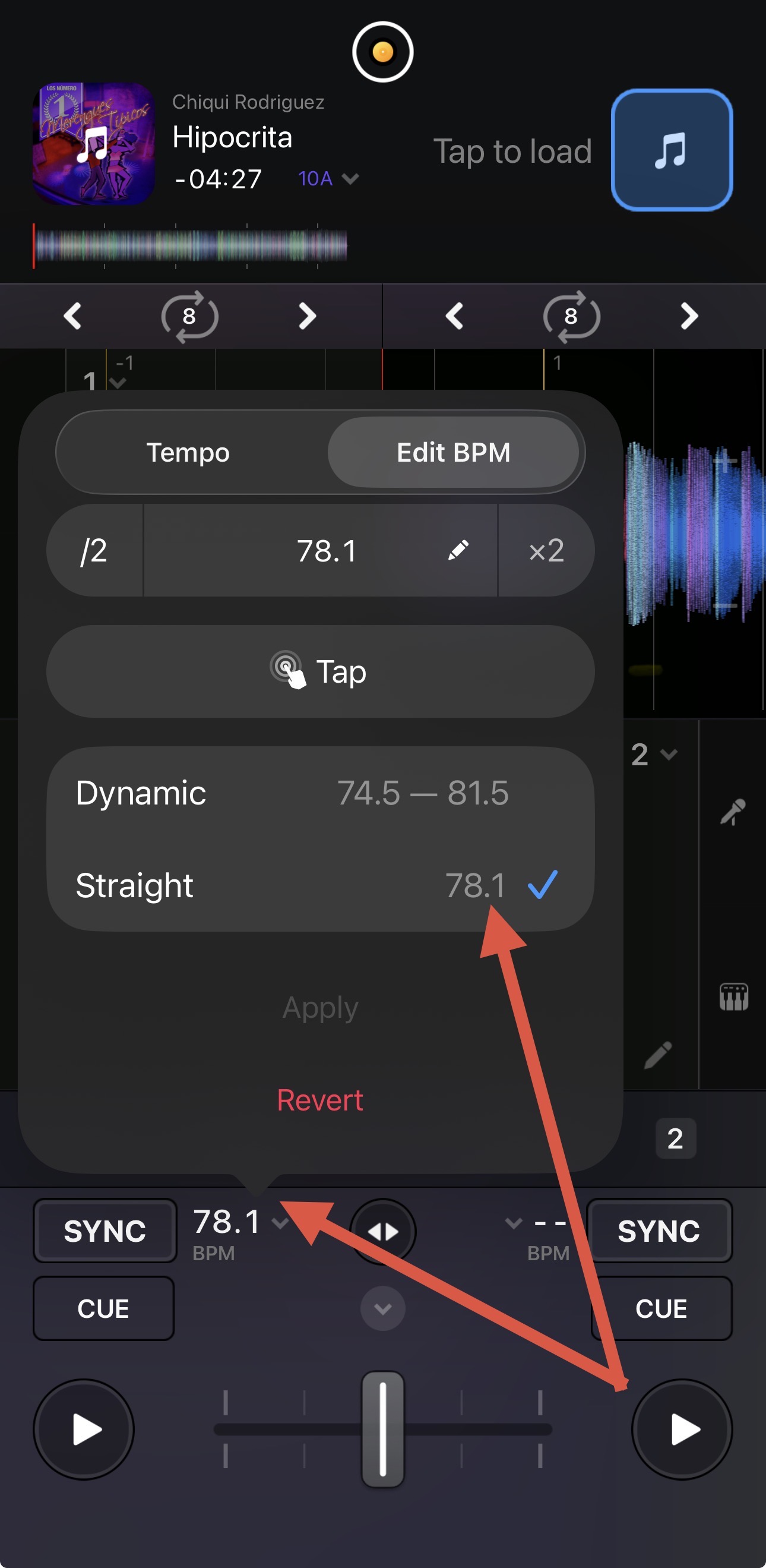
Can you please confirm that you have the song set to Straight BPM instead of Dynamic?
Apologies @Slak_Jaw !
Device Model: m5 Max
Version of operating system: Tahoe 26.6.2
Version of djay: 5.6.8
Hardware/controllers used: AlphaThera GRV-6
I was using the dynamic beatgrid, not static. Is it expected to show the analyzed vs. manual grid still?
Thanks @gizmo. With a dynamic BPM song that has more than one BPM throughout the track, djay will typically report the dominant BPM. Try setting it to Straight BPM.
Hello! It’s been a week since my last reply. I’m going to consider this topic completed for now so I can focus on others. However, please feel free to respond and we can definitely revisit this. Thanks!