Your question:
Hi, I need help mapping my Korg controller. I would like to control the effects in pad mode on an X and Y axis using the touchpad on the Korg nanoPAD2. Unfortunately, when I look at the mapping settings, I only see the buttons “FX Instant from 1 to 8.” What is the MIDI command for using the touchpad for effects? Thank you very much for your support!
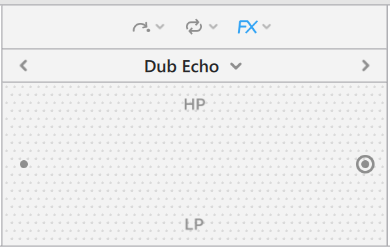
Hi @Edgar_Z, there are no MIDI commands available for the X/Y FX Pad mapping. However, the X/Y pad basically combines FX 1 Parameter (x-axis) with a HP/LP Filter (y-axis).
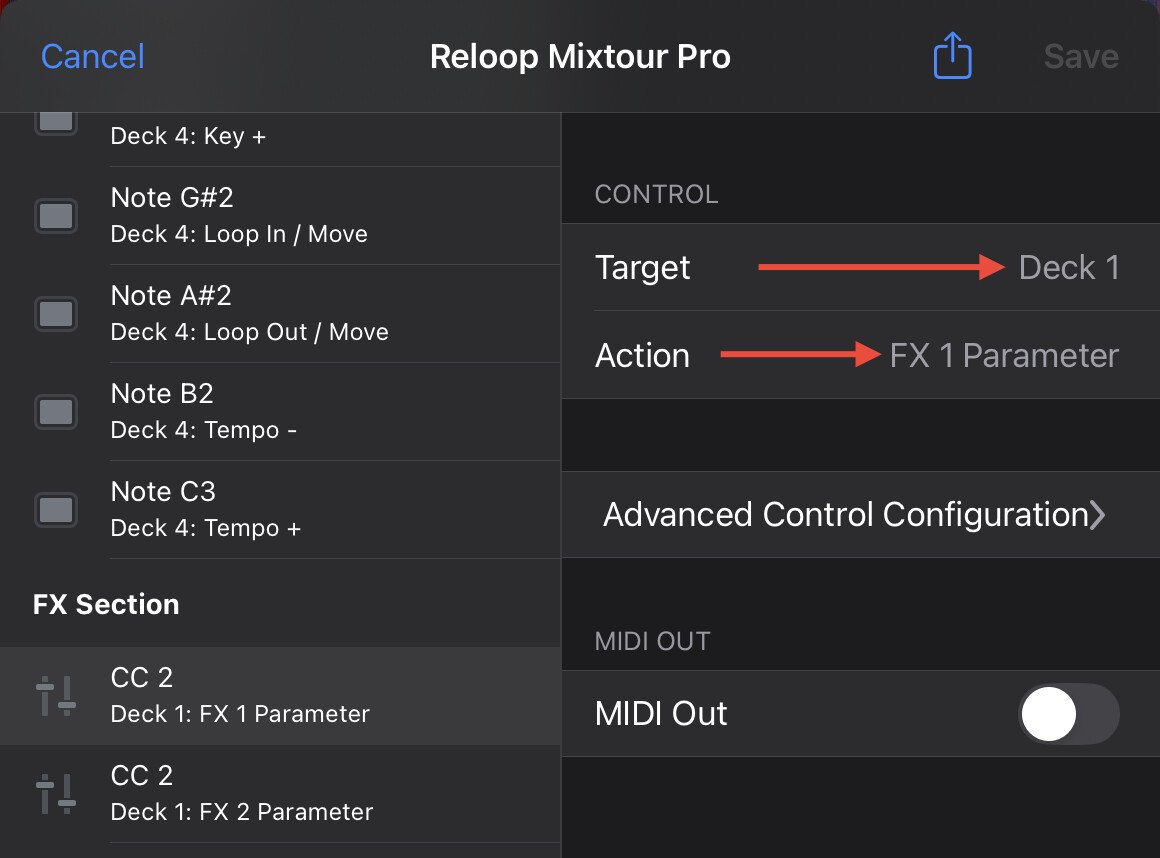
I don’t have your specific hardware to test this with, but you could try to map the x-axis movement of your pad to Target → Deck 1 and Action → FX 1 Parameter.
Then map the y-axis movement of the same pad to Target → Deck 1 and Action → Filter. This might achieve the result you are looking for. I hope that helps!
Hi, I was pretty much having the same idea, to have KORG PAD FX solution. So I take it, that the solution worked. Same goes for the Korg Nu:Tekt NTS-3 KAOSS Pad DIY Kit, I guess?