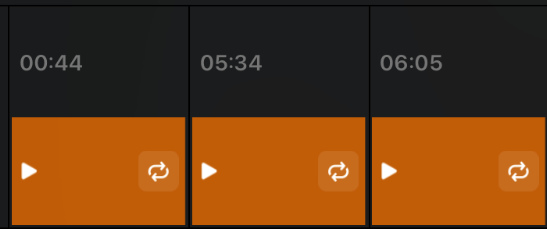
@Slak_Jaw Any chance of adding this to feature suggestions?
Traktor has an Activate Loop button that is midi mappable. It activates the next loop ahead of the playhead. I like this solution as the current solution for saved loops requires a midi mapping for each saved loop. The Traktor approach only requires 1 button and works for all saved CueLoops.
Also, the UI element for activating the loop is too small. I keep triggering the loop when I try to activate the loop.
Hi @rishi, I’ve changed your topic from a Question to a Suggestion. You can now Vote above. I’ll also share this with the devs for consideration. Thanks!
This is an excellent recommendation. I keep triggering the loop, too. That’s really a mix killer because we aren’t trying to jump to that loop, we were just trying to activate it before we get to it.
Being able to midi map a button to activate the loop would be fantastic. I could use the silly sampler banks or loop slicer crap the nobody uses.