Hello, I’m new to djay pro after coming from rekordbox and serato, the best gridding was the selle for me!
But I’m struggling to find answers on setting the program up with my controller to my preferences
Is there anyway of mapping the controller so when using stems I can automatically apply certain effects like it does in serato like echo out for the vocal and also is there anyway to switch the position of the stems on the hot cue pads? I’m having to press shift and sampler. I would like it so I can set them in the roll section or something.
Also how do I map samples to the sampler?
I’m using a windows laptop and Ddj rev7
Thanks
Hi @Terry1983, welcome to the Community! djay for Windows supports custom MIDI mapping so you can edit the (built-in) MIDI mapping to your liking:
https://help.algoriddim.com/hc/en-us/articles/360014911931-How-do-I-configure-a-MIDI-controller-using-MIDI-Learn-on-djay-Pro-for-Windows
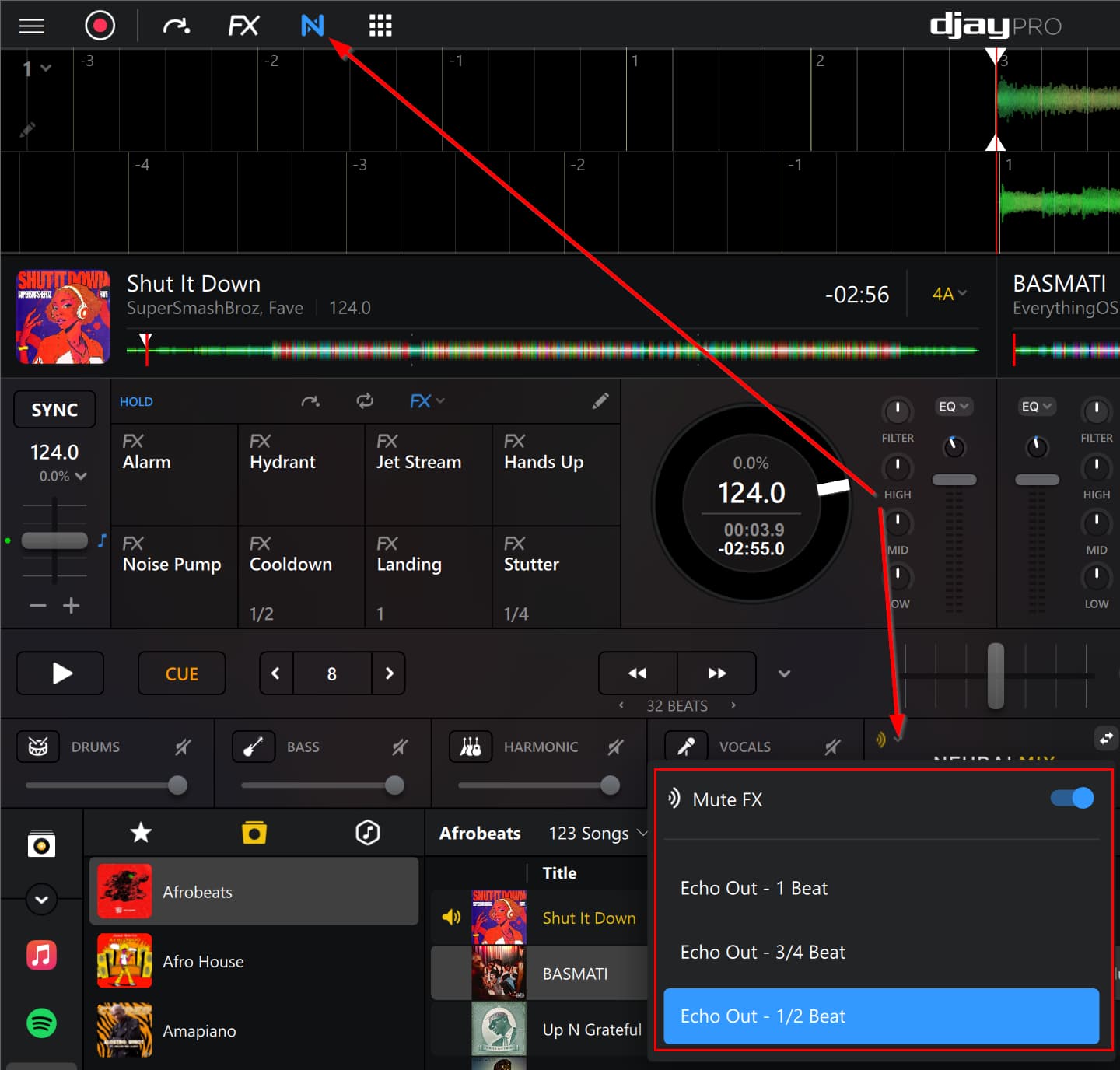
Maybe the Mute FX will meet your needs.
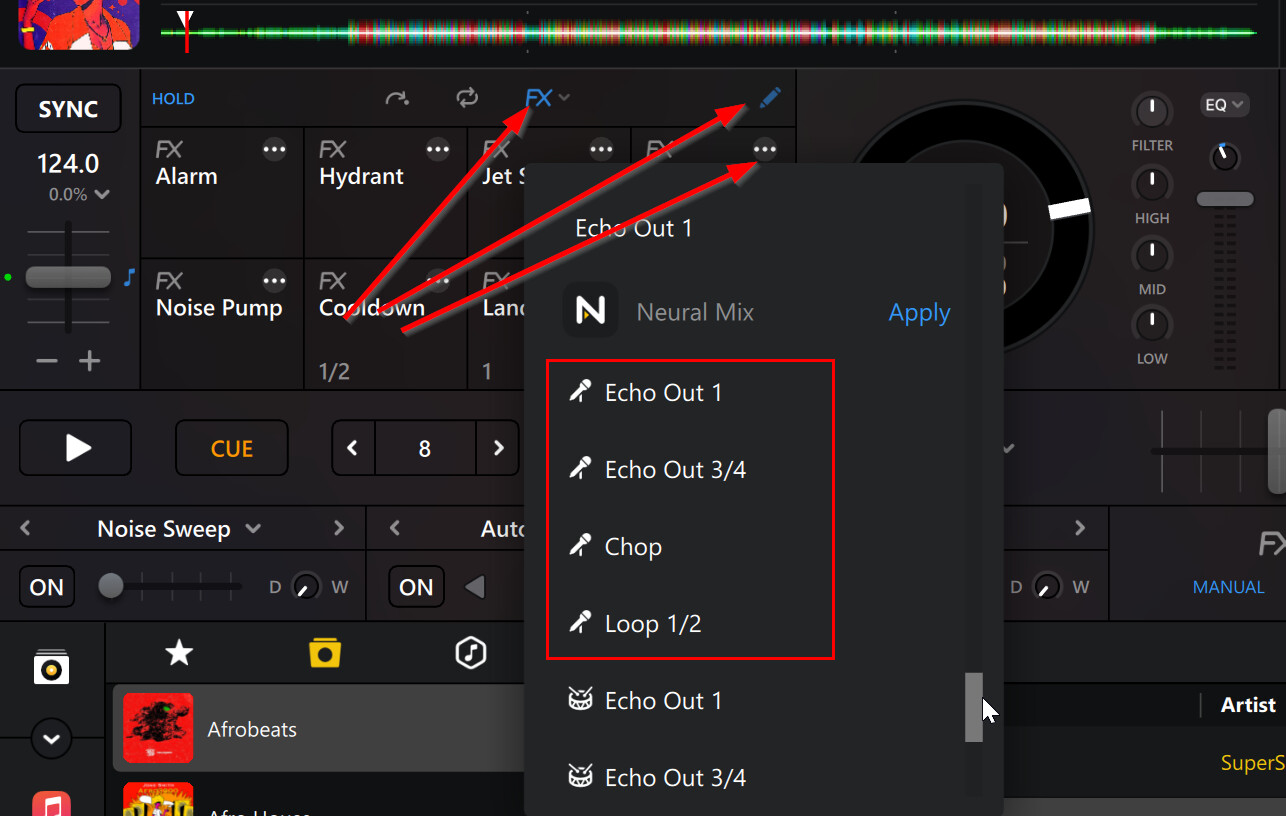
Alternatively, we have several Neural Mix Instant FX options
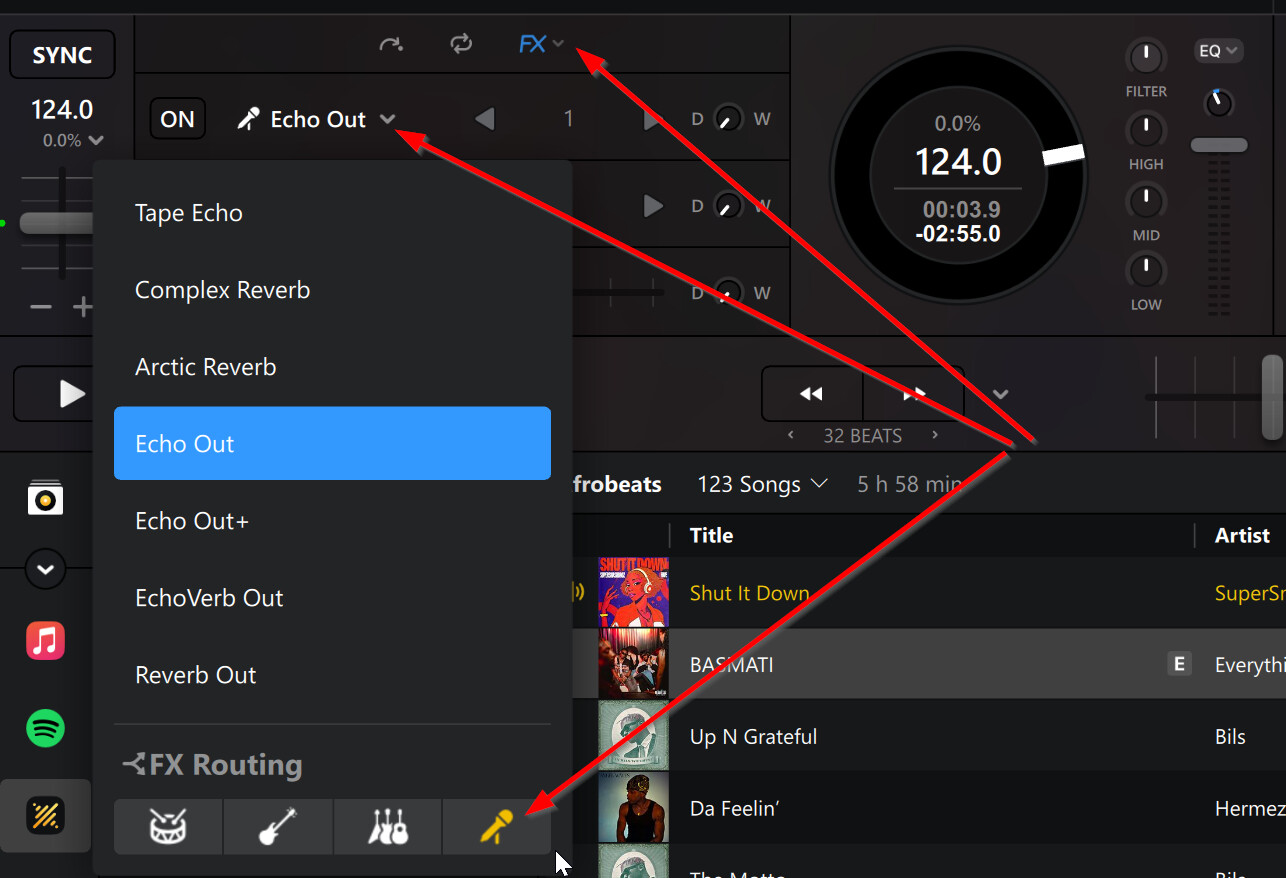
Finally, you can route any of the Manual FX to individual Neural Mix parts
We don’t have a specific guide for Windows, but the macOS and iOS guides should help:
https://help.algoriddim.com/hc/en-us/articles/360014912231-How-can-I-add-my-own-audio-samples-to-djay-Pro-for-Mac
https://help.algoriddim.com/hc/en-us/articles/4405889949074-How-can-I-add-my-own-audio-samples-to-djay-for-iOS
I hope that helps!
Hello! It’s been a week since my last reply. I’m going to consider this topic completed for now so I can focus on others. However, please feel free to respond and we can definitely revisit this. Thanks!
Hello again, sorry for a the late reply. Do you have a video showing how to do this or a step by step? I’m useless at this sort of thing! I got echo out but it’s on all the stems which I don’t want, I only want it for the vocal. I was hoping for a vinyl break for the music and no effect for the bass and drums.
Thanks
Hi @Terry1983, I do not have a step by step video for this.
I’ve been trying to get this done, but I’ve had no luck so far. I know this request is in the wrong place, but for context: I’d like to ask for MIDI mapping by clicking on features directly. Inside the normal MIDI window, there are so many things to choose from that it’s hard to understand what’s what.