A) SUMMARY OF ISSUE:
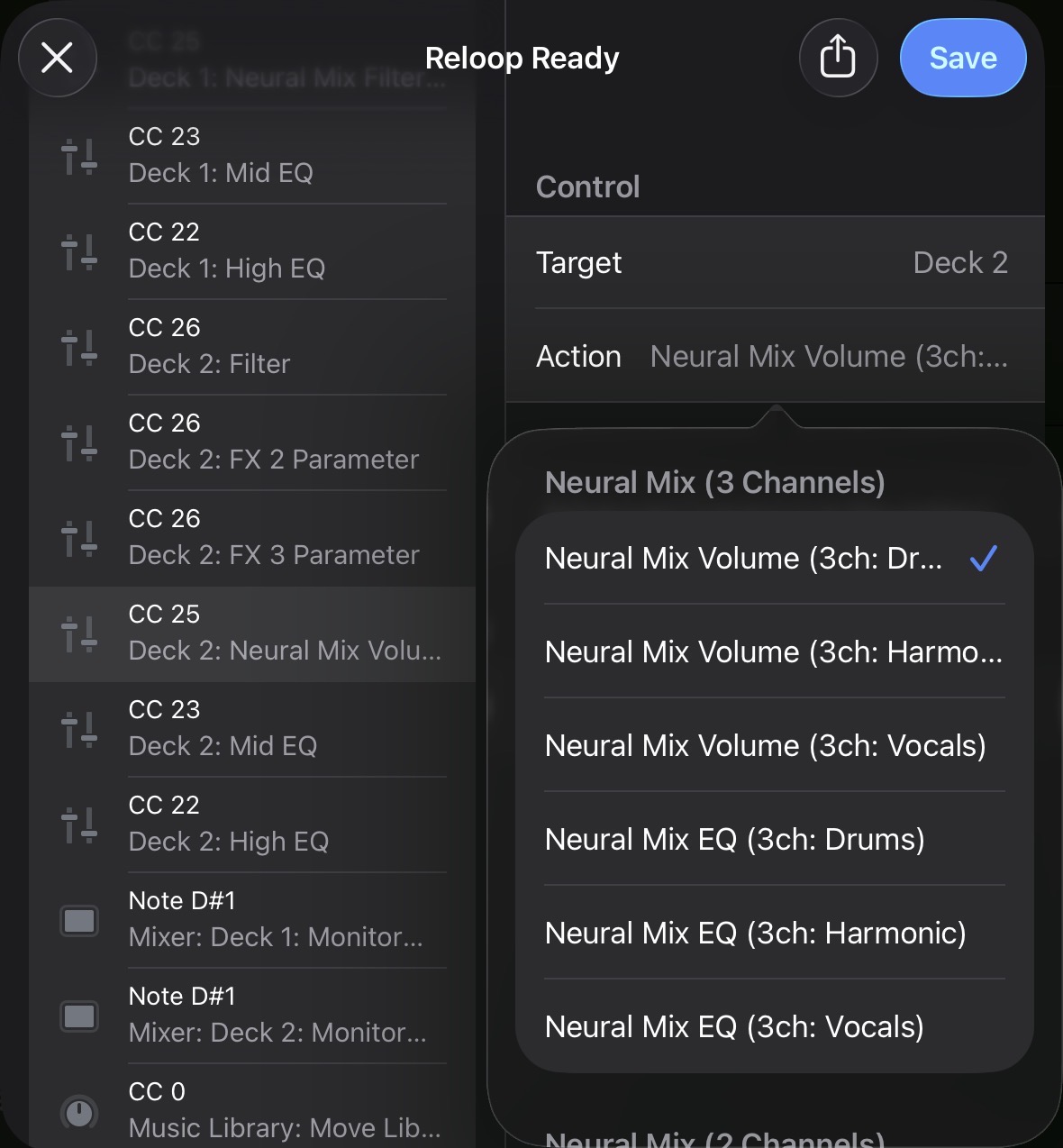
i cannot have EQ AND Neural Mix EQ on screen and on the midi controller with separate controls
B) DETAILED STEPS TO REPRODUCE:
i have a intech grid modular midi controller that i want to use with Djay. I have one row of encoders for EQ (the right most on the video) and another row for Neural Mix EQ (second of right row)
Now i have the EQ on the UI set to EQ. Twisting the knob does set the corresponding EQ. Twisting the Neural Mix EQ Knob does work but i cannot see it in the UI.
Then i change to Neural Mix EQ on the UI. Now - BOTH rows of my controller change the Neural Mix EQ and i cannot change the normal EQ at all.
C) EXPECTED RESULTS:
want to change EQ AND neural mix EQ with my controller and see the results in the UI
D) ACTUAL RESULTS:
weird, changing the EQ setting changes the target of my controller…
Currently, it’s not possible. If you want to control regular EQ and Neural Mix EQ with two separate sets of knobs, you should stay in EQ mode and monitor the current Neural Mix EQ values elsewhere. It’s unfortunate that the PE16 module doesn’t have an LED collar or marks on top of the knobs.
In your case, the only way to monitor current Neural Mix EQ values is by switching waveforms into Neural Mix Tracks mode (via the drop-down menu near the deck number). When you change the Neural Mix EQ, separate waveforms will be faded or highlighted.
Why does this behavior exist? Most DJ controllers don’t have four extra knobs to control the Neural Mix EQ, so the EQ knobs are repurposed and must be switched via a UI tab. In Neural Mix EQ mode, regular EQ actions are replaced with Neural Mix ones, so there is no regular EQ in Neural Mix EQ mode. Basically, if this wasn’t done, it would be impossible to control Neural Mix EQ on most DJ controllers.
A solution could be to rename the current MIDI actions “Low/Mid/High EQ” to “Low/Mid/High EQ combined with Neural Mix (3 channels)” and add two separate groups of MIDI actions: one for EQ unaffected by the EQ mode switch, and a second for Neural Mix EQ also unaffected by the EQ mode switch.
This way, existing MIDI mappings wouldn’t be broken, and those with enough knobs could map them to achieve what you’re describing. The only downside I see is that the MIDI actions list (which is already quite long) would become even longer and uncomfortable to scroll.
I go into such detail because I was also confused by this irregularity in MIDI mapping and have seen a couple of posts like this before.
UPD: you could also be interested in reseting Neural Mix EQ on song loading. Settings => General => Song loading => Reset Neural Mix Controls.
Thank yo for your helpful comment. Actually I know why it’s like it is. But I wanted to show that there are usecases where it’s quite frustrating. Algoriddim is pushing the Neural functions (which I like very much) so I think the Neural Mix EQ should be extra addressable with MIDI so that I can use it individually.
For now I will either use volume instead of eq or I use the faders on my grid. The en16 (the grid module I was using) has a LED indicator that changes brightness, so I have some small visible info.
Thanks for the tip with the resetting on track load. I didn’t know you can do that without resetting EQ (there is also no midi event for resetting neural mix eq!)
Hello! It’s been a week since my last reply. I’m going to consider this topic completed for now so I can focus on others. However, please feel free to respond and we can definitely revisit this. Thanks!
@Slak_Jaw I use the Neural Mix EQ quite a lot in addition to the regular EQ, and for me the best way to see both of them would be to allow the Toggle Neural Mix - EQ command to be used in a ‘hold’ configuration so that at a glance I can see what’s been cut out, make adjustments and then on release of the shift key I can go back to using the EQ. Currently it’s only an on / off toggle, and even if I try to change the behaviour to ‘hold’, it doesn’t work like this. Sometimes I forget to switch it back which is also not fun the middle of a mix :S