I recently switched from Windows to a MacBook Air and am currently in the process of migrating my library. I apologize if this has been covered before; I found some older threads but wanted to get the most up-to-date information.
If anyone can point me toward a relevant existing thread, I would greatly appreciate it.
I use Traktor for playlist management, so I believe I have a handle on migrating my tracks and cue points for that platform.
Question 1: Since the v5.2 update, I have been using djay Pro as my primary software, and I have created numerous fragmented playlists within the app. These playlists are a mix of Traktor playlists imported into djay and various streaming tracks.
Is it possible to use One Library to migrate these, while specifically copying only the local files to a USB drive and ignoring the streaming files during the process?
Question 2: I suspect this isn’t possible, but I wanted to double-check: Is there any way to migrate BPM analysis and cue points for tracks in the Apple Music streaming library?
Do I need to start the analysis and cue point tagging from scratch on the new Mac?
Hi @megamema, I think OneLibrary is your best option: OneLibrary | Algoriddim Support. Please review this topic and let me know if you have any additional questions.
- If you added the cue points within the Apple Music Streaming library in djay on your Windows laptop and log into the same Apple Music Streaming account on your Mac, your cue points should be automatically carried over. BPM will be automatically re-analyzed when you first load these songs on your Mac.
- If you use OneLibrary, your cue points, saved loops, beatgrids and other metadata will be carried over.
1 Like
My Apple Music hot cue was automatically migrated without me having to do anything.
Amazing! Thank you so much.
I haven’t tried OneLibrary yet, but I’ll give it a go soon. Thank you for letting me know.
1 Like
I tried migrating from Windows to Mac using OneLibrary.
This is incredibly easy and amazing.
The migration was complete.
There are options to move files from external drives to the local drive, and options to overwrite cues, which is truly fantastic.
Even with Apple Music streaming playlists mixed in, there were absolutely no problems.
Before actually trying it, I was prepared for a very troublesome PC migration for Djay, but I felt an incredible improvement.
The USB can be used for backup as is, and it can also be connected to Rekordbox, right?
Djay is amazing!
1 Like
You’re welcome @megamema. Glad to hear your experience was great. Thanks for the positive feedback. Yes, you can use that USB with Rekordbox.
1 Like
@Slak_Jaw
I copied my playlists locally using One Library.
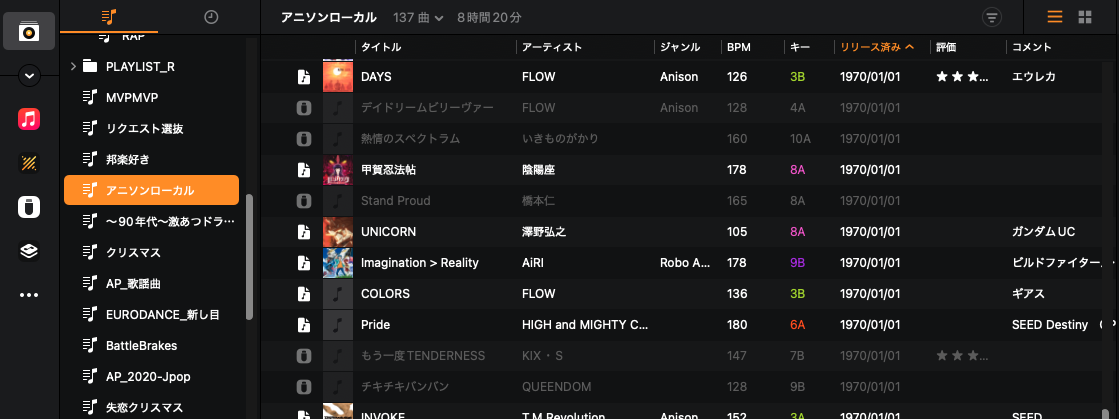
While I thought the migration was successful, I noticed that many files are not loading properly. Roughly only 60% of the tracks seem to have migrated correctly. Many Apple Music streaming files are failing to load, and I’ve also noticed some local files are missing as well. Is this a known bug, or could it be due to an error in my process?
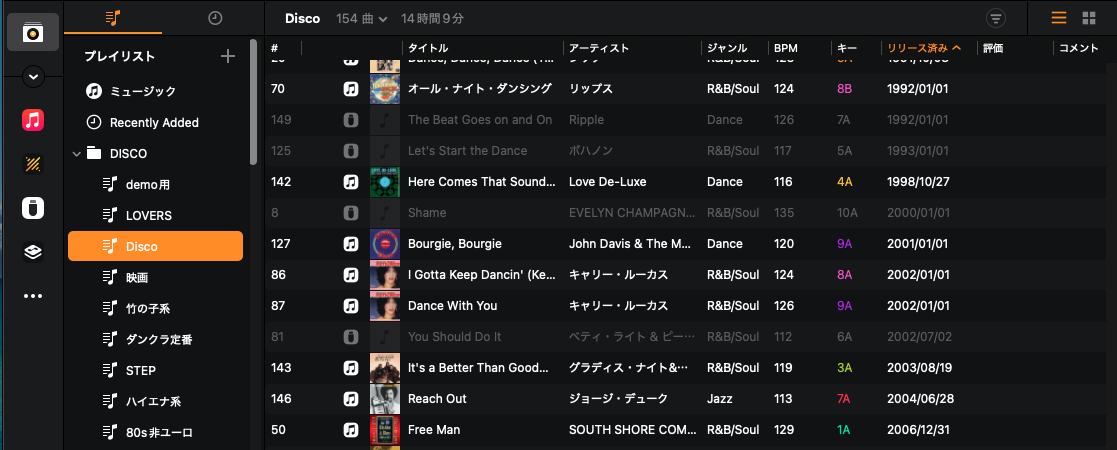
Additionally, many of the “Release Date” tags are showing completely incorrect information.(fig.2)
fig02
I tried migrating my collection from Windows to Mac using One Library this time, but after a detailed check, the conclusion was that it’s simply “better than nothing.”
I couldn’t help but think how great it would be if Djay had a “Check Consistency” feature like Traktor does.
If it had that, I think I could have prevented the file size from increasing due to unnecessary local copies.
Are you logged into the same Apple Music Streaming account on both devices?
1 Like
Of course, it’s the same account. However, since I primarily use Traktor playlists that are originally in a local folder, copying my collection would take up unnecessary storage space. Therefore, I started exporting the music files to a CSV file and diligently organizing them from scratch. It’s much easier than starting from zero.
Okay, thanks for the additional info @megamema
1 Like
Initially, I copied all the files from the USB drive to my local machine at once.
This seems to have caused undesirable results.
When I moved the playlists (under 1000 songs) one by one, carefully monitoring each step, the migration went smoothly.
The key was to move them gradually and without rushing.
The tag editing function on Mac is truly excellent. It’s significantly easier to use than on Windows.
The related songs feature isn’t working properly, but I think that’s probably due to my own mistake.
Thanks for the follow up @megamema