NOTE: Please use the search function above before posting to avoid creating duplicate topics.
Device model: Macbook Air mid 2022
Version of operating system MacOS 26.3.1 (a) (25D771280a)
Version of djay: 5.6.4
Hardware/controllers used: Pioneer DDJ-800
Hardware firmware version (e.g. 1.0.1):
Please consider sharing a short video or screenshots to help clarify your question
YOUR QUESTION:
I want to move my music library from one folder to another (same Macbook SSD) different path, without loosing songs metadata (bpm, grid, cue points, etc?
If you can share proper procedure, it will be greatly appreciated. I tried this before and it went terribly wrong. Had to redo the entire library.
It will still go terribly wrong if not done the right way
And the right way is to NOT move files at all (sorry), after they’ve already been imported into djay, serato or rekordbox.
Warning: Do not re-import tracks into djay after moving them; i.e, don’t just drag n drop again. If you do so, you’re gonna end up with 2 copies of same tracks whereby, the original copy with your cue points will be greyed out (missing), and the 2nd copy of the same will lack your cues and won’t be sitting in a playlist
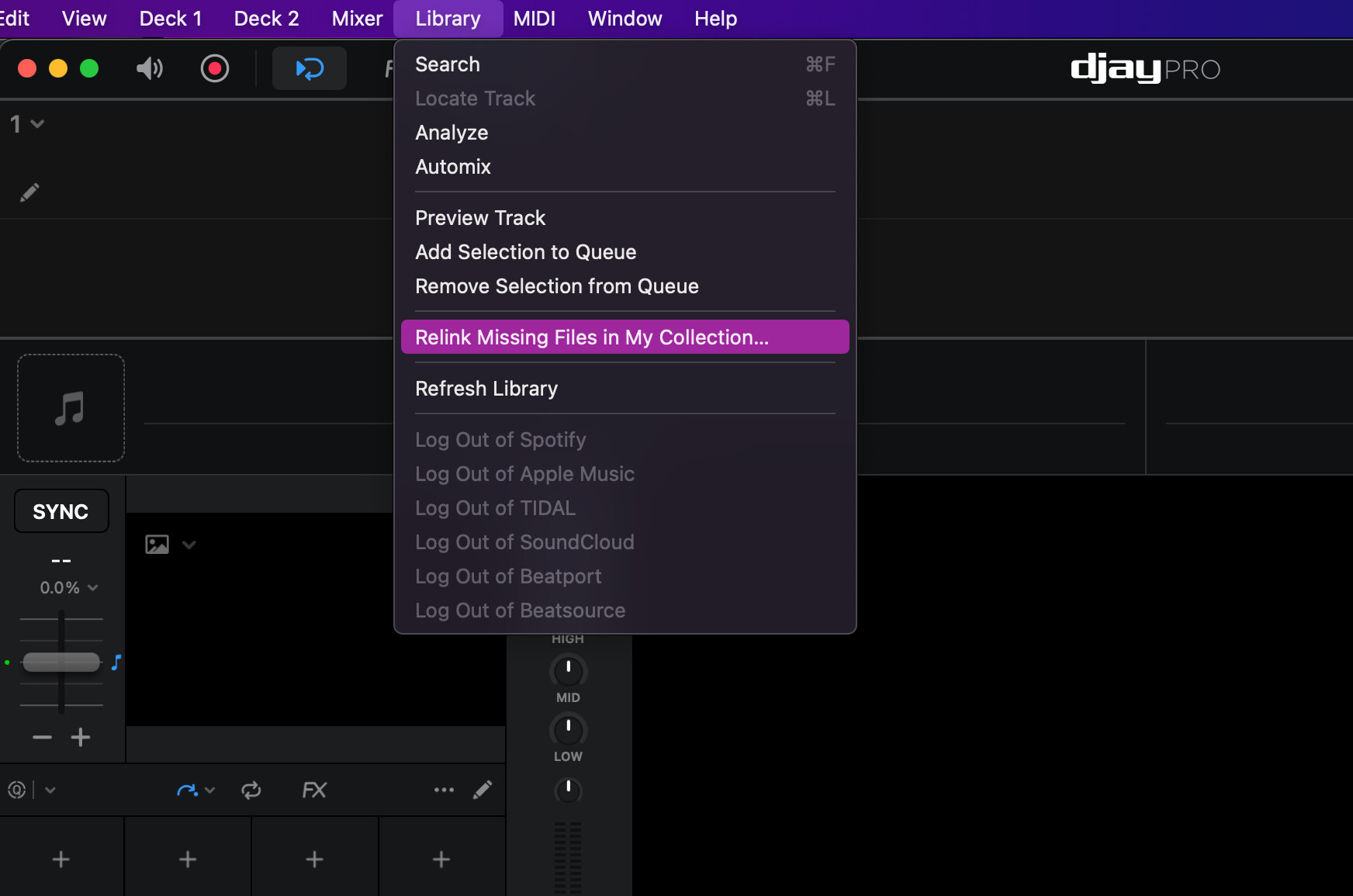
If you really must move those files, there is only one way: MOVE and then Relink missing files for all tracks you have moved. Believe me this can be so tedious a work, but if you are lucky enough, the “Relink” bridge for majority of the tracks may be pre-created already so you just have to deal with a few manually.
I suggest you move one folder by one folder (if you have multiple folders), but if you have just one folder containing ALL your tracks, then the process won’t be so tedious
Thanks, Armigo for the valuable info. One small detail I missed, Currently, I have all my music organized by mu “Music” app from Apple. I have not imported it to Djay. Does your described process stands or does it make a difference.
Since you mentioned it, should I import all my music to Djay? In essence, what is the benefit of importing it ?