- Device model (Microsoft Surface Studio Laptop 2):
- Version of operating system (Windows 11):
- Version of djay 5.4.3*:
- Hardware/controllers used Reloop Mixtour Pro)*:
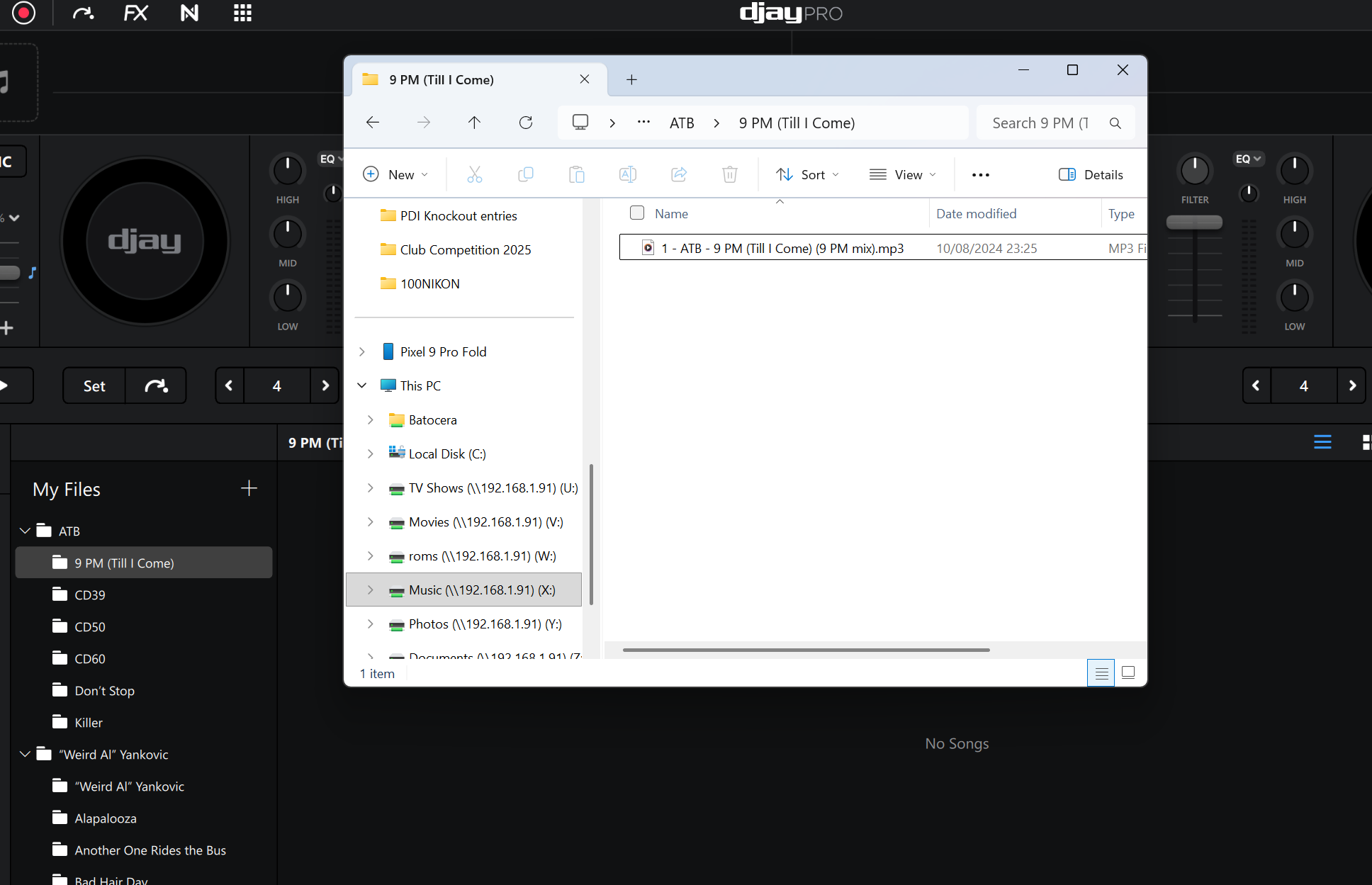
All my music is on a NAS. The music share on the nas is mapped as a widows drive. When I add a folder in Djay and add the music folder, the entire folder tree shows up in the navigation but it reports “no songs”. I have also tried adding folders one by one and same problem.
- Network file and printer sharing is enabled on all networks
- SMB 1.0 is enabled in windows features
- music files are mp3 and m4a
I’m a bit stuck, any trouble shooting ideas?
here’s an example folder showing the file in the explorer, and the Djay window which shows “no songs”
When ifirst connected my external folder. [Only losless music] maybe 500gib. It bugged out like you are saying now. But when the prigram had enough time to sort, analyze and what not. It wordked again and i could see files in the filder and not just the file tree on the left side
2 Likes
Nice that’s helpful, so should I just add the folder and leave the laptop on for a while to sort itself out do you think?
thats what it did for me at least
Sadly this hasn’t worked for me, waited 3 days now, thanks for the suggestion though
It sounds like djay isn’t indexing files properly from the NAS. A couple things to try:
Make sure the mapped drive has full read/write permissions for your Windows user.
Try copying a small test folder of MP3s locally (e.g., Desktop) to confirm djay reads them there. If it works, the issue is with network access.
Check if your NAS is using SMB2/3 instead of SMB1 — newer Windows builds can be picky with older protocols.
Also try rescanning the library after adding the folder.
If local works but NAS doesn’t, it’s likely a compatibility issue with how djay handles network drives.
What? This is amazing thing and i liked it.
Did you manage to get it working @Jeff_Bean34 ? If so, how?
Thanks @Jeff_Bean34 I’ll try those