


I have used several different digital controllers including Serato. By far I find the Automix feature on djay Pro the best of all of them. Its intro points are actually pretty much on point. It saves me a lot of time, if I don’t know the track. Its exit points are another story. I use the Automix from time to time when doing mixes for my radio station. I have to decide my own mix points when mixing out of a song. Whatever AI is using to decide the intro of each of the tracks, it should use for the mix out too. It needs to look for natural break points. No vocals, just beats, etc. I found setting the time, just has it mixing just before the time limit, which of course doesn’t work at all. I came from the world of mixing vinyl and still have and use my original 1200’s from time to time. I never really got the hang of mixing CD’s and now digitally because of the years of controlling the record itself in the mix. Jog wheels are not the same.
Hi @John_Michaels, welcome to the Community! I recommend that you set Start and End points for your songs and enable them in the Automix Settings.
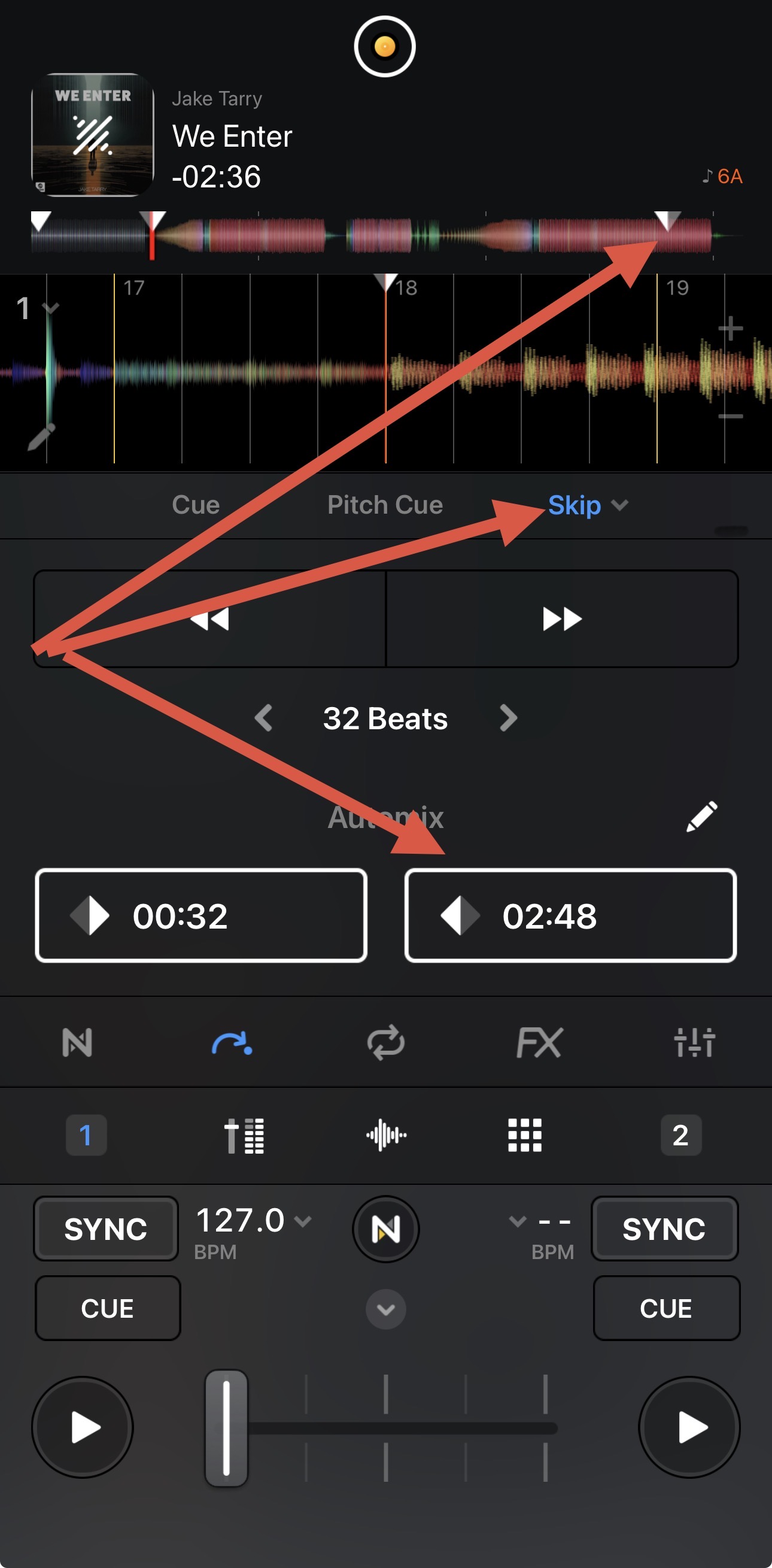
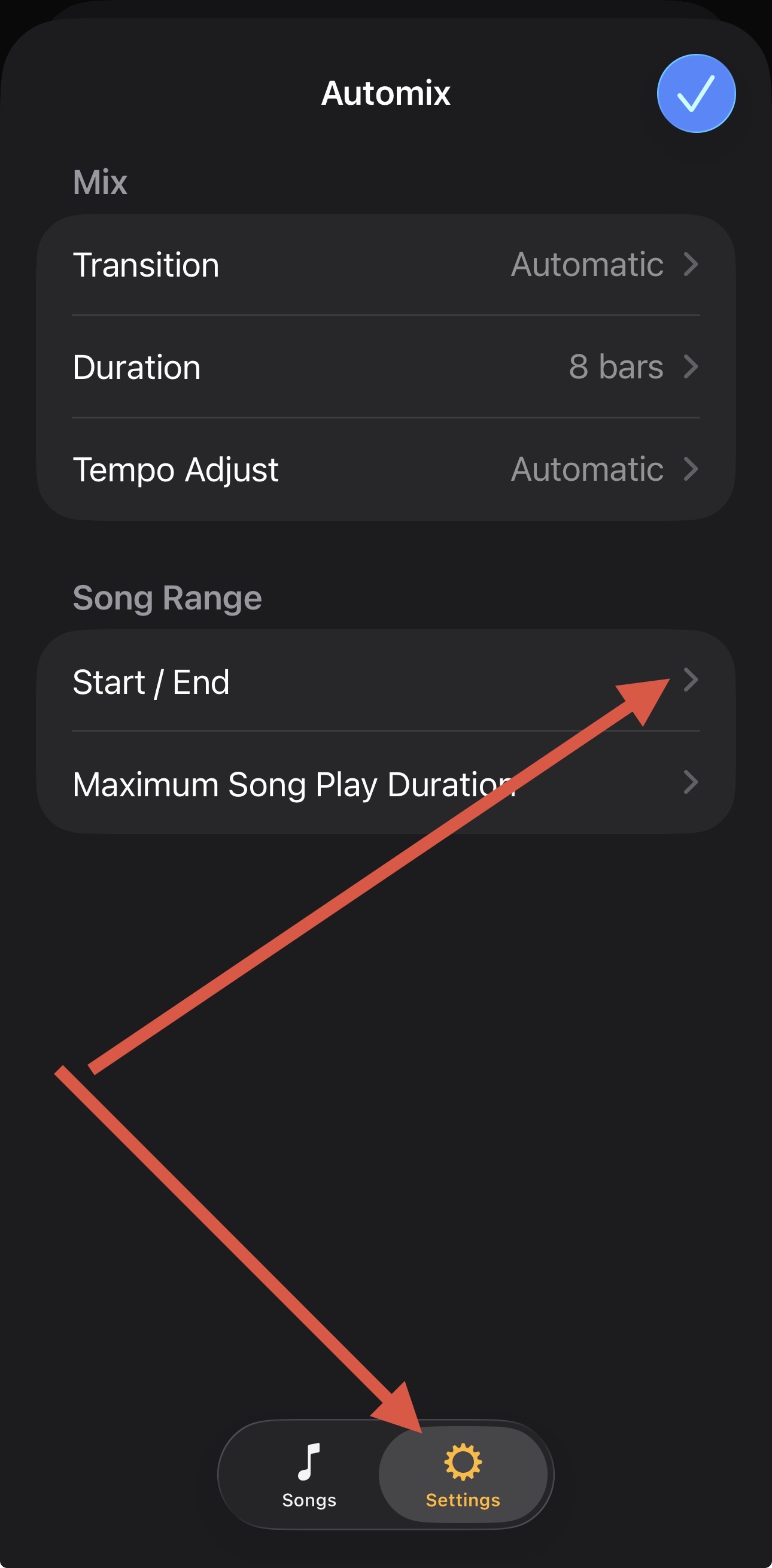
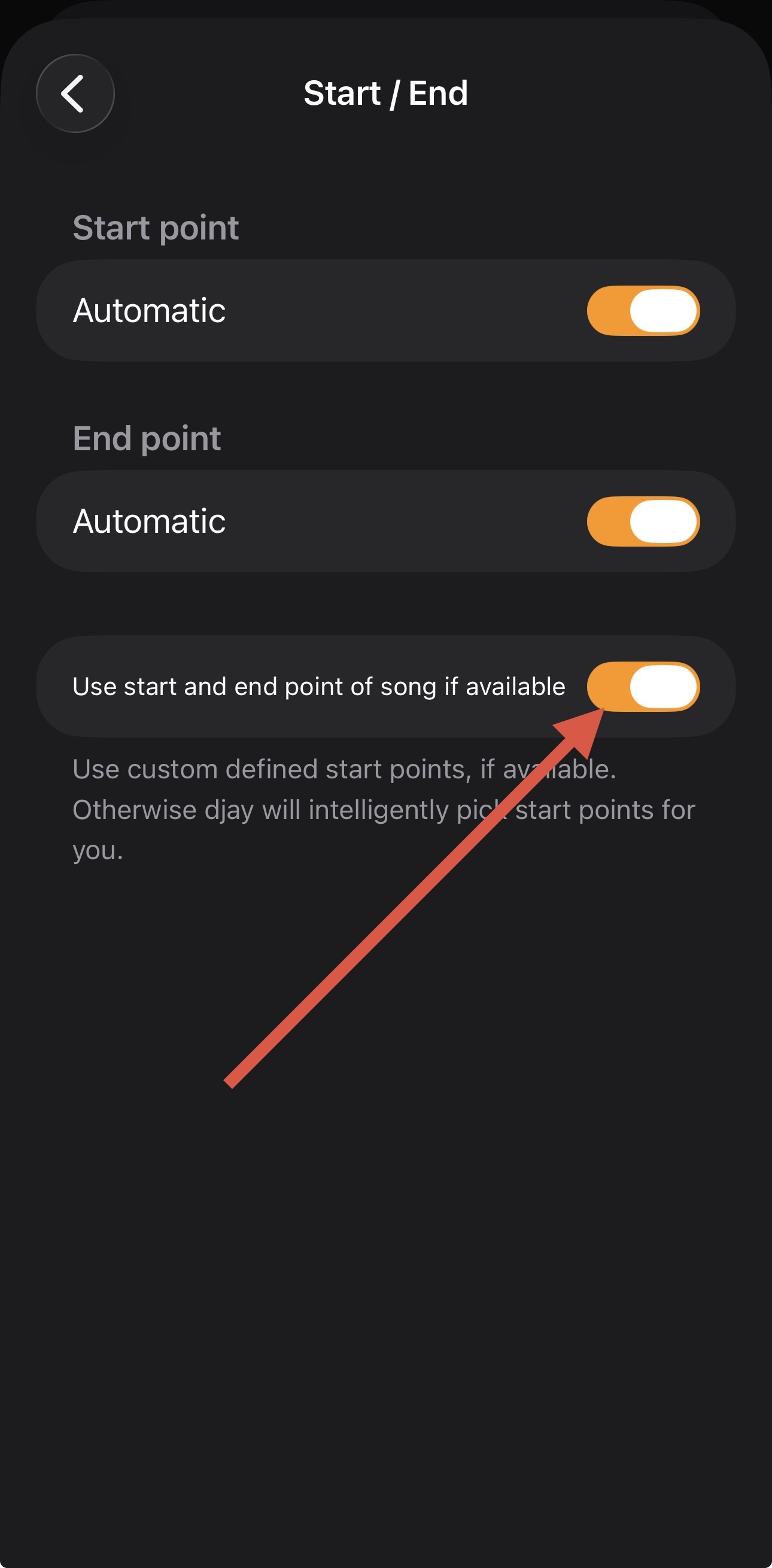
When I use Automix, this is my personal workflow and it’s been flawless.
So you have to set start and end points for each song??
Yes, exactly. They are similar to Hot Cues, but have this special purpose. It’s part of my workflow when I add new songs to my djay library. It’s pretty quick and easy and puts you in full control of the mix in and mix out points when using Automix.
Hello @Slak_Jaw,
I am an Automix lover too.
I always prepare everything in Automix as a first template for my events.
So, if something goes wrong, I have at least that.
Now, I think there are some possible improvements for this already nice functionality.
One of these would be to make it possible to start songs BEFORE the actual start of a song.
So, when reaching the cue out point of song one, it would be possible to start song 2 earlier, 4 or 8 beats, for example. This would be handy in those cases when you absolutely want to have the actual iconic first beat of song 2 playing loud and clear.
For example, sometimes I want to go to the peak of the build up of Song 1, then having the first beat of Song 2 slamming as beat drop. I guess this is something that I am probably far from being the only one doing. So, could be of general use. And probably not too difficult for the Dev team, as you can already move the cursor before the start of a song. But you can’t place a cue point there (at least not an automix starting point).
I hope I am explaining it well and that it makes some sense.
Thank you.
Yes (as Slak_Jaw already said), but honestly, I personally find it a good training/preparation anyway, so you know exactly what you want to do (at least for beginners/low level intermediates like me).
Thanks for the additional input and feedback @Davidv100
I have question? Maybe I am missing something. When you choose sync, the automixes are flawless. When you use automatic or sync and tempo, it seems like automix lags and never really gets the beats aligned. Especially on bigger tempo changes. I find myself having to find a comfortable BPM and then letting all the tracks sync to that. This does not give you options for building up the beats or slowing them down unless you do it manually before the mix.
Hello @John_Michaels ,
Strange.
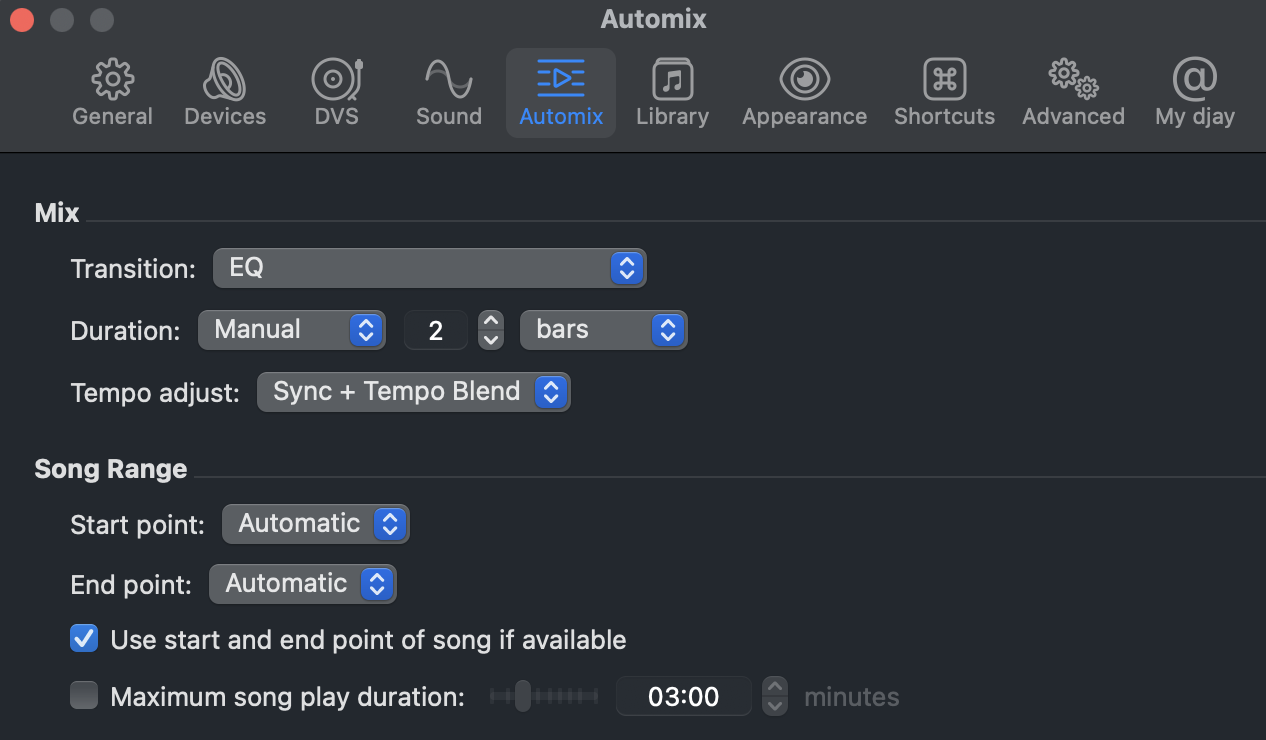
I recommend not choosing “Automatic”, because “Automatic” will only sync if there is a significant different in tempo. In “Automatic”, if the tempo change is less than 5%, it will not sync tempo and keep previous BPM. This is expected behaviour as discussed in another thread, but can indeed lead to the "lagging"feeling you describe (I had the same issue before @Slak_Jaw explained this to me).
Therefore, for true “Full Auto” Automix, you better go for “Sync + Tempo Blend”. Then it should be flawless. (I don’t see the use for “Automatic”, tbh. Or at least, this behaviour should be better described).
I have built an illustration for you here below, showing Djay Pro is actually doing exactly what you are expecting (no lag). I am in Automix, “Sync + Tempo Blend” mode. I am transitioning in 2 bars.
Picture 0 : settings
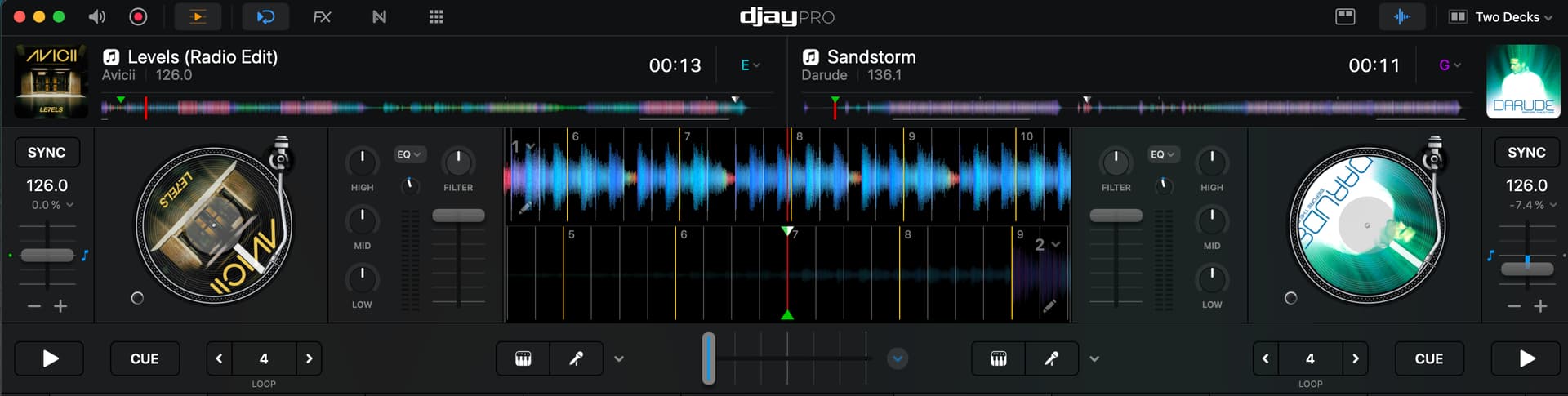
Picture 1 : before transition
In order to match your case, I choose two tracks with a significant BPM difference.
On Deck 1, we have “Levels” playing at 126 BPM.
On Deck 2, the next track, “Darude”, which is 136 BPM, but will start at 126 matching “Levels”
Note that in Autosync you should not press the sync buttons yourself, otherwise you will indeed force tempo errors.
Picture 2 : during transition
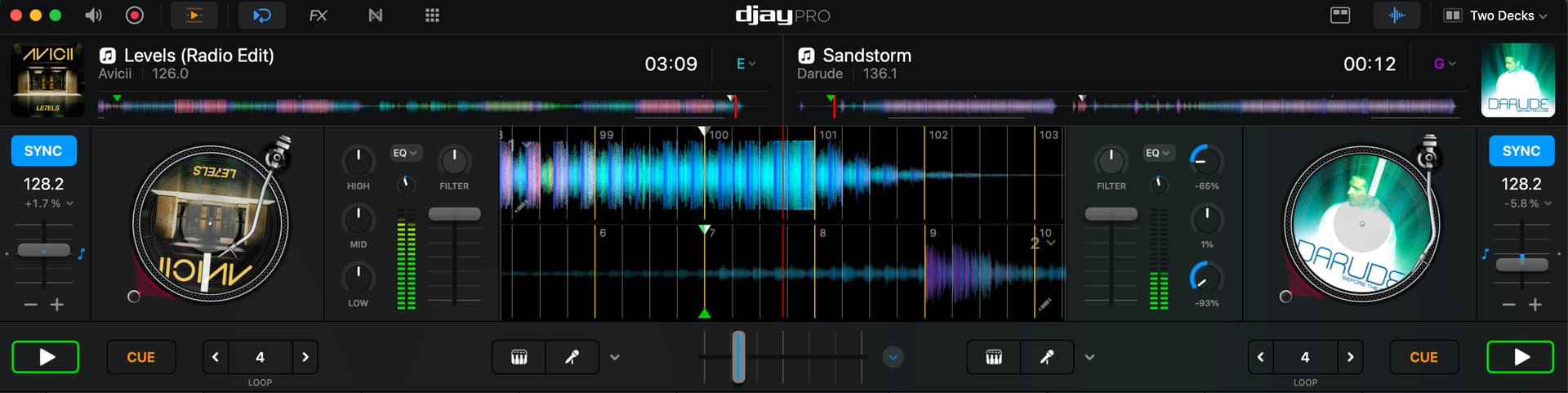
This is a screenshot during the transition : both decks are playing.
I haven’t pressed “sync” myself, it is “Automix” doing this automatically
We see track 1 and track 2 are already increasing speed, as they are currently 128 BPM on both sides. I am doing nothing myself here. Touching nothing. Both sync buttons are highlighted during the transition, on their own, by Automix only.
Picture 3 : after transition.
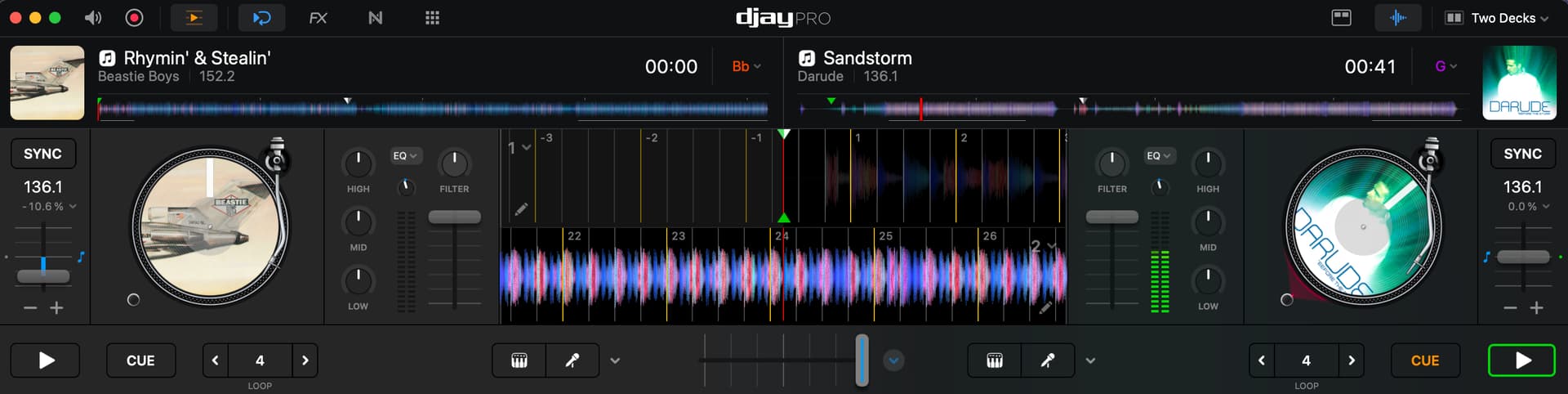
We are now after the transition.
Deck 2 playing at 136 BPM. The full expected Tempo. (No lag).
On Deck 1 “Levels” is now replaced by the Beastie Boys, preparing next transition.
In Automix mode, remember not to press the sync buttons yourself (forcing other tempos).
I hope this helps.
Does it ?
Thank you, I will give it a try.
Thanks for sharing @Davidv100
What view in iOS can I set automix cues?
Nevermind I found it.
Why are the automix in/out cues buried in the “skip” menu?
Automix
Glad you found it @eyeseeyou01. I’m assuming that is due to limited screen space on smaller iOS devices.
The smaller screen definitely has to do with it somewhat.
For me it’s
Pro view>deck 1/2>cues>slice>slice dropdown menu>skip
And the automix cues are kind of just placed there in the skip/beat jump menu.
I would think that an automix specific feature/functionality would be visible in the automix view or at least in the primary cues view.
Thanks for the input @eyeseeyou01. Perhaps this is worth its own Suggestion topic?


