Neural Mix mapping with Mixon 8 Pro

NOTE: Please use the search function above before posting to avoid creating duplicate topics.

  • MacBook Pro M5chip
  • macOS 26.5.2
  • djay 5.6.8
  • Reloop Mixon 8 Pro

can neural mix be mapped on the 8 pro with knobs that don’t subtract the use of any of the 4 channels?

Hi @dj_dubantheM, try pressing SHIFT+Headphone CUE for each channel. I’m pretty sure this switches the EQ Knobs to Neural Mix EQs

so I don’t have to map anything myself?

I think it’s mapped already. I don’t have my Mixon 8 Pro anymore so I can’t confirm. If it’s not mapped you can easily map it yourself. Just let me know and I can give you detailed instructions.

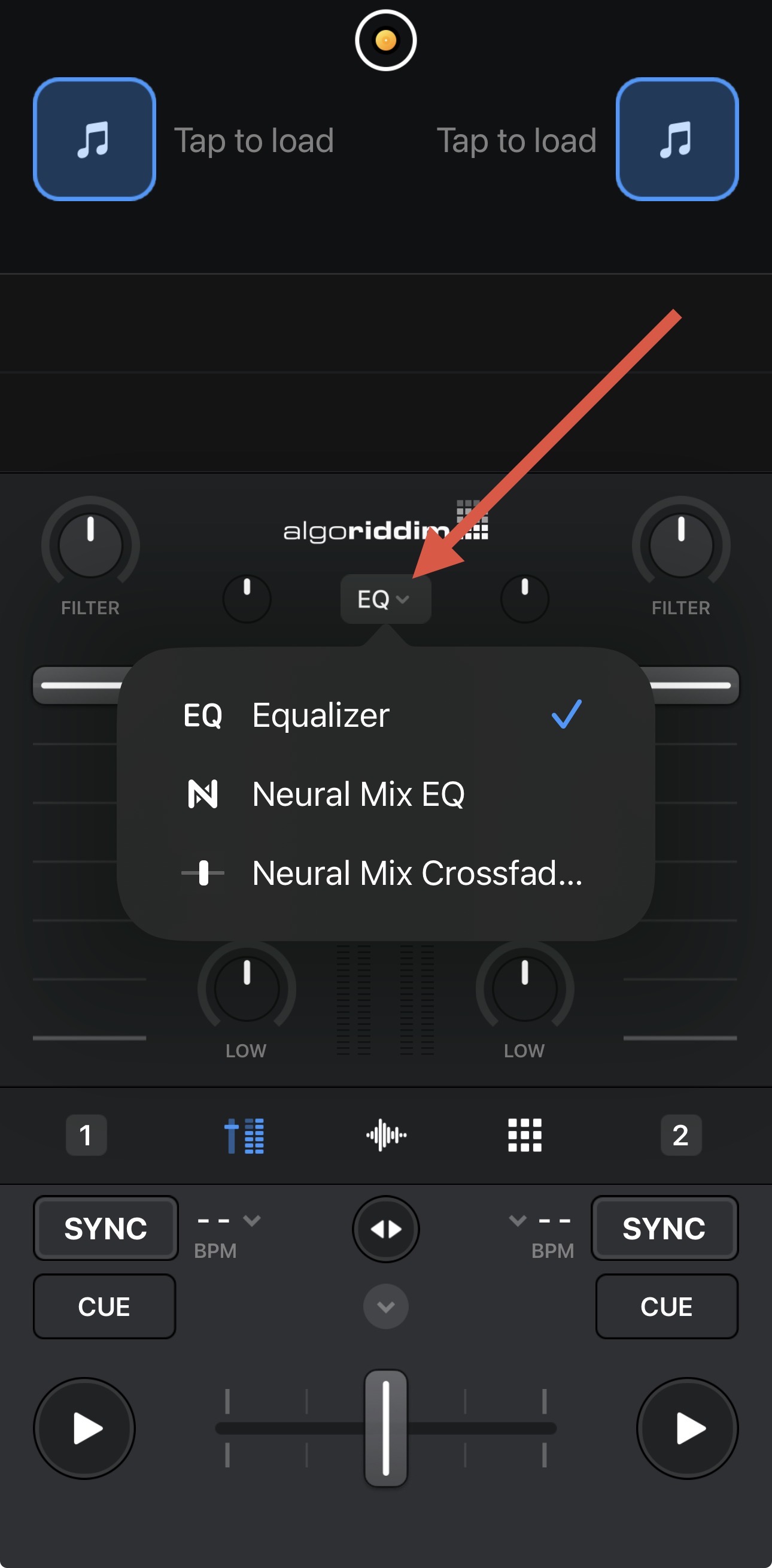
You can also toggle it via the onscreen controls

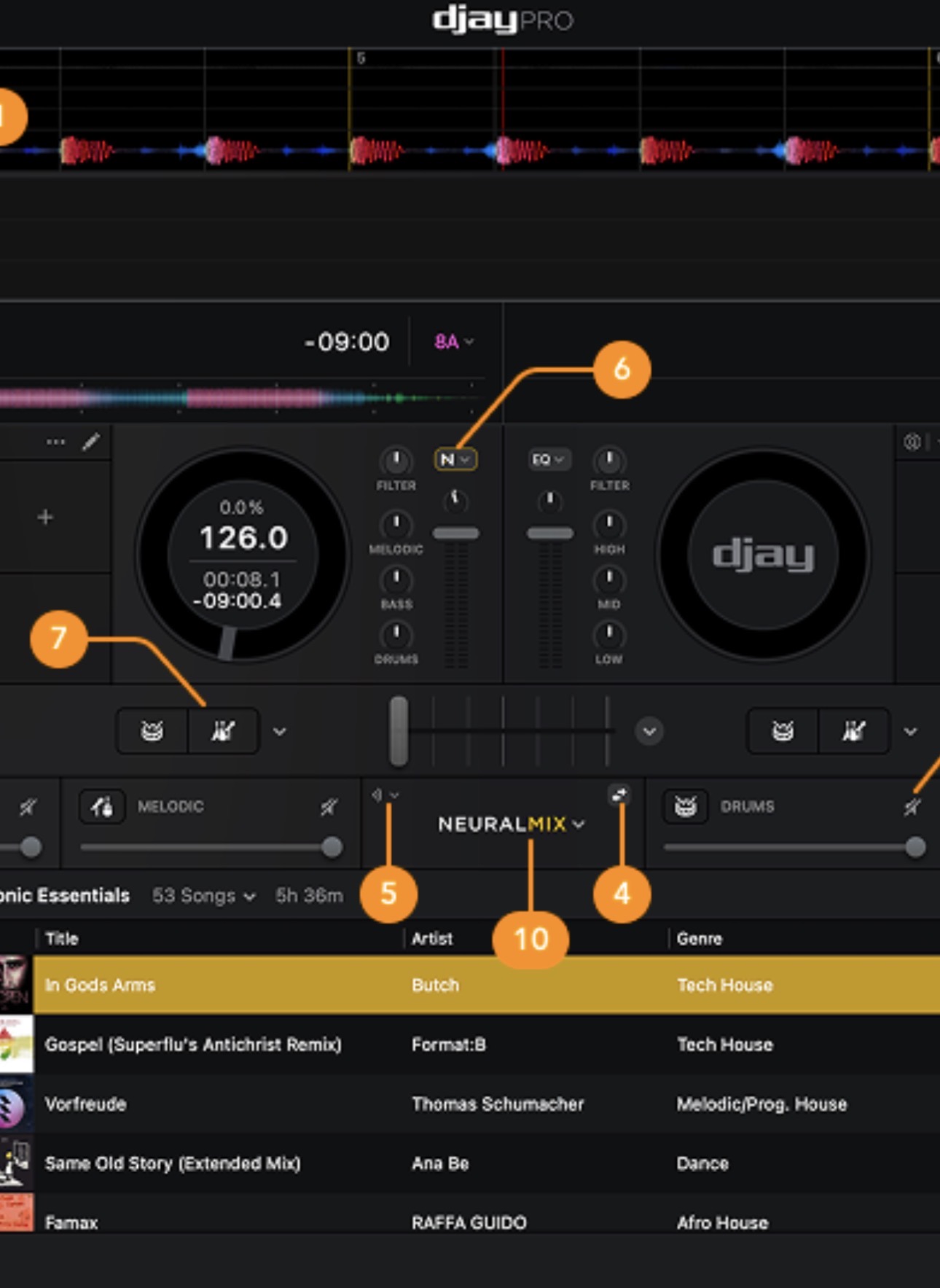
that screenshot looks like its running on iOS but I’m using my MacBook to run djay pro.

Yeah that’s iOS. Not in front of my Mac at the moment, but it should be similar.

Here you go @dj_dubantheM. See #6 below from the macOS User Manual

is there a way to map the 4 neural stems to the fx knobs but still be able to access the fx when I want on the same knobs?

You could remap the FX controls to the SHIFT layer and enable Pickup Mode. This is definitely more advanced mapping and you may find using Pickup Mode not ideal. If you don’t really use Deck 3 & 4, you could remap those EQs to control Deck 1 & 2 Neural Mix. Then you can use normal EQs and NM EQs at the same time. I’m personally used this method with 4 Deck controllers.

could you help me map neural to deck 3 and 4 please?

I would start by familiarizing yourself with the MIDI Learn tool for djay:

ok thank u

You’re welcome @dj_dubantheM. Once you’ve read through that section of the User Manual, then start by

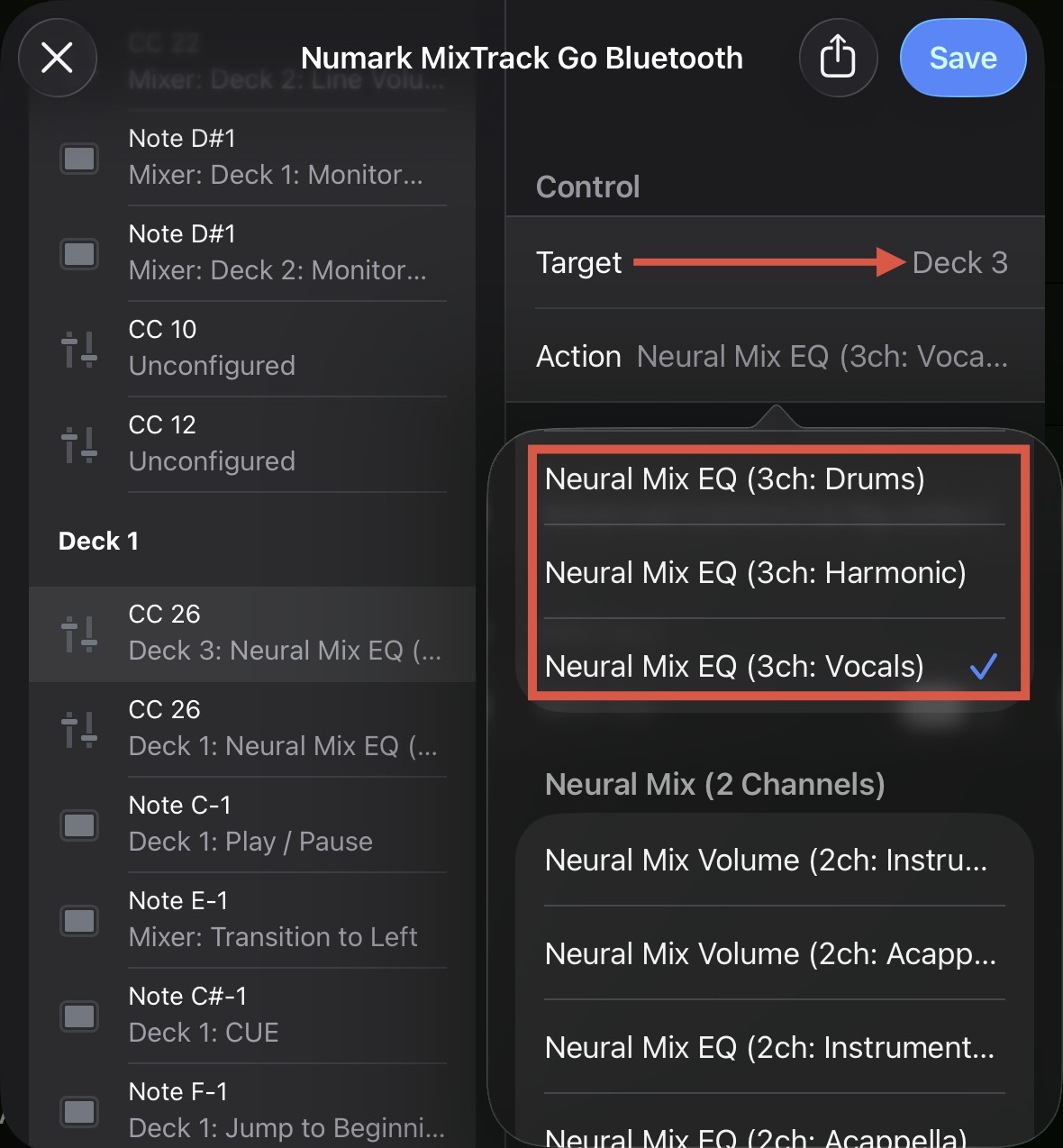
  1. Rotating the High EQ knob on Deck 3. Then scroll down and change it to Neural Mix EQ (3ch: Vocals).
  2. Then do the same for the Mid EQ, but set it to Neural Mix EQ (3ch: Harmonic).
  3. Then change the Low EQ to Neural Mix EQ (3ch: Drums).
  4. Finally repeat this for Deck 4.

Please note that with these changes, you will no longer have normal EQ control on Deck 3 & 4. So, if you use these often, this is probably not the ideal layout for you.

I think I’m doing something wrong cause I tried to assign neural mix eq 4 ch drums to the gain knob on channel 3 but its not affecting channel 1

You need to change the Target→Deck 1 instead of Deck 3.

I just realized I forgot that lol I had fixed it immediately. thank u :slight_smile:

1 Like

You’re welcome