NOTE: Please use the search function above before posting to avoid creating duplicate topics.
- Device model (Macbook M1 14" 2020):
- Version of operating system (macOS Ventura 13.7.8):
- Version of djay (5.5.1):
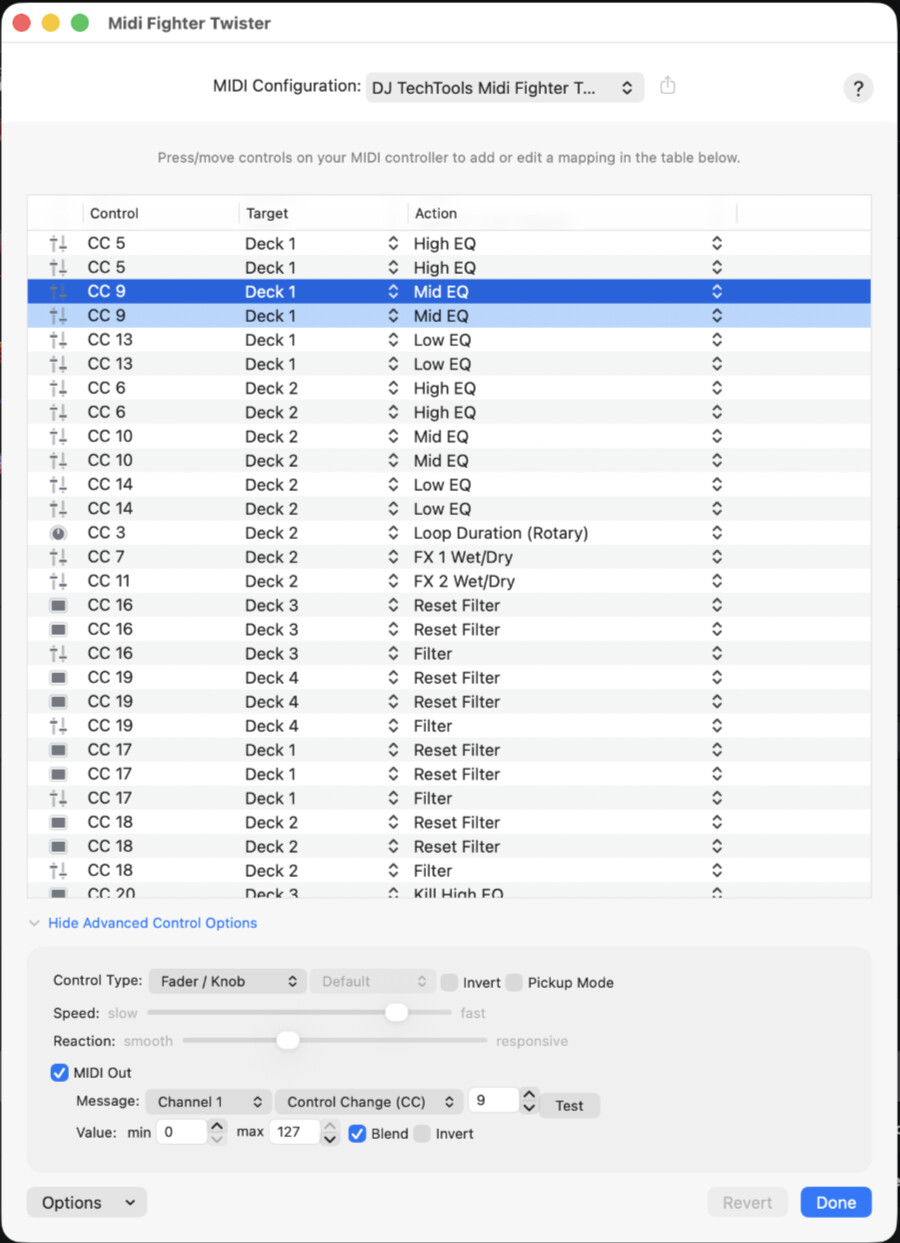
- Hardware/controllers used (Mide Fighter Twister):
- Hardware firmware version (8 june 2023):
- Please consider sharing a short video or screenshots to help clarify your issue
A) SUMMARY OF ISSUE:
I am mapping Neural Mix EQ (3 or 4 channel) on the Midi Fighter Twister as separate encoders. Works fine, except for the Output. Even though the encoder is set as a detent on the Twister, DJay sends a 127 at the 12 o’ clock position and every move past that stays 127.
If I map a standard EQ to the same encoder, the Output is as expect, so 0 to left increasing to 63 at 12 o’clock and 127 at the max.
So if another controller or on screen I set the Neural Mix EQ past any 12 o clock position, it always shows as “full on” which is confusing.
B) DETAILED STEPS TO REPRODUCE:
Map any encoder to Deck 1 : Neural Mix EQ (3ch: Vocals)
Click Output Channel 1 0-127, blend on
Then move the EQ knob on the screen with the mouse.
As you move it from 0 to 12 o clock the leds on the Twister will allready start filling the second half and be full on when at the 12 o’clock.
Other settings (Filter, Mid, Low, High) do work as expected, but not the Neural Mix EQ settings.
C) EXPECTED RESULTS:
I expect the “value” of what is on the screen to be send to the Midi Fighter. So 12 o clock should be halfway and not full on.
Just like other settings (Filter, Mid Low High etc)
Also this messes with the pickup mode.
D) ACTUAL RESULTS:
At and past 12 o’clock the midi values send to the Twister are always 127. (I can see this in Midi Monitor)
Because of this even if I have pickup mode enabled, when moving the encoder back to the 12 o’clock, the Vocal EQ maxes out!