iPadOS is version 26.5, and djay for iPad is 5.6.7.
Neither the iPad nor the iPhone is connected to any other device; I just wanted to connect the iPad to the controller via Bluetooth, but it didn’t work.
The iPad isn’t connected to any device via cable.
Bluetooth is turned off on all nearby devices anyway.
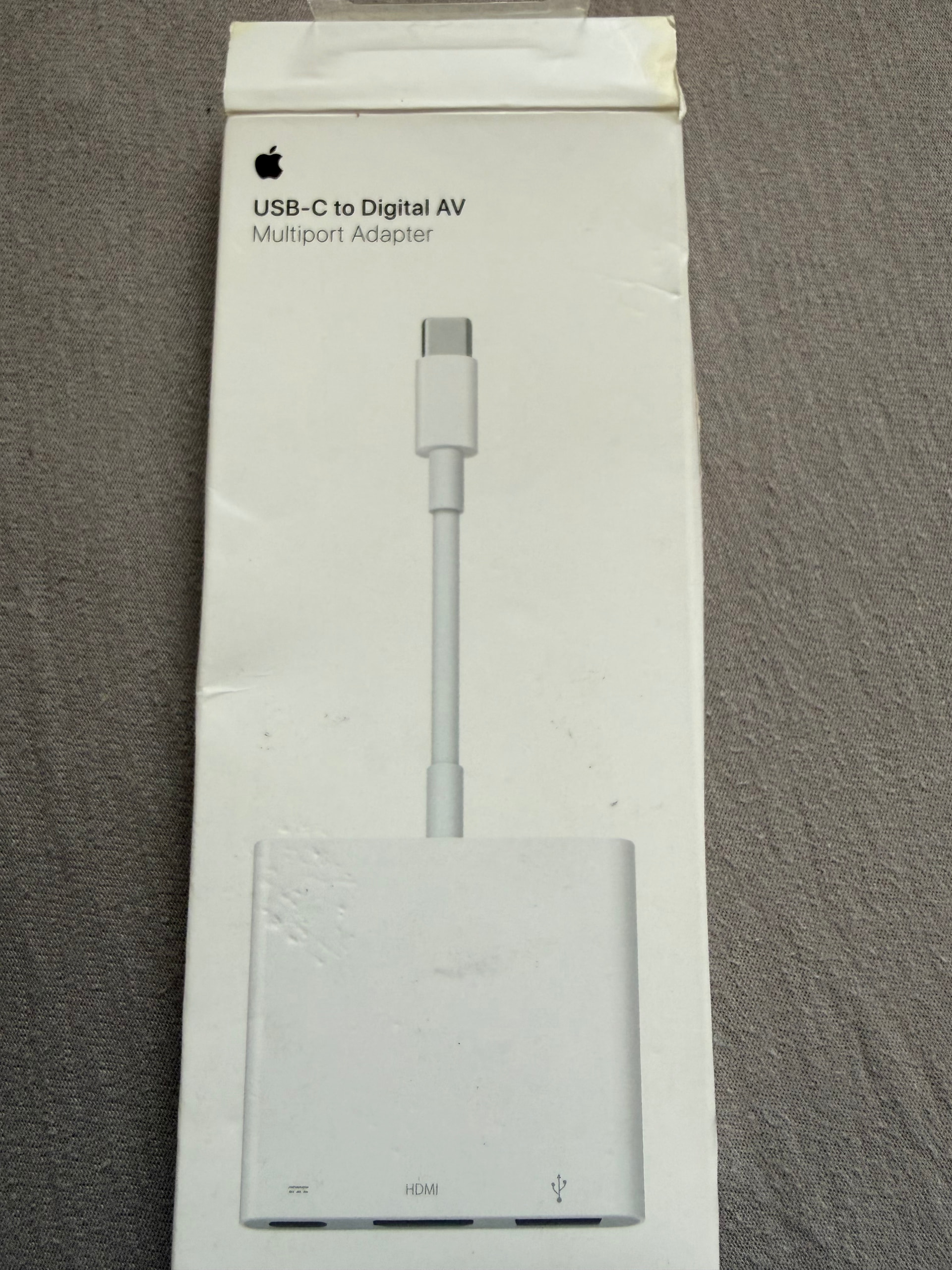
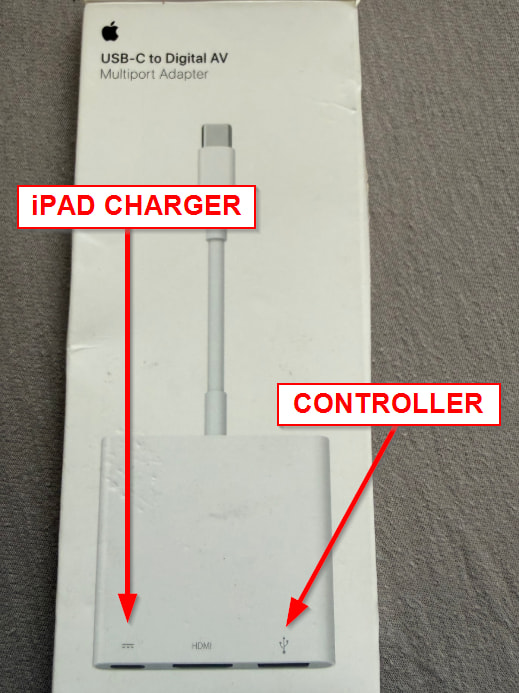
I just connected the iPad using a USB-C cable; it’s running, but there is no sound coming from the iPad. Do I need to adjust a setting, or does it only output via headphones? Also, I have one of those Apple USB dongles (see image below); how do I set it up so the iPad charges via a USB charger while I’m using the controller?
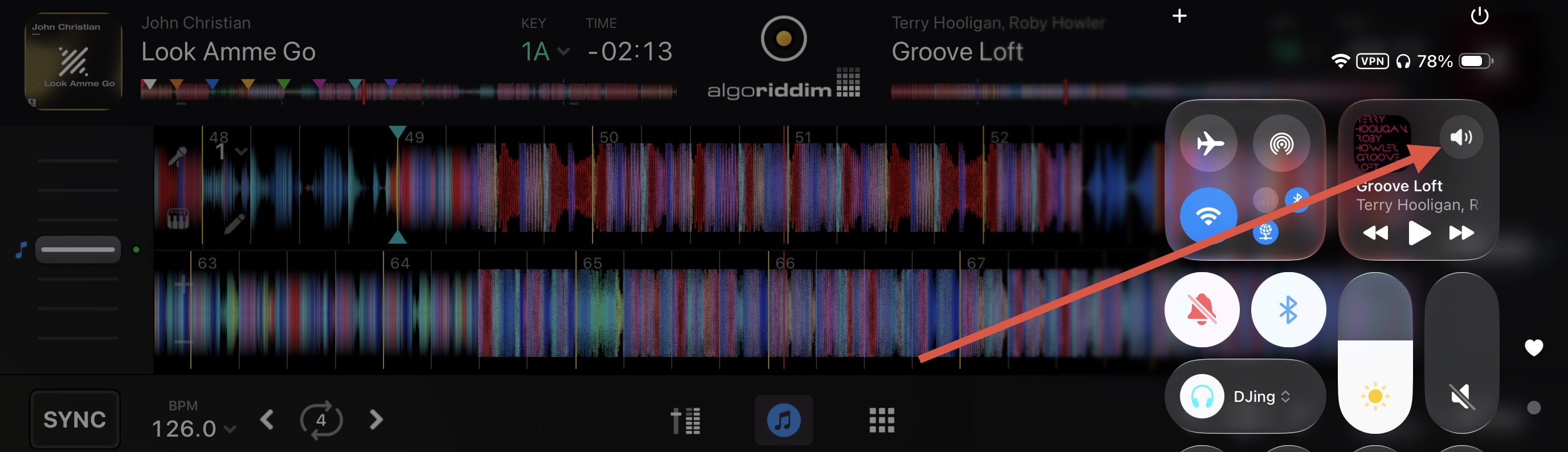
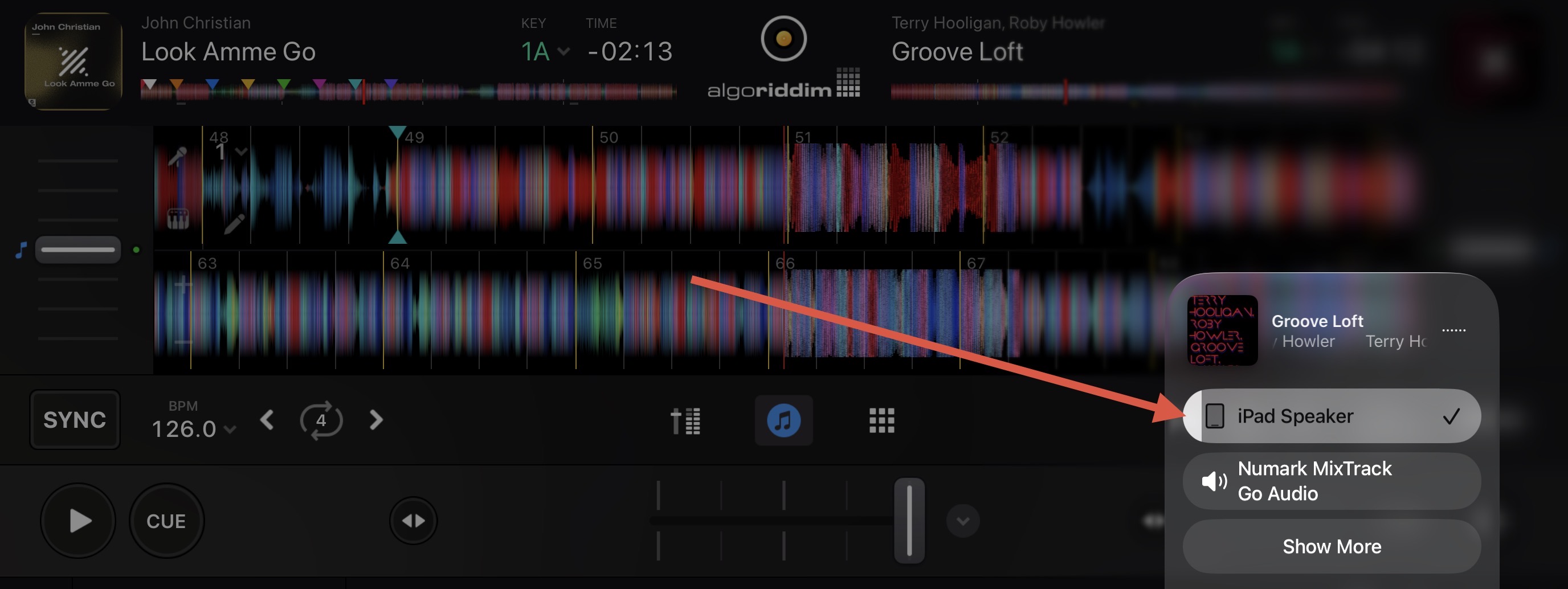
Hi @mstylez77, thanks for the additional info. When connected via USB cable, normally you would use the Party Mix III for audio output by connecting a speaker to the Master output of the Party Mix III and not output through the iPad built-in speakers. If you don’t have a speaker, I can guide you through the process of using your iPad speakers. Just note that with this configuration you will not be able to use headphone pre-cueing.
Okay, thanks for the tip about using the headphones via the iPhone. However, I’m still missing the option to charge the iPad’s battery while playing audio when using the Apple Multiport Adapter.
Hi @graps, welcome to the Community! This device does not unlock the full Pro view mode, so no horizontal waveforms. You have access to Starter, Automix and Classic view modes with the unlock.
I just bought this Party Mix 3 and I’m having latency issues with the Djay app on my Android tablet. When I use the faders and knobs, there’s a slight delay in the response. I have a Xiaomi Redmi Pad 2 Pro tablet, and the app works perfectly when I use the touchscreen, but when I connect the Numark controller, there’s a delay. I’ve tested it on my MacBook, and there’s no delay problem; it works perfectly. It only happens when I use the app on Android. What solution could you suggest? Thanks in advance.
No, I’ve always tested it connected via USB-C cable.
I hadn’t tried it via Bluetooth, and after a quick test, I’ve noticed that it improves the response of the faders and knobs. There’s a slight delay, but it’s even better than when I connect it directly with the USB-C cable that Numark provides. I’ve also tried changing the cable, but I’m still having the same issue. It’s very strange…
Could this be fixed with an update to the Algoriddim app?
You’re welcome @Jordi_Chimi. I have a Numark MixTrack Go and I don’t experience any noticeable delay when using is with my Android device or iOS device. Given that you aren’t having issues when connected to your macOS device, this rules out a problem with the Numark. Most likely this is a limitation with your Xiaomi tablet. Do you have a high-quality, powered USB-C hub that you can use to connect the DJ controller while also charging your tablet? Do you have another Android device you can test?
Hi @BlackJack, not currently. The Smart Fader (Echo) and Smart Fader (Reverb) mappings were added in djay 5.2.6 for the Smart Fader button specifically on the Pioneer DDJ-FLX4. As far as I know, they aren’t part of the Party Mix III mapping.
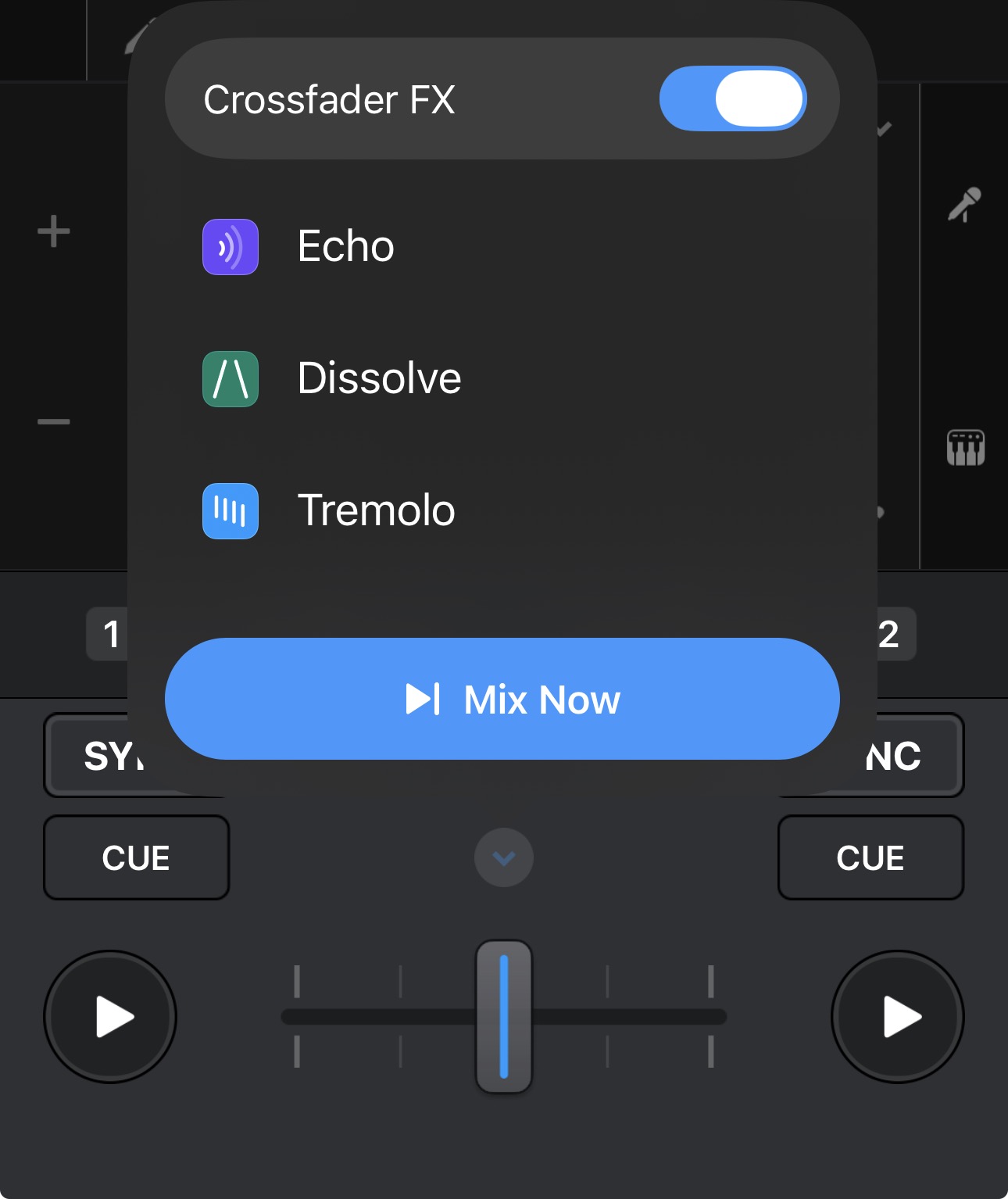
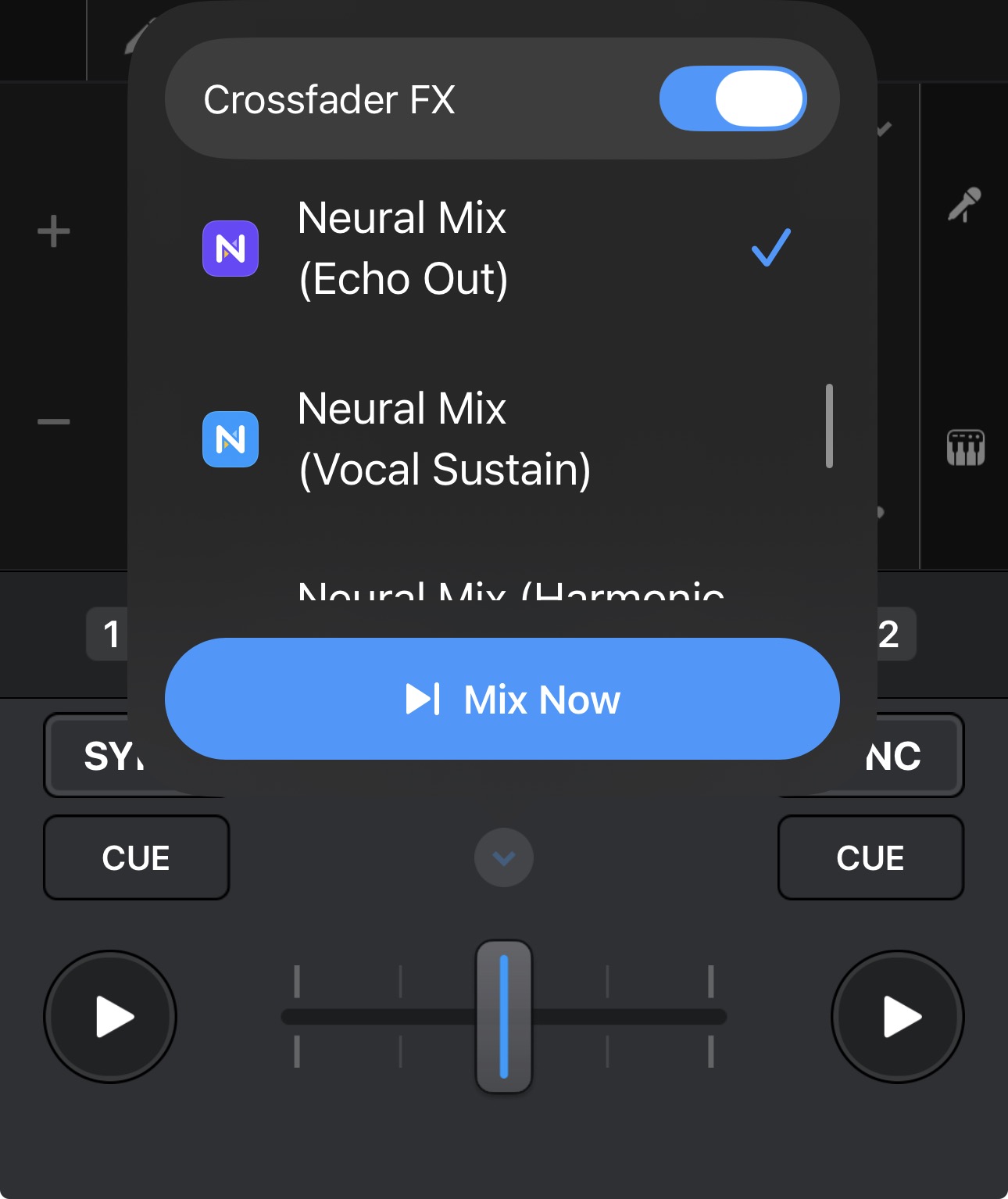
The Party Mix III does support Crossfader FX which gets you pretty close. Click the dropdown next to the crossfader, pick one of the Echo types, then switch Crossfader FX on. Your echo transitions will now follow the crossfader.