NOTE: Please use the search function above before posting to avoid creating duplicate topics.
-
Device model (e.g. 2020 iPad Air 4th Gen): iPad mini (A17 Pro) and 2023 Macbook Pro M3 Pro
-
Version of operating system (e.g. macOS 14.4.1): iPadOS 26.2.1 and macOS 26.3.1
-
Version of djay (e.g. 5.1.2): 5.6.4 on iPad and 5.6.1 on macOS
-
Hardware/controllers used (e.g. Reloop Mixon 8 Pro): None
-
Hardware firmware version (e.g. 1.0.1): N/A
-
Please consider sharing a short video or screenshots to help clarify your issue
A) SUMMARY OF ISSUE:
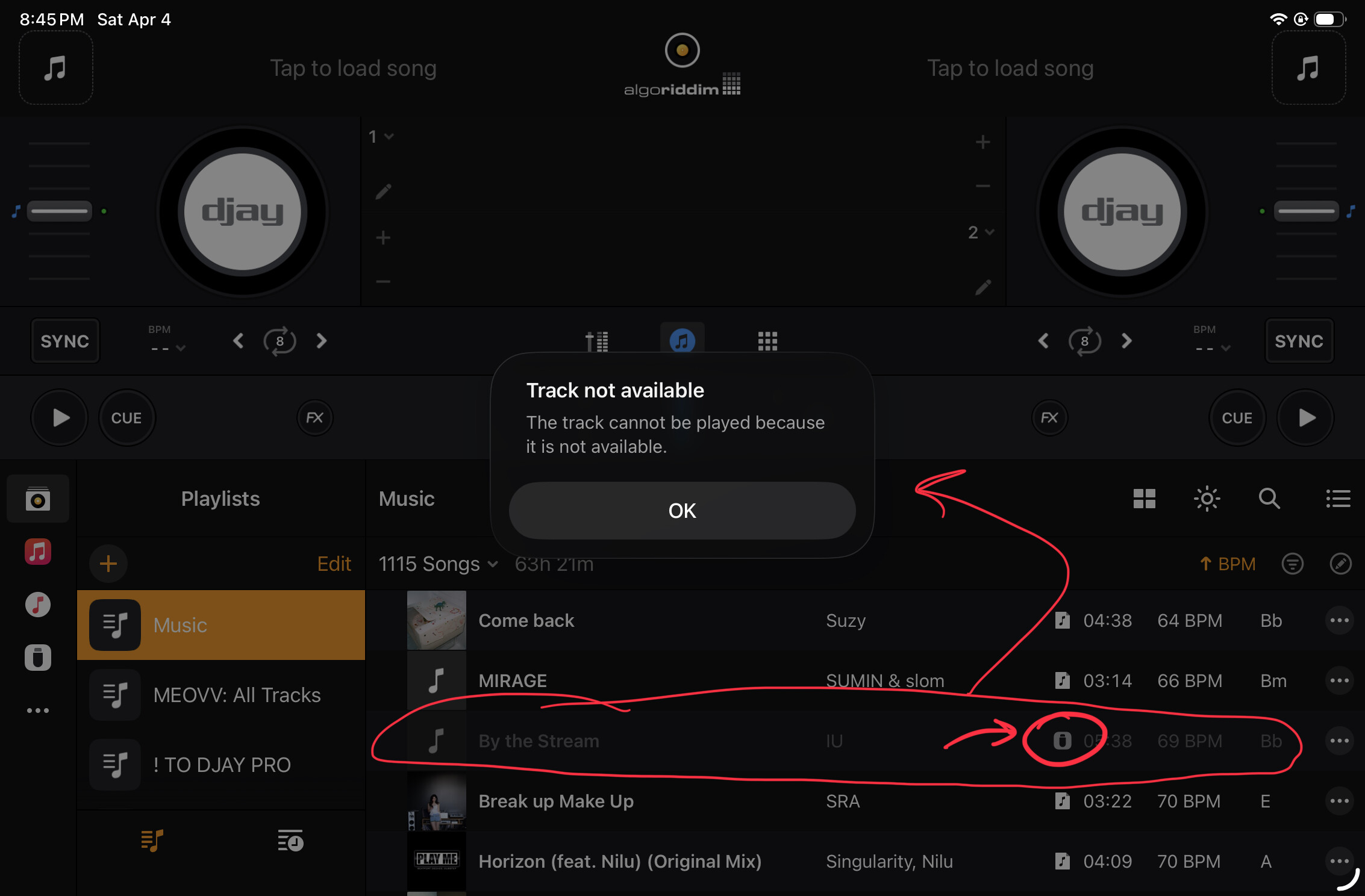
Importing a OneLibrary USB (created from djay Pro from my Mac) does not properly transfer Apple Music songs — they appear greyed out after import. This happens when importing the USB’s collection to my iPad, using the “Add all to My Collection” feature.
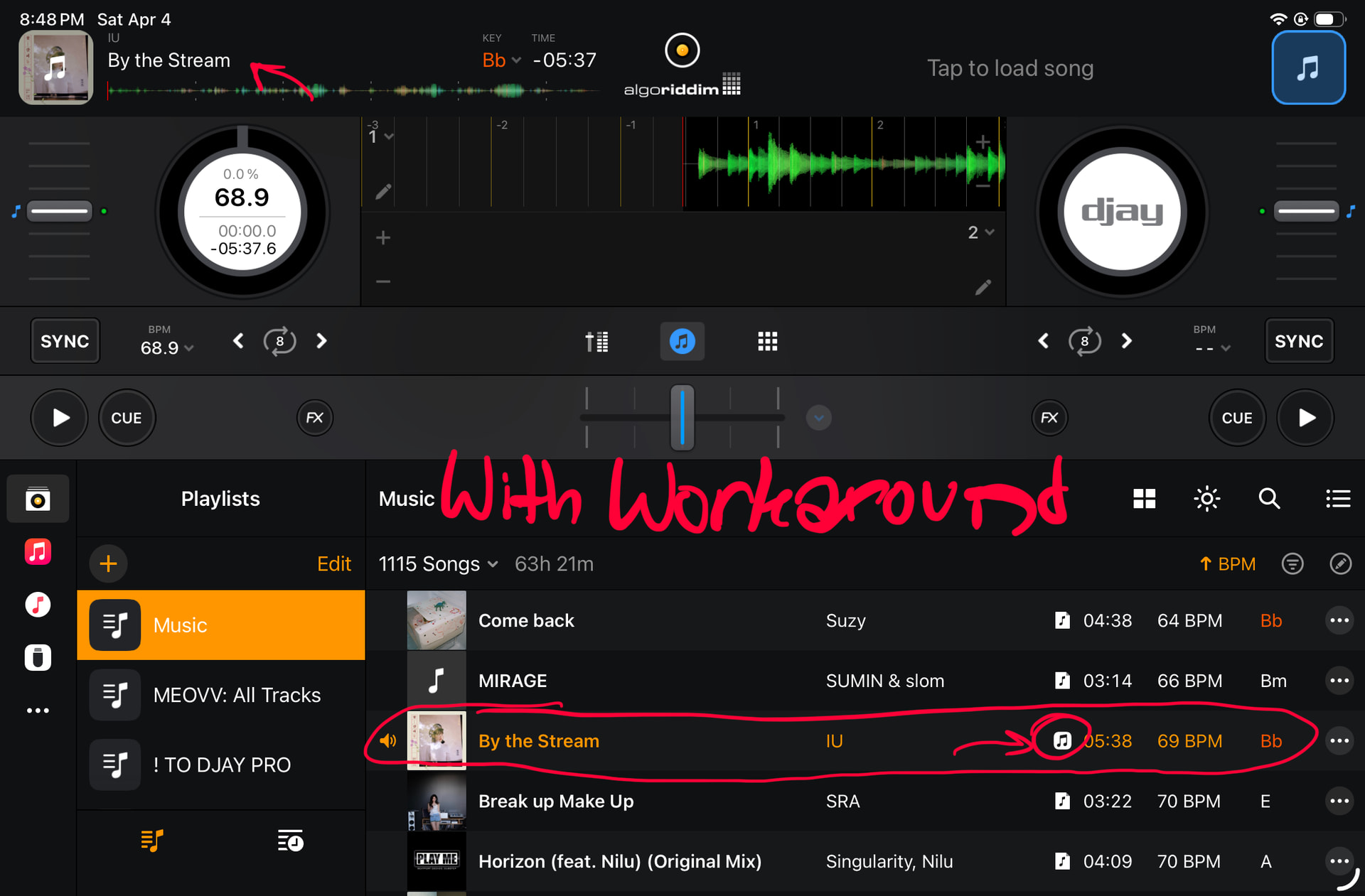
The workaround I’ve found is to load the Apple Music library first, then run the import. Then the Apple Music songs are correctly imported, not greyed out, and can be played.
Both devices are on the same Apple ID and I have an active Apple Music subscription.
I feel like this could be due to an issue of getting Apple Music authorization, before importing the USB?
B) DETAILED STEPS TO REPRODUCE
I was able to reproduce both the bugged flow, and the workaround flow twice:
-
Export a OneLibrary USB stick from djay Pro, with a mix of local files and Apple Music streamed songs in my collection.
-
Quit djay Pro in the multitasking on my iPad.
-
Delete the
.djayMediaLibraryfile in the Files app to have a clean start (Warning: Deletes whole collection!) -
Go to the “USB Library” icon on the right side sidebar in the library view.
-
Open the USB through the Files app modal.
-
Tap my USB showing in the list.
-
Tap the three dots, and tap “Add all to My Collection”
-
Accept the settings (overwrite cues, copy files)
-
Wait for import to finish
C) EXPECTED RESULTS:
My collection is copied over, including references to the Apple Music songs in my collection
D) ACTUAL RESULTS:
The Apple Music songs are there, but are greyed out, and return the message when trying to load them:
As a workaround, before step 4 above, I found that tapping the “Apple Music” icon in the library sidebar to open Apple Music, letting it load where it shows my songs, THEN importing my USB successfully imports the Apple Music songs, and I can play them: