General suggestion regarding the Song Loading->Jump to cue point option. I set Cue Point 1 as my usual mix in point for songs so its convenient to jump to that location on load.
I’m preparing for a music bingo event so mix in point will be different - it would be useful to set e.g. Cue Point 16 on the tracks for that purpose and have the option to jump there on load instead.
Okay, let me see if I got this right. You have a track with one cue point at the very beginning and another one, for example, at 1:05 into the song — and you’re suggesting that when loading the track onto the deck, it should automatically jump to that cue at 1:05?
If that’s the case, I’d say this is more of a bug than a feature request, because at least for me, it doesn’t jump to the first cue I’ve set — especially not in Automix.
Yes its a feature request.
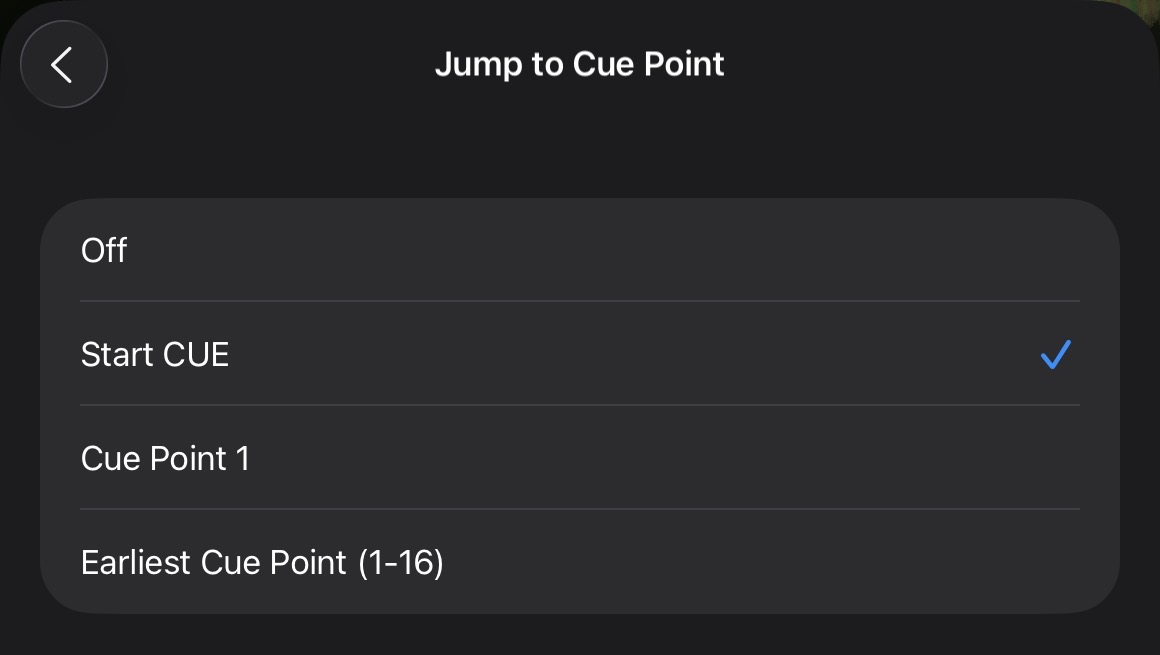
Currently the Jump to cue point option setting has the following:
- OFF
- Start CUE
- Cue Point 1
- Earliest Cue Point (1-16).
I’d like to have the other cue points listed there as an option.
Maybe you have it set to OFF locally?
Hi @Rob_Grimes, can you please clarify your suggestion? Do you want options to choose all 16 different cue points for “Jump to Cue Point”?
Would it work in the situation above, if you set your Cue Point 16 at the earliest possible mix in point of your song, then Cue Point 1 is set as your alternate, later, mix in point. Then you simply change the “Jump to Cue Point” setting depending on the needs of your set?
Alternatively, you could use the Start Cue as your earliest possible mix in point and set Cue Point 1 as your alternate, later, mix in point, then change the “Jump to Cue Point” settings as needed for each set.
Yes just a suggestion to allow alternate cue points to be selected temporarily as the default load point.
I have thousands of tracks already set with cue 1 as the usual mix in long I use so won’t be messing with those.
No big deal I can just load a song and hit a mapped cue button, just seems like something that would be trivial to implement at some point.
Thanks for clarifying @Rob_Grimes. In general, the dev team prefers to keep the optional settings in djay as simple as possible to prevent things from becoming overly complicated or confusing.
I think in your situation, you could simply set your secondary mix in point using the special Start Cue. This could be before Cue Point 1 or after - doesn’t matter. Simply set these as your secondary mix option and change the setting in djay as needed. This is the workflow that I use to switch between sets with long mixes and short mixes depending on the gig.
The screenshot below if from iOS, but the Start Cue is found in a similar location on macOS.
2 Likes
Thanks for the suggestion I’ll give that a try.
1 Like
You’re welcome @Rob_Grimes
Are you telling me that this is the reason why, when I load songs into the deck or start the automix, the track doesn’t start at the first CUE I set? And that if I mark SET END, it will stop at that point even if there’s still time left in the track?? Interesting  , I’m going to test it.
I don’t think CUE has anything to do with automix.
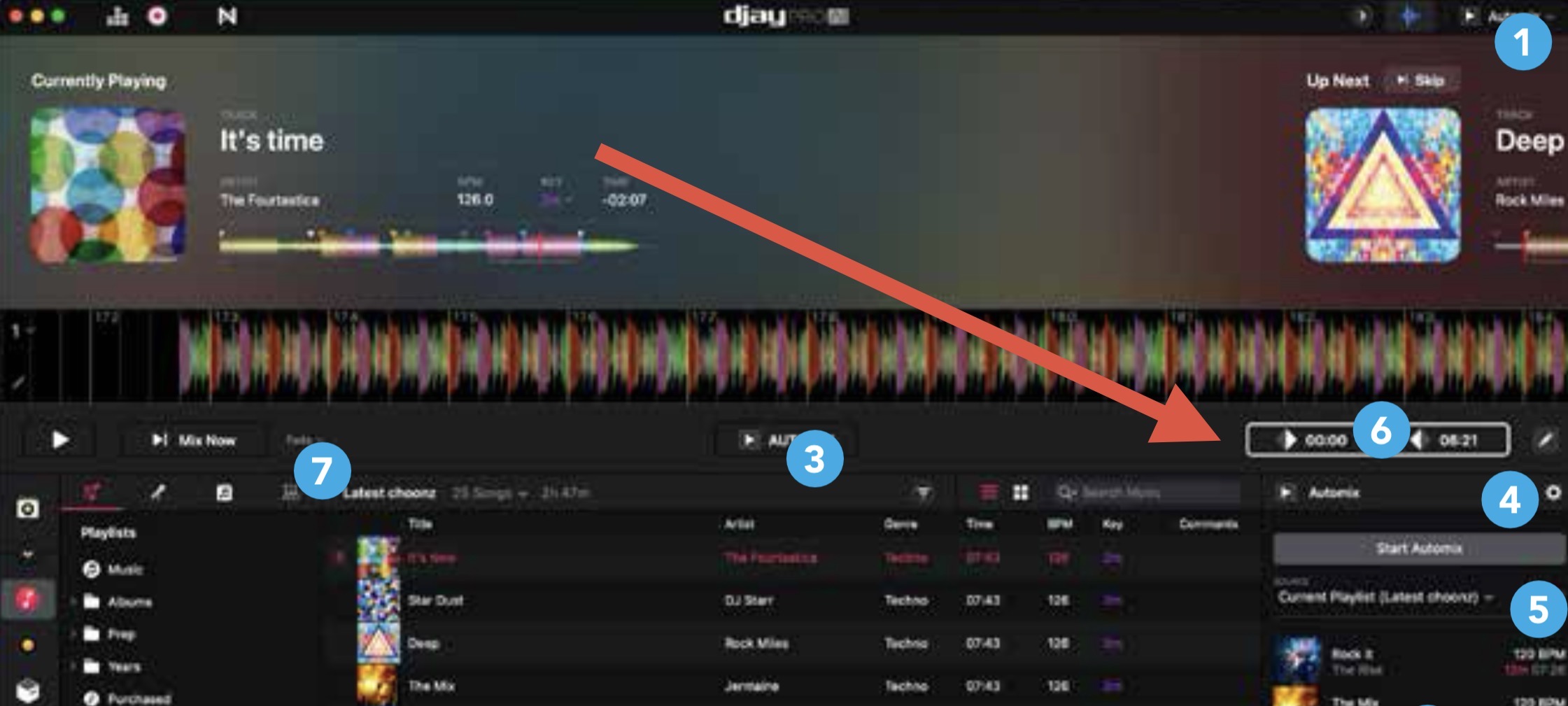
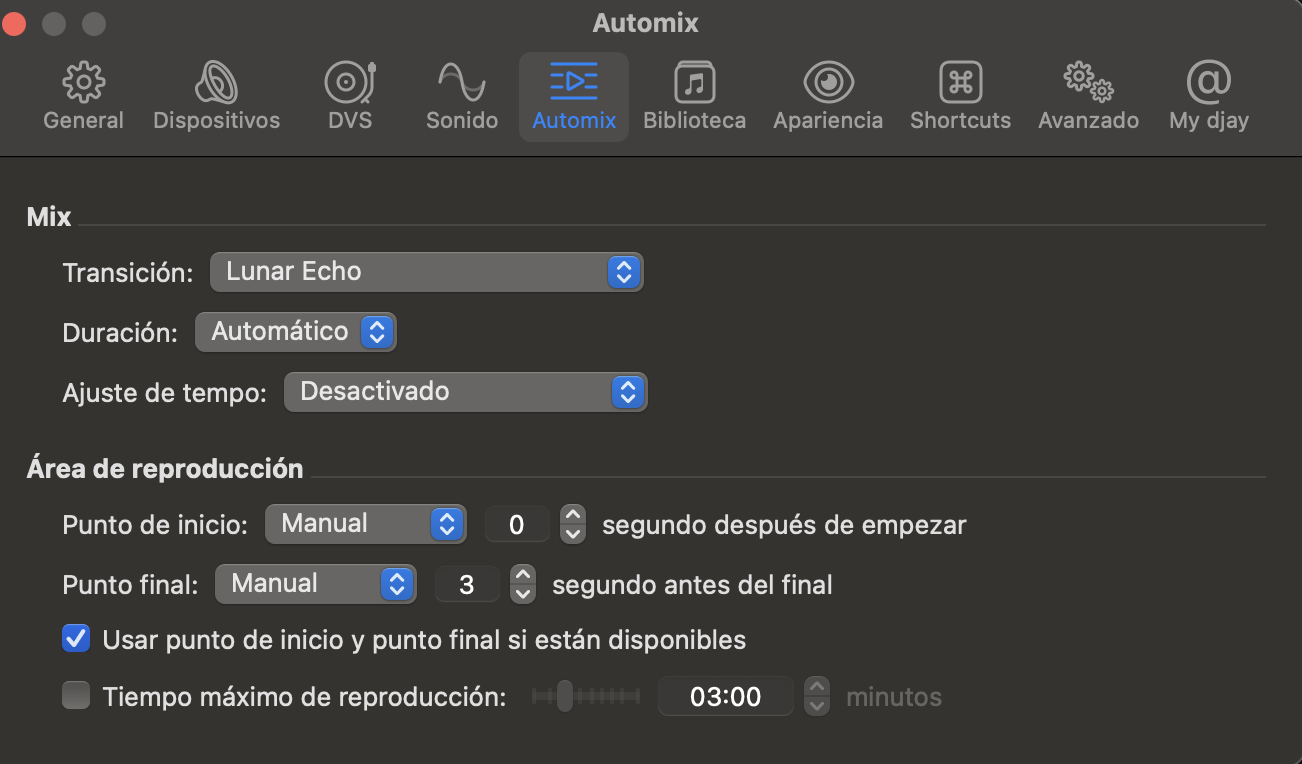
For automix, I set the AutoMix-Start and AutoMix-End markers using the single deck view (or automix view), and select the ‘Use start and end point of song if available’ on the Automix settings tab. [sections 4.6 and 4.9.5 in the manual].
2 Likes
I don’t see that option on my DJAY PRO… I use macOS
On MacOS : View->One Deck or View->Automix then the Start and End buttons appear on the right hand side.
4.6: djay-pro-ai-mac-manual-pressqual.pdf
2 Likes
I was just checking the manual, although it took me quite a while to translate it. Thanks for the info, I’ll check it again.
Did you find it on macOS @Albert_Maro ?
No, sorry, I have searched but I did not find that point on the menu to mark the beginning and the end
Try switching to Automix view mode first
But… I don’t have that “AI” version…
My version is 5.5.1 djaypro
You can also use One Deck Mode
1 Like
Ok, ok… now I understand…
And you’re telling me that if I switch to the single-track view, load a song, and set the Start and End points, then in Automix the song will start and end at those points?
Here’s my Automix configuration: