Everytime NOTE: Please use the search function above before posting to avoid creating duplicate topics.
Please also consider sharing a short video or screenshots to help clarify your suggestion
YOUR SUGGESTION:
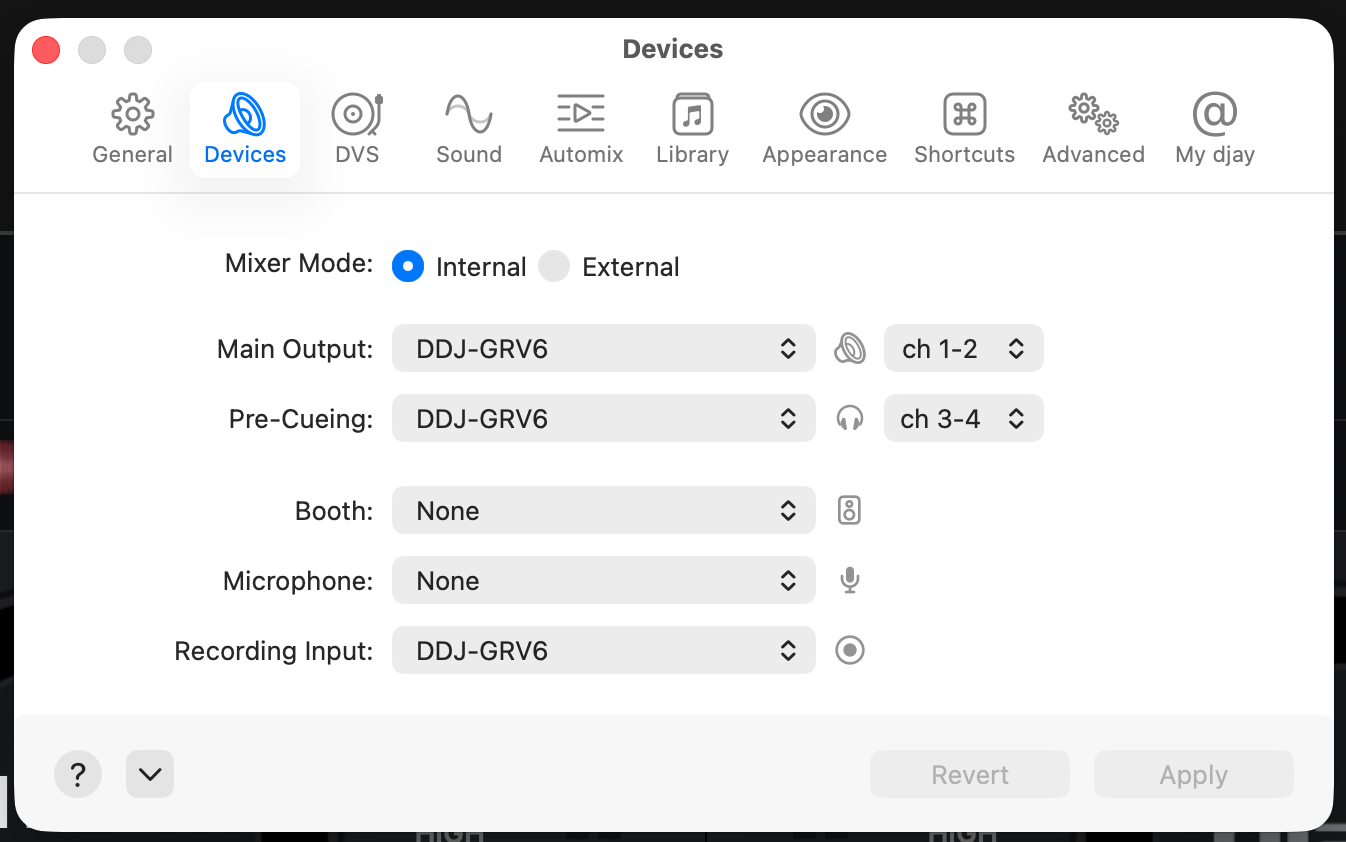
The app resets the Audio settings every time I open it, even though the same controller (DD-GRV6) is connected from the previous session. I have had mixes not being recorded because the recording output defaults to the controller, which makes no sense when using a laptop/desktop.
Ability to save and load my current I/O settings, similar to Traktor
Hi @djbuzzard, welcome to the Community! Thanks for the suggestion. I’ll share this with our devs for consideration. In the meantime, please use the blue Vote button at the top left of this page so we can gauge user demand for this feature. Thanks!
Hi again @djbuzzard, can you please provide full details for your setup so we can investigate further?
Device Model (ex. 2020 iPad Air 4th Gen):
Version of operating system (ex. iOS 17.3.1):
Version of djay (ex. 5.1.3):
Hardware/controllers used (ex. Reloop Ready):
Hardware Firmware Version:
Device Model (ex. 2024 Mac Mini M4 Pro, 2025 Macbook Air M4
Version of operating system (ex. iOS 17.3.1): Mac OS 15.6, 26.2
Version of djay (ex. 5.1.3): 5.6.1
Hardware/controllers used (ex. Reloop Ready): AlphaTheta DDJ-GRV6
Hardware Firmware Version: N/A
Thanks for confirming. I’ve passed this onto our hardware engineering team to see if they can replicate the issue as this sounds like unexpected behaviour.
Can you please share screenshots of your the specific Audio Settings that are not being retained when restarting djay?
Not sure what I did but I re-tested after updating the OS and it is retaining the settings now. Still would like to have the ability to save specific settings since I use 3 different controllers (Reloop, DDJ-GRV6, and Hercules DJCONTROL MIX)
I confirmed with the dev team and djay automatically remembers audio configurations for each connected audio interface. So whenever you connect a device, djay should automatically restore the audio configuration you used the last time that device was connected.
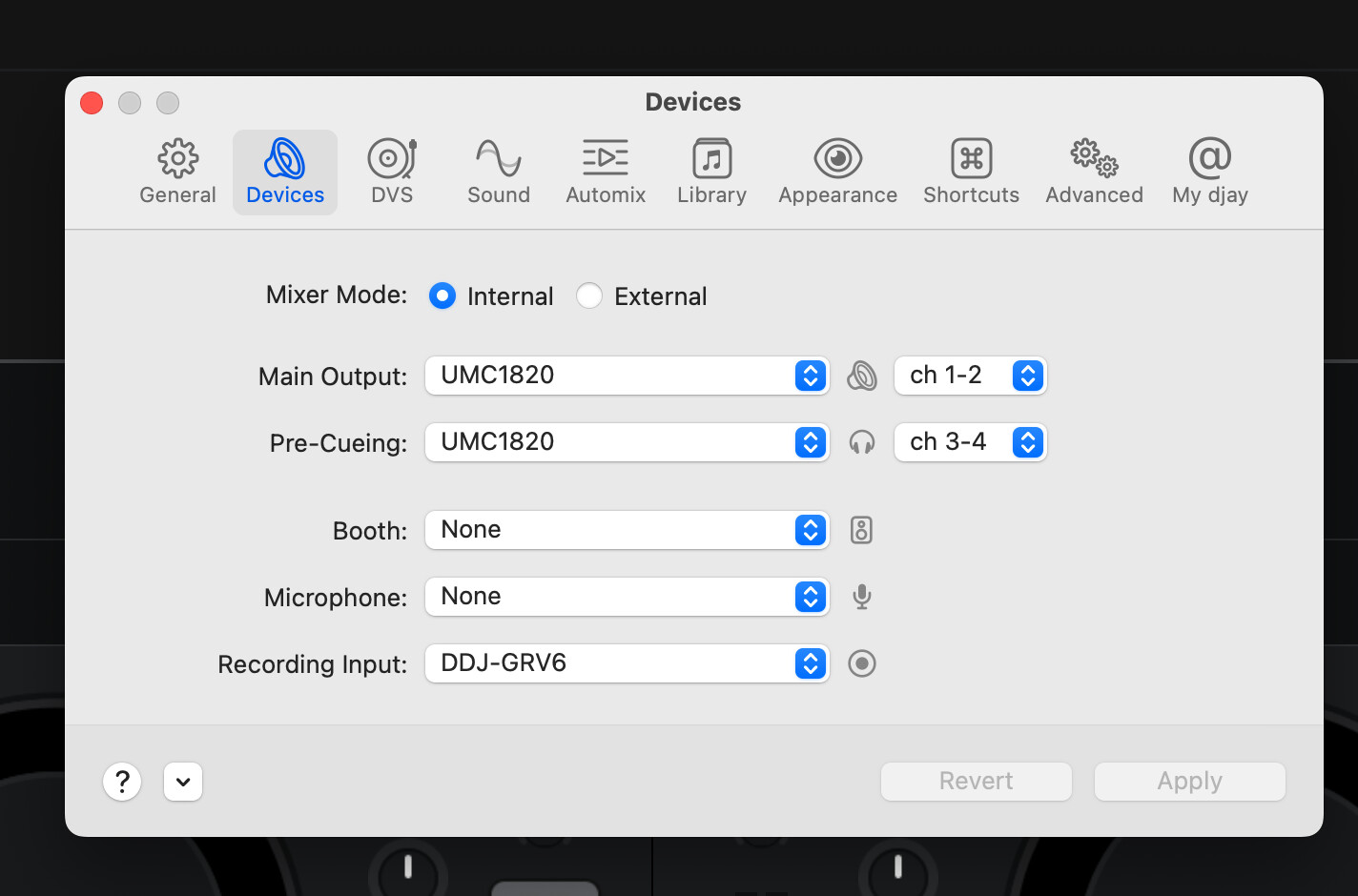
Can you please confirm what exact audio configs you are using? For example are you combining all 3 controllers with the UMC1820? Ideally screenshots of the three configs you would like to save, so we can confirm if there is an edge case with this feature. Thanks!
I typically connect only one controller, depending on my setup. In my studio, the UMC1820 handles all my ins and outs. When playing out live, I use the controller’s audio outputs. I had a case opened (#241669) with you all recently regarding losing the record setting which has caused me to record blank audio, even though it looked like a regular file but no audio was present when played back.