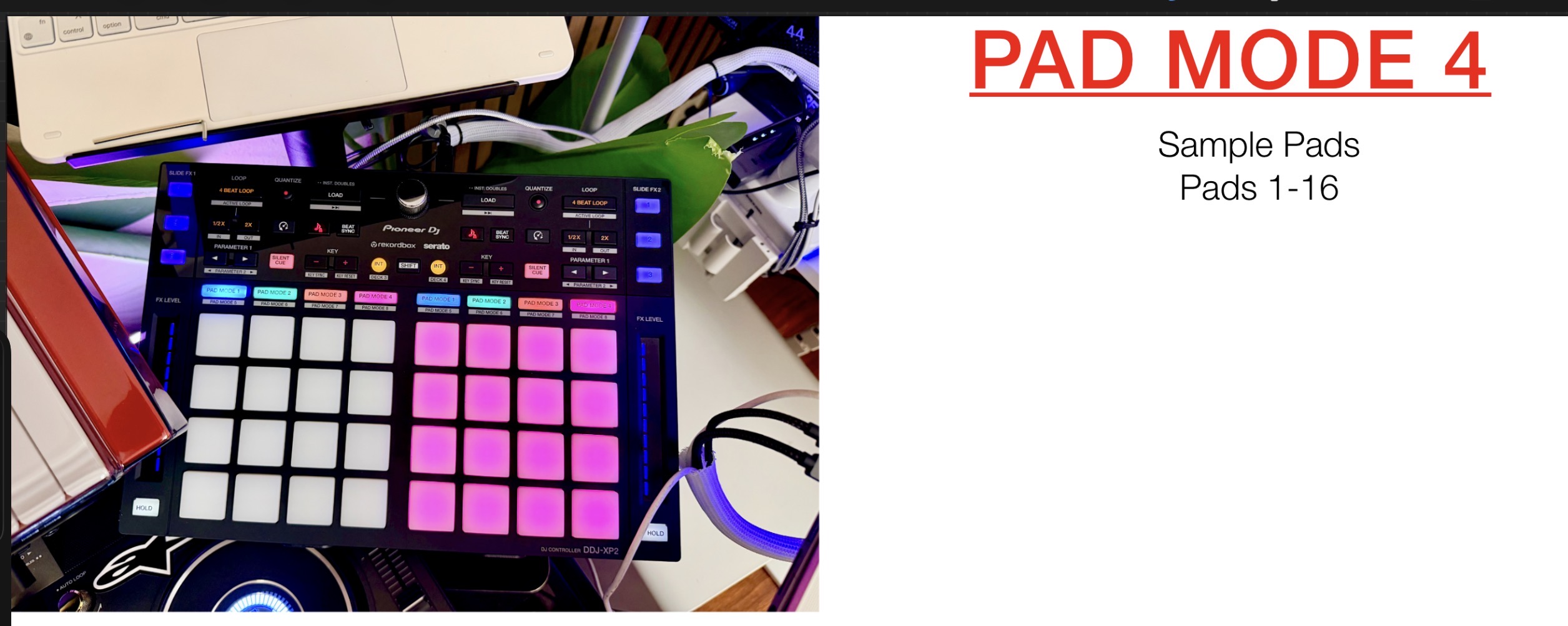
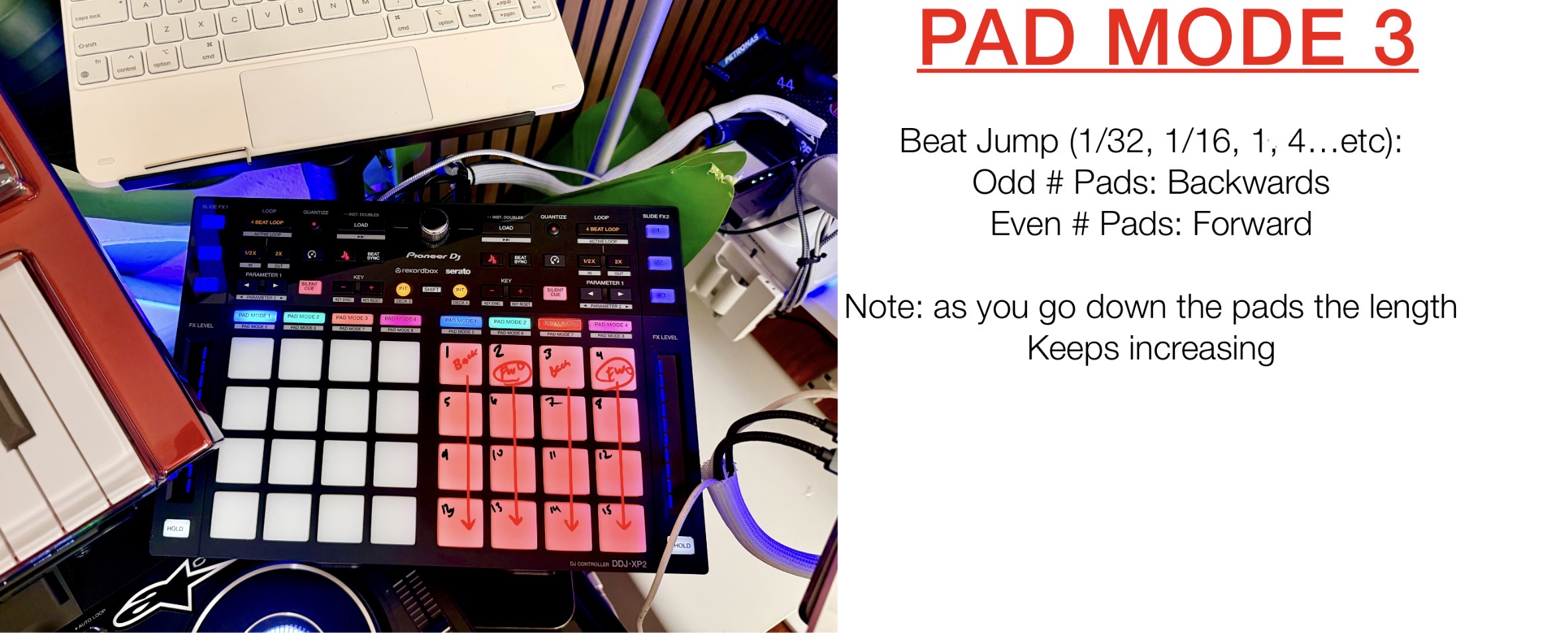
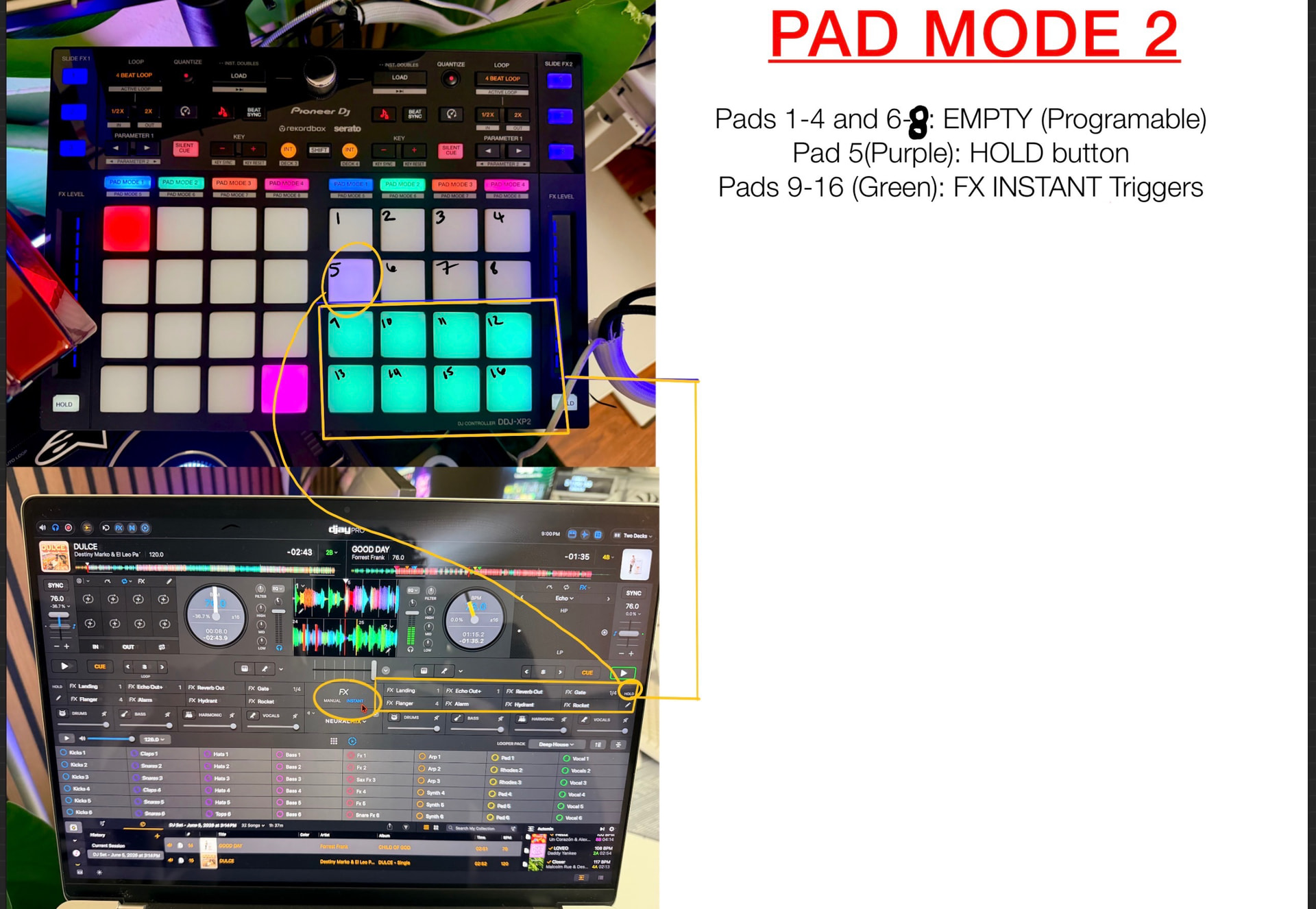
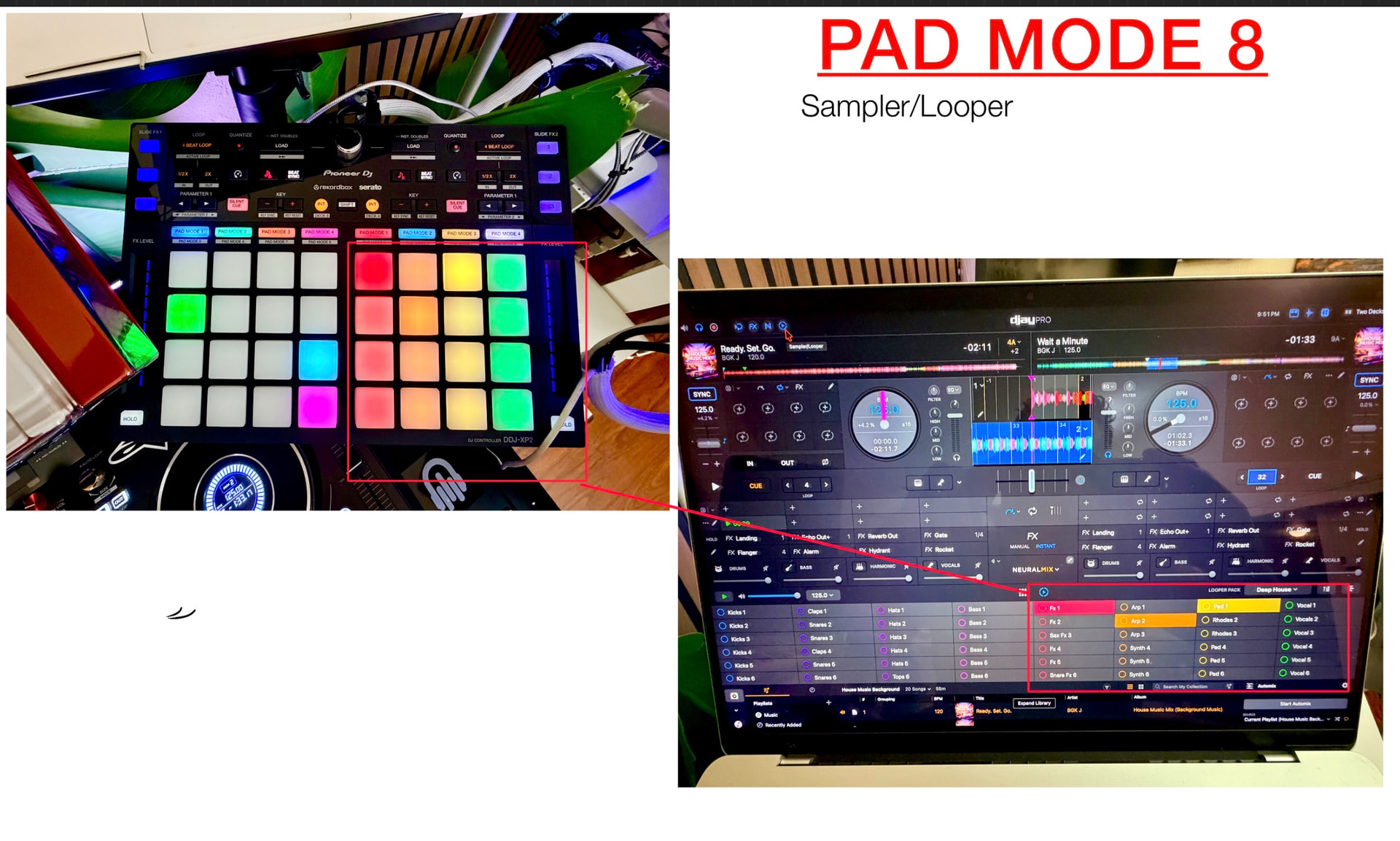
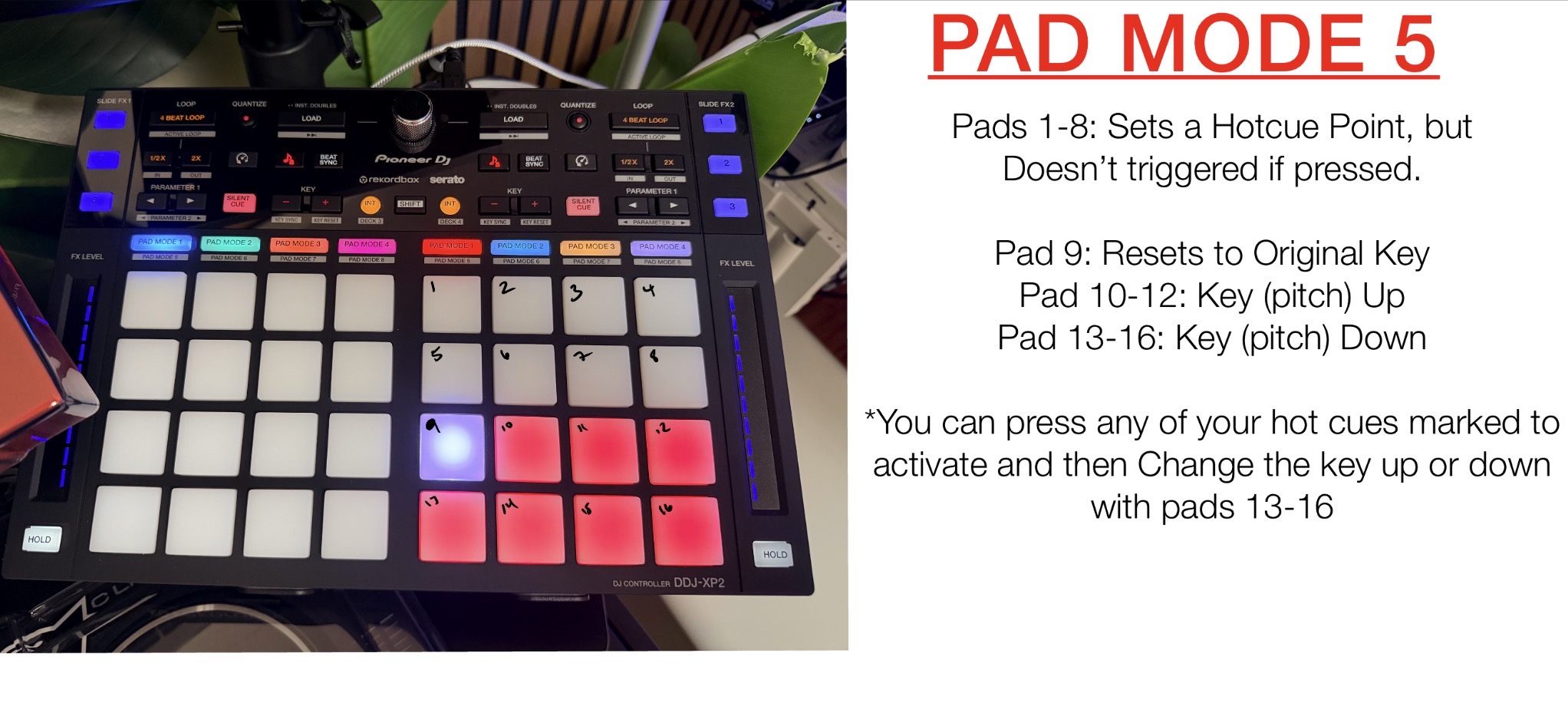
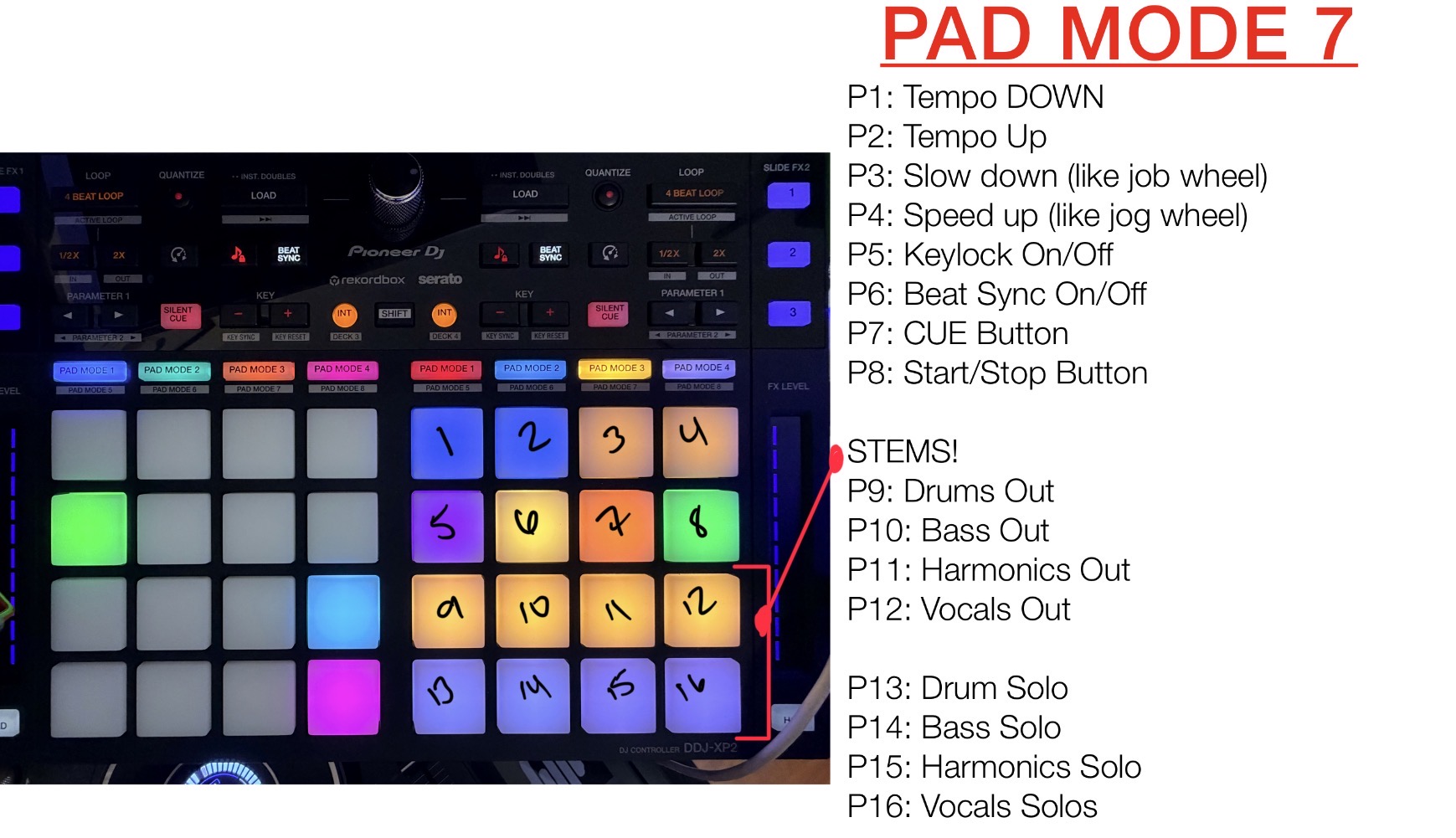
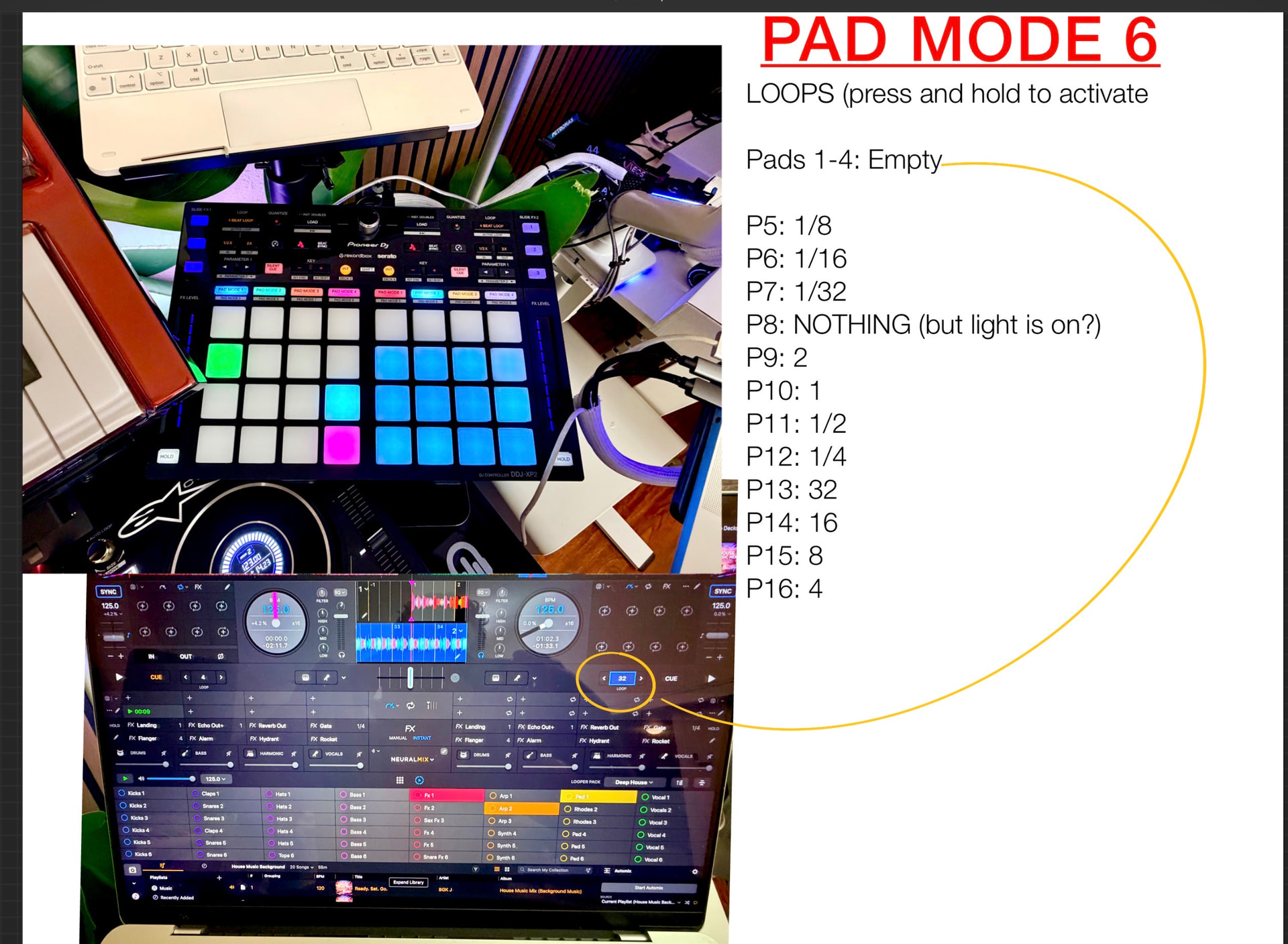
UPDATE: I just received access to post all the pictures! Hope this helps everyone out! I have all the mappings for all the pad modes 1-8 as of June 2026.***
I’ve been so impressed with DJay Pro that I’ve decided to make the switch and retire Serato Pro from my setup.
The only challenge I encountered was finding MIDI mapping information for the Pioneer XP2 controller. Despite searching extensively, I couldn’t find a complete mapping guide anywhere online. As a relatively new DJ, I found DJay Pro to be an excellent platform, but I quickly discovered that there is no official MIDI mapping documentation available for the XP2. Much of the functionality has to be learned through trial and error.
To help others in the same situation, I spent my Friday evening reverse-engineering the controller and documenting how every pad mode and individual pad is mapped within DJay Pro. It was a time-consuming process that involved pressing buttons, observing software behavior, and systematically identifying each function. Hopefully, this saves someone else the hours of testing and guesswork that it took me.
Setup
-
MacBook Pro M3
-
Denon SC Live 4
-
Pioneer DDJ-XP2 Controller
Important Note
On the XP2 controller, all top-panel controls and the Effects section function correctly out of the box. The mapping information below focuses specifically on the Pad Modes and the individual pad assignments.
Feedback for Algoriddim
If the Algoriddim team can enable full screen support for the Denon SC Live 4 within DJay Pro, this would be close to the perfect DJ software experience. Competing platforms such as Serato and Rekordbox already support the SC Live 4 display, and many of us in the community would love to see DJay Pro offer the same functionality.
We’re looking forward to it.