I prepared a full playlist, and played in order, every song was on air for at least 2 or more minutes.
1 hour into the set, i notice that not all of the songs are marked yellow as played songs.
After the set i did some history analysis, and i noticed that some other songs are missing from the history.
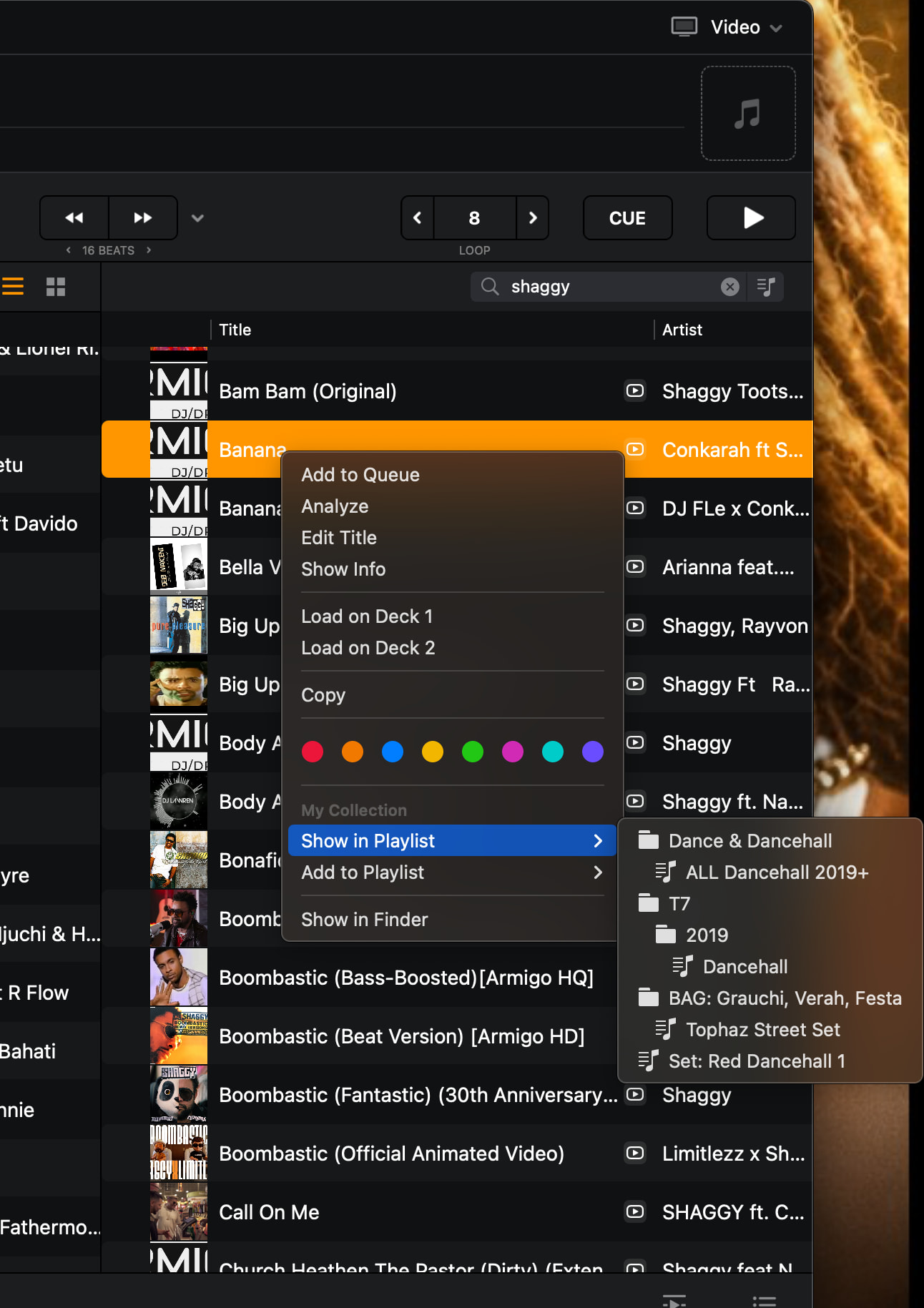
I’m using Lexicon DJ to prepare playlists sometimes. Could it be that my Djay Pro library is corrupted? When i click on a song, and if i want to see which playlist that certain track belongs ti - it does not present me that option, only the option of placing that track in any playlist.
Hi @ytmusic, sorry for the delayed reply. There are two separate things going on here, and neither one on its own means your library is corrupted.
The played marker: the yellow “played” state is tied to the song itself, not to the playlist it’s sitting in. When a track you definitely played comes back unmarked, that most often means there are two separate entries in your collection pointing at the same file, and only one of them got flagged. Worth checking: search the title of one of the unmarked tracks in My Collection and see whether it appears twice.
History: before we dig further, check whether the set got split across more than one History session. Each session is stored as its own dated playlist under My Collection > History, and a new one starts when djay restarts, so a mid-set relaunch would leave part of your night in a second entry.
A few things that’ll help me narrow it down:
Were the missing tracks Local Files, Apple Music streaming, or a mix?
Do you run a Lexicon sync between playing and checking the history? Full syncs rewrite the djay database.
Is iCloud Sync on for djay?
Are you running the DJM-900NXS2 in external mixer mode?
Do the missing tracks have anything in common — same folder, same format, same playlist, all near a particular point in the set?
If you can grab a screen recording of the History session next to the playlist you played from, that’d help a lot too. Thanks!
It means, the track you’re looking at, does NOT belong to any playlist in My Collection.
If it belongs, it should show both “show in playlist” and “add to playlist” options. “Show in playlist” should point to all the names of the playlists the track is sitting, as below.
Hello! It’s been a week since my last reply. I’m going to consider this topic completed for now so I can focus on others. However, please feel free to respond and we can definitely revisit this. Thanks!