NOTE: Please use the search function above before posting to avoid creating duplicate topics.
Device model MB air M2
Version of operating system 14.7.1
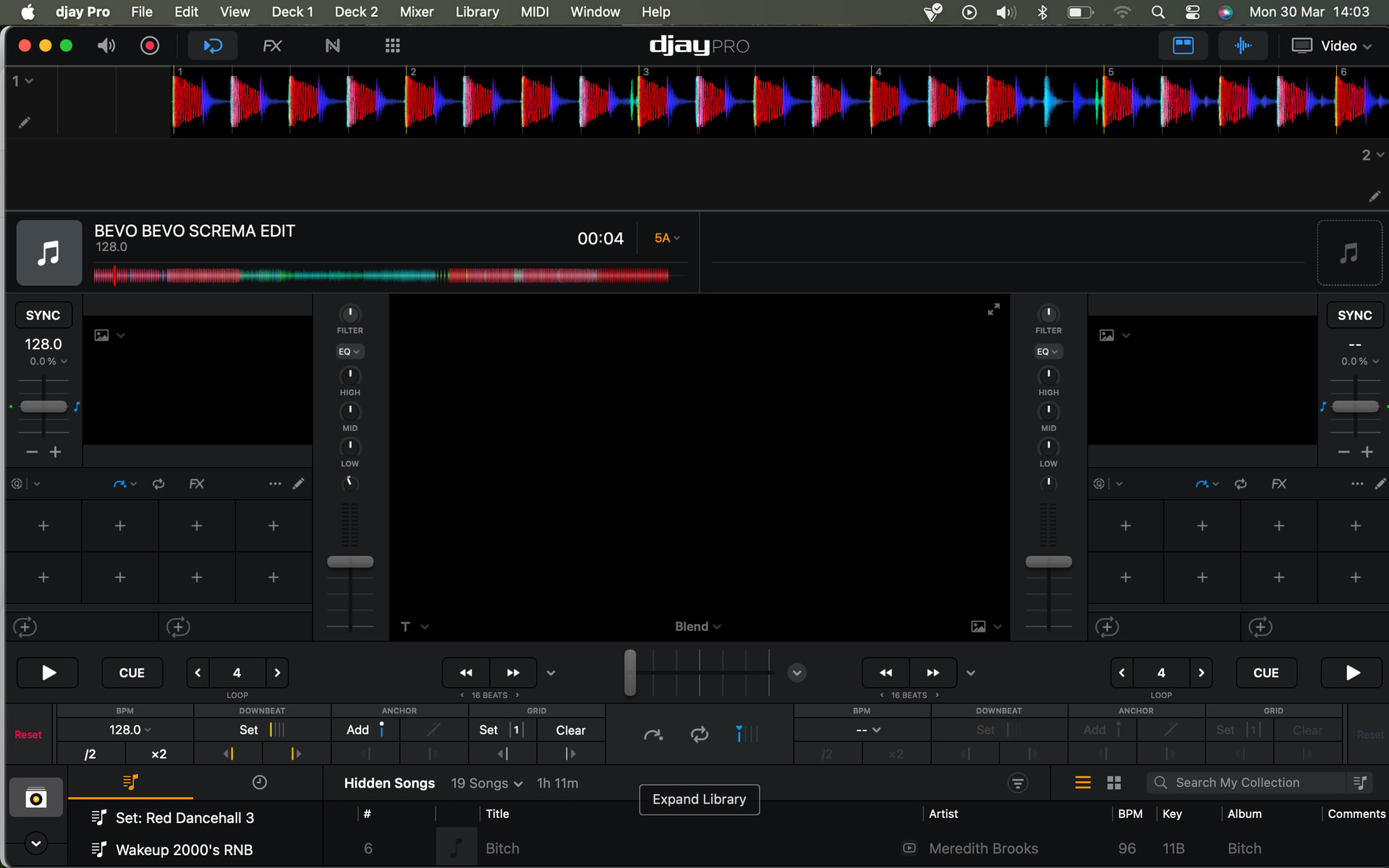
Hello, I’m having trouble with the grid when importing this file from Traktor. The analysis is set to dynamic. There are 64 beats at 128 bpm, and they’re already off the grid, as you can see.
Then there’s a section where the tempo changes to about 160, then returns to 128 at the end.
Even though the analysis is dynamic, the grid doesn’t follow the rhythm and only picks the right beat at the end.
I’ve already tried reanalyzing the song several times, but it doesn’t work.
Any suggestions for a solution?
Okay, but I don’t expect to have to manually grid it with the most powerful dynamic analysis software. Furthermore, even manually gridding it gives me errors. I tried anchoring the first 64 linear bars to 128, and it takes them at 117, and when I try to change the value to 128, it doesn’t accept it…
None of the grid analysis is 100% accurate on any software, and likely never will be due to the organic nature of music. There will always be a situation where you have to step in manually grid it, if you rely on those beat grids to mix.
I would focus less on the BPM reading and just ensure the track is anchored to the beats correctly all the way through the track, the BPM will be what it will be. The fact it changes througout the track means it will likely be incorrect one way or another.
I played for years with CDJs and USB sticks, where it didn’t matter if the timing was correct or the BPM was off, because I could correct everything manually. Today I work with controllers like the x1 or K2, which don’t have the ability to correct the tempo. You work with sync, and the timing must be perfect, as well as the BPM.
Djay has a perfect analysis even of '80s megamixes that start at 100 bpm and go up to 130 bpm, perfectly tracking the tempo changes.
The fact that this song is completely wrong, I certainly don’t think it’s a software issue, but rather a setting that was probably activated by mistake and isn’t allowing the software to work as it always has.
Have you tried Clearing the beatgrid and then reloading? It’s a shot to nothing but it has worked for me a couple of times with tracks that should have read better. In the beatgrid editor press clear and the beatgrid will disappear, eject the track then reload.
First off: this is a 128bpm track (any variations are minor).
BUT…
It’s an Odd track - djay grid is correct. Whoever edited this track messed it up (hence the name “…EDIT”
The drummer (or the editor) swapped the kickdrum with the cymbal between the intro and the outro. From the 40th bar running into the outro section he’s kicking the drum at half-beat (when he should be hitting the cymbals), whereas from Intro going till here, he was kicking drum dead on-beat, and cymbals at half-beat .
Plz take a much closer look/hearing.
Put another way:
Counting Intro beats as 1 AND 2 AND 3 AND 4 - he’s beating cymbals at "AND"and kicking the drum at 1234.
Whereas from 40th beat and into the Outro - he’s beating cymbals at 1234, and kicking the drum at “AND”
I hope you get. Nothing wrong with beat gridding - you just have to choose which side (intro or Outro) you want to be on beat, as both can’t.
Personally I would correct it like this:
Intro on-beat, Outro off-beat (and just keep in mind the swapping of instruments). This a classical example of tracks you don’t use sync on.
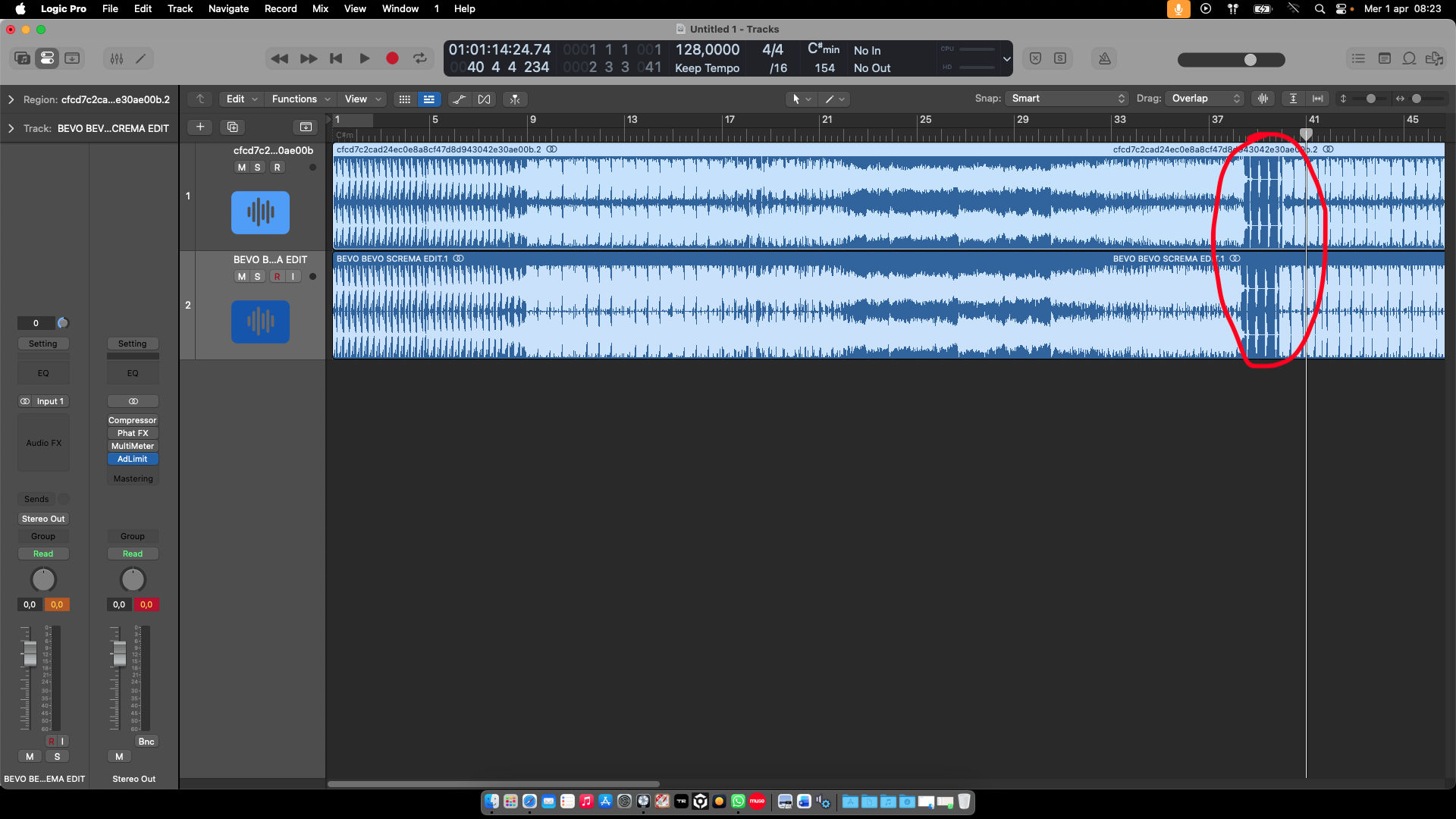
I analyzed your edit with that suggestion. The two tracks run the same until the restart after the second speed change, whereas in your version, everything is aligned with the grid.
Okay, that’s linear, but that’s not the question I asked.
Djay has a very fluid beat grid analysis. If you take Santa Esmeralda, an iconic album from the '80s, it has constant tempo changes, yet djay keeps the beat grid aligned.
I have another 128-second version of another album, with a very slow pause and a restart where the master beat is off the grid, yet djay gets back in time, because the grid isn’t rigid but adapts.
What you’re saying is fine with Traktor or Rekordbox, which have a fixed grid, where you either keep the first part in time or the second part in time (which you then manually adjust anyway).
I’ve never had this problem with djay, so your suggestion isn’t a solution for the software, but for the track.
I wanted to understand why the software wasn’t tracking the track.
For example, this is a version of Zombie with BPM changes just like the other one… if you load it into djay, even with the speed changes, the grid always stays aligned. Unlike that previous track, if you know what I mean.
NOPE!
Zombie - Ran-D (C Private Mashup) is a professionally edited track with varying bpm from 128 - 85 then slowly slowing down into 83 - 82 b4 rapidly pacing up back to 128.
I said “professionally” because all through the variations, the symmetry and chronological alignment of instruments was respected.
In this track, you can basically clap your hand (or snap your fingers) from start to finish and it will still rhyme with the snare/cymbals.
Try snapping your fingers to your track (the Bevo Bevo Screma Edit) and see the difference.
“Bevo Bevo Screma Edit” is NOT a track with variable bpm but rather, essentially a 128bpm track with flipped instruments. All I did was unflip back that instrument to the right order and as you rightly found out, it aligned perfectly (and indeed it can be danced without confusing the flow of dance-floor rhythm!
Even the most complicated of edits and bootlegs need to still sound musical so they can be danced.
Your eyes are fixed on djay but what you should be looking at is the track. If djay was imperfect, it wouldn’t get right the track"Zombie - Ran-D (C Private Mashup)" to begin with. Why did it get my edit of Bevo Bevo right, yet I did not alter the BPM? Thought of that?
We don’t understand each other. If I load Zombie into Traktor, the track is on the grid until it pauses, then it goes off the grid because the tempo obviously changes, and when it starts again at 128 bpm, it’s completely misaligned.
Because Traktor has a fixed, non-dynamic grid.
However, on djay, this problem doesn’t exist because djay’s algorithm on the flexible grid works very well and maintains the changing values.
The same thing doesn’t happen on “Bevo Bevo,” and it’s not a track issue, because, as you saw on Logic, the two tracks are identical in dynamics until they restart, where one starts first and the other starts later, respecting the grid.
But that’s not the point, because if the drums were played by hand, as is the case with many '80s tracks, the result would have been the same. But djay would have kept the right tempo anyway.
Let me give you another example: I have a recording of a live performance, where the tempo varies from 90 bpm at the beginning to 128-130 in the middle of the performance… about 2 hours of recording. Djay holds the beats perfectly for every song and every change of tempo.
I recently uploaded another very similar live performance, and in this case, the grid is all messed up; it stays fixed even with dynamics selected.
So I think I activated some option that’s messing up the track analysis.
I hope I’ve made myself clear, because otherwise we don’t understand each other.
You’re talking about the track, which has nothing to do with it.
I repeat, upload “Don’t Let Me Be Misunderstood” by Santa Esmeralda to Djay and then upload it to Traktor… and you’ll notice the difference.
I understand you perfectly. Take your time with djay, you will notice the analysis ain’t broke. You just have to understand it. Let someone chyme in more clearly