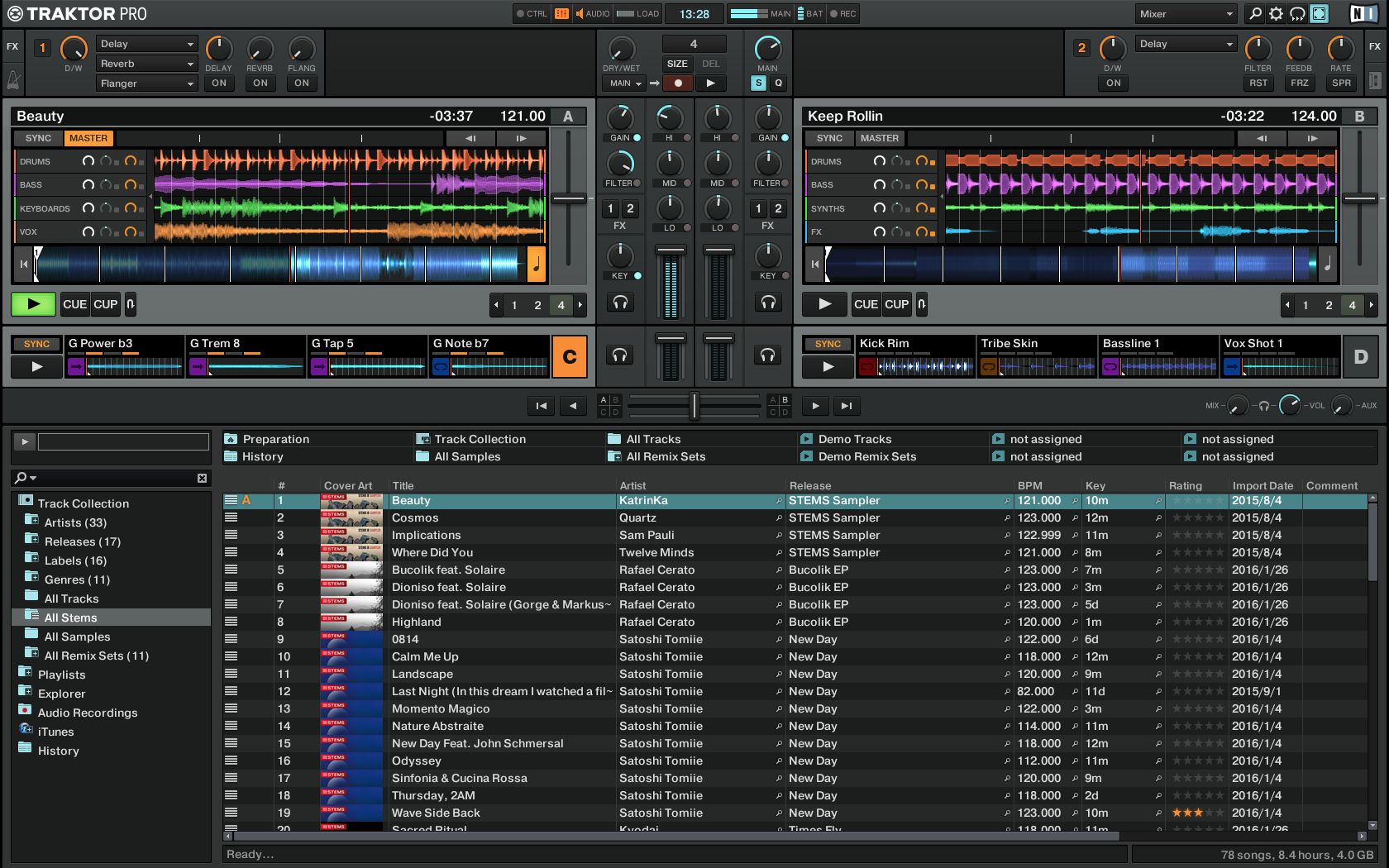
On Traktor, one of my most used features is the “quick filter” in the library view. Behind every field of a track, there is a little looking-glass icon. When clicking this looking glass, the value of the field is entered as a filter in the collection search. So f.e. clicking on the looking glass behind the BPM immediately enters the BPM value in the search box. Clicking on the lookingglass behind key, or genre, artists etc. the same.
This is an “exclusive” action, so clicking on the looking glass of another field/value overwrites the current search/filter value, and turns of the earlier one (so it’s not combined, it’s always 1 filter/search field max).
This effectively reduces the number of clicks to filter f.e. on a certain key from about 3(?) to 1 click.