Hey all,
First post here, and couldn’t quite find the answer before asking here.
Just bought a new Rane Four based on it’s compatibility with Djay Pro according to the website. I bought the Rane Four exclusively so I could switch to DJay Pro from Virtual DJ and start messing with stems, etc.
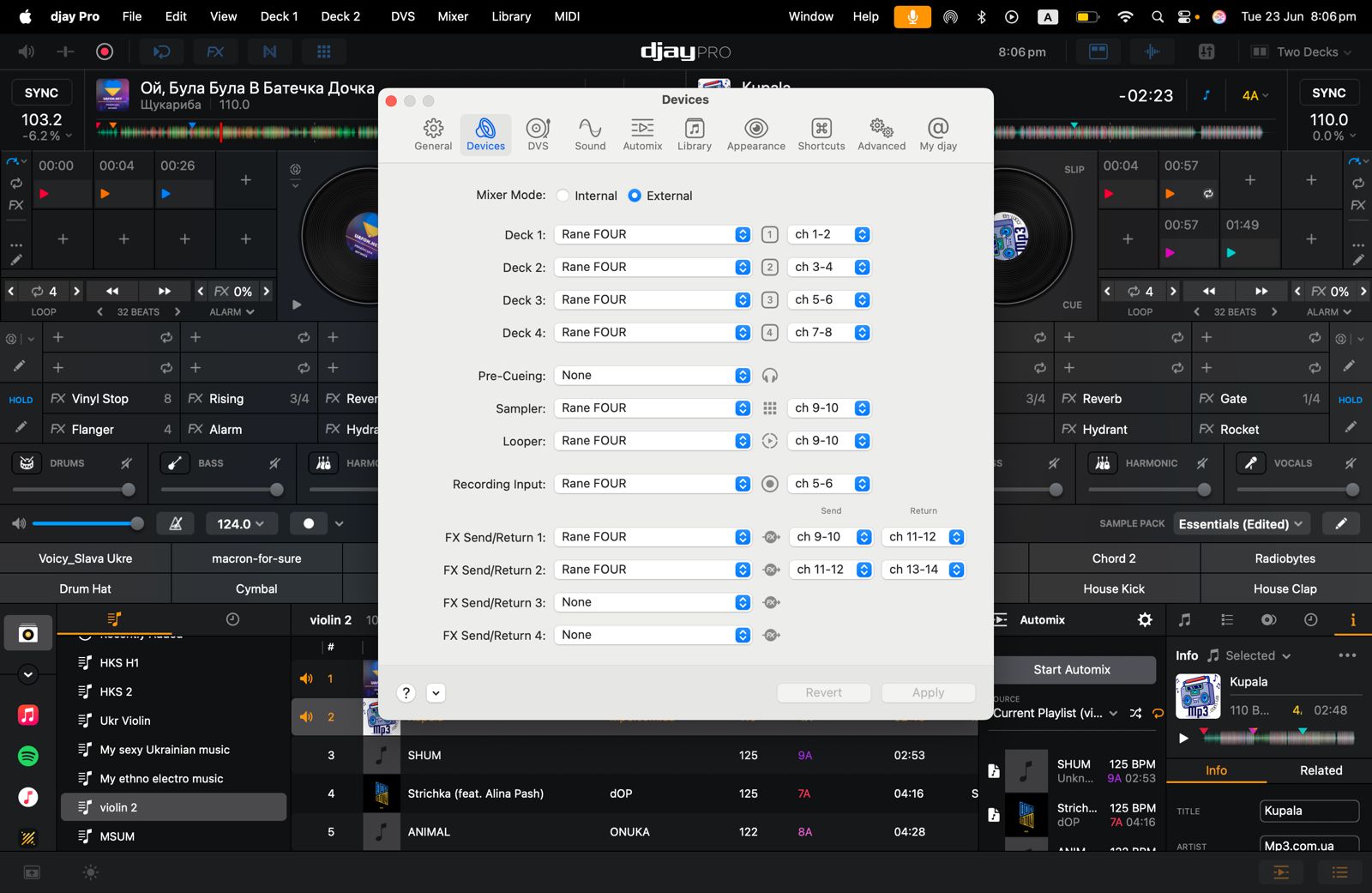
I am having all manner of issues getting the Rane Four to work with Djay Pro. Specifically, I have setup Djay Pro to “External Mixer” with Deck 1 assigned to Channel 1-2 on the Rane and Deck 2 assigned to channels 3-4. The reason I’m doing that is because if I set both Deck 1 and Deck 2 to Channel 1-2 in the software, the upfader from channel 1 turns up the volume of Deck 2.
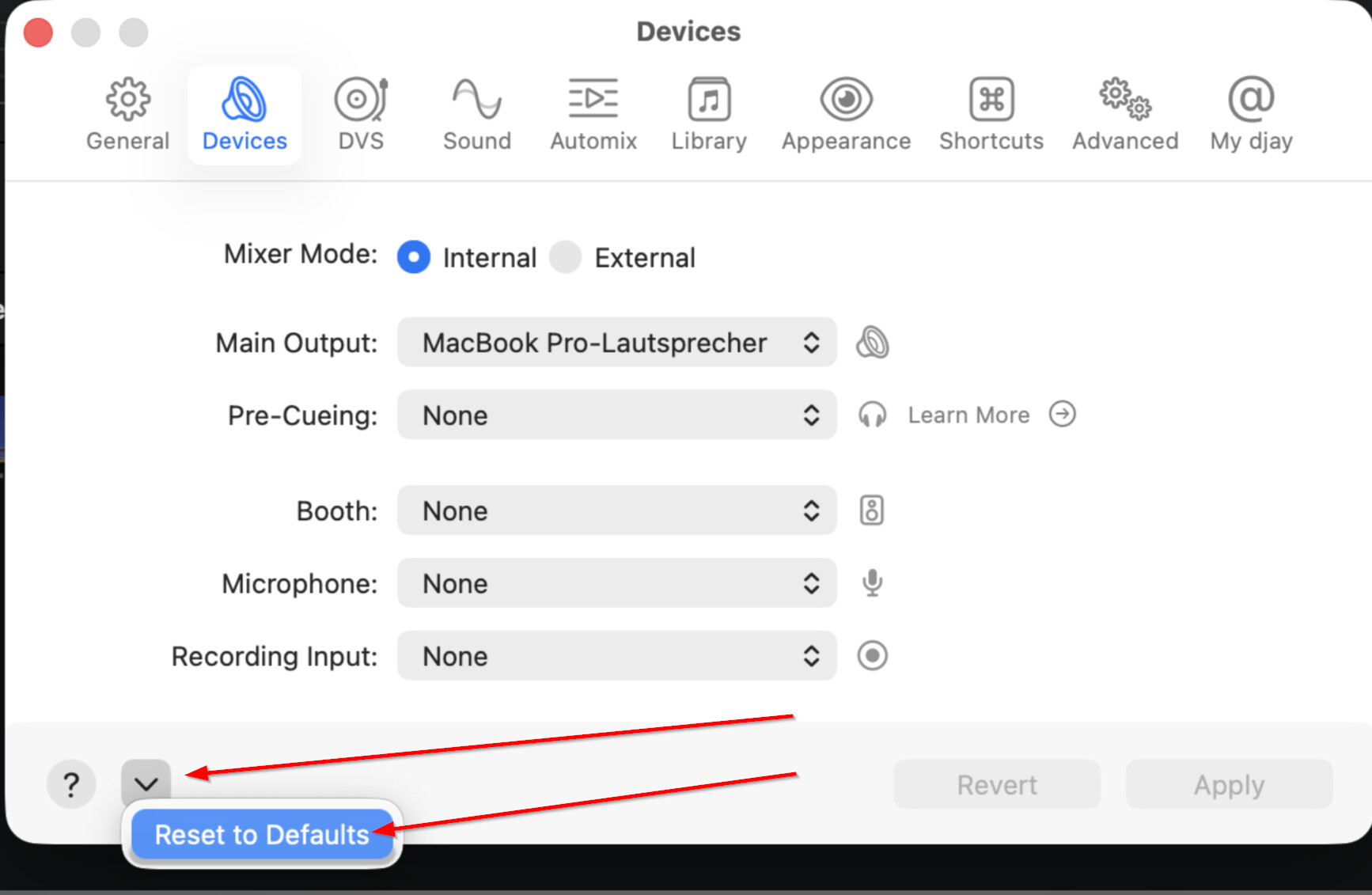
If I set the software to “Internal” mixer it “defaults” to Channel 1-2 for Deck 1 and Deck 2 and I have the same problem. There is no option in “Internal” mode to change how the decks are routed discretely, so I’m always getting both decks when they’re both playing and their “tied” to one fader.
So, this has been my workaround, and it does give me the ability to turn up Deck 1 (Channel 1) and Deck 2 (Channel 2) discretely without one stepping on top of the other. I can’t imagine that’s the way it’s supposed to work, because when I open Serato with this same deck everything does exactly what I’d expect (I do realize the Rane Four is, first and foremost, a Serato deck).
Given the way I’ve had to configure this, I cannot for the life of me get the pre-cue buttons to work. When I hit the pre-cue buttons, I can’t hear anything in my headphones until I turn up the fader on the channel I’m trying to listen to, which of course defeats the purpose of headphone cueing in the first place. I’ve tried setting the Pre-Cueing to Channel 5-6, but it doesn’t seem the Rane Four has enough channels as a sound card to handle that since I’m already using 4 channels just to get the upfaders to work correctly.
Has anyone successfully configured the Rane Four on a Macbook Pro with discreet headphone cueing and upfaders that don’t turn up 2 decks at the same time?
Macbook Pro (Intel), Sequoia 15.6.1, the newest version of Djay Pro, and updated firmware on the Rane Four.
Thanks in advance. I feel bad keeping this deck if I can’t get it to work with Djay Pro, which is the sole reason I bought it. Thanks in advance!