NOTE: Please use the search function above before posting to avoid creating duplicate topics.
Device model (e.g. 2020 iPad Air 4th Gen):
Version of operating system (e.g. macOS 14.4.1):
Version of djay (e.g. 5.1.2):
Hardware/controllers used (e.g. Reloop Mixon 8 Pro):
Hardware firmware version (e.g. 1.0.1):
Please consider sharing a short video or screenshots to help clarify your question/suggestion/feedback
YOUR QUESTION / SUGGESTION / FEEDBACK:
RANE MKII setup Inquiry
Hello all! I just scored a RANE SEVENTY TWO MKII mixer (used but flawless condition) and I am going to use it with my two RANE TWELVE MKIIs (unused), preferably I’ll use it with my 10th gen iPad (for simplicity-but also have a MacBook Neo in case it’s necessary)—my question(s) are, since the RANE 72 mixer is used—do I need to reset it to factory settings BEFORE I begin to use it so I can start from the factory setting? And the other question, before I use the hardware I know I need to update firmware and stuff for the twelves and the seventy two-to do this, do I need to update each piece of equipment separately? Any info/help would be greatly appreciated, as I am transitioning from the land of controllers (flx10) and want to make sure I do things right, from the start.
Factory reset: not required, but on a used mixer it’s worth doing so you know exactly what state you’re starting from. On the SEVENTY-TWO MKII: hold View/Menu for 4 seconds (or Shift + View/Menu) → swipe up on the touchscreen → Factory Reset → Restore.
Firmware: yes, each unit gets updated separately, and it has to be done from your MacBook — there’s no way to update RANE firmware from the iPad. Register the gear at dj.rane.com, then pull the downloads for each product individually: the Rane Control Panel plus any firmware updater for the SEVENTY-TWO MKII, and the firmware updater for each TWELVE MKII (the Twelve has no Control Panel, firmware only). Do them one at a time with only that device connected via USB.
Good news on the djay side — both the SEVENTY-TWO MKII and TWELVE MKII are natively supported, with n both macOS and iOS. So, once the firmware’s sorted it should be plug-and-play. I hope that helps!
Hello! It’s been a week since my last reply. I’m going to consider this topic completed for now so I can focus on others. However, please feel free to respond and we can definitely revisit this. Thanks!
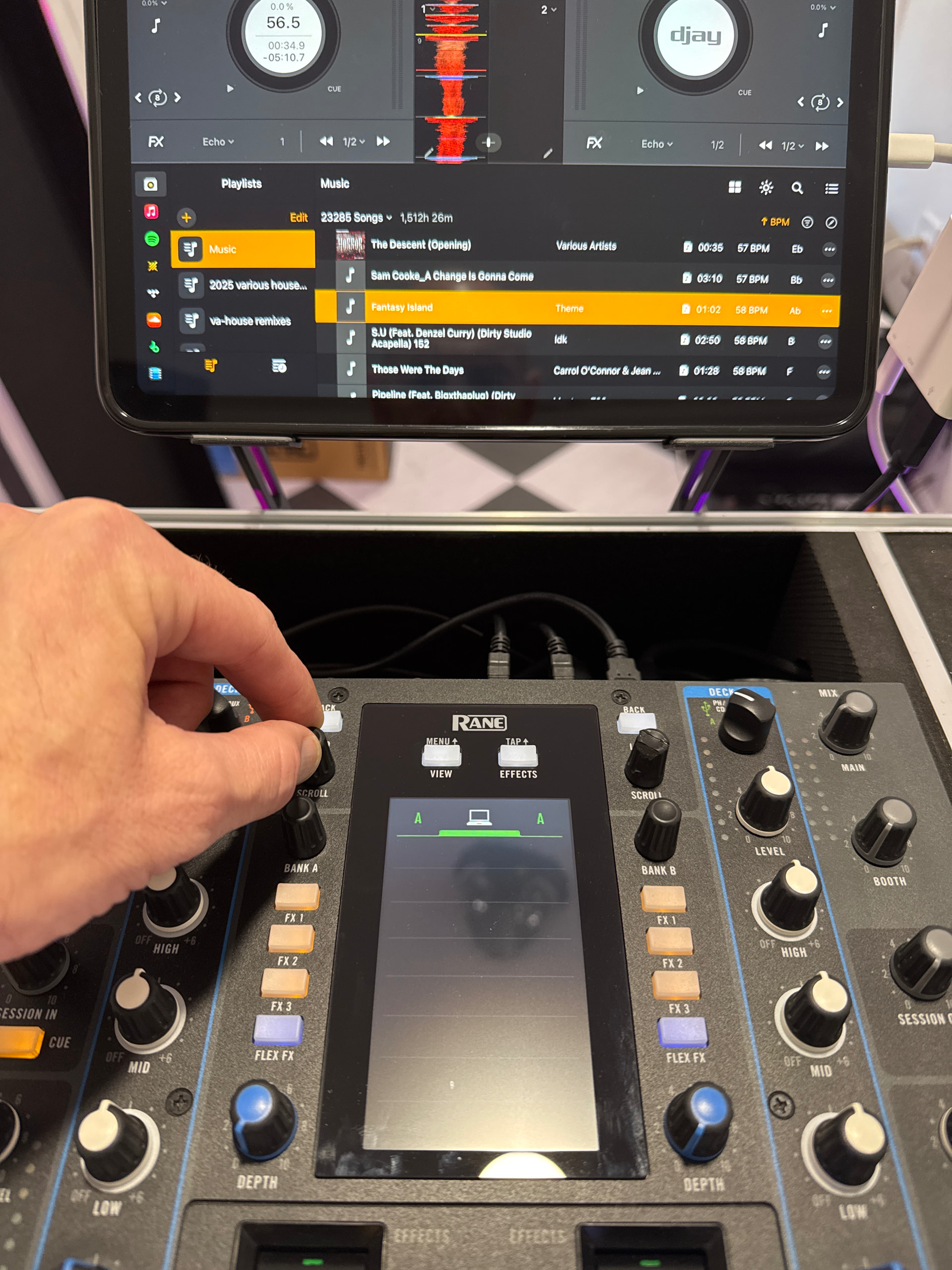
Thanks so much for your assistance with this! My seventy two MKii has the most up to date firmware and works great on my iPad (10th gen). I’ve midi mapped everything successfully. There’s one thing, and it’s been on another post so I apologize for carrying it here, but the library doesn’t show on the seventy two MKii screen, However the wav forms are showing as the song is playing. Any ideas what could fix this? I didn’t see a successful response on the other post either. (Pics attached shows wav form display and missing library selections)