RANE MP2015 NM Harmonic EQ kills Acapella

Device model : Mac Mini M4
Version of operating system : macOS 15.7.3
Version of djay : 5.6.1
Hardware/controllers used : Rane MP2015 (for MIDI controls, in External Mixer mode)
Hardware firmware version : 1.2.0 (latest)

A) SUMMARY OF ISSUE:

Possibly only in Djay Pro on macOS (I’ve not seen this on the iPad implementation) there’s an issue with the Neural Mix Harmonic EQ and how it impacts vocals (such as an acapella) in real-time.

I’ve been getting quite intimate with the various MIDI settings, having created a mapping for my Rane MP2015 mixer.

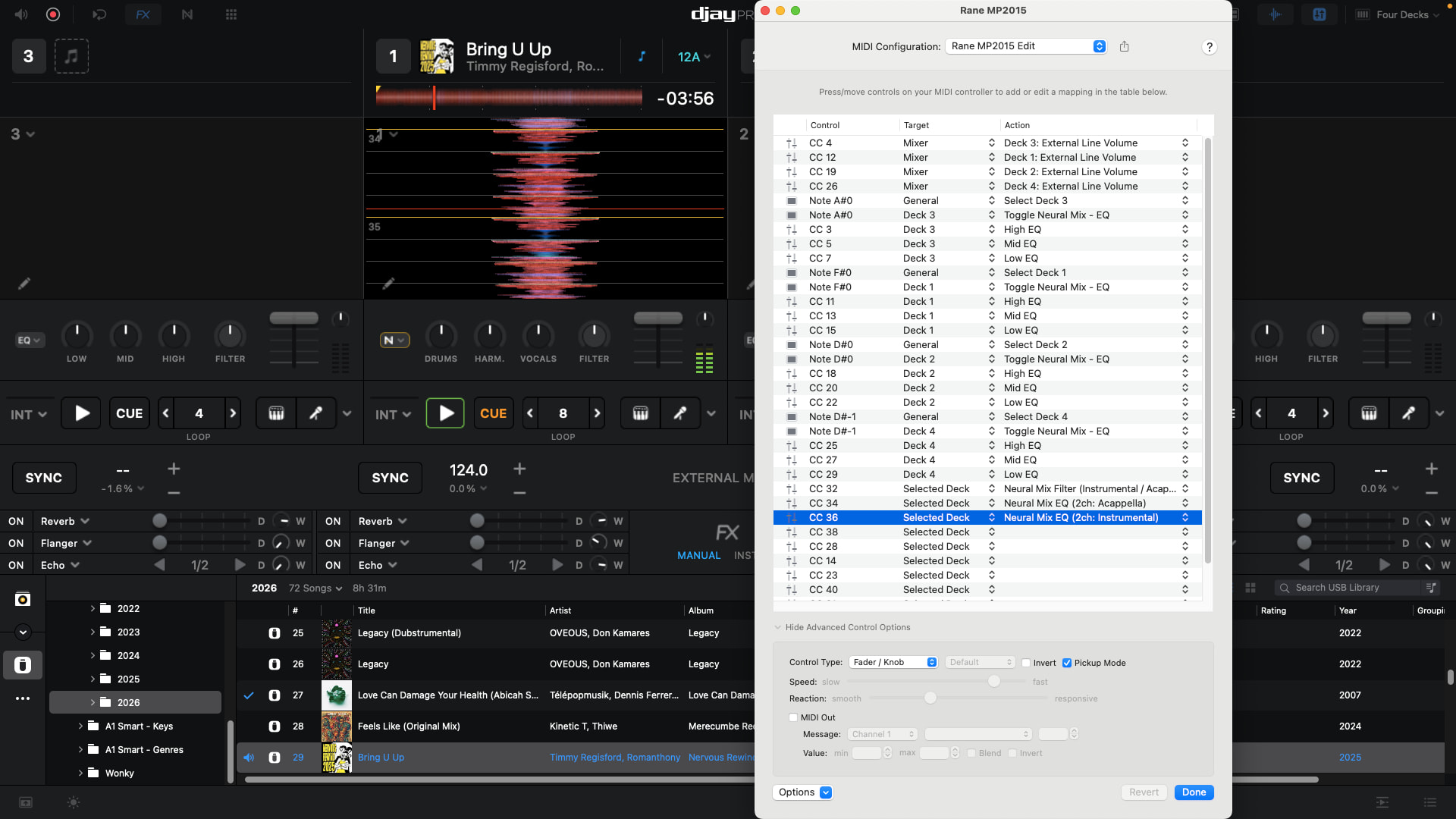
I’ve successfully mapped Hi, Med and Low EQ to each channel’s knob, and I’ve also mapped Neural Mix EQ Vocals, Harmonic, Drums to the Hi, Med and Low knobs when I have a toggle for Neural Mix EQ enabled using the respective channels “Sub” button (which sends that channel to the Sub channel, but ignore that for now!

I’ve also mapped three separate knobs (for experimentation purposes) for the “Acapella/Instrumental” filter, the “Neural Mix EQ 2ch Acapella” and the Neural Mix EQ 2ch Instrumental”.

The last three knobs work perfectly, providing instant blend of acapella and instrumentals, based on the position of the knobs.

However, when you reduce the Harmonic EQ (Med knob) it also takes out almost all of the acapella that should be in the “Vocals” section. To clarify, “Vocals” and “Harmonics” in Neural Mix EQ are not being treated the same as “Acapella” vs “Instrumental” where ALL of the frequencies for the acapella are isolated correctly.

The Harmonic EQ is removing acapella-based frequencies, leaving “Vocals” playing almost nothing, as-if it had been muted also.

The visible Neural Mix EQ knobs in the software also seem to suggest something isn’t right as “Vocals” is still at 100%

I don’t recall this behaviour on the iPad or else Meural Mix for acapellas would have been dead in the water for me as I use the Mixtour Pro and it’s is mapped for 3ch Neural Mix with no Acapella/Instrumental “filter” - I only discovered that whilst trying to troubleshoot.

B) DETAILED STEPS TO REPRODUCE:

Map a MIDI knob for Neural Mix Harmonic EQ and compare the results against Acapella/Instrumental and you’ll see the difference.

C) EXPECTED RESULTS:

Even with Harmonic EQ turned down to nothing, you should still hear the “full” vocal as you do with the Acapella filter.

D) ACTUAL RESULTS:

But in this scenario Vocals plays with about 15% of the remaining vocal that would otherwise be playing, almost as-if it were muted too.
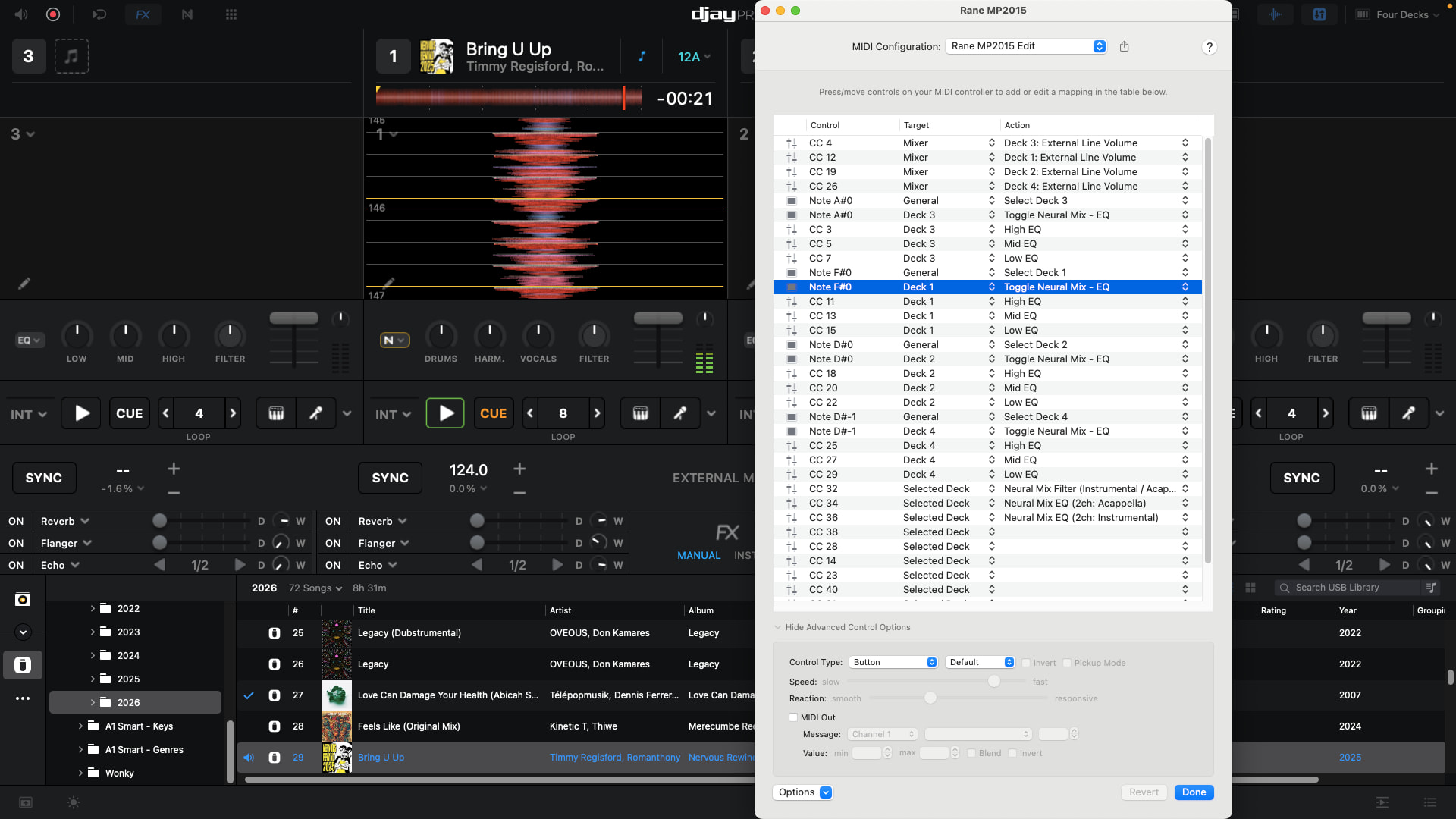
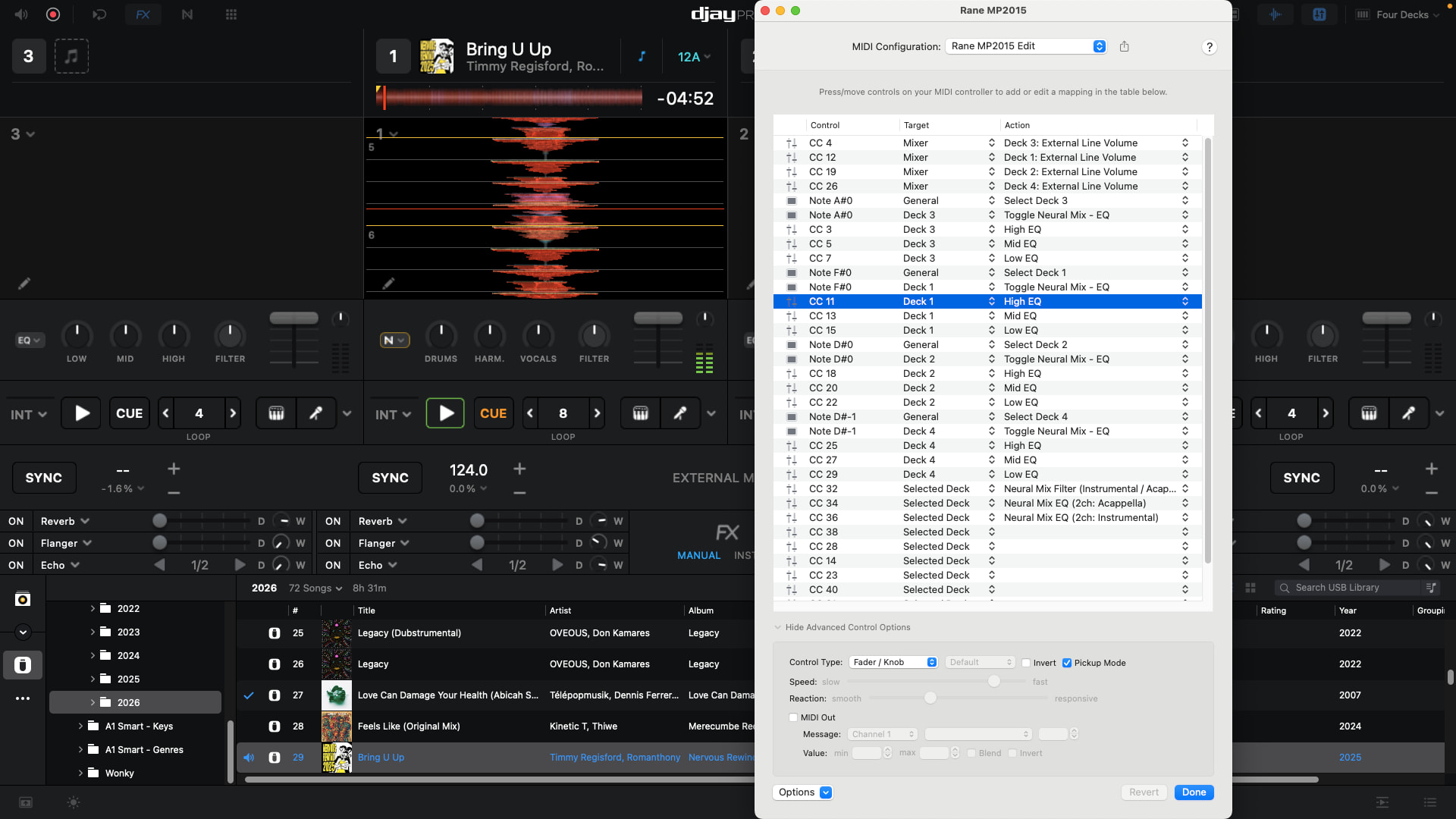
Hi @James_Gillies, thanks for the details about your setup and the issue - this is very helpful! Can you please also demonstrate this with a short video that I can pass onto our engineering team. It would be helpful if you could also share screenshots of the MIDI mapped controls for this with the Advanced Control Configuration section expanded. Thanks!

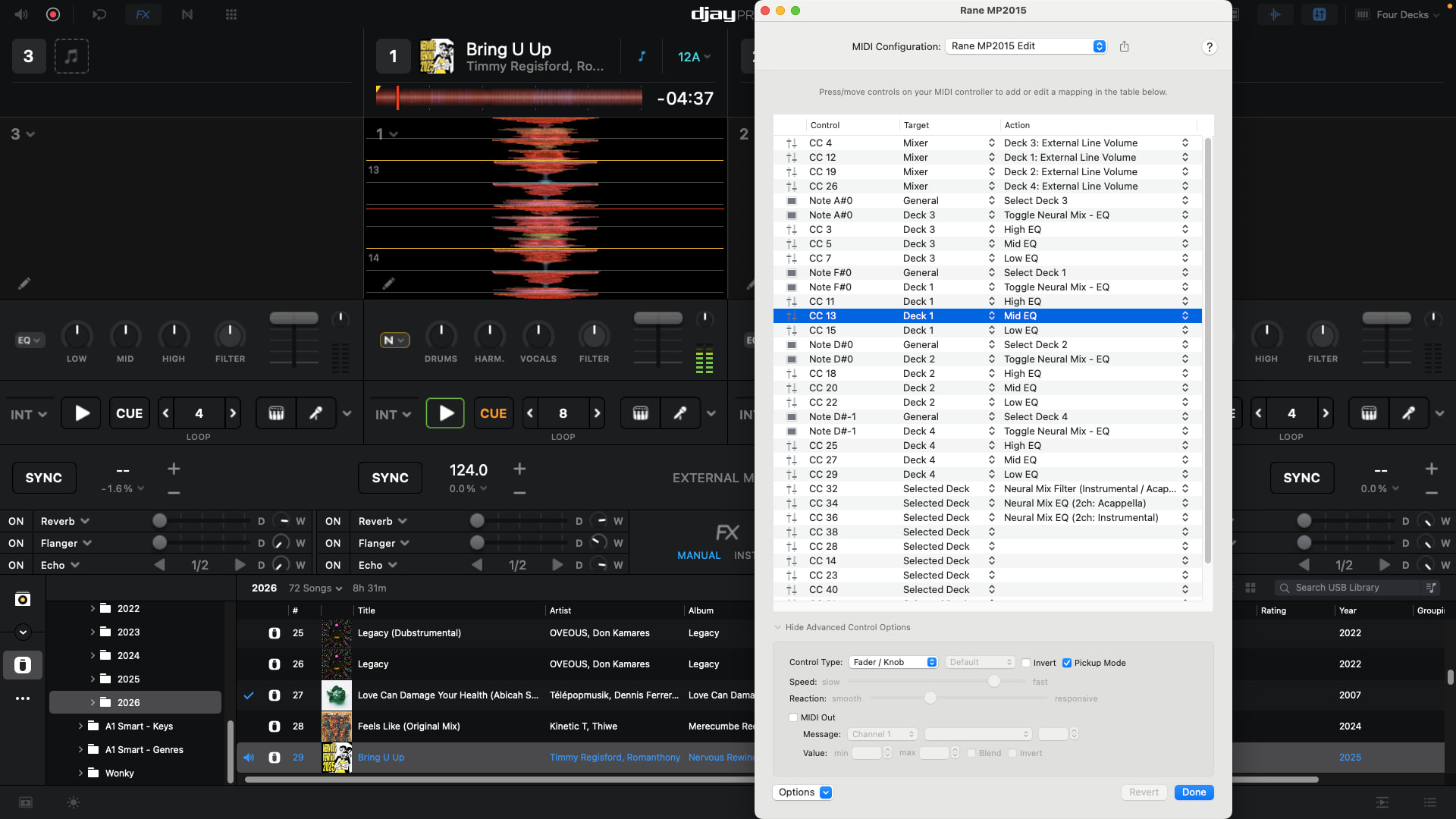
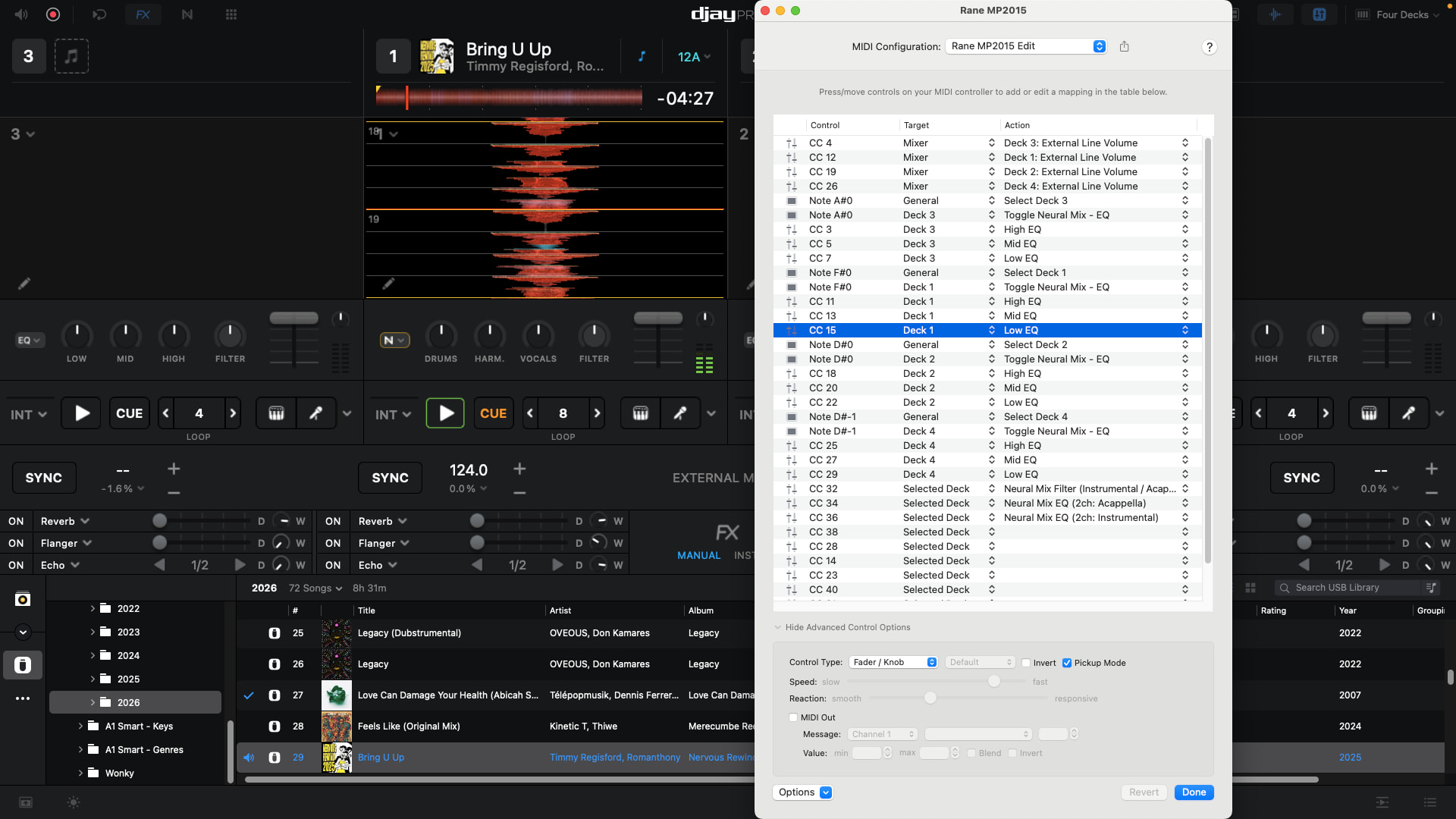
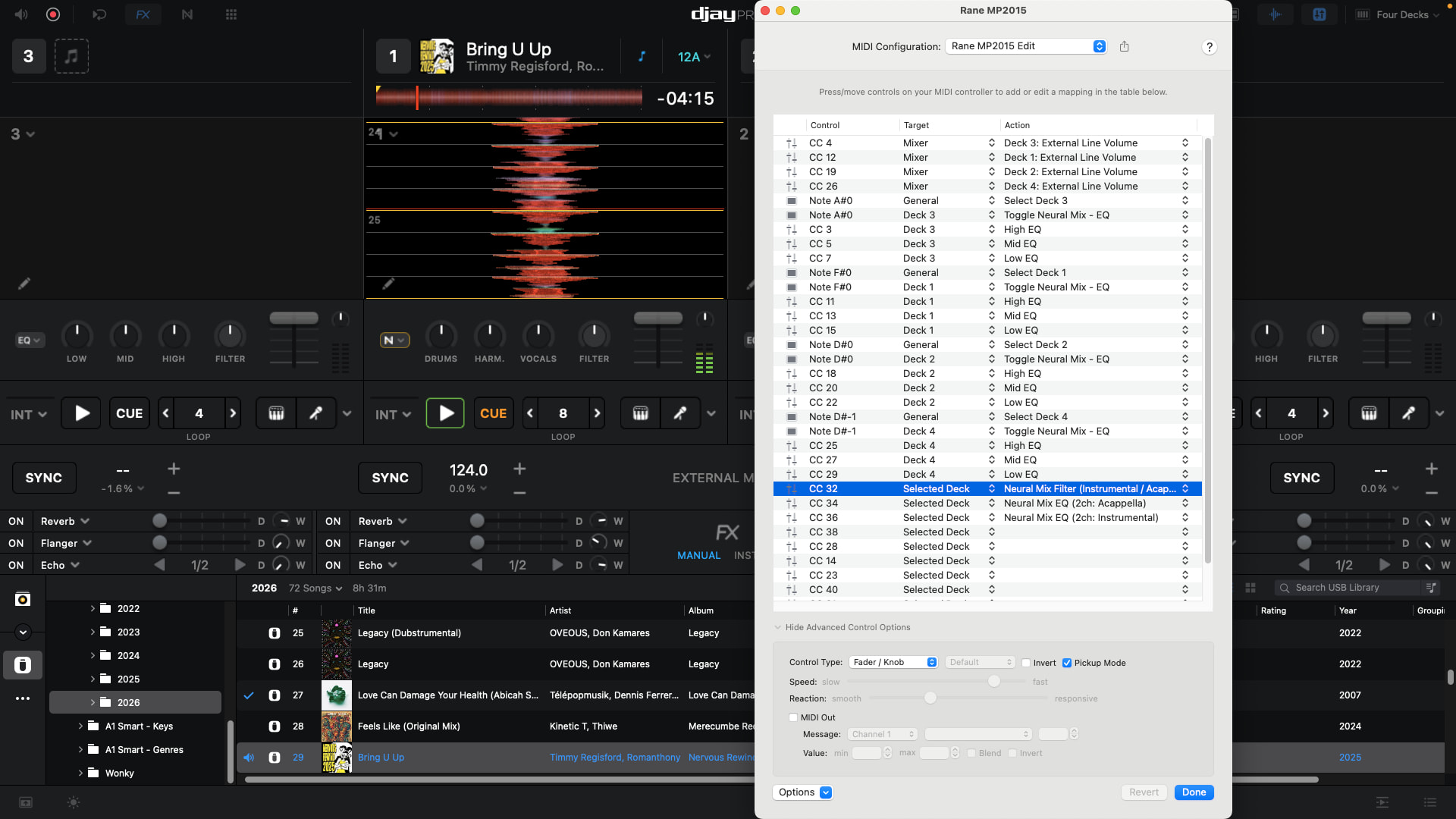
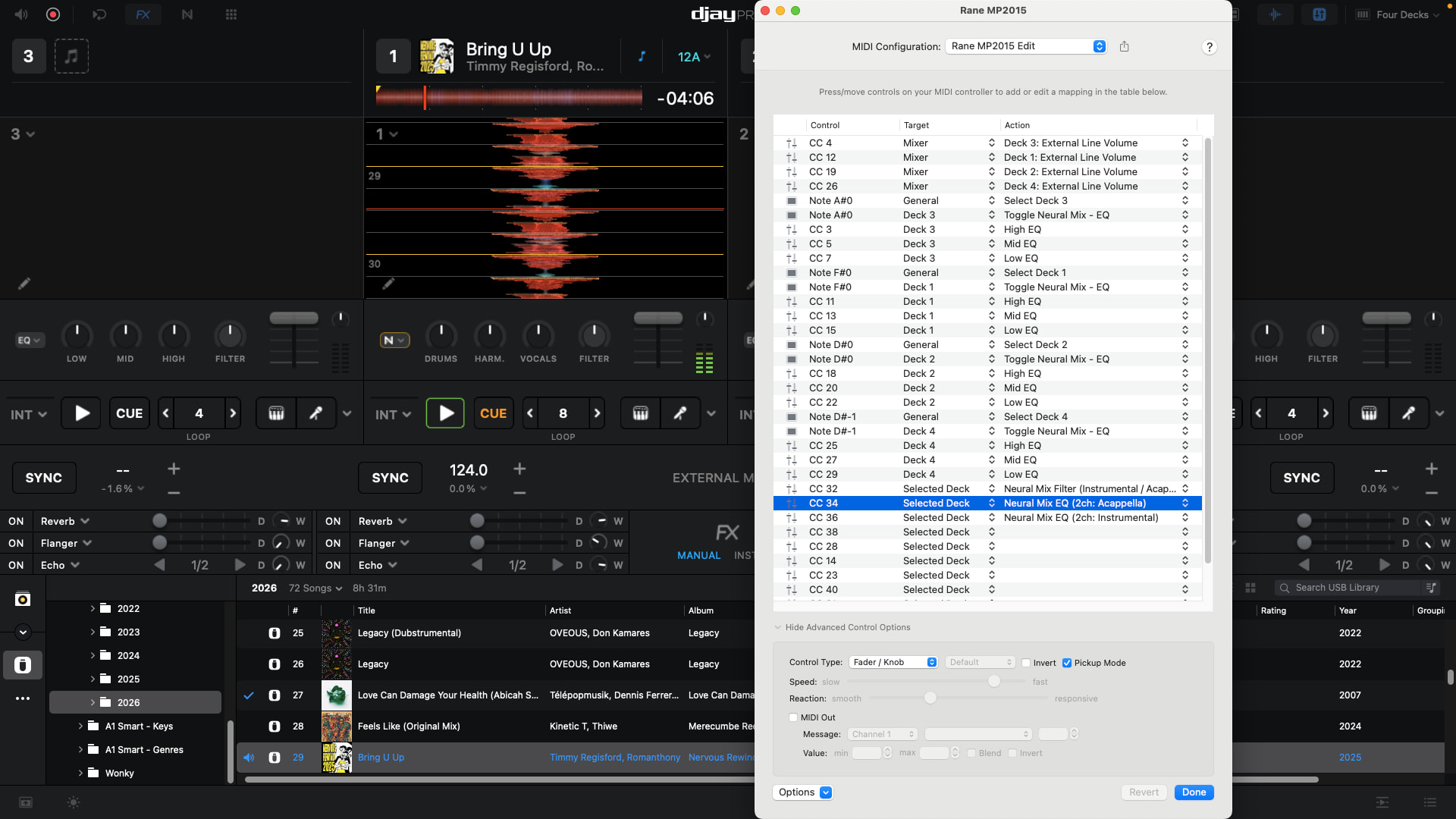
Hi @Slak_Jaw , here’s the screenshots of the MIDI mapped controls, 7 altogether:

In order of the 7 screenshots:

SUB = Select Deck and Toggle on Neural Mix EQ mode

High EQ Knob - Channel 1 - Deck 1 High EQ

Mid EQ Knob - Channel 1 - Deck 1 Mid EQ

Low EQ Knob - Channel 1 - Deck 1 Low EQ

High EQ Knob - SUB Channel - Selected Deck - NM MIX Filter Instrumental/Acapella

Mid EQ Knob - SUB Channel - Selected Deck - NM MIX EQ 2Ch Acapella

Low EQ Knob - SUB Channel - Selected Deck - NM MIX EQ 2Ch Instrumental

I have a 6 minute video fully describing the issue, but am sure it’ll be too big to post here. Happy to share a link to the video on OneDrive or similar if that works?

Thanks!

1 Like

Hi @Slak_Jaw ,

Here’s a link to a video I recorded which hopefully explains everything. It’s 6 minutes long, but it’s a bit of a complex issue that I had to be convinced really was a problem!

By the way, this is common on any track with vocals, not just the one in the video.

https://share.icloud.com/photos/076JDoORLZ053nDn1OcC7ATJw

I hope this helps, thanks very much!

Cheers

James

1 Like

Thanks for all the info @James_Gillies - this is super helpful. Please give me some time to review this in detail. I’ll get back to you as soon as I can. Thanks!

Hi again @James_Gillies, this could be a long shot, but I suspect your Neural Mix Filter mapping could be causing an issue. As a test, can you please delete that MIDI command from your mapping and retest? So, it would be good to confirm if this is the MIDI command that is causing issues or not by removing it all together. Thanks!

EDIT: I tested this on iOS and macOS by MIDI mapping the EQs, NM Filter, 2 Channel NM EQ Vocal and 2 Channel NM EQ Instrumental as you’ve done. I used the same song as in your video and everything works as expected on both setups. The vocal can be heard in all cases. So, this leads me to think there is something unexpected going on with your MIDI mapping. Perhaps you have a duplicate MIDI command or something.

I recommend you create a new MIDI mapping and start simple and just map Deck 1 initially. Only map the Deck 1 EQs, Toggle NM EQ button for Deck 1, NM Filter (Deck 1 not Selected Deck), 2 Channel NM EQ Vocal (Deck 1 not Selected Deck) and 2 Channel NM EQ Instrumental (Deck 1 not Selected Deck). Retest and confirm if the issue persists. Thanks!

Hi @Slak_Jaw ,

Thanks for your responses. I’ve just done some more tests, and I’ve stripped the MIDI mapping right back to the minimal to remove any duplication/conflict that you mention.

I can share screenshots of the stripped back MIDI config and provide another short video, but essentially the issue definitely persists, where the 3ch Harmonic EQ is absolutely “stealing” frequencies from the vocals AND also high-end frequencies from the drums, such as the snare and hi-hats. (Drums are nerfed when you lower the Harmonic EQ as you are left with only the low-end Kick).

I’ve got an excellent 16 beat loop running where I can quickly compare the results of the tests, versus the 2ch Acapella/Instrumental EQs.

As requested, I have taken the Acapella/Instrumental Filter out of the MIDI configuration completely.

I have also removed the “Selected Deck” option AND the Toggle for Neural Mix EQ. (This removes the Sub Channel on my Rane mixer as a variable, I then just manually click on the Neural Mix EQ toggle in the software to activate it.)

I’ve also confirmed that manipulating the Neural Mix EQ does NOT effect the standard EQ (which is all set at the 12 o’clock position.

Cheers!

James

You’re welcome @James_Gillies, yes, please share screenshots and a new video. Thanks!

The plots thickens!

I’ve just tested the Neural Mix Volumes by mapping the Hi, Mid and Low knobs to the NM Volumes and I get the same results.

Drums work without issue. Volume effects Kick, Snare and Hi-Hat as expected.

Vocals without issue. Volume effects all vocal/acapella frequencies as expected.

Soloing either Drums, Harmonics or Vocal works as expected, the correct frequencies are all isolated as expected, and then can be cut or boosted using the NM Volume assigned to the Hi, Mid or Low knobs as expected.

Harmonics are where it goes wrong. If Harmonics are soloed that works fine. But if not, when cut using either NM EQ or NM Volume it will take almost all vocals AND Snare and Hi-Hat frequencies with it, half-nerfing Drums, but completely killing the vocals.

Hmmm… I think I may have figured it out actually. I just re-read your first post. You’re using an External Mixer Mode device that also sends MIDI. So most likely what is happening here is your hardware EQs are still functioning inside the mixer when you switch to Neural Mix EQs. Since djay cannot prevent the hardware EQs from operating, when you switch to NM EQs in djay you are effectively applying both NM EQs and your hardware EQs at the same time.

So you are essentially mapping the additional controls in djay over top of what the mixer is doing on its own with its internal circuitry.

Do you have a MIDI only DJ controller (no external mixer) you could test this with?

Hey @Slak_Jaw ,

I think you might be onto something there! I had presumed that when mapping the EQ function in MIDI, I was in effect turning the Rane into a MIDI controller, surrendering the hardware (EQ) function.

What I did as a quick test was to map the same MIDI controls for NM EQ Hi, Mid, Low to the Channel 2 knobs on the mixer, but for Deck 1 in the software and tested side by side. Boom.

The Mid knob on Channel 2 isolated the Harmonics but the vocals and drums stay intact. It’s the hardware EQ that is still kicking in underneath! Doh!

Apologies for the wild goose chase there…

On either side of the Rane I’m using a pair of NI Kontrol X1s, and I’ve now got the Acapella/Instrumental Filter mapped against each of the four decks, and I’ve got a button I can use to toggle the NM EQ for extra knobs on the X1s underneath, in the same way you described, so if I really want a NM EQ-based blend I can use the X1s for that.

Thanks again for looking into this for me.

1 Like

Excellent! Glad we got it sorted out @James_Gillies. You’re welcome!