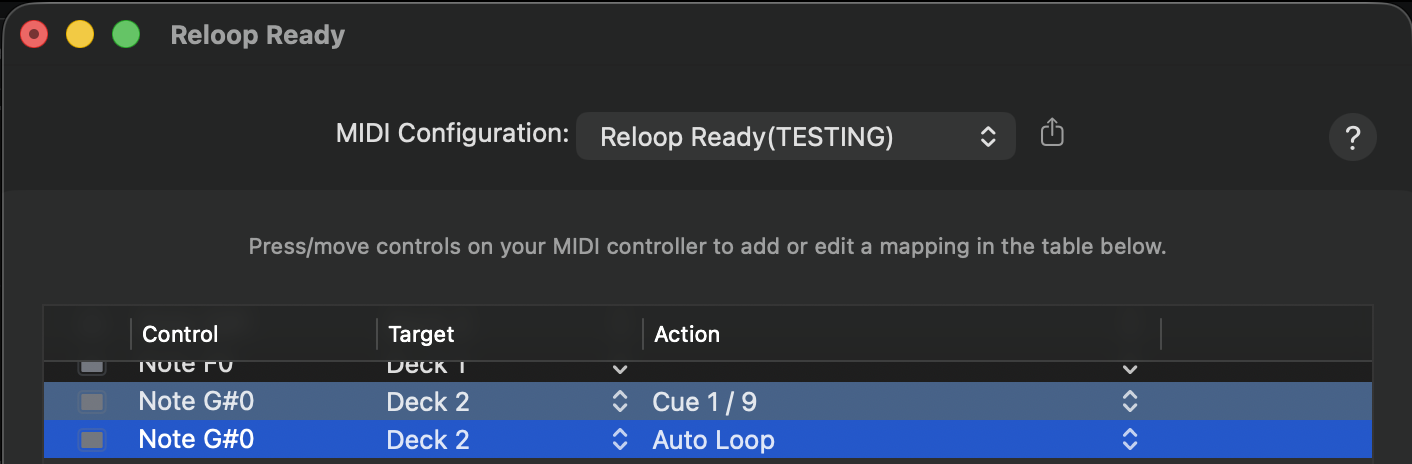
Cue Loop is not mapped natively on the Rane One MK2 — it was on the previous Rane One.
But I am not able to find the option for midi mapping manually on Mac OS.
Is there a way to do ?
If not, please add this function as it is my number one tool (instead of using Saved Loop).
Hi @Julien_Apruzzese, please refer to the linked topic below:
There is no special MIDI mapping required to set Cue Loops. Simply start a loop where you want then press an available Hot Cue button to save it as a Cue Loop instead of Hot Cue.
1 Like
Thank you for the reply but it’s not as useful as having a dedicated Cue Loop mode because you have to save it twice (one for a Hot Cue and one for a Cue Loop).
When the music play, sometimes I want to go to a Cue point without a loop and sometimes with a loop engaged — I use this function every time.
You replied me some times ago that the midi mapping option existed — How can I access the Cue Loop Mode ? - #8 by Slak_Jaw .
But I can’t find the same one when I scroll all midi option on Mac OS.
You’re welcome @Julien_Apruzzese. Cue Loops and Hot Cues have been combined into one. If you want to save a Cue Loop, you first set a loop then press an unused Hot Cue pad. If you want to save a Hot Cue, you simply press an unused Hot Cue pad. There are no longer separate MIDI commands for Cue 1-16 and Cue Loop 1-16.
You could consider using Saved Loops instead of Cue Loops.
1 Like
Ok — now I understand the change.
It was a great tool for me but you surely had good reason to change.
Last question — is there any other way to go to a Cue point and to engage at the same time a loop (like maybe pressing simultaneously Cue points and loop button) ?