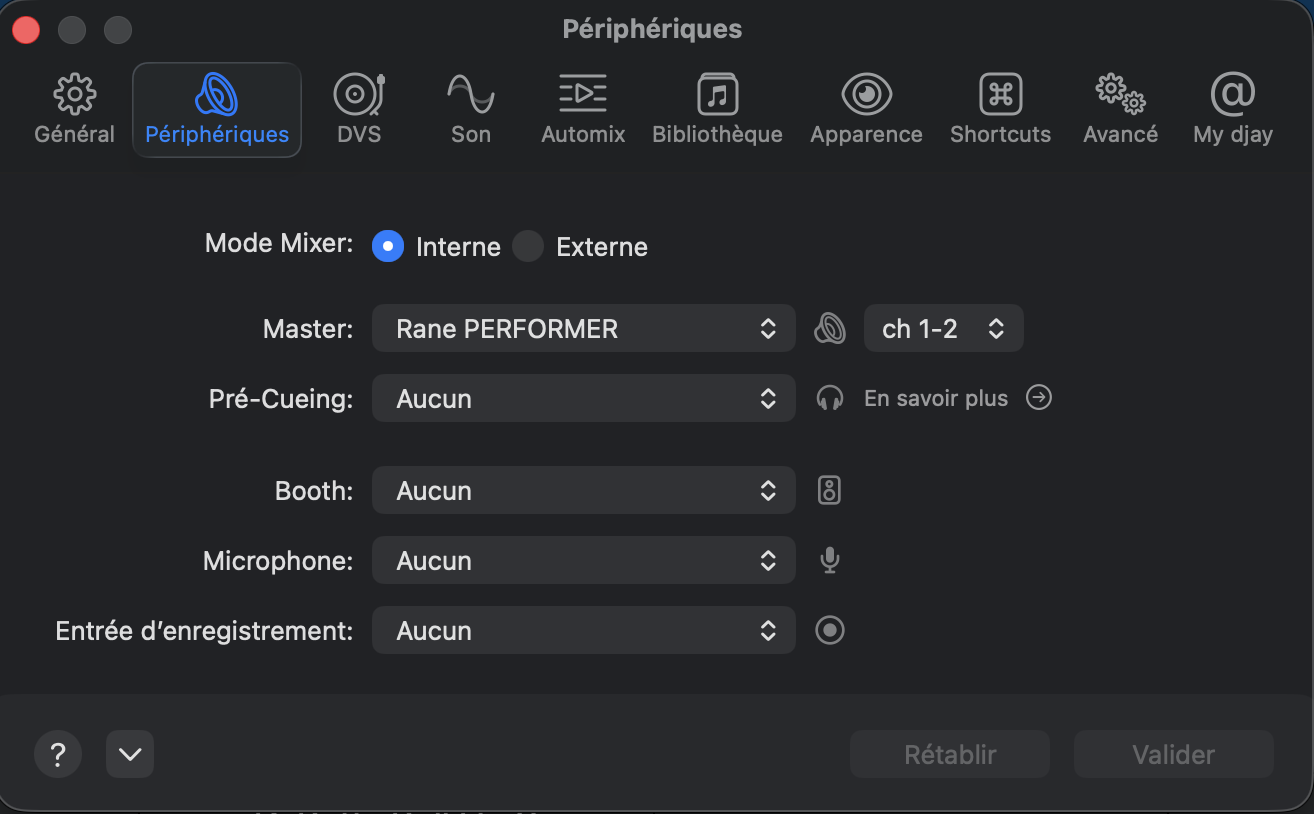
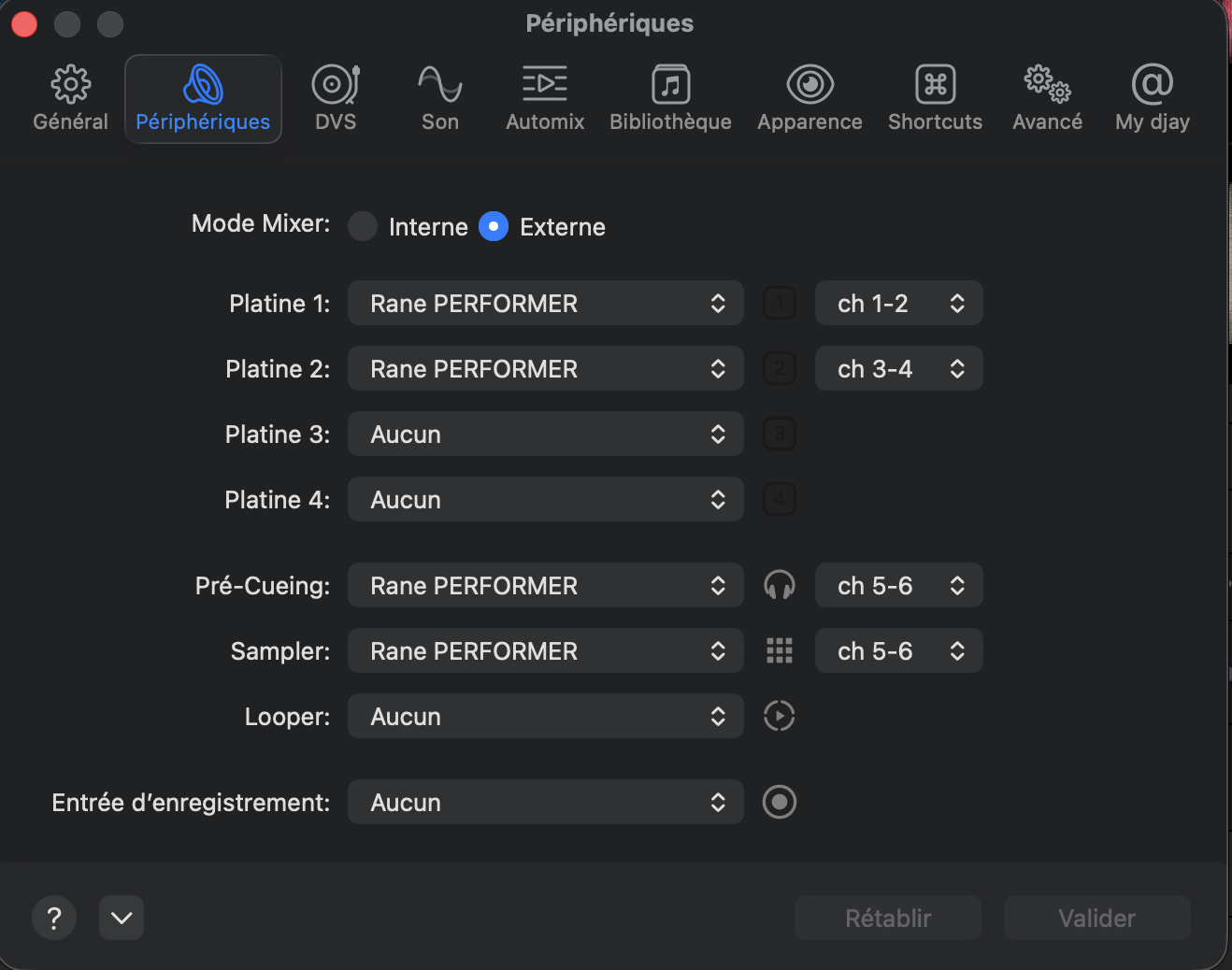
RANE Performer settings

  • Device model (e.g. 2020 iPad Air 4th Gen): macbook pro m4
  • Version of operating system (e.g. macOS 14.4.1): 26.1
  • Version of djay (e.g. 5.1.2): 5.5.1
  • Hardware/controllers used (e.g. Reloop Mixon 8 Pro): RANE PERFORMER

Hello,

I imagine I’m doing something wrong, but despite everything I’ve read here, I feel like I don’t have the same issues as others with the RANE PERFORMER.

When I switch to internal mixer mode, the crossfader malfunctions between Deck 1 and Deck 2. When it’s all the way to the left, I hear Deck 1 fine. When it’s all the way to the right, I hear nothing. And in between, I hear the sound of both decks.

When I am in external mixer mode, I can assign the channels to the different outputs, and thus I manage to get the decks working, but with a setting that doesn’t seem logical to me: Deck 1 = Ch1-2 / Deck 2 = Ch3-4.

However, I cannot assign the samples to anything at all. The looper (which I don’t use) cannot be assigned either, or only to a channel I am already using. Basically, I have to make too many compromises just to use basic functions.

Another thing concerns the Stems with the HI MED LOW gain settings. When I first turn it on, I can use the STEMS, but it also affects the EQ. I have to press Shift plus the PFL/Cue button to switch back to EQ, and then back to STEMS for it to influence ONLY the STEMS.

I can’t seem to configure it; I don’t know if I’m doing something wrong. I’m struggling a bit, so if someone could help me out.
…so if someone could help me out by sharing their settings with me or by telling me if I’m doing something completely wrong.

I also have a Reloop Mixon 8 Pro, and I have obviously never had the slightest issue with it.

Of course, I would ideally like the entire unit to function properly, but if someone just had a solution for getting the samples to work, that would be extremely useful. As a workaround, I have routed the sample output to my Mac’s headphone jack. However, I have latency that prevents me from playing in time/on beat.

For your information, I am using a translator, and I hope my message is understandable. Thank you all.
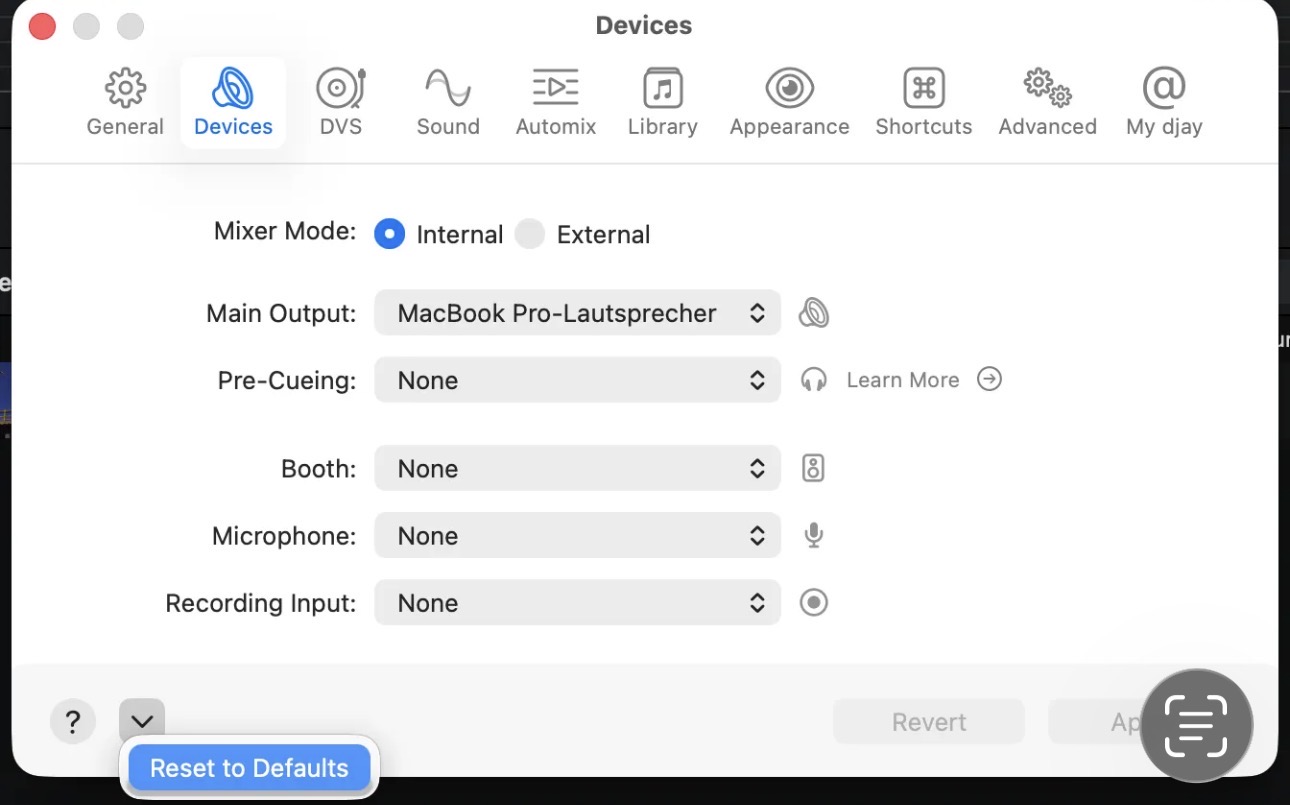
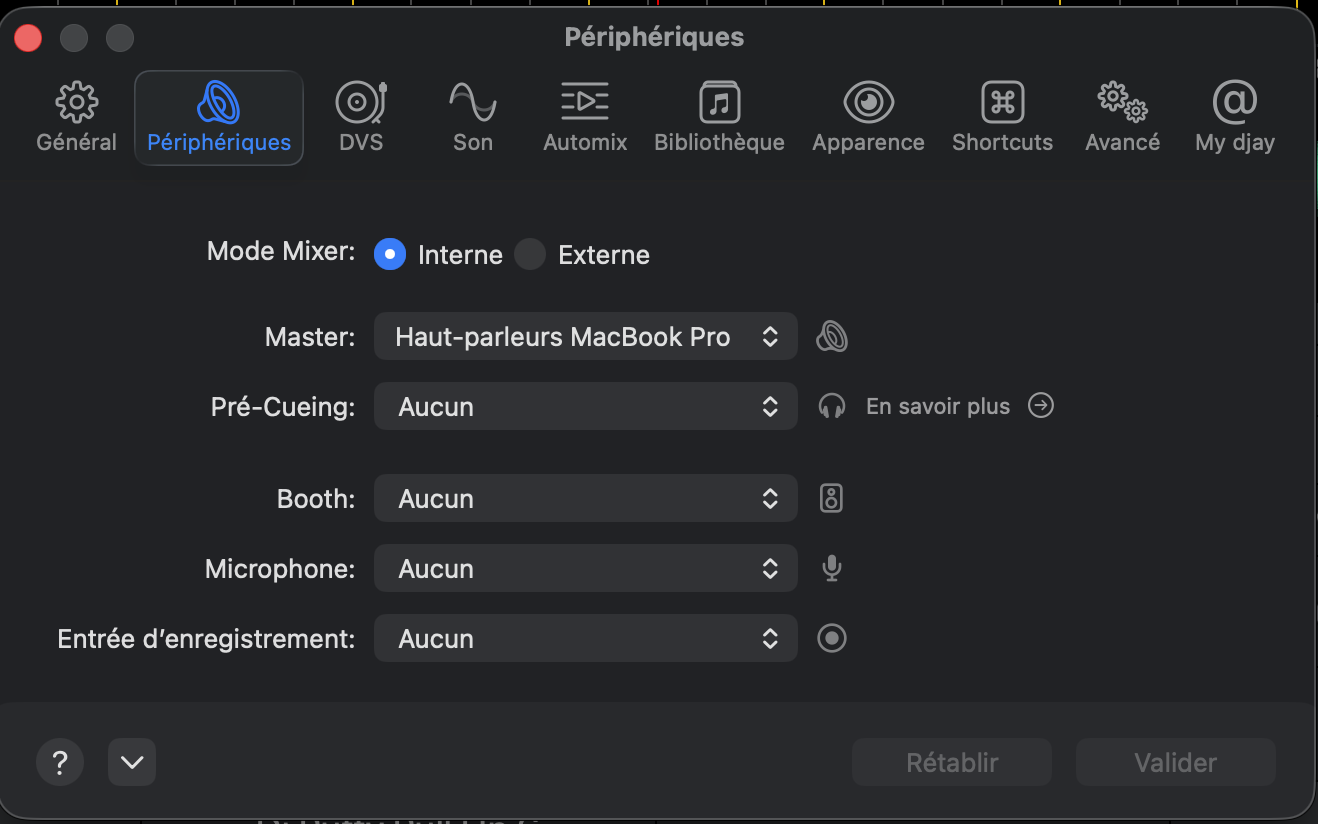
Hi @Kevyn_Massuelle, welcome to the Community! Please note the Performer is an External Mixer Mode Only device. Please use the Reset to Defaults button at the bottom left of the Devices Settings to return this hardware to its proper configuration. I hope that helps!

After you’ve done this, please retest and report back on any issues/questions you still have. Thanks!

Hello, I end up with this configuration when I restore the default values. This means the sound is coming out of the Mac. If I set the master output to the Rane Performer, I still have my crossfader problem where there is no sound when I move it all the way to the right (Deck 2). Additionally, I cannot use the controller’s effects.

CH1-2 = Deck1 (in this configuration no sound when crossfader right)
CH2-3 = Deck2 (in this configuration no sound when crossfader left)

I would need to be able to set the master output to CH1 and CH3 for it to function. If I could do that, the only remaining issue would be the effects.

You need to make sure the Performer is properly connected to your Mac and powered on first. Then Reset to Defaults. If you are using a USB hub or adapters, try connecting directly to the Mac instead. If that doesn’t work, try a different USB cable or different USB port on your Mac.

The cable is working fine, the Rane is detected, and the screens are functional. Everything is working now, actually. I also saw that I could switch the effects between post-fader and pre-fader in the settings, so that is no longer an issue.

I only have this crossfader detail left; I find it difficult to explain.

When the master output is set to RANE PERFORMER CH1-2:

  • When the crossfader is all the way to the left, I have sound from the left deck.
  • When I move toward the middle, I have sound from both the left and right decks.
  • But when I move all the way to the right, I have nothing.
  • The LEDs (level meters) only light up for Deck 1.

And if I set the master to CH2-3, I have the exact same problem, but reversed (i.e., the sound cuts out on the left/Deck 1 side when the crossfader is fully left).

Thank you, in any case, for taking the time to respond to me.

https://www.youtube.com/shorts/osewsPdzzB4

Perhaps it will be clearer with a video. I don’t understand why CH2 doesn’t correspond to Deck 2

Please let me reiterate. The Performer MUST be used in External Mode. This is not an optional setting. It will not work as intended in Internal Mode. Please disconnect your hardware, close djay, reboot your Mac. Then launch djay, connect your Performer as before and check the Device Settings. Finally, select the Reset to Defaults. This should adjust the settings for External Mode.

We need to ensure these settings are correct before doing anything else. So, please share another Devices Settings screenshot after performing the above procedure. Thanks!

I am back to my initial configuration. However, restoring the default parameters doesn’t change anything. I am forced to manually set the external mixer mode and reassign my channels: Deck 1 to Ch1-2 and Deck 2 to Ch3-4.

Once that is done, I run into the same problem: I cannot use the sampler.

I apologize if I don’t understand anything and if this seems obvious, but honestly, I am completely lost

Thanks for the additional info @Kevyn_Massuelle. This is unexpected behaviour then.

Please confirm the actual firmware version number you are using for the RANE Performer.

Please also share a screenshot of the Devices Setting after you Reset To Defaults. Do not manually adjust anything.

rane performer firmware1.3.0.13

https://youtube.com/shorts/bm8ARvaPz-E

1 Like

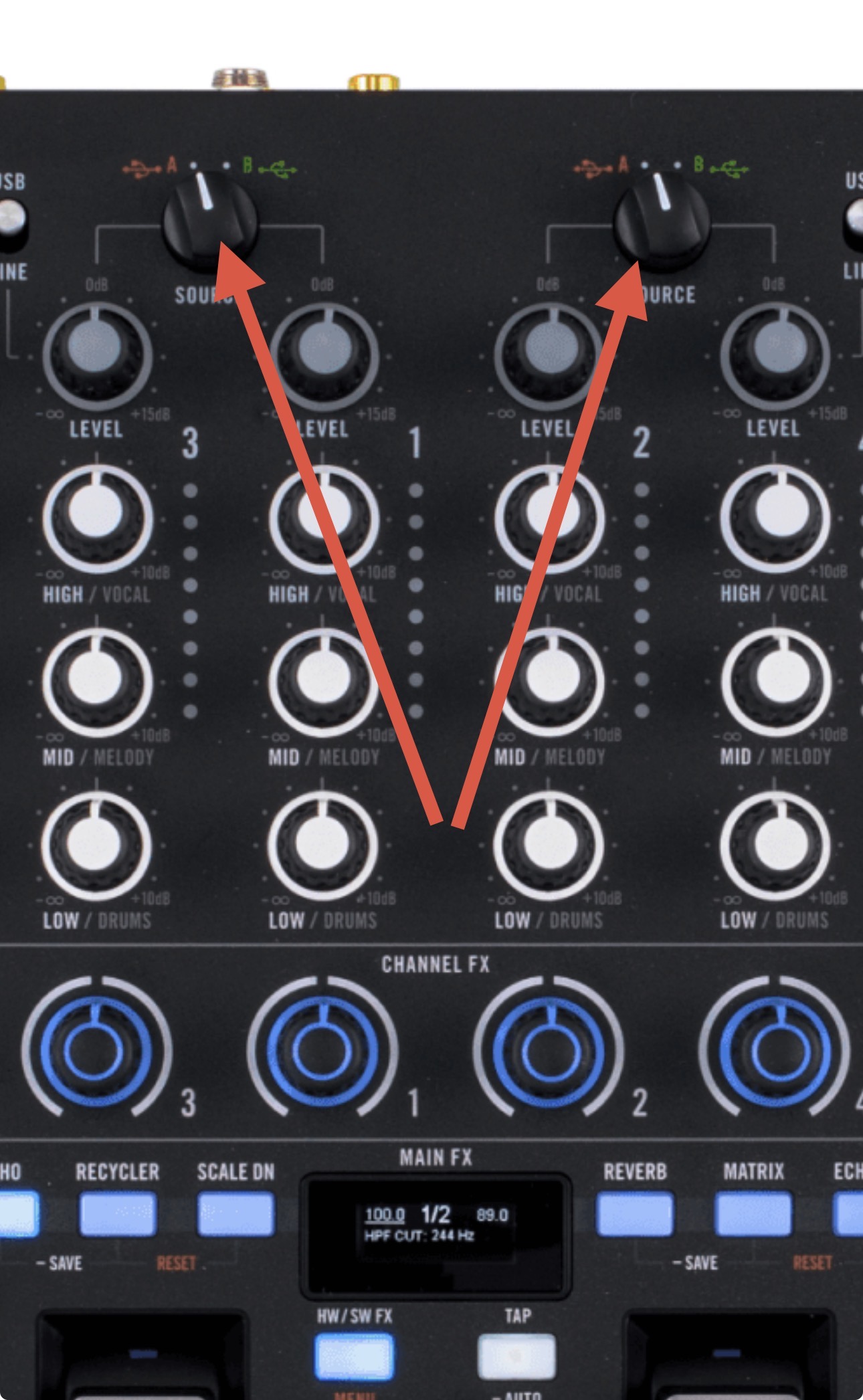
Thank you @Kevyn_Massuelle, what USB port are you connecting to on the Performer? Do you have both of these dials set to the corresponding USB Port that you are connected to?

“A” for both, and I also tried using “B” and changing the USB port.

1 Like

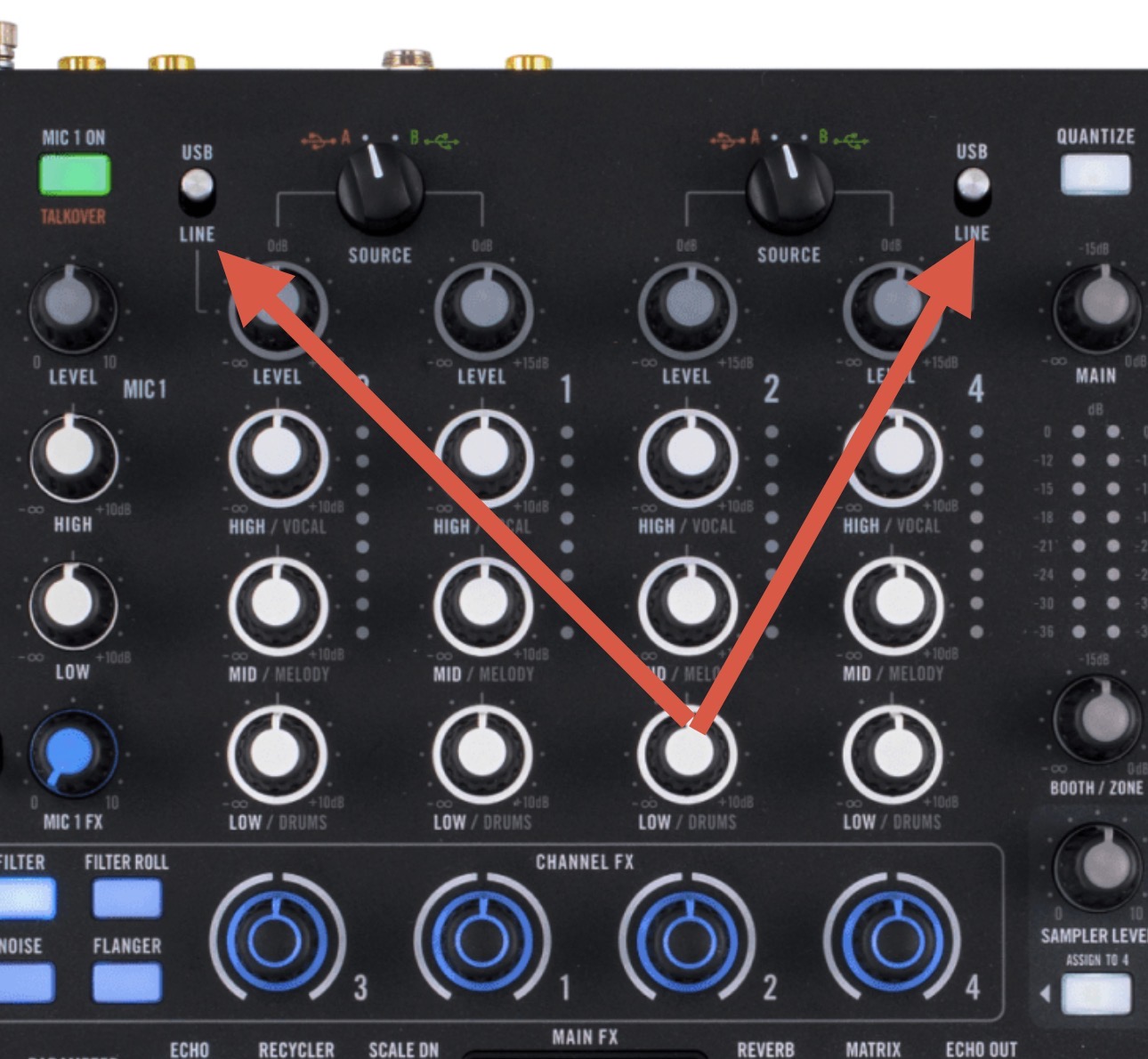
Are both of these switches set to USB?

Yes, I also tried setting decks 3 and 4 to USB when restoring the parameters.

Then there seems to be a connection issue. Do you have another high quality USB cable with dual ferrites on either end that you can try?

I tried using the Rane Performer’s cable, the one from the Mixon 8 Pro, as well as another UGREEN cable.

But just for info, what is the expected behavior? When I click ‘Restore to Defaults,’ is it supposed to automatically switch to an external mixer configuration with the Rane Performer’s settings? If so, is it possible to get a screenshot from someone who uses this controller?

Thanks for confirming. Yes, when you Reset to Defaults it should switch to External Mode and automatically set the rest of the settings.

You could try a fresh djay installation to see if that clears up the issue.
I suggest that you backup your djay Media Library database and any custom MIDI mappings, then uninstall djay, reboot your device, and reinstall the latest version of djay.
You can find the files above in the following location https://help.algoriddim.com/hc/en-us/articles/360014912211-Where-does-djay-Pro-store-playlists-cue-points-and-other-data-on-my-Mac

Copy the files to a new location or external drive before uninstalling djay. After reinstallation, you can simply copy these files back to their original locations to maintain your Hot Cues, Saved Loops, My Collection Playlists, History and Queue.

It doesn’t change anything, but that said, I’m not sure the uninstallation would change much, given that the appearance configuration remained the same.

There’s definitely something unexpected happening. Did you try a different USB port on your Mac?

If that doesn’t work, I would definitely try a fresh installation.

I hope your Rane is not broken. Have you tested on serato and found it working well?

If yes
Repeat the procedure above correctly.
Reset to defaults with Rane connected.
If not still working, then reinstall djay

1 Like