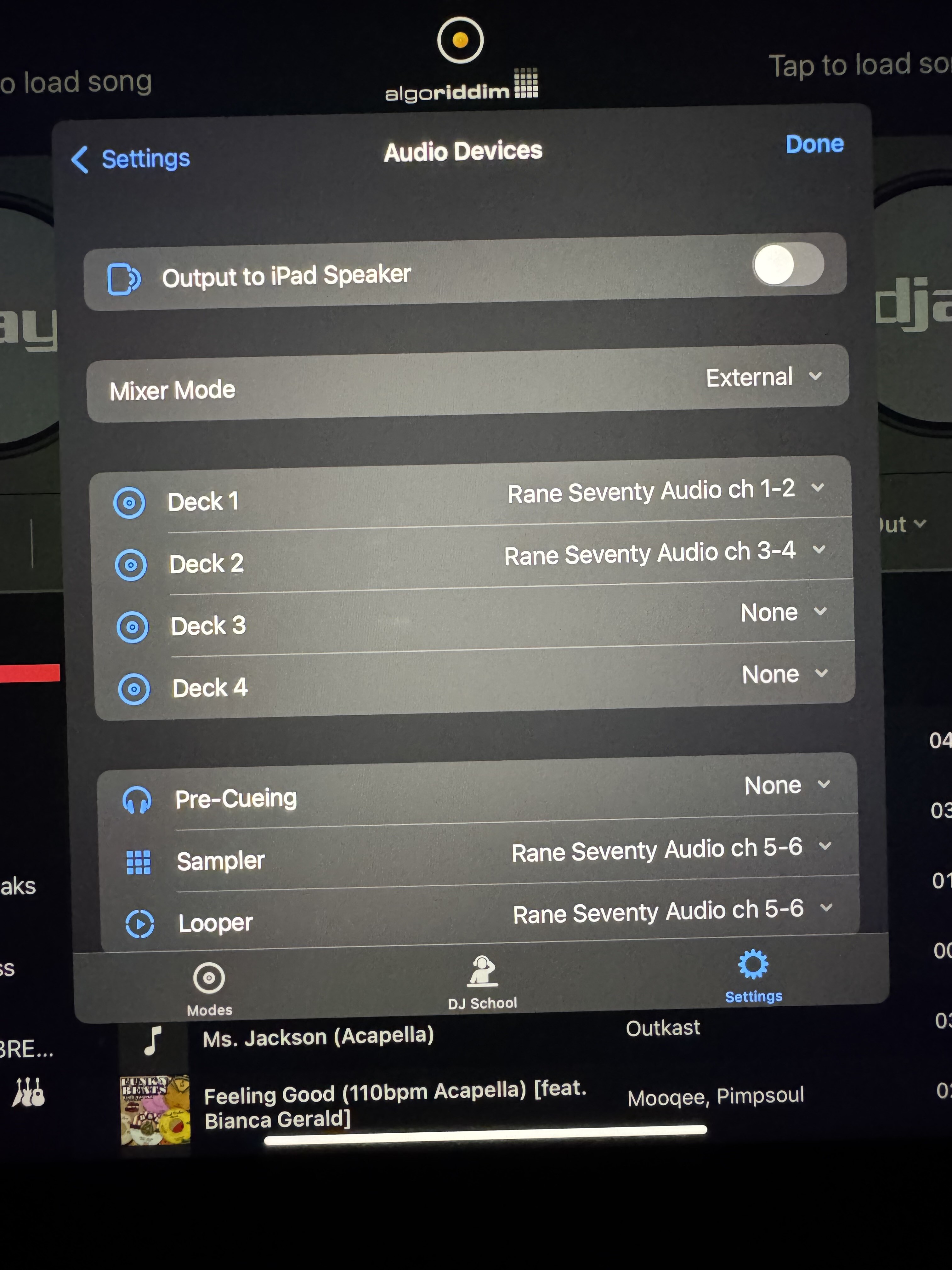
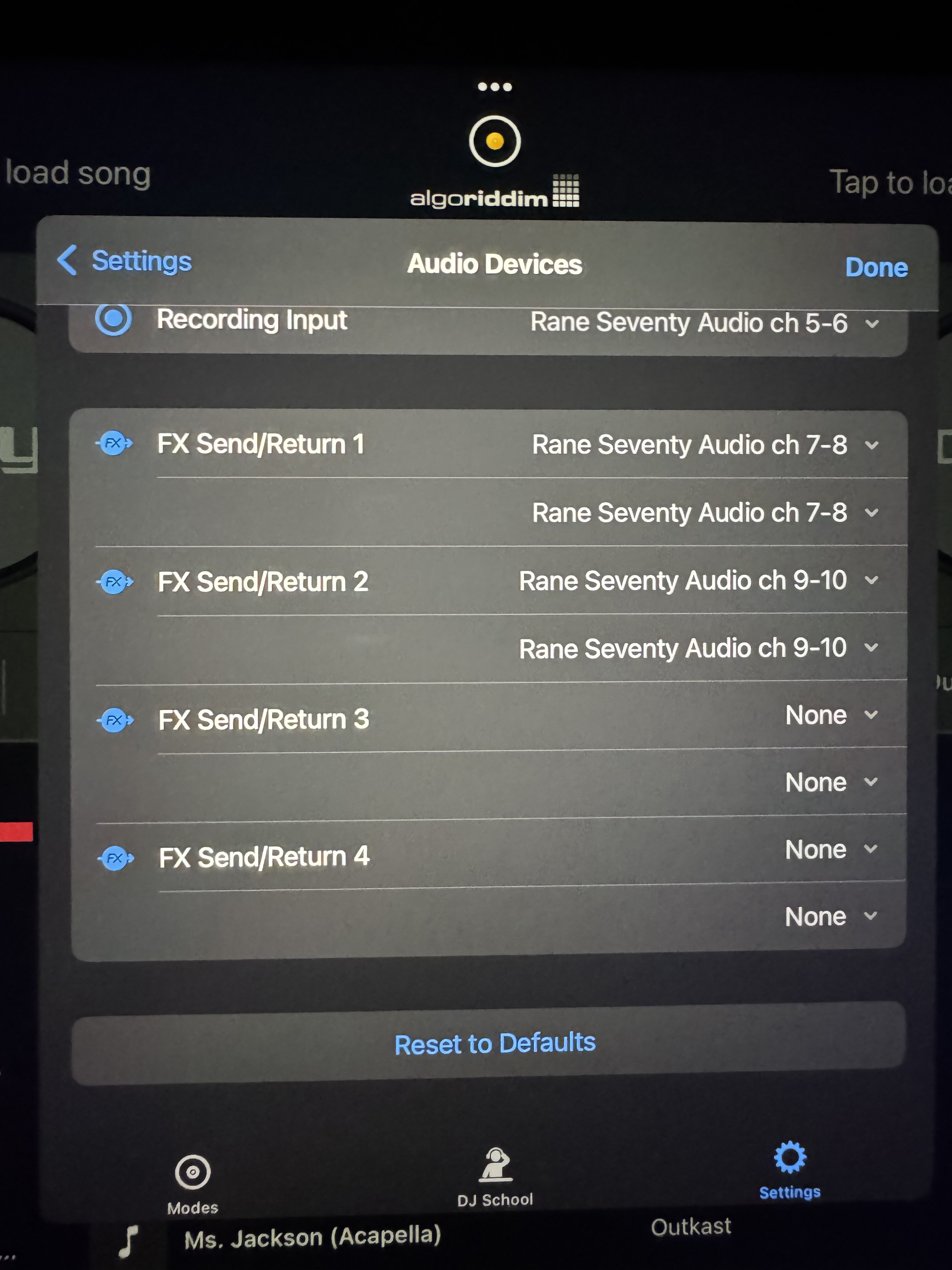
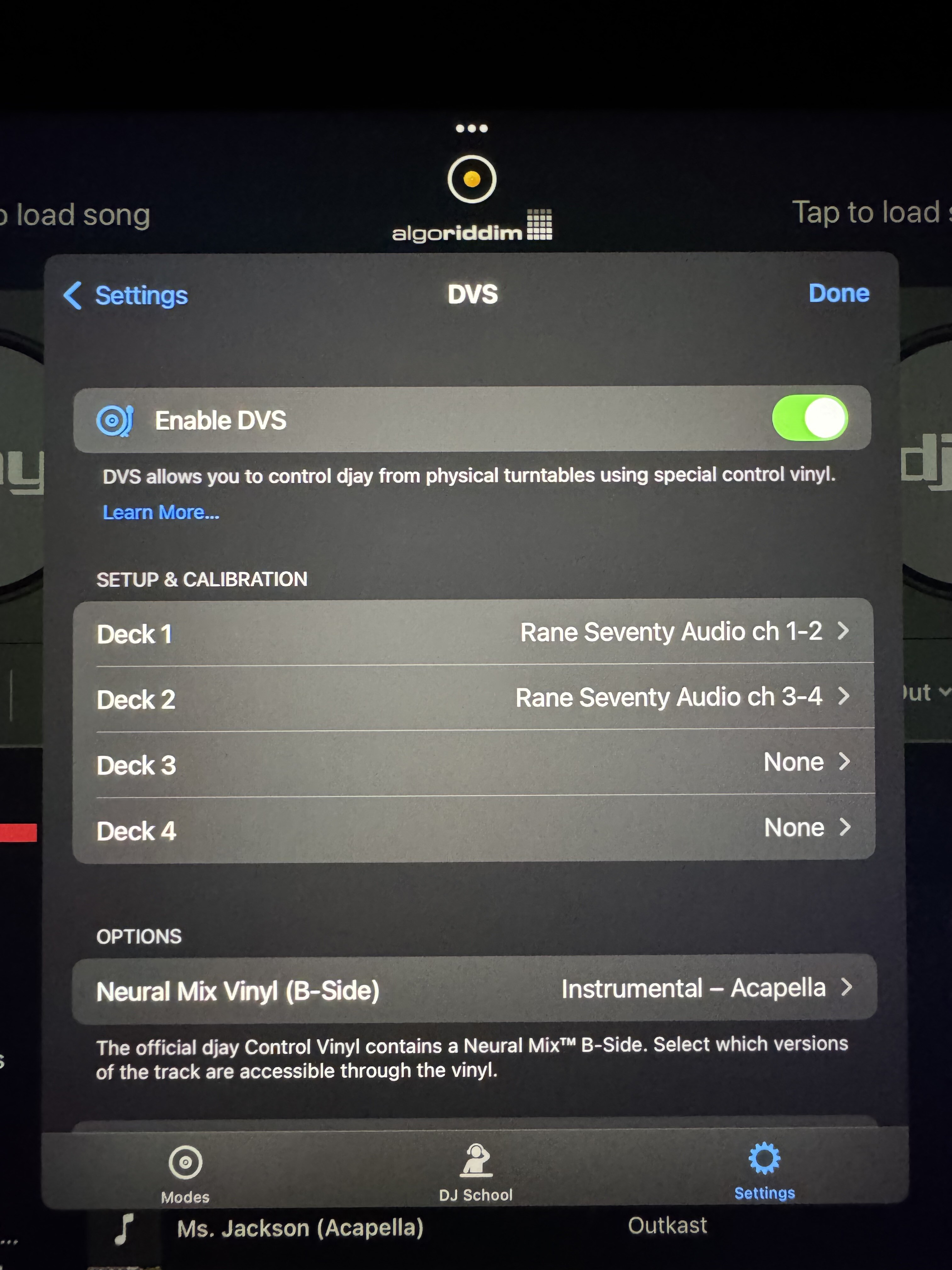
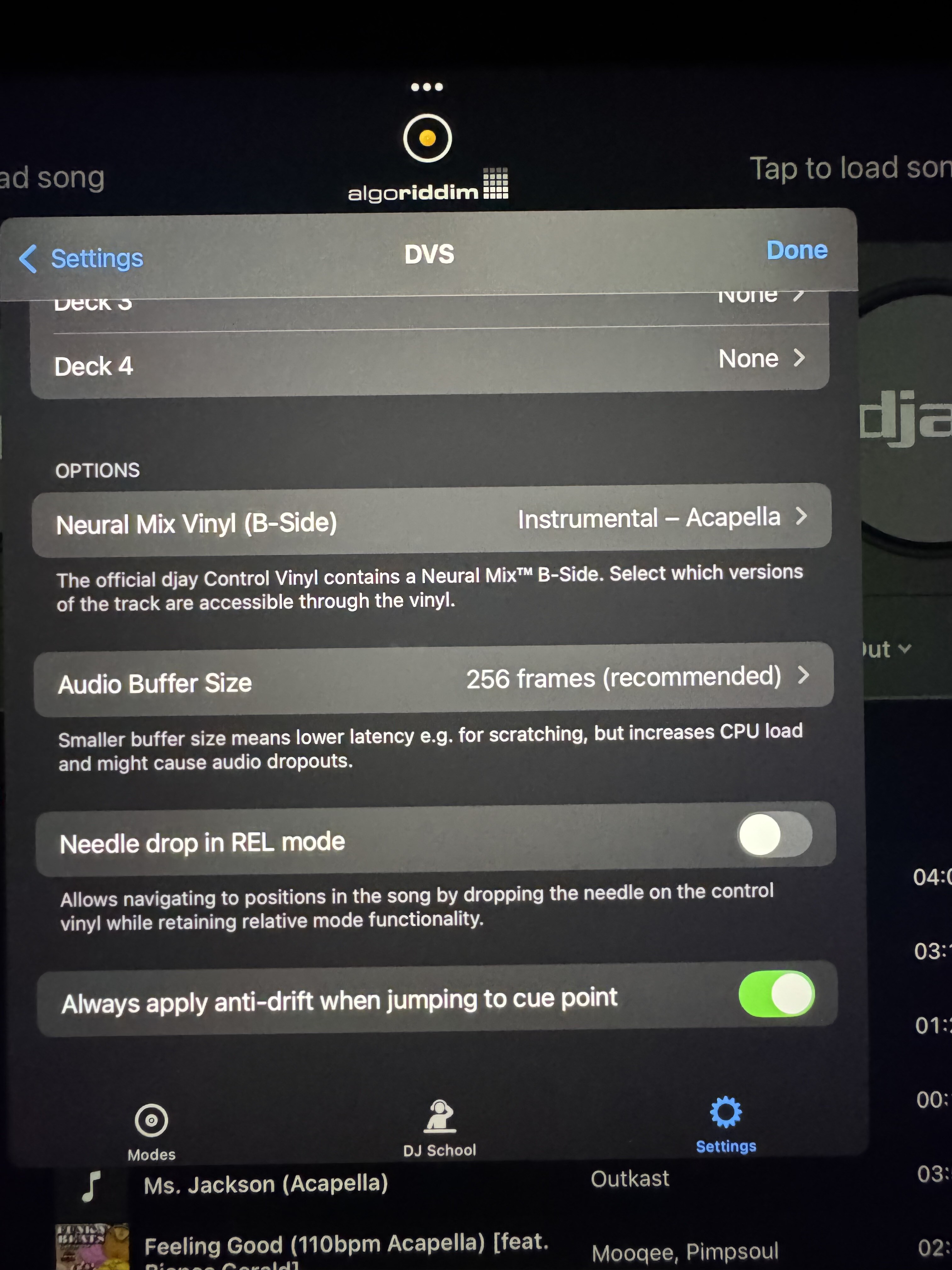
- Device model - iPad Pro 11 M1 and Mabook Pro i9:
- Version of operating system - iOS 18.6.2 & MacOS Sequina
- Version of djay 5.4.2
- Hardware/controllers used - Rane 70 and Rane Twelve Mk2
Slow scratching on the Rane Twelve causes audio glitches that manifest as clicking and small audio jumps. Can be heard and seen on the waveform.
It does it in HID mode and DVS mode on iPad and MacBook.
Using the same Mixer, iPad, or MacBook but using vinyl DVS there is no issue.
I have tested the Twelve with Serato and no issue there either.
It’s a consistent issue.
I have calibrated the DVS signal and tried different sensitivity settings but the issue just gets worse when sensitivity is changed.
If you watch the DVS calibration screen when performing slow scratches the circle seems weird and broken, nothing like a normal DVS circle at slow speed.
Currently unusable for serious scratch performance.
Disappointing as I had moved from Serato and been using DVS with no issues.
Just added the Twelve to my set up but had to go back to Serato.
Thanks for the details about your setup and the issue @Sonicbreaks. Can you please capture and share a short video of this as well? Thanks!
I have also noticed that when in DVS mode on the Twelve, the -50% pitch is going -75% even though setting on deck and screen show 50.
Completely unrelated but I know you guys are working on how this deck reacts to pitch adjustments already.
I’ll post video of this also
Here’s the video of the pitch issue in DVS mode
Just tested some more and the audio glitch isn’t happening in HID mode as much but the clicking can still be heard occasionally.
The videos I captured were in DVS mode on the Twelve
Hi @Sonicbreaks, thanks for the videos. Let’s focus this discussion on the audio glitch and please create a new topic for the Pitch Mismatch.
- Are you running the latest firmware for your RANE 70 and both of your Twelves?
- Do you have keylock on or off?
- Do you have sync on or off?
- Do you experience the same issue with both RANE 12s or just with one of them?
- Please try testing with only one of your RANE 12s connected to your Mac to see if the issue persists.
- How exactly are you connecting everything to your Mac? Are you using any powered USB Hubs or adapters? If you are using a hub, please try connecting directly to your Mac instead.
- Are you using high quality, properly shielded USB cables with dual ferrites? Please test with different USB cables and different USB sockets on your Mac.
- Are you using the supplied power adapters for your RANE 12s and your RANE 70 or are you running them off USB bus power from your Mac?
- Have you tried connecting to a different power outlet and/or a different power bar?
Hi SlakJaw
Latest firmware for Rane 70
No firmware updates available for Twelve MK2
Key lock off
Sync off
I only have 1 Twelve
Twelve is connected to port on back of Rane 70 using the brand new USB cable that came with the Twelve. The twelve is brand new.
The 70 is connected directly to MacBook using a DJ Techtools Chroma USB cable.
All power cables are connected directly to wall outlets. No extension cables or adaptors anywhere. Electrical supply in my studio is stable and well grounded.
I have tried different cables and tried connecting Twelve directly to MacBook.
Thanks for your help with this.
1 Like
Thanks for answering my questions. It sounds like you are doing all the right things here @Sonicbreaks. I can’t think of anything else to check, so I’ll probably have to pass this onto our engineering team next week to see if they can replicate this on their end.
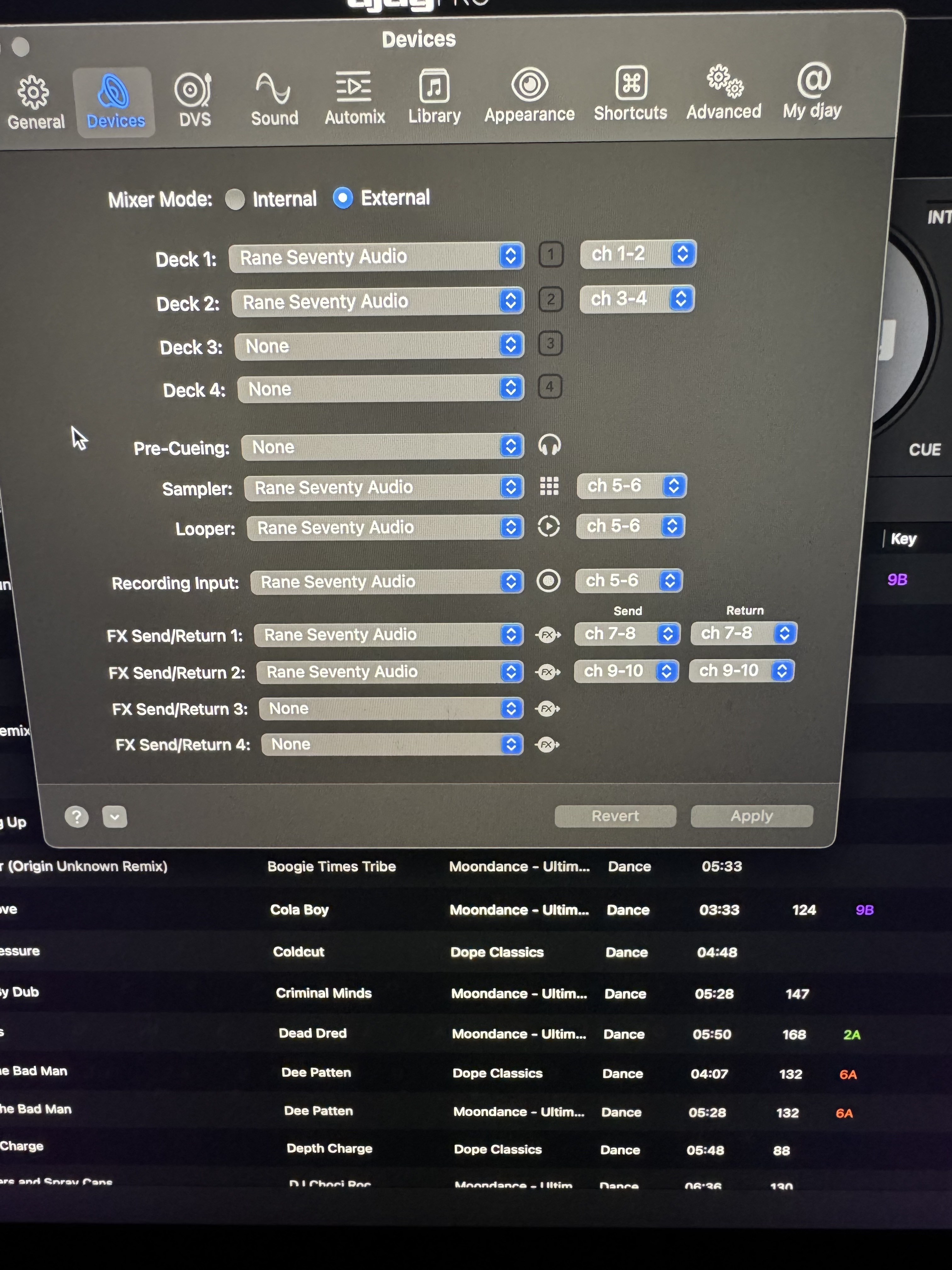
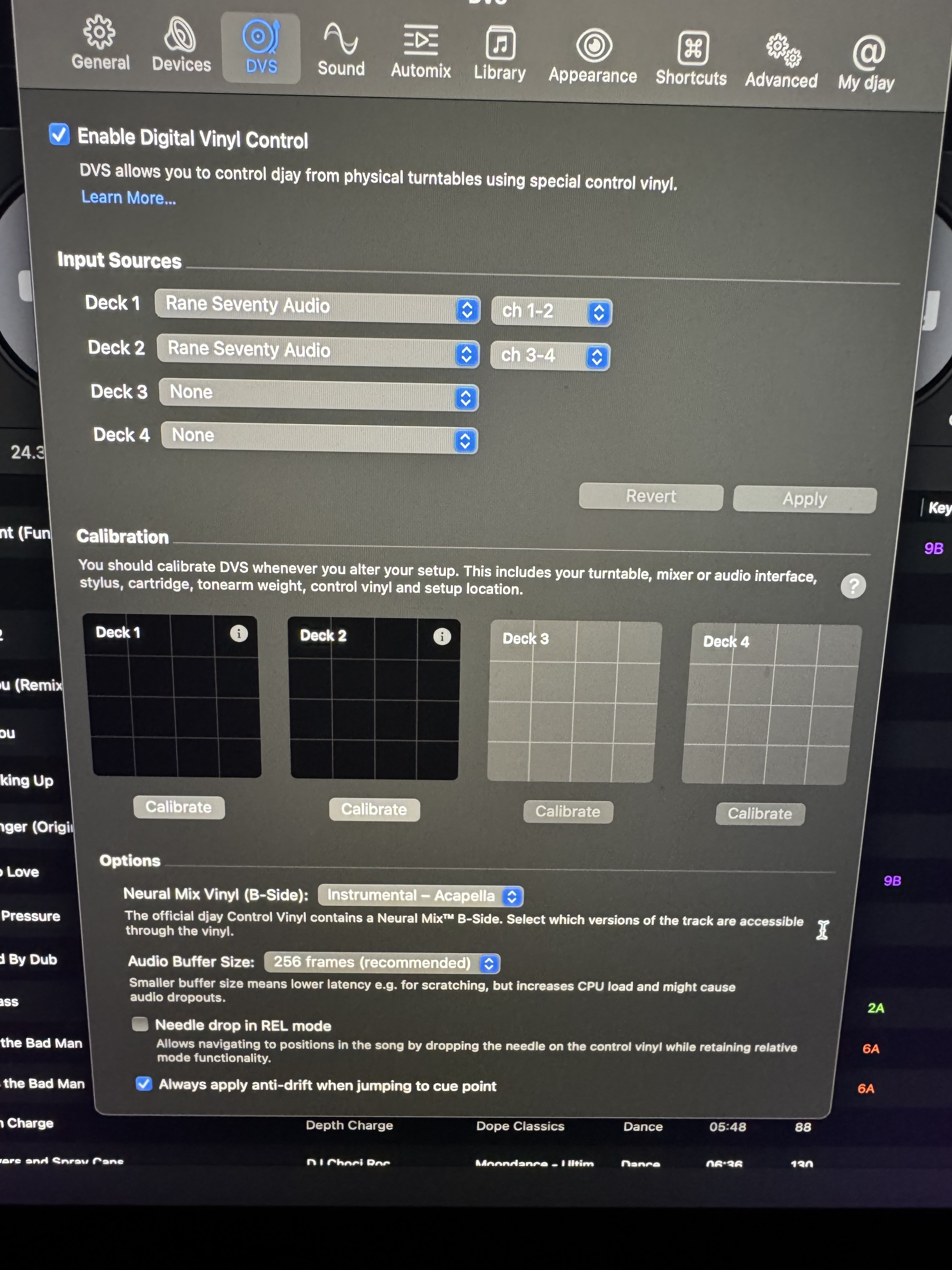
In the meantime, can you please share screenshots of your Audio Devices and DVS settings? Thanks!
Thanks for the screenshots @Sonicbreaks. Everything looks good there too. I will share all of this with engineering and get back to you as soon as I have news. Thanks!
Hi again @Sonicbreaks, I spoke with engineering and they were able to replicate this with the RANE 12. Unfortunately, a complete fix for this will take some time as this is a complex issue specific to the 12s. In the meantime please increase the noise thresholds in the DVS settings, as this should reduce the issue. Thanks!
Thanks for the update.
I’m relieved they were able to replicate the issue.
Look forward to the fix once they find one.
1 Like
You’re welcome @Sonicbreaks
Sonicbreaks,
at least with regard to the iPad, I use an almost identical setup to yours; the only difference is that the mixer is the A-Track version, which is completely irrelevant.
Like you, I was dissatisfied with the sound when making slow record movements.
I first noticed that your buffer size is set to 256; 64 works better.
Regarding the control tone settings, I achieved the best results as follows: set the threshold to fully sensitive, i.e. all the way to the left.
Serato Control Tone (“Noise (Map”) at 85% volume.
Greetings, Selectah X
1 Like
Thanks for sharing @Selectah-X
I experienced that 75% Volume is even better.
For Beatjuggling HID Mode shows better results.
Now I am changing the modes via Midi mapped controls on the mixer („internal“ and „relative“) and the Rane twelves.
For very slow scratches the DVS Mode sounds good but the HID Mode somehow a bit digital distorted.
Going to check it with a Mac Book soon and also with Phase DJ (HID and DVS Mode with the Mac Book and DVS Mode with the IPad and Iphone).
Algoriddim is my favorite DJ Program and hopefully you guys are going to improve this behavior with the Rane twelve mk2 if this is possible.
Thanks for the additional info @Selectah-X. I’ve shared this with the team.