- Device model: any iOS/iPadOS device
- Version of operating system: any version
- Version of djay: 5.6.4
A) SUMMARY OF ISSUE:
-
Apple Music cannot read multiple genres in id3 tags, we all know this - this is a 25+ year old limitation
-
However, djay Pro can parse id3 tags and read multiple genres, it already does so when loading files from the Files app (“On My iPad”, iCloud folders etc)
B) DETAILED STEPS TO REPRODUCE:
-
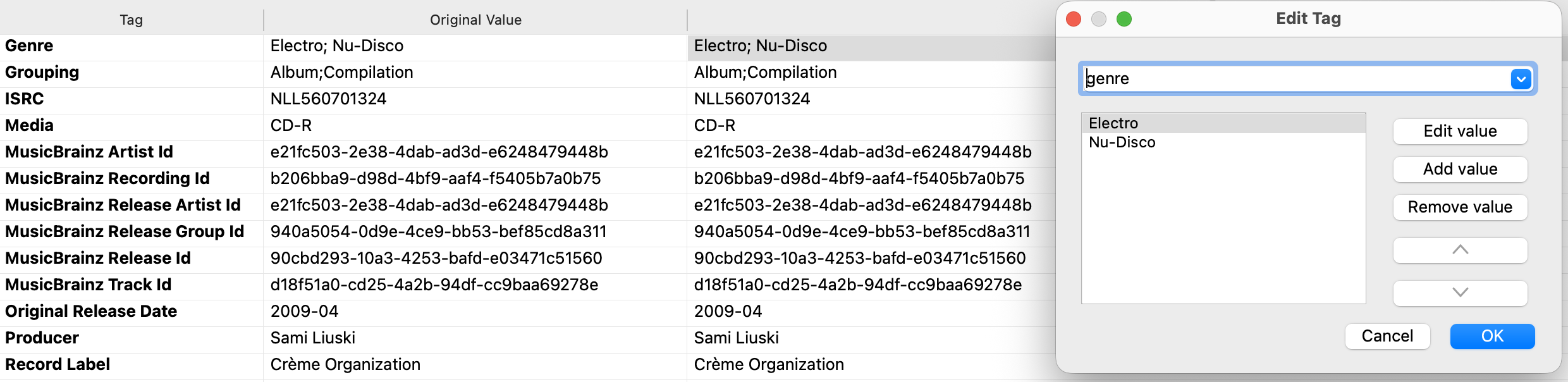
Import an MP3 track tagged with multiple genres (“House”, “Techno”) into Apple Music
-
Within Apple Music, the track shows as “House” as it only capable of reading the first value of a multi-valued tag
-
Sync track to iPad/iPhone
-
Play/Analyze in djay Pro
C) EXPECTED RESULTS:
-
when analyzing, djay Pro should read the id3 tag and pick up the multiple genres
-
just like it does with loading music from Files
D) ACTUAL RESULTS:
- djay Pro does not read the id3 tag, just takes what Apple Music wrote into the Music db

 Below screenshot is from MusicBrainz Picard tag editor: