I am writing to report a consistent issue I am experiencing when importing tracks from my Rekordbox library into djay Pro (using the standard Rekordbox XML/Library integration) from mixed in key pro and then exporting to Djay via OneLibrary.
The Issue: When I load tracks that have been analyzed and prepped in Rekordbox, the Cue Points import correctly and appear in the right positions. However, the Beatgrid is frequently misaligned or incorrectly analyzed in djay Pro, despite being perfectly aligned in Rekordbox.
It seems that djay Pro is respecting the Cue metadata but ignoring or misinterpreting the Grid information from Rekordbox, resulting in grids that drift or start on the wrong phase.
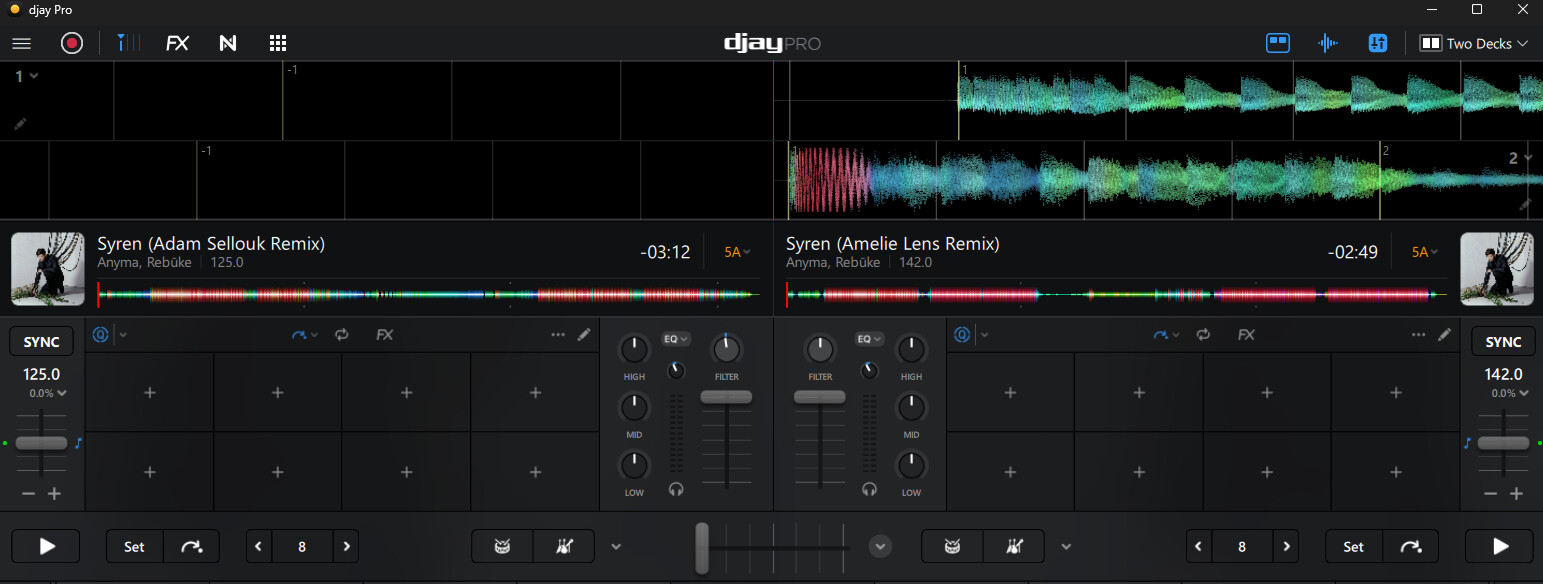
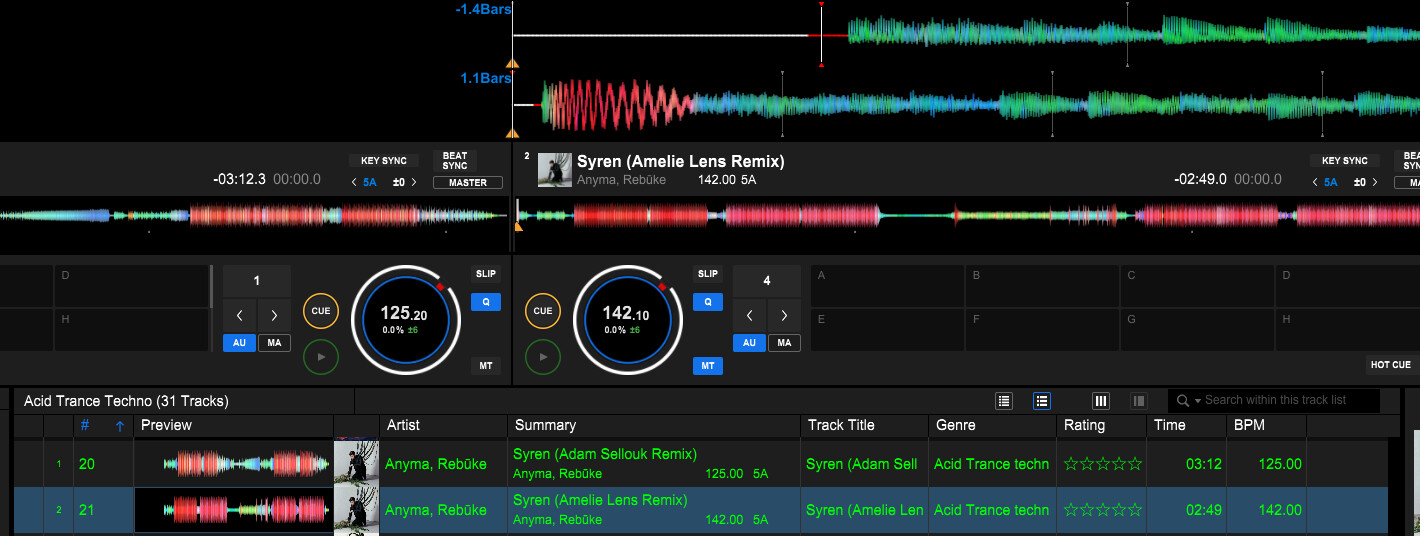
Evidence: I have attached comparative screenshots of two specific tracks to illustrate this issue:
Track:Alive (Anyma Remix) - RÜFÜS DU SOL
In Rekordbox: The grid is perfectly tight and aligned with the transients.
In djay Pro: The grid is offset/misaligned.
Track:Nobody - Mrak
In Rekordbox: The grid is perfectly aligned.
In djay Pro: The grid alignment is incorrect.
Steps to Reproduce:
Analyze and grid a track in Rekordbox.
Set Cue Points.
Open djay Pro and access the Rekordbox library integration (OneLibrary)
Load the track.
Result: Cues are correct, but the Grid is shifted/wrong.
Could you please investigate why the grid analysis does not translate 1:1 from Rekordbox, or if there is a setting I am missing to force djay Pro to use the existing Rekordbox grid values?
Re-analyzing the track in DjayPro does not help
Hi @Andrea_Gangini, are you running your songs through Mixed In Key before or after you import them into Rekordbox? If it’s after, please try processing them with MIK first, import into Rekordbox, then export vie OneLibrary.
Hello! It’s been a week since my last reply. I’m going to consider this topic completed for now so I can focus on others. However, please feel free to respond and we can definitely revisit this. Thanks!
It would be great if DJAY pro can work with the prepared beat grid from Rekordbox
Device model (e.g. 2020 iPad Air 4th Gen): MacBook Air 13-inch, M4, 2025
Version of operating system (e.g. macOS 14.4.1): 15.6.1 (24G90)
Version of djay (e.g. 5.1.2): 5.6.1
Version of Rekordbox: 7.2.8.0327
Hi, if you go and watch Mojaxx video about one library, he goes into some details about what causes that. It may help give you some clarity around why it’s doing it.
Hi @Casper_Gorter, I’ve merged your new topic with this existing one. Thanks for the details about your setup and the issue - this is very helpful! Can you please confirm if you are also processing your songs through another 3rd party software like Mixed In Key or Platinum Notes? Thanks!
I’m experiencing the same issue wiith Beatgrids between Djay Pro and Rekordbox when using OneLibrary on my USB Drive.
I have used Djay Pro to analyze all my tracks. This was a fresh library as I wanted to start over from scratch. When viewed in Djay, all my beatgrids are correct. However, opening OneLibrary in Rekordbox results in the beatgrids being out by approx 1/8 of 1 beat (at a rough guess). I’m not importing the playlists, just reading them straight off the Onelibrary files. I would say this is the case for 99% of the 6000 odd tracks that I have in my library.
Please see attached screenshots for two examples.
Platform PC WIndows 11
Versions
Djay 5.6.2
RBox 7.2.10
All files are M4A 320kbps
I appreciate that given that beatgrids are fine in Djay Pro, that this issue is on the Rekordbox side and therefore may well be beyond your reach, but I thought I would try here too as knowledge shared about such issues can benefit the community as a whole.
Import music files in to Djay Pro and add them to my collection
Using Djay Pro Create new Onelibrary on my USB Drive then drag playlists to the Onelibrary.
Analyse the Onelibrary tracks in Djay Pro to ensure Beat Grids are correct.
Close Djay
Open Rekordbox and authorise Onelibrary.
Note Beatgrids land before the beat as per the screenshots.
If I then go back to Djay Pro, the grids are fine.
No other software has been used.
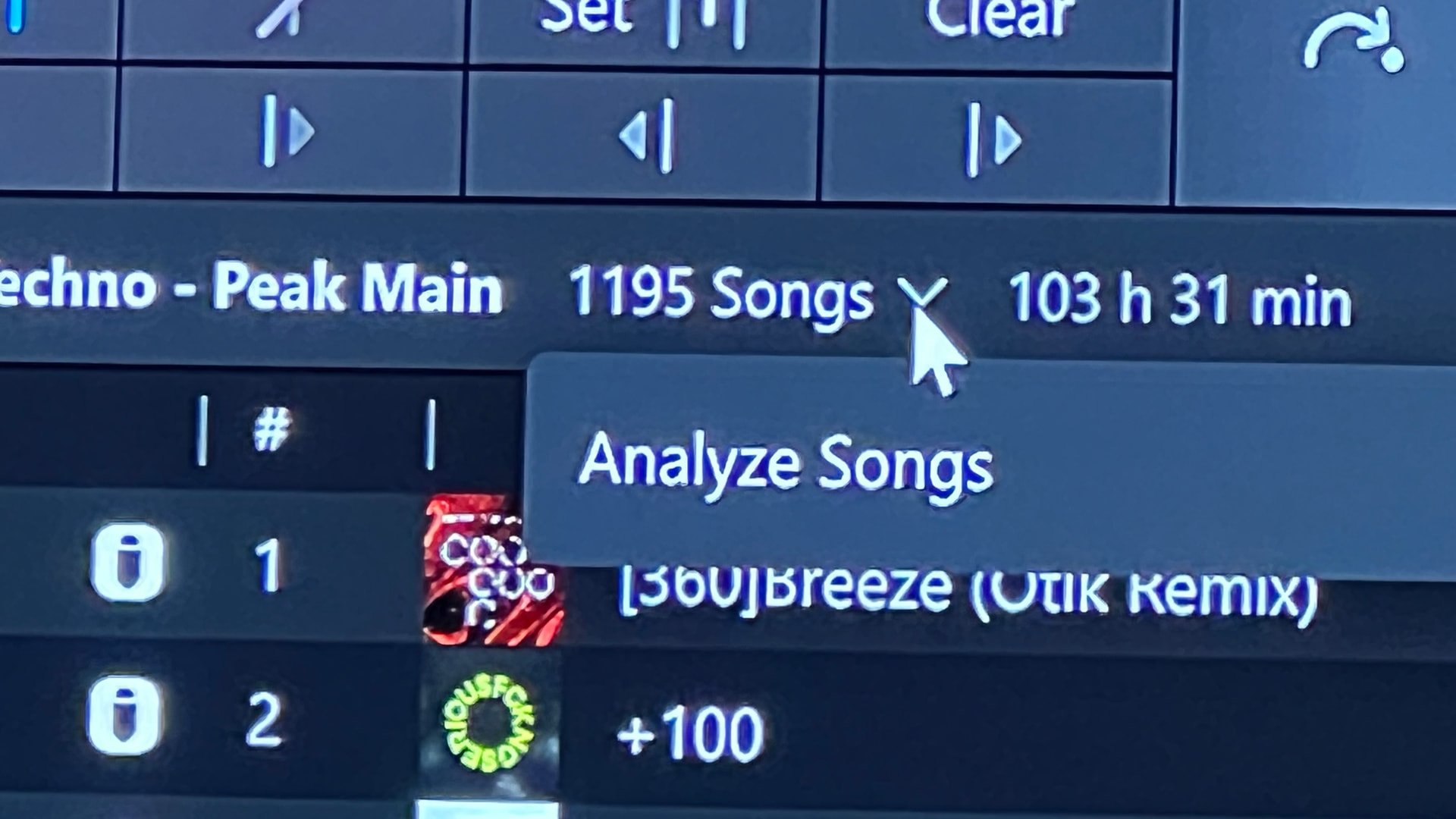
One thing I do now recall is that when doing a batch file analysis of an entire playlist, using the small drop down menu next to the number of tracks in the playlist, if I did the whole lot in one go, then the analysis wouldn’t work properly. I think one playlist has 1300 songs. This meant that I may have missed the fact that the beatgrids were off when I first opened them in Rekordbox. once I realised this was happening in Djay I went back and analysed the tracks by selecting groups of them (300-400 at a time) in the playlist window. This corrected the analysis and all the tracks in my Onelibrary. Could this have an affect?
The bottom line is that Djay is showing my beatgrids correctly and Reckordbox isn’t.
I would be willing to rebuild my Onelibrary again if you think it’s worth the effort. Ensuring all beatgrids are correct prior to creating the Onelibrary and definitely before opening Onelibrary in Rekordbox. What do you reckon?
Just reporting that the fresh build of OneLibrary worked for me.
That included importing the music folders into new playlists into Djay, analysing, randomly spot checking beatgrids were ok, then adding playlists to USB Library.
Only then did I boot into Rekordbox and access the new Onelibrary. The beatgrids are matched
and should I change a beatgrid back in Djay, the change syncs correctly in RB next time I load into RB
I’ll keep an eye and let you know if I run into any problems.
(see screenshot) drop down menu function seems to skip whole swathes of songs, which could have contributed to the error. For clarity, I did not use this second time around, instead choosing to select large groups of songs manually, right clicking and selecting Analyze instead. So this might be worth looking into.
That is great news @damofinn. Thanks for the follow up.
Regarding your experience with Analyze, there are three ways to analyze tracks:
Loading them on a deck.
Selecting “Analyze” on a playlist.
Selecting one or multiple tracks and then “Analyze” (using Right/Control-Click on macOS, or track selection mode on iOS)
For options 1 and 2 the track is not analyzed again if it has been previously analyzed.
Option 3 will re-analyze the track and overwrite existing information like Key and BPM. However, we keep most of the user edits made to the Beatgrid and simply reapply them to the new grid; this includes anchors, shifts, and downbeat changes. I hope that clarifies things.
Hey @Andrea_Gangini, I know this post is a few months old, but I was going crazy trying to figure out this exact same issue with ‘Nobody’ by MRAK, so I’m glad I found your post.
While there might genuinely be other bugs with the app’s grids like people are saying, the weirdness with this specific track actually isn’t a software bug—it’s just the song’s phrasing.
The track is structured so the drop resolves at 108 bars instead of the standard 112 bars (which would be a clean multiple of 16). Because it’s missing those 4 bars, anytime you use a standard 16-bar beat jump, you overshoot the end of the drop by exactly 4 bars. The software assumes standard 16/32-bar phrasing, so it throws the phase alignment off completely.