Hi everyone, I’m experiencing an issue with the Reloop Mixtour on djay Pro AI for macOS.
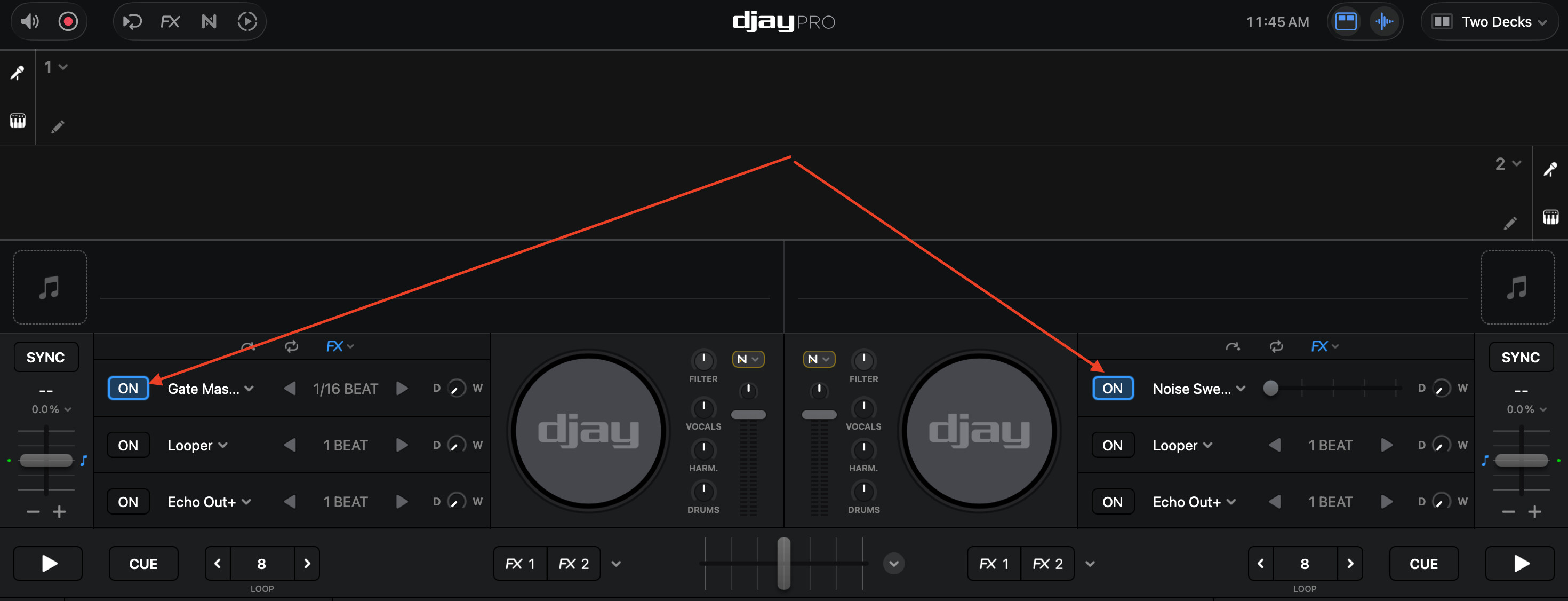
When I press the FX button on the Mixtour (blue LED turns on), the “FX1” button on the DJ Pro interface doesn’t become blue (active), and the “Filter/FX” knob continues to control the filter (low-pass / high-pass) instead of switching to control the FX1 Amount (effect intensity), as expected.
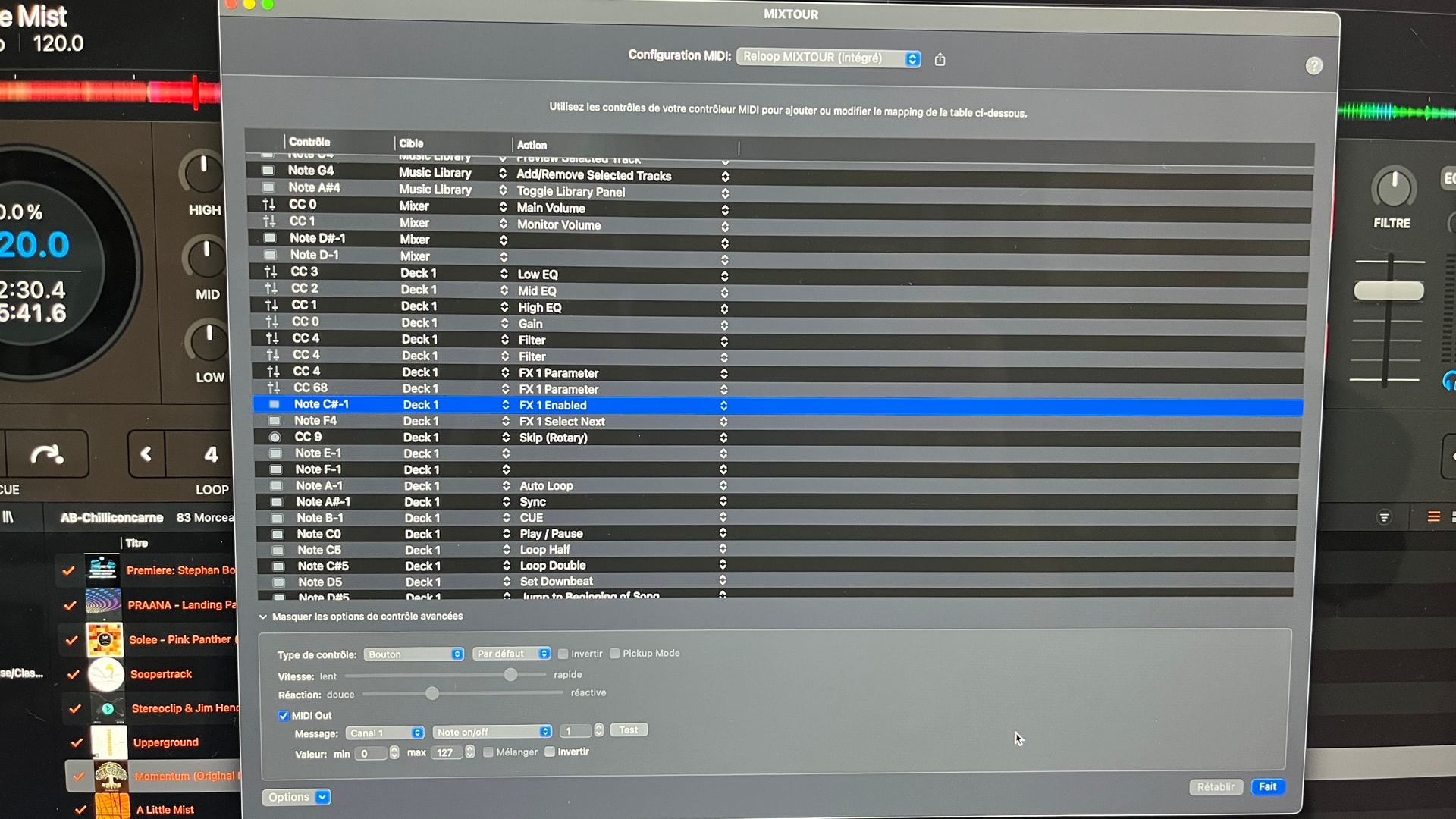
I verified that the FX button sends a MIDI signal using MIDI Monitor, but it sends (Note C#-2) instead of (Note C#-1) as shown in the default midi mapping
I did reset the Mixtour mapping to factory default in djay Pro AI
Has anyone successfully restored the expected behavior, where the Filter/FX knob controls the FX amount when the FX button is engaged?
Thanks in advance!
Mixtour Reloop
DJ Pro 5.6.1
iMac 2019 Sequoia 15.7.3
Hi @touchnez, thanks for the details about the issue and your setup - this is very helpful. Can you please share screenshots of the MIDI commands for this with the Advanced Control Configuration expanded? Can you please also share a short video of the behaviour you’re describing? Thanks!
Thanks for the video @touchnez. This clarifies things. Please note that the FX buttons on the Mixtour control only the Manual FX 1. The FX1 / FX2 buttons you are looking at are separate Instant FX units from the Manual FX. Please enable the Manual FX view as shown below.
Great, thank you for this critical information ! But unfortunately, even if pressing the FX button does enable the FX1 effect now, the rotary “Filter/FX” still doesn’t control the FX1 Amount (effect intensity), as expected. It still commands the filter…
You’re welcome @touchnez.
- Can you confirm that you installed the latest Mixtour firmware from Reloop? Reloop Mixtour - Reloop
- Can you please confirm you are using the (built-in) MIDI mapping?
- Can you please capture another video showing the Manual FX panel open?
1 Like
wow, thanks Slak_Jaw! The firware update solved the problem!!!
1 Like
You’re welcome @touchnez. Happy to help!