Hello!
I bought a Reloop Mixtour Pro, when in Hardware mode 4 decks, there is no way to see track volume fader position?
The faders are used for the same deck so it is vital to see where they are when switching between them because they dont correlate with the physical fader.
Any solutions?
Hi @Morris_Miklo, when creating new topics, please do not forget to answer the questions in our template with specific details about your setup not just “iPad” or “Latest Version”. This helps all of our community moderators to provide the most effective support to users with the utmost efficiency. Thanks!
Device Model (ex. 2020 iPad Air 4th Gen):
Version of operating system (ex. iOS 17.3.1):
Version of djay (ex. 5.1.3):
Hardware/controllers used (ex. Reloop Ready):
Hardware Firmware Version (ex. 2.7):
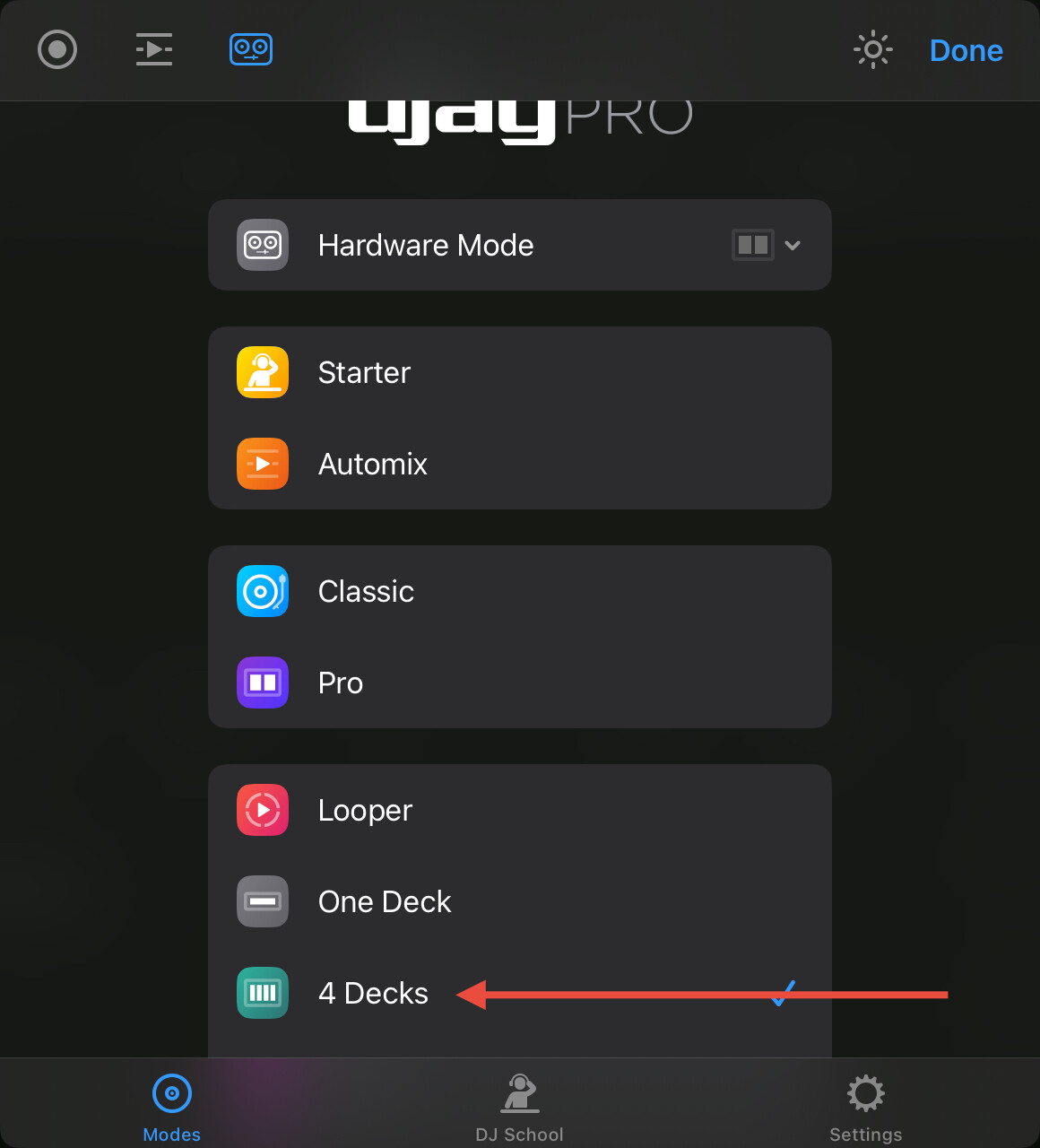
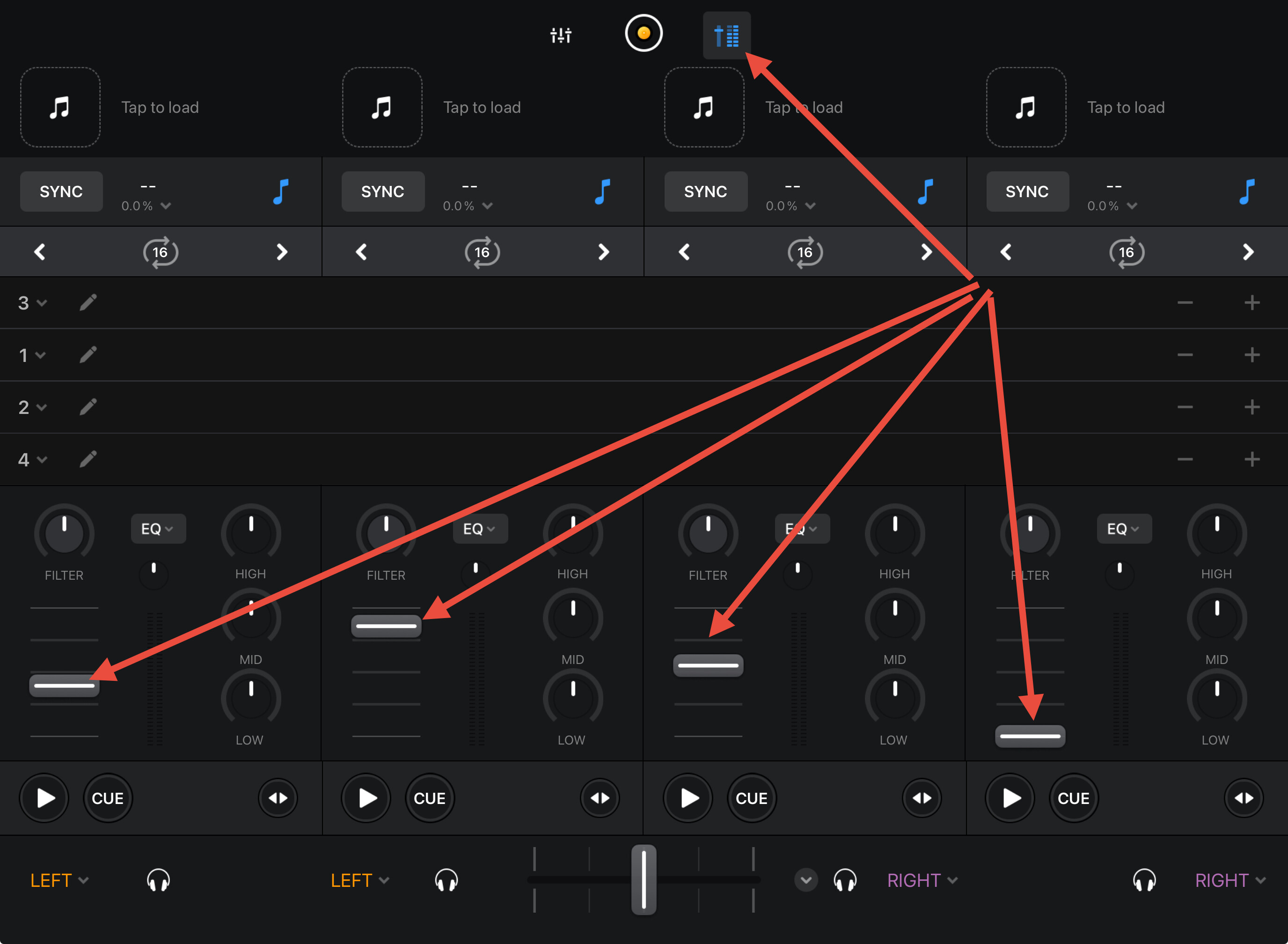
Hi again @Morris_Miklo, 4 Deck Hardware Mode is designed more for proper 4 channel hardware with faders for each deck. When using the Mixtour Pro, I recommend that you use the regular 4 Decks mode and then enable the Mixer Section in the UI so you can see all 4 channel faders.
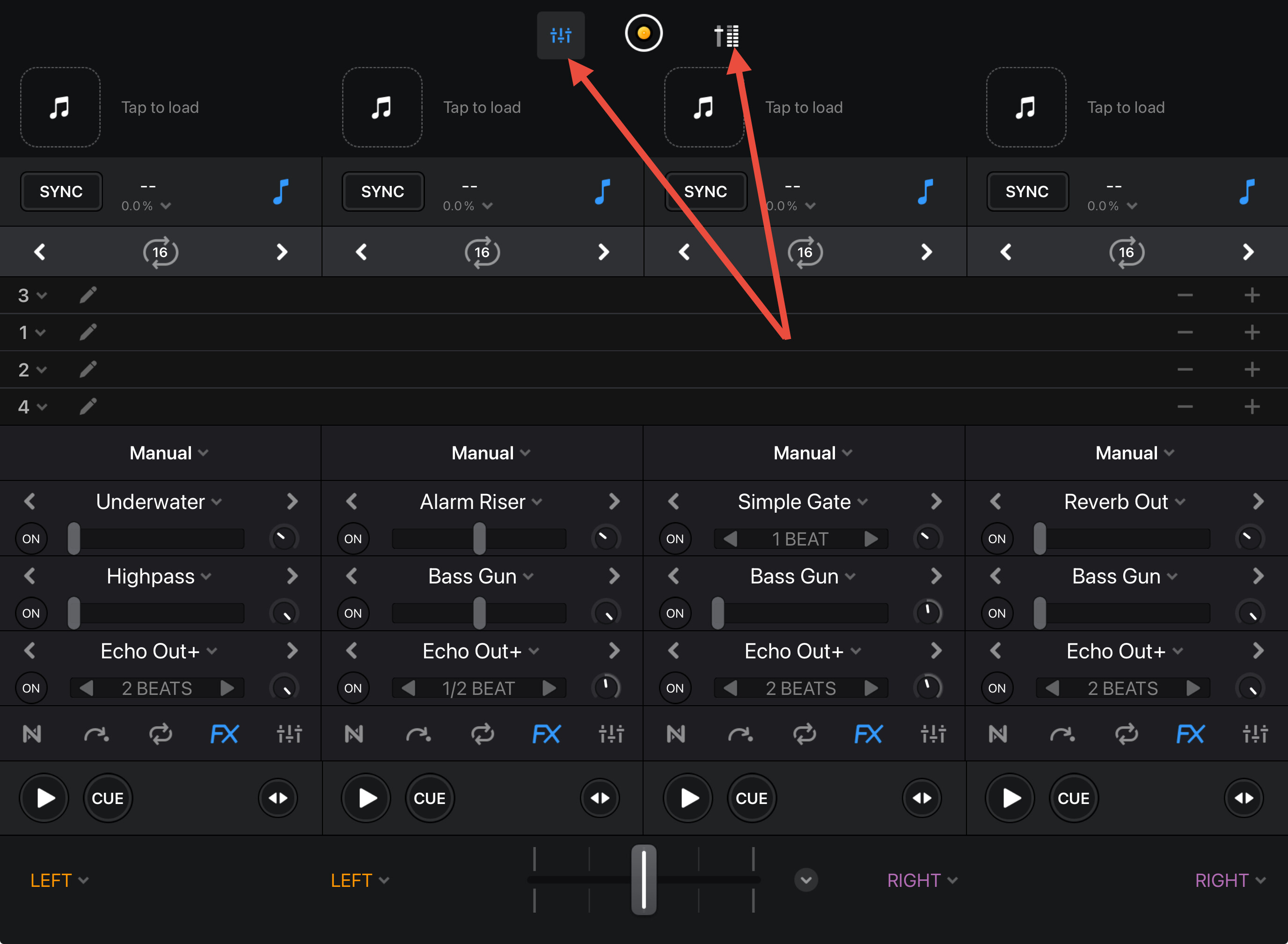
But then i cant see the active FX? Why cant i see both level and FX?
Hi @Morris_Miklo, if you want to see the channel fader positions for all 4 Decks, and FX for all 4 Decks, you will need to switch back and forth between the Performance Tools and Mixer Tools.
Thanks, is there a midi command for that?
Could you please pass on a request to be able to see both faders and at least FX1 at the same time in hardware mode for Mixtour pro?
There is no MIDI command for that. Sounds good - I’ll pass that on.