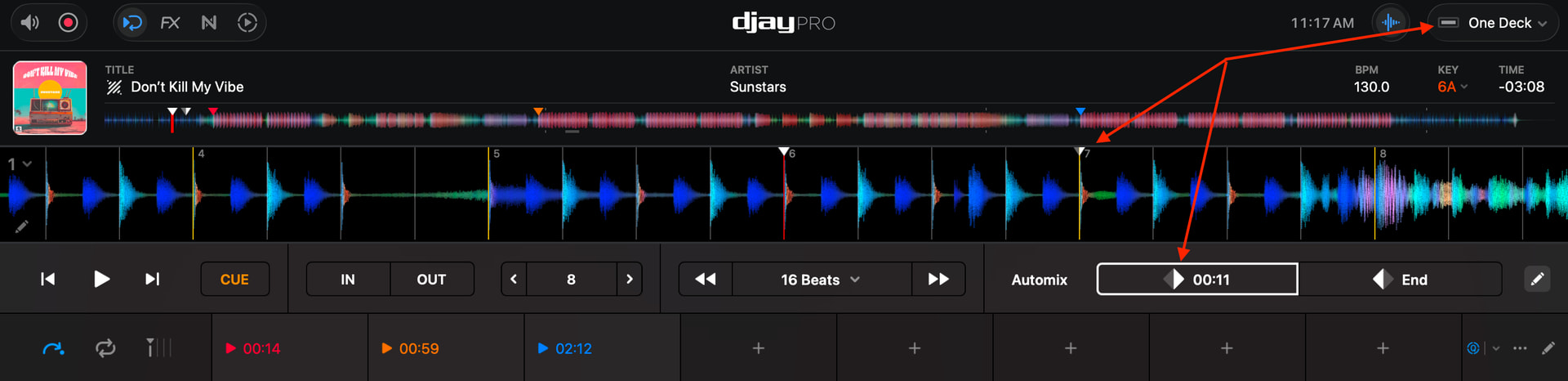
in rekordbox I was able to set a cue point and that would always be the cue point when I loaded the track, even if I started the track from a different point at the gig.
djay seems to remember at which point I started the track from the previous time I play it from there.
I have my song loading setting set to “Start CUE” but if I loaded a track and say for example I have a track with 4 cue points. I like to use the 2nd one for my start cue however at a gig I used cue point 3 (the white triangle is now on cue point 3)…when I next load that track, it defaults to cue point 3 when I want it to be 2.
I’m saddened it’s taken me since January to learn about this, thank you so much for your reply, I wasn’t even aware of the grey/white start cue. That’s really going to help so thank you again.
One question though, I assume that whilst at a gig pressing Option Q/P whilst playing live will set the start cue on the appropriate deck or does that set the solid white/temporary cue (the behaviour i’m seeing)?
You’re welcome @discoian. Sorry you didn’t see my reply sooner. Option Q/P sets the temporary cue (Solid White one). It doesn’t affect the Start Cue (Grey/White one).
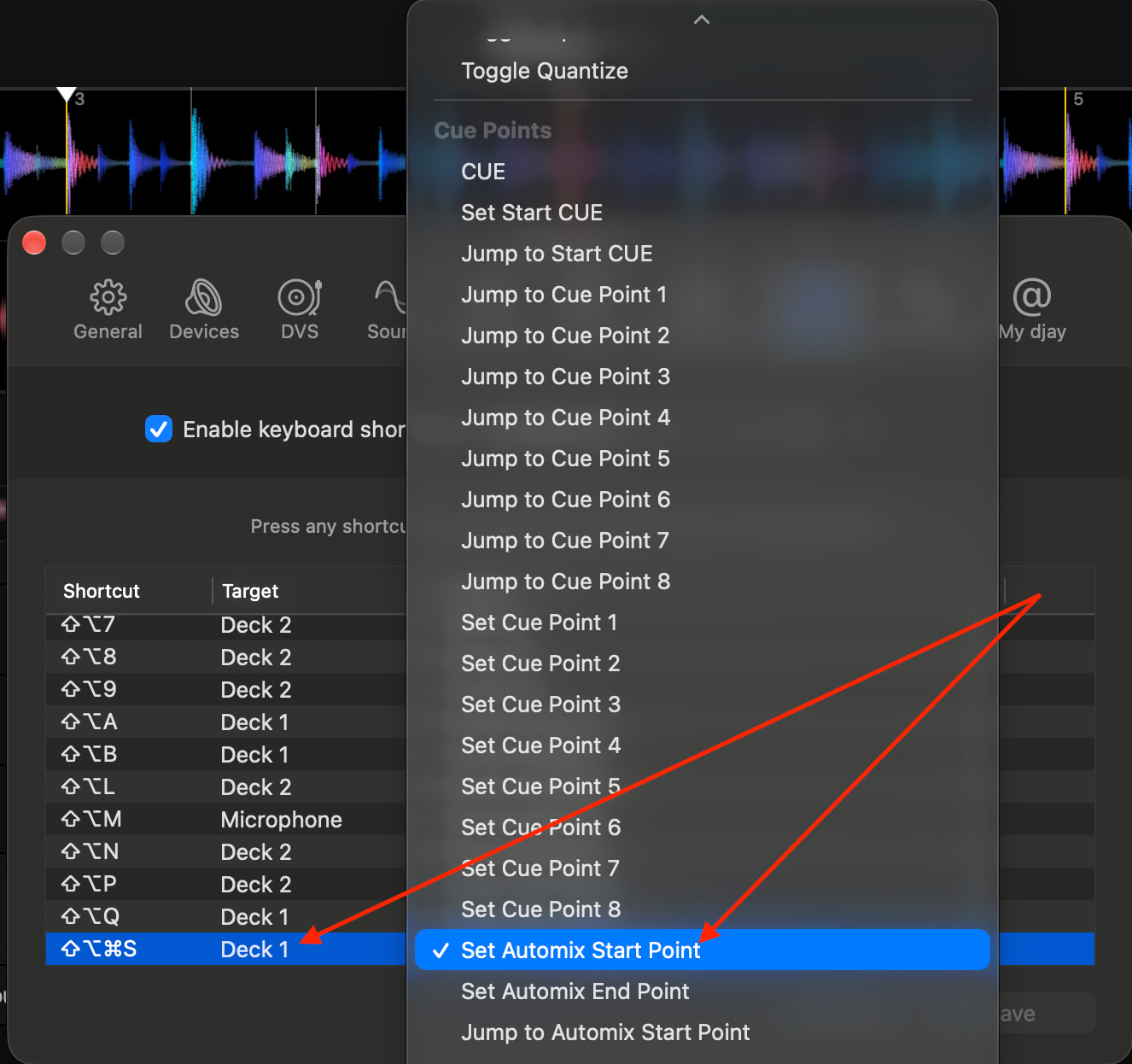
Is there a keyboard shortcut for the grey/white one or can it be mapped to something?
The command you are looking for is called Set Automix Start Point. You can map this to your desired keyboard shortcut combination for Deck 1 and Deck 2