NOTE: Please use the search function above before posting to avoid creating duplicate topics.
Device model (e.g. 2020 iPad Air 4th Gen):
Version of operating system (e.g. macOS 14.4.1):
Version of djay (e.g. 5.1.2):
Hardware/controllers used (e.g. Reloop Mixon 8 Pro):
Hardware firmware version (e.g. 1.0.1):
Please consider sharing a short video or screenshots to help clarify your issue
A) SUMMARY OF ISSUE:
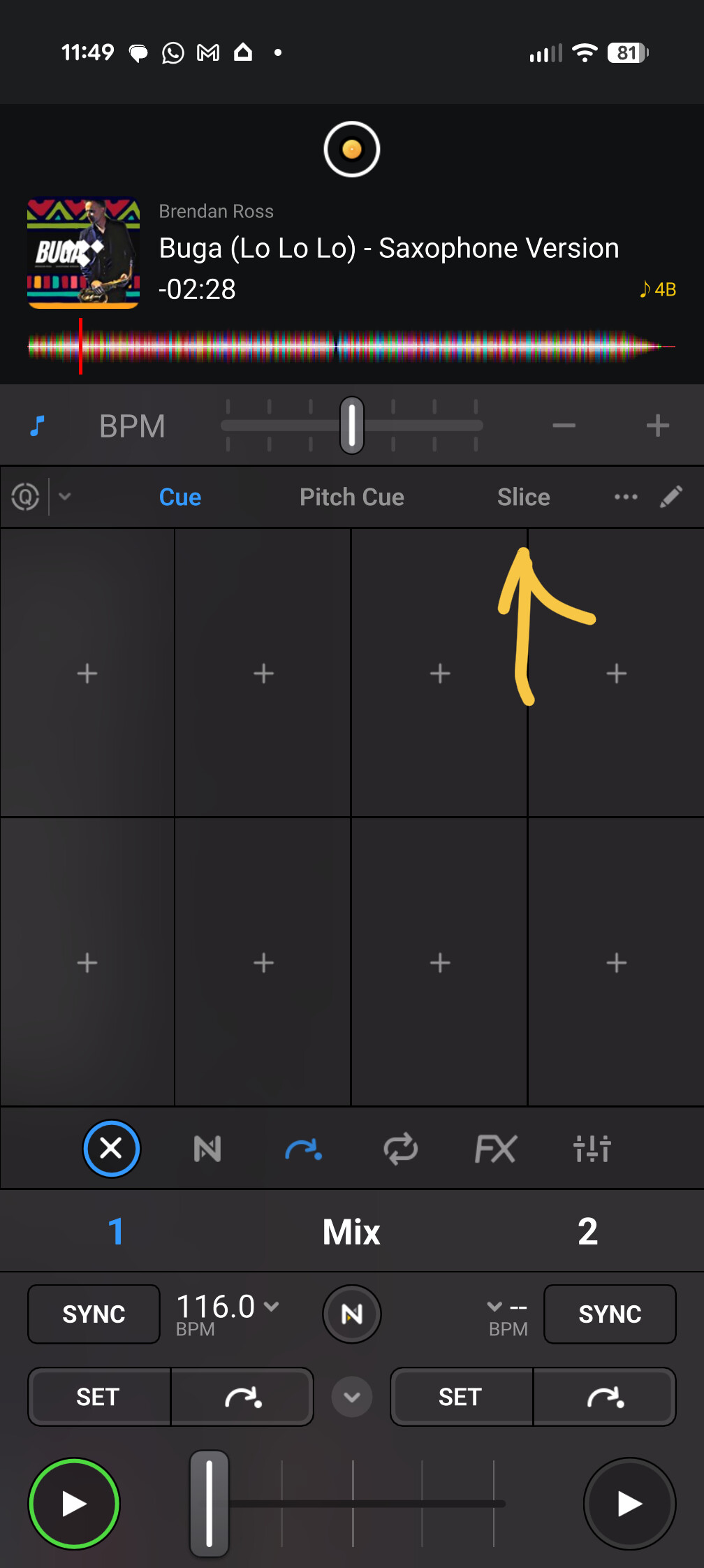
Since the latest update to version 5.6.9, there is no way to access the Skip function, so I am unable to set the Start and End points of any song, or edit the previously created points.
B) DETAILED STEPS TO REPRODUCE:
Open the djay app, select Classic mode, sent surgery deck 1 or 2, click the settings button above the deck number (1 or 2). Cue is auto-selected and highlighted in blue. All the other functions to the left and to the right of Cue respond to touch and function as intended, but Slice does not respond, and there is no way I can find to get to Skip. I have cleared the cache, force-stopped the app, tried landscape to no avail.
C) EXPECTED RESULTS:
Previously, touching the Slice button opens a dropdown menu to select Skip
Hi @drjvio, welcome to the Community! Sorry to hear you’re experiencing this issue. When creating new topics, please do not forget to answer the questions in our template with specific details about your setup not just “iPad” or “Latest Version”. Thanks!
Device Model (ex. 2020 iPad Air 4th Gen):
Version of operating system (ex. iOS 17.3.1):
Version of djay (ex. 5.1.3):
Hardware/controllers used (ex. Reloop Ready):
Hardware Firmware Version:
Can you please also share a screenshot of the missing skip controls?
Thanks for the additional info @drjvio. I was able to reproduce this on my Android device as well. I checked our system and engineering is already aware of this, they’ve identified the issue and are working on a fix which should be included in an upcoming update (likely 5.6.10).